Construction selections software

A countertop choice has a price, a supplier lead time and a date by which someone must decide. Home Builder Software keeps those details with the selection and its contract allowance, so a finish schedule can become a record the office, buyer and project team can act on.

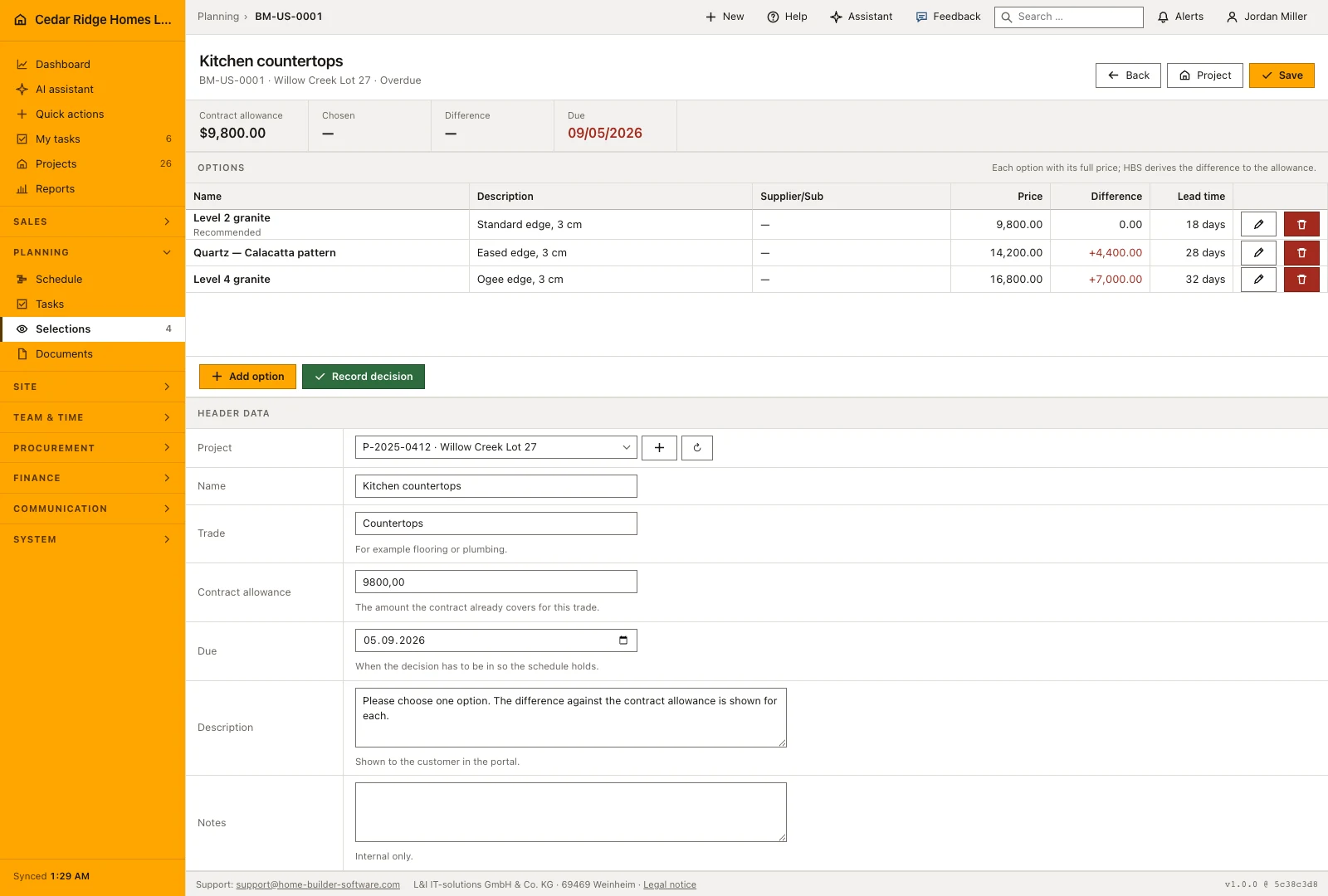
Countertop selection with a contract allowance, three priced options and supplier lead times
The selection compares complete option prices with the allowance and shows the decision deadline.

Keep the allowance and each option’s full price together

Use the selections workflow for custom homes and residential renovations where the final specification is still being agreed. Buyers can review available options in the enabled customer portal, while the office can record decisions made in a meeting. The record keeps the chosen option and the decision separately from a later commercial approval.

Create a selection for the project and trade, with its contract allowance and decision deadline. Enter each option with its full price, supplier and lead time. The difference is calculated against the allowance; an option’s price should not be entered as only the upgrade amount. That distinction keeps the customer’s comparison understandable.

Record the buyer’s chosen option, decision maker, date and note. When a price difference needs a contract change, create a change order from the selection. It enters internal review with the difference and the option’s lead time. Review, release and posting remain separate steps before the contractual amount is changed.

  • Compare complete prices

    Keep the base allowance visible while comparing the full option prices. Check which supply and installation scope the supplier has included.

  • Set the decision date before ordering

    Give the team a deadline that allows time to review the choice, confirm availability and prepare the order.

  • Keep a named decision record

    A choice made in the portal or recorded by the office retains who decided and when, with the customer note.

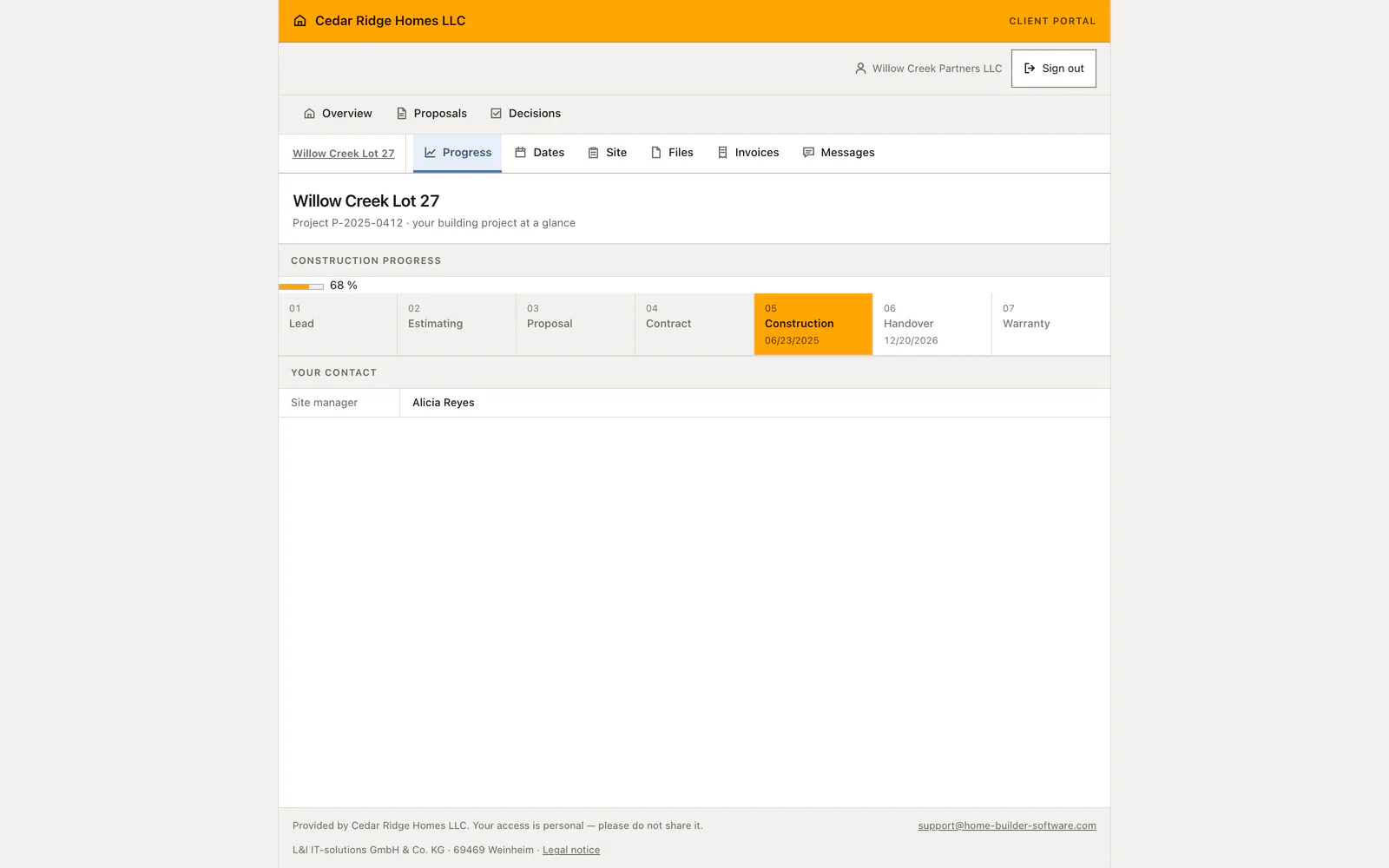
Customer portal with project information and enabled customer areas
The customer portal presents the project information and communication released for the buyer.

Give homeowners a defined place to review choices

The customer portal provides project information without opening the internal company workspace. With selections enabled, the buyer can inspect the offered choices and record a decision. Review the portal’s available areas and access rules before deciding what customers should see at each stage of your build.

Inspect the homeowner portal

Read the countertop comparison shown in the product

The displayed selection has a $9,800 contract allowance. Its quartz option is priced at $14,200, so the visible difference is $4,400. The alternatives also show different lead times. These are figures from the product screen, not a price list for construction work or a customer savings claim.

A selection comparison helps the buyer choose, but purchasing still needs the agreed specification and supplier confirmation. Review the delivery requirements against the construction plan rather than assuming the decision itself places an order or reschedules the trade.

Use selections and change orders for different decisions

The selection says which finish the buyer wants. The change order records the commercial consequence when the agreed scope or price changes. Keeping those records separate matters when a buyer chooses an upgrade before its cost has been reviewed or when a supplier later changes the quote.

For a demonstration, choose one allowance with a standard option and an upgrade. Inspect the customer view, record the choice, create the review-stage change and follow its status. This tests the approval path that an attractive mood board alone cannot show.

Calculators and instructions for this construction workflow

  • Change order markup calculator

    Prices a change order the way the contract does — extra quantity at the agreed unit price, changed work at cost plus overhead and profit — and shows the days it adds.

Read the workflow instructions

Home Builder Software pricing and trial access

Managed cloud starts at $70 per month before tax, with all modules and unlimited projects. Your written quote specifies users and storage. A self-hosted license is quoted separately.

The free 14-day trial opens all product modules, with up to 100 MB of uploads and a limited monthly AI allowance. A secure registration link arrives by email; no payment details or automatic subscription are required.

Questions about construction selections software

Should I enter the upgrade difference or the full option price?

Enter the full price. Home Builder Software calculates the difference against the contract allowance. Confirm that all options use a comparable supply and installation scope.

Can the office record a choice made outside the portal?

Yes. The decision can be recorded in the office with the selected option, decision maker, date and note.

Does a homeowner selection approve a new contract amount?

No. A selection can create a change order for internal review. The commercial change still follows its review and posting process.

Is this a design visualization or rendering tool?

This workflow manages priced options and decisions. It does not promise a room renderer, a virtual showroom or a supplier’s live stock feed.

Walk through one allowance and one upgrade

Bring a finish choice that recently caused extra calls or a late decision. We can follow its price, deadline, customer decision and commercial review.