
Construction scheduling and Gantt planning
Plan home-building phases, activities and milestones in a calendar and Gantt view with working days, dependencies, baselines and critical-path information.
Construction scheduling and Gantt planning: how it works in Home Builder Software
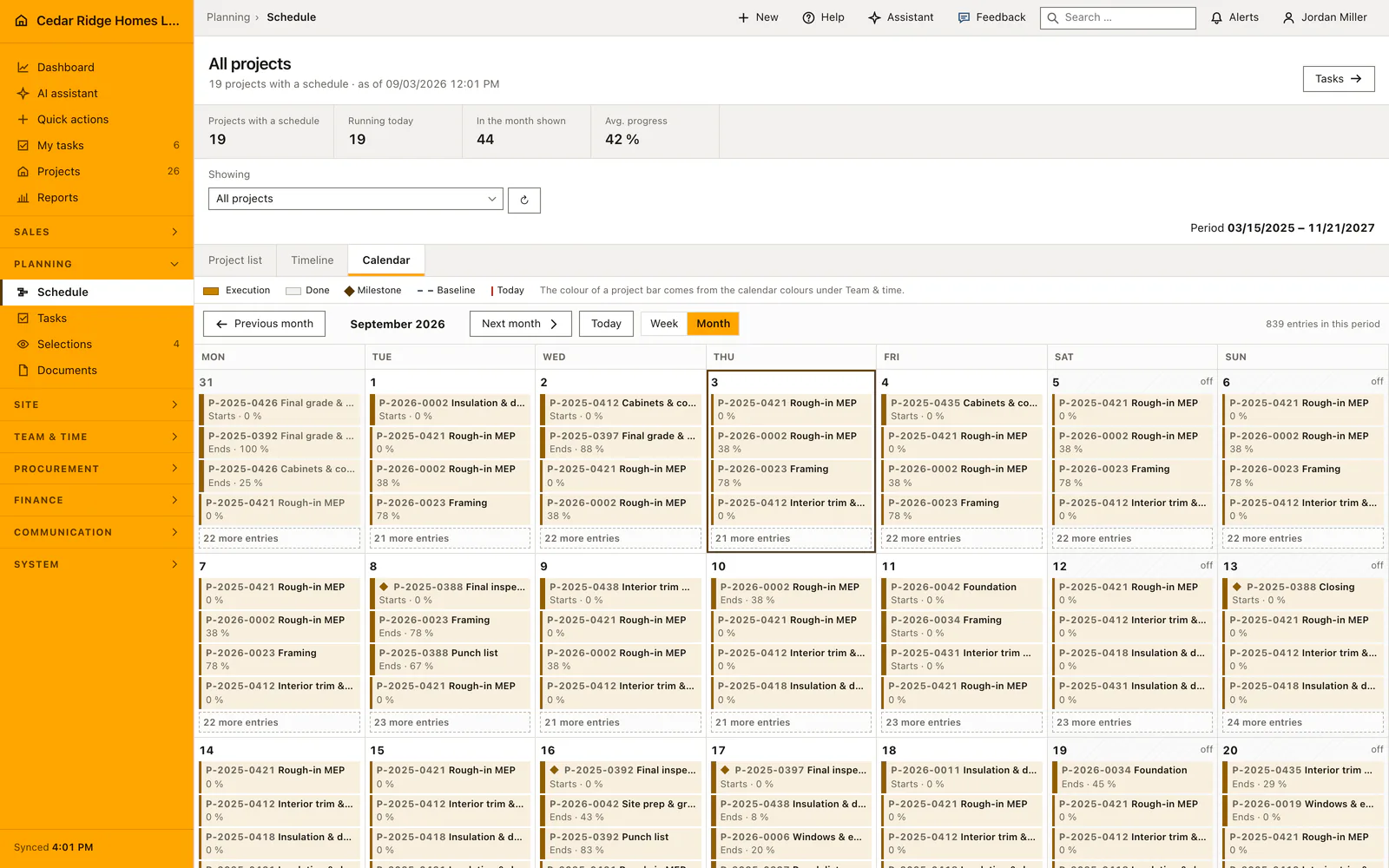
The schedule joins a real month calendar, a Gantt chart and an editable activity list, so one plan carries the whole project instead of a spreadsheet nobody trusts. Activities appear on their calendar days with status and project, non-working days and recorded exceptions are marked, and milestones are drawn as their own type. Site management sees what is due this month and what the network of trades will do to it.
Every activity holds name, description, start, end, progress, status, owner, crew, phase, type, predecessor, relationship type and lag. Progress and status stay aligned: one hundred percent reads as done. Dragging a bar snaps it to working days, pulls its successors along and respans the phase above it, and Recalculate does the same for the whole plan. Cycles and self-references are rejected, and an activity that demands photo evidence cannot be closed without an inspection attached.
A saved baseline freezes the target dates and the Gantt then shows target and current bars separately, while activities without total float carry a written critical label rather than a color alone. Where no activity has a predecessor the plan says so and asks for the trades to be linked instead of marking something meaningless. Applying a template writes phases, activities and their tasks at once, counted in working days, and each task inherits its phase from the activity it belongs to.
Building a plan from a project template or activity by activity
A project without a plan does not have to be typed trade by trade. Apply template asks for the template, the first working day on site and, where activities already exist, whether the current plan is kept and the template appended or whether it is replaced. Phases, activities and the tasks belonging to them are written in one operation, counted in working days, so no step begins on a day nobody works.
Replacing detaches the tasks from the old bars before the activities are deleted, so work somebody wrote down does not disappear with its bar. The project also remembers which template its plan came from, if it did not already carry one. Creating a single activity by hand stays available, and that form opens on the project currently shown in the plan.
Editing dates, predecessors, lag and phase on one activity
An activity carries a name, a description, a start, an end, progress from zero to a hundred, a status among planned, in progress, blocked, done and canceled, and a type of activity, milestone or summary. Progress and status are reconciled on save: full progress reads as done and the other way round. The end may not fall before the start, and the process type gives the automatic color while no color of its own is set.
Predecessors are a list rather than a single field. Each link stores its type separately, as finish to start, start to start, finish to finish or start to finish, together with a lag between minus and plus three hundred and sixty-five days. Self references and cycles are refused. New phase creates a section and files the activity into it with the same save, overriding the phase select above it.
 Open full-size screenshot
How the plan reaches tasks, the customer portal and the progress report
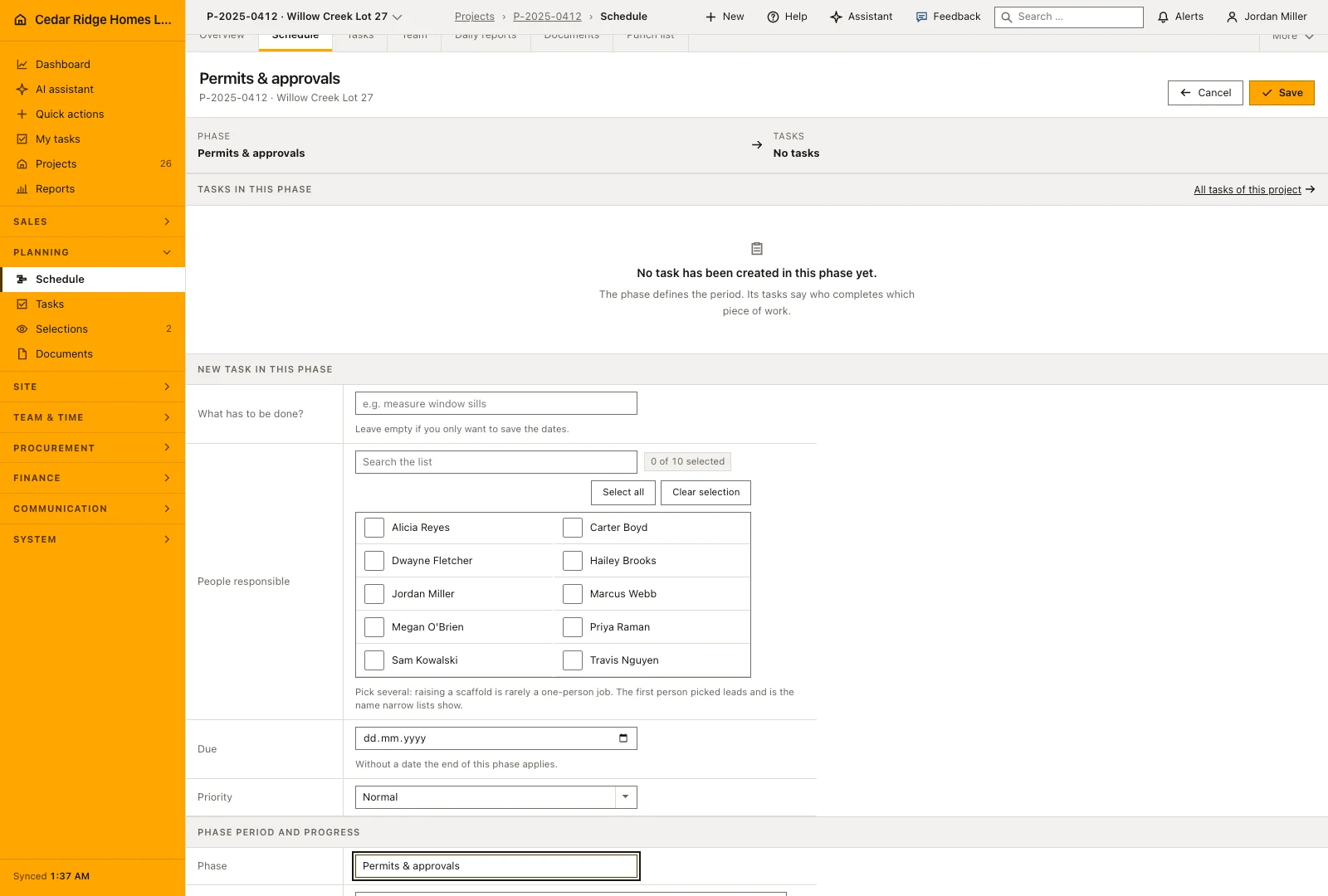
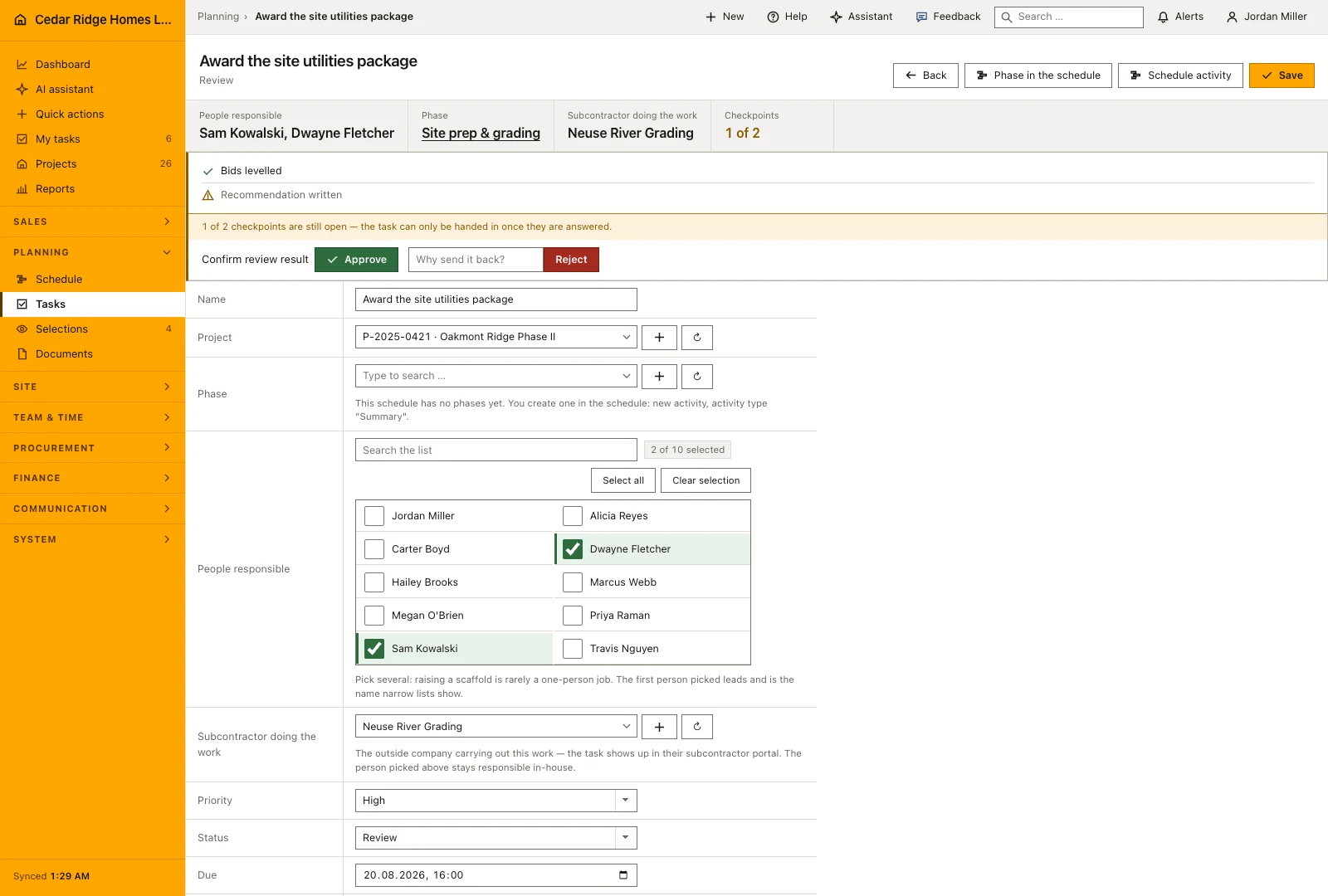
The phases of the plan group the task list, so dispatch works in the order the site does, and a task can hang off a specific activity. A new task is created directly in the activity form and takes over the end of that activity when no date of its own is given. The row in the plan shows how many of its tasks are already done.
The customer portal shows the coming activities with their period under the next steps, without any internal figure beside them. The progress report takes dates and completion from the same plan instead of asking for them again. The company view draws one bar per project in its own color, which is where site management sees whether the jobs overlap.
 Open full-size screenshot
Construction scheduling and Gantt planning in the daily routine
A new project usually starts from a template: site management picks it, names the first working day on site and decides whether an existing plan stays or is replaced. Foremen report progress on their activities, and the office drags bars when a trade slips, which moves the successors immediately. Before the weekly meeting the plan is recalculated and compared against the baseline. Phases from this plan then group the task list, so dispatch works in the same order the site does.
Read the documentationConstruction scheduling and Gantt planning: what it covers
Edit dates, progress, ownership, predecessors and relationship types
Recalculate dependent activities around weekends, holidays and exceptions
Compare the current schedule with a saved baseline and identify critical work
Construction scheduling and Gantt planning: questions and answers
Does the schedule account for non-working days?
Yes. Recalculation and template scheduling skip weekends, holidays and company exceptions from the working calendar.
Can an activity move its successors?
Yes. Linked successors move when the plan is recalculated or a bar is dragged, subject to the configured relationships and lag.
Use Construction scheduling and Gantt planning on your own projects
Request a trial period for the workflow around this module. We agree the roles, permissions and useful scope with you before preparing access.