
Printable construction progress report
Generate a print-ready progress report for owners and lenders from current project, schedule, invoice and daily-report data.
Printable construction progress report: how it works in Home Builder Software
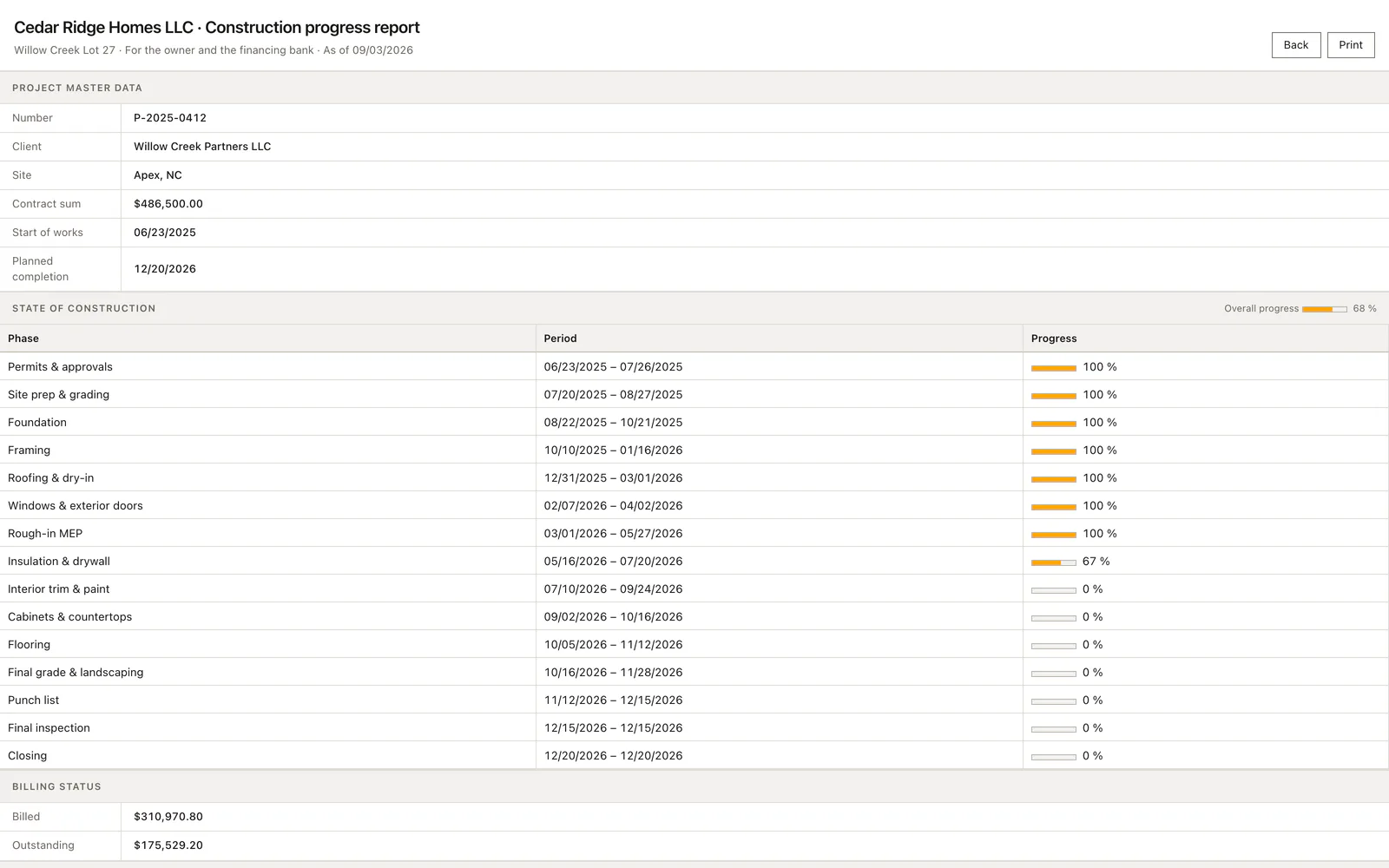
Construction finance is paid out in tranches, and before each one the bank wants to see documented progress. This report is the sheet the builder puts in front of the owner and the lender: one page, no navigation, printed or saved as a PDF from the browser. It answers the question the tranche depends on, how far the building has actually got, with figures the office does not assemble by hand.
The sheet opens with the company, the report title and the date it was drawn. Below sit the project number, the owner, the site, the contract sum, the start of construction and the planned completion. The state of works shows the overall percentage and a bar per trade with its period, taken from the schedule. Billing shows what has been invoiced and what of the contract sum is still open.
Site documentation counts the daily reports and the photos behind them, which is how the lender judges whether the site was recorded without gaps. Signature lines close the sheet, one for site management and one for the owner or the bank. Nothing on the page is maintained separately, so the report is only ever as good as the schedule, the invoices and the diary already are, and it changes with them.
Opening the progress report and printing it as PDF
Open the project and choose Site report to prepare the current progress summary for a meeting or handover. The report opens in a print-friendly view with the project information and schedule together. Use Print to produce the sheet or save it as a PDF through the browser. The navigation controls stay off the printed report, while the back button returns you to the project file.
Print opens the browser print dialog, and Ctrl+P does the same. Choose the PDF destination there when a file belongs to the tranche request, or print directly when the signature happens on site. The signature block leaves two empty rows under site management and owner or bank, each with the hint place, date, signature, so the sheet is ready to sign the moment it leaves the printer.
 Open full-size screenshot
Correcting a figure the lender will question
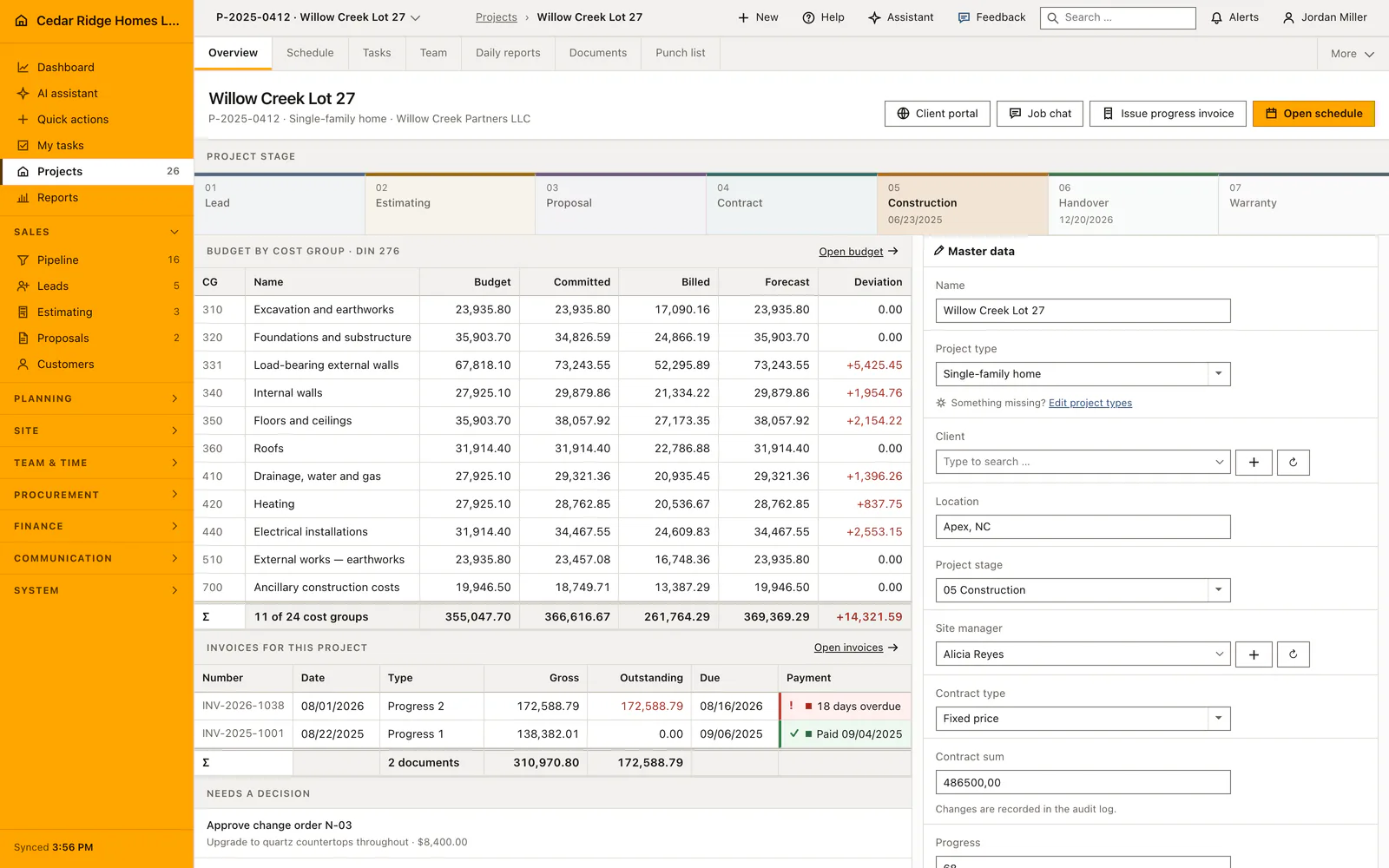
Because nothing is entered here, a wrong figure always sits somewhere else. A trade showing zero percent although the crew finished last week is a schedule activity whose progress nobody moved. Open the schedule of that job, change the activity, reload the report. A contract sum that reads too low belongs to the project master record and not to this sheet.
The billed amount is the sum the invoicing module carries for the job, so an interim invoice still sitting as a draft does not appear in it. The count of daily reports and photos is the honest measure of how completely the site was recorded, and it rises only when the missing reports are written. There is no field on the sheet for typing a friendlier number.
 Open full-size screenshot
Where schedule, invoices and daily reports supply the figures
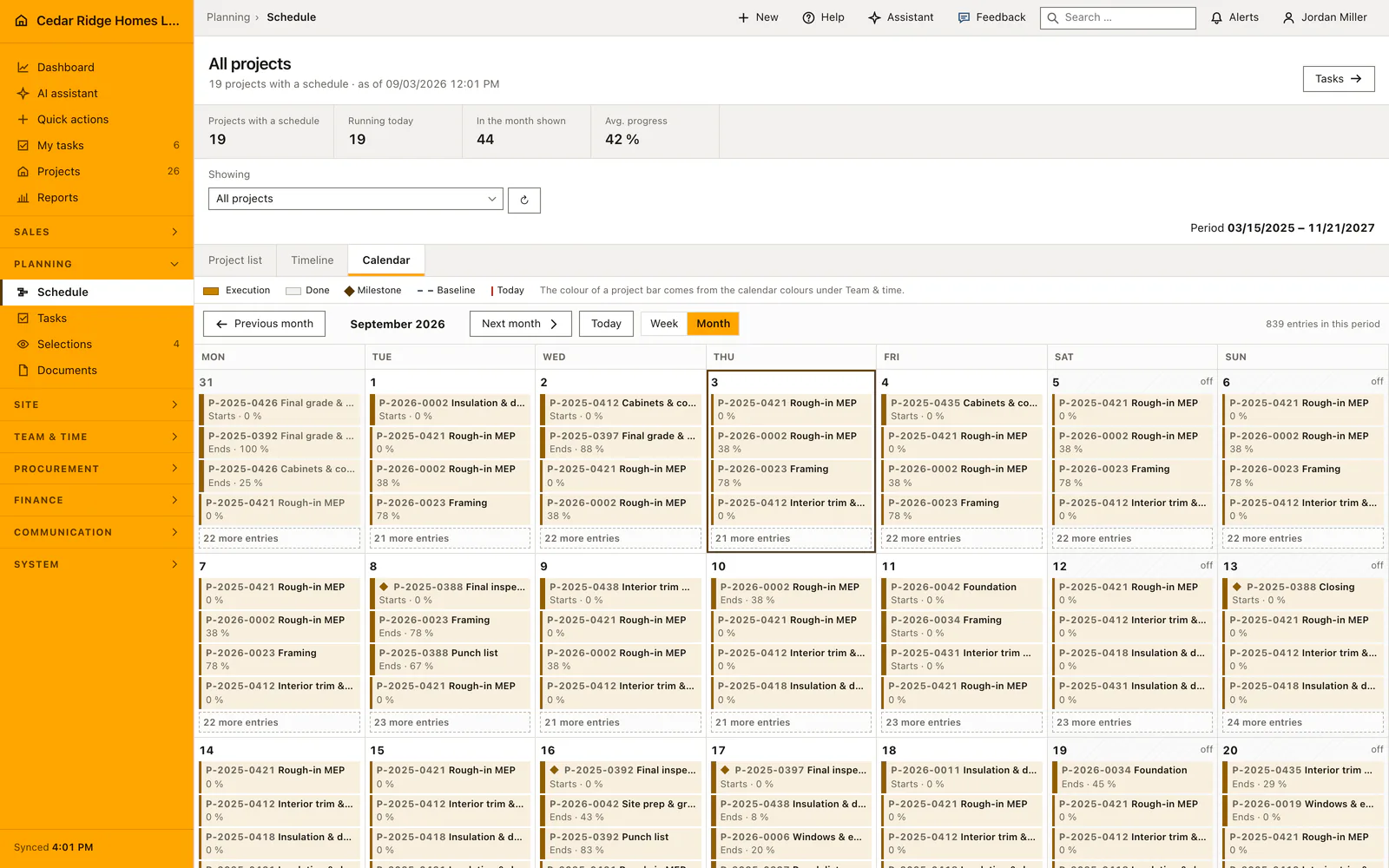
The trade rows are schedule activities with their start, end and progress, drawn as a bar. Report and Gantt view of the same job therefore cannot drift apart. If the schedule is grouped into phases, that is the sequence of works the bank reads. An activity without a duration still prints its dates, and an empty schedule is recognisable at once because the table then carries only the note about the missing plan.
The billing figures are the same ones the invoice ledger states for the job, and the outstanding amount is the contract sum minus what has been billed. A change order therefore moves the sheet only once it has changed the contract sum on the project. The documentation block counts daily reports and their photos, the same records the daily report register lists, so the density of evidence grows with every report site management writes.
Printable construction progress report in the daily routine
The trigger comes from outside: the bank asks for the next draw, or the owner asks where the money went. Site management opens the project file, calls the report from the header and reads it in the new tab that opens. If a trade looks wrong, the schedule is corrected and the sheet follows. Printing produces the version that goes out, signed on site and handed over with the tranche request.
Read the documentationPrintable construction progress report: what it covers
Present project dates, contract value and overall completion
Show progress by trade alongside billed and remaining contract value
Document daily-report and photo counts with signature lines
Printable construction progress report: questions and answers
Does the progress report require duplicate data entry?
No. Its figures are assembled from the project, schedule, invoices and daily reports.
Can the report be saved as a PDF?
Yes. The clean print view can be saved as PDF through the browser print dialog.
Use Printable construction progress report on your own projects
Request a trial period for the workflow around this module. We agree the roles, permissions and useful scope with you before preparing access.