
Multilingual construction document templates
Manage every company document and email template for invoices, proposals, contracts, correspondence and reports in English, German and French, with system originals kept intact.
Multilingual construction document templates: how it works in Home Builder Software
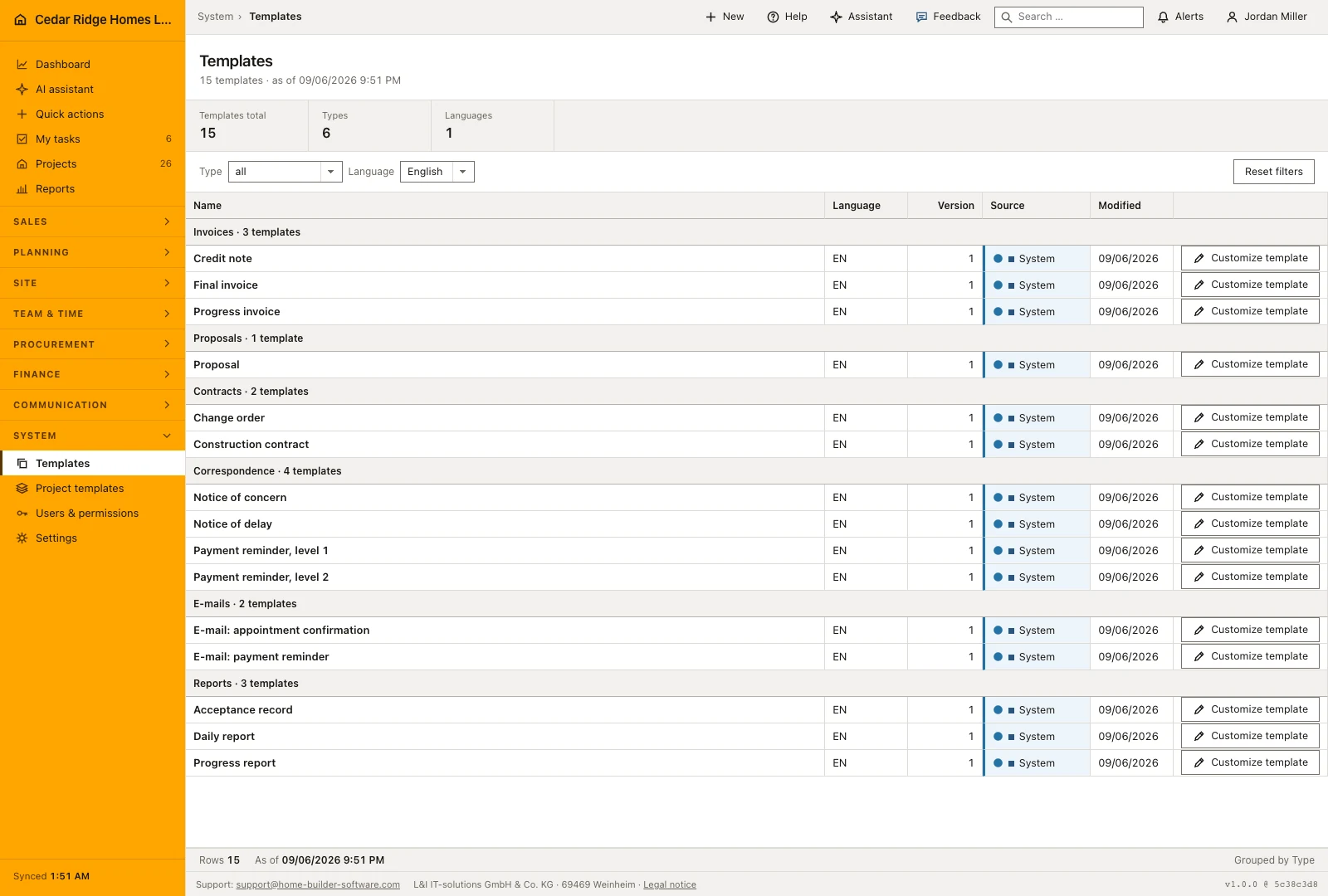
Templates is where the wording your company actually sends out lives. Instead of a dunning letter sitting in one person’s mail drafts and a delay notice in someone else’s folder, the catalog holds invoices, proposals, contracts, correspondence, emails and reports beside each other, each in the language it will leave the office in. A counter above the table reports how many templates are showing and across how many kinds and languages they spread.
Rows group by kind in a fixed order, so invoices stay at the top rather than falling wherever the alphabet puts them. Two filters narrow the list to a kind and a language, and your own interface language is preselected until you switch to all. Every row carries name, language, version, source and the date of the last change. Blue marks a shipped system original, green a version your company wrote. Placeholders in double curly braces survive every save.
Editing a system template never damages it. Saving replicates it as a company copy, lifts version one to one point one and leaves the original untouched, so the next software update still ships a clean source. Company versions climb a sub-version with each save, which shows when the payment reminder text last moved. Office, site management and bookkeeping then quote identical wording instead of each keeping a private draft.
Customizing a system row and saving the company version
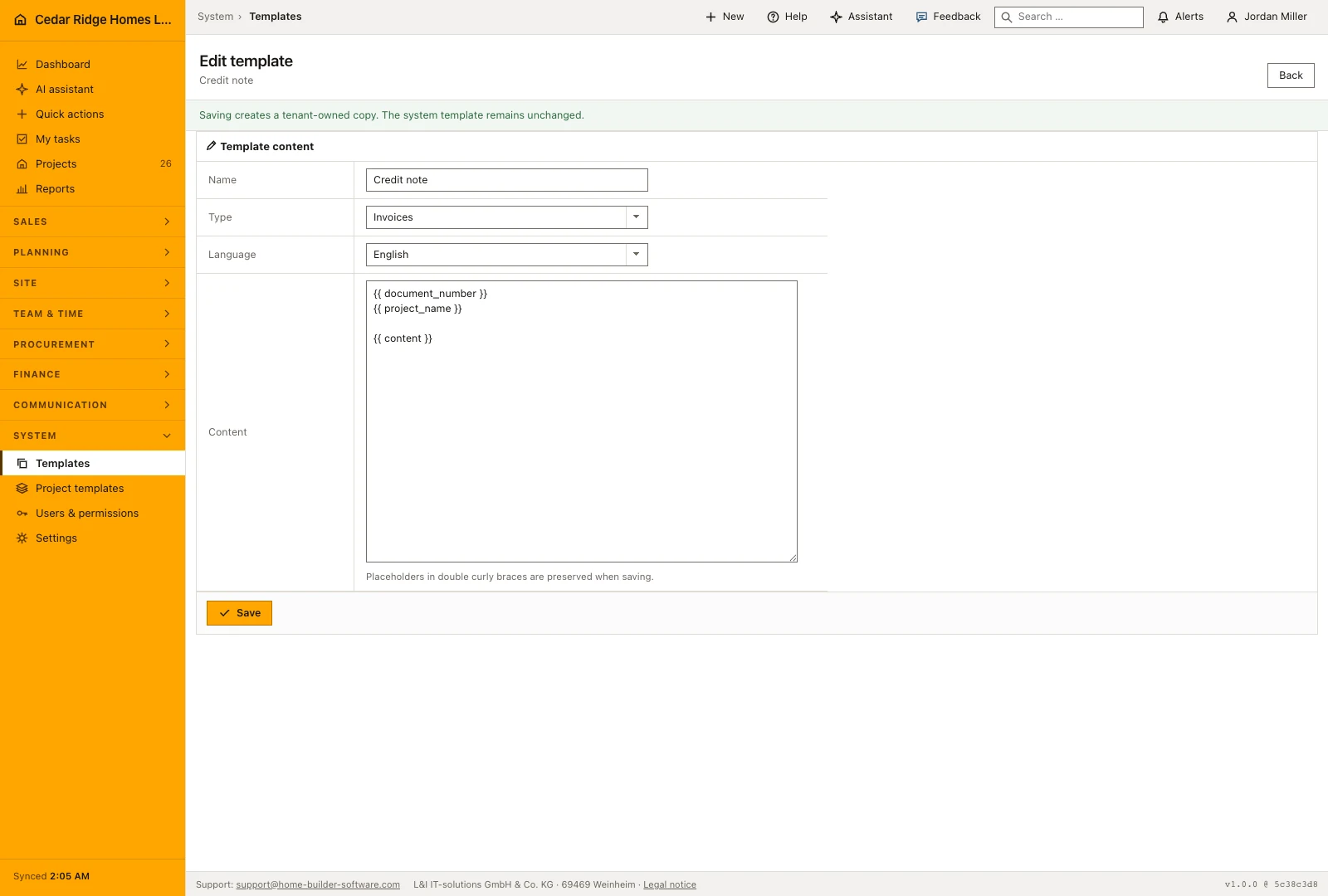
The action on the right of a row opens the editor. A system row greets you with a line saying that saving will create a copy owned by your company. Four fields make up the form: the name up to 160 characters, the kind, the language, and the content up to 100,000 characters. Placeholders written in double curly braces, among them the document number, the project name and the content itself, are kept exactly as they stand.
Saving a system row replicates it, marks the copy as company-owned and lifts the version from one to one point one, while the shipped source keeps its text and its number. A company row simply steps its sub-version on every save. Afterwards you land back on the list, already filtered to the language and kind you just wrote, so the new row is in front of you without setting the two filters again.
 Open full-size screenshot
Reading the grouped list, its filters and its counters
Rows are grouped by kind in a fixed order rather than alphabetically, which keeps invoices at the top where a builder looks first, followed by proposals, contracts, correspondence, e-mails and reports. Each group states how many templates it holds. Within a group the columns give the name, the language, the version, the source and the date of the last change, and the source cell is the one to read: it separates a shipped original from a version your own office wrote.
Filter the catalog by document kind and language before opening an entry. The initial language follows the interface, and the language filter can be cleared to compare the available versions. Review the source and version alongside the name so a colleague can tell an original supplied template from the company’s edited wording before using it for correspondence.
Organizing reusable wording by document purpose and language
The catalog separates invoice, proposal, contract, letter, email and report templates. Use these groups to find wording for the document you are preparing and give company versions names that explain their purpose. A payment reminder and a notice of delay need different content, even when both leave the same office. Review the selected text against the actual document and recipient before reusing it.
Language versions are separate entries with their own content and revision. Maintain the terminology used by the office in each language and compare the versions when a standard clause changes. Editing a catalog entry is a wording change; review the final document or message as well before sending it. This check catches missing project details and outdated passages that a reusable template cannot decide for you.
 Open full-size screenshot
Multilingual construction document templates in the daily routine
A wording change usually starts in the office: a payment deadline shifts, someone opens the templates, filters correspondence and picks the German dunning letter at level one. The customize button opens the editor with name, kind, language and body together, placeholders for document number and project name included. Saving publishes the company version, while the French edition of the same letter sits beside it and is maintained separately. Administration only steps in when a whole kind is rebuilt.
Read the documentationMultilingual construction document templates: what it covers
Filter templates by document type and language
Distinguish maintained system defaults from company versions
Create a new company version without overwriting the original
Multilingual construction document templates: questions and answers
Can a system template be overwritten?
No. Customizing it creates a separate company version so software updates retain the system source.
Which template languages are supported?
Templates can be maintained in English, German and French.
Use Multilingual construction document templates on your own projects
Request a trial period for the workflow around this module. We agree the roles, permissions and useful scope with you before preparing access.