
Home buyer selections management
Manage allowances, priced product options with supplier and lead time, customer decisions and their contract or schedule impact in a dedicated selections workflow.
Home buyer selections management: how it works in Home Builder Software
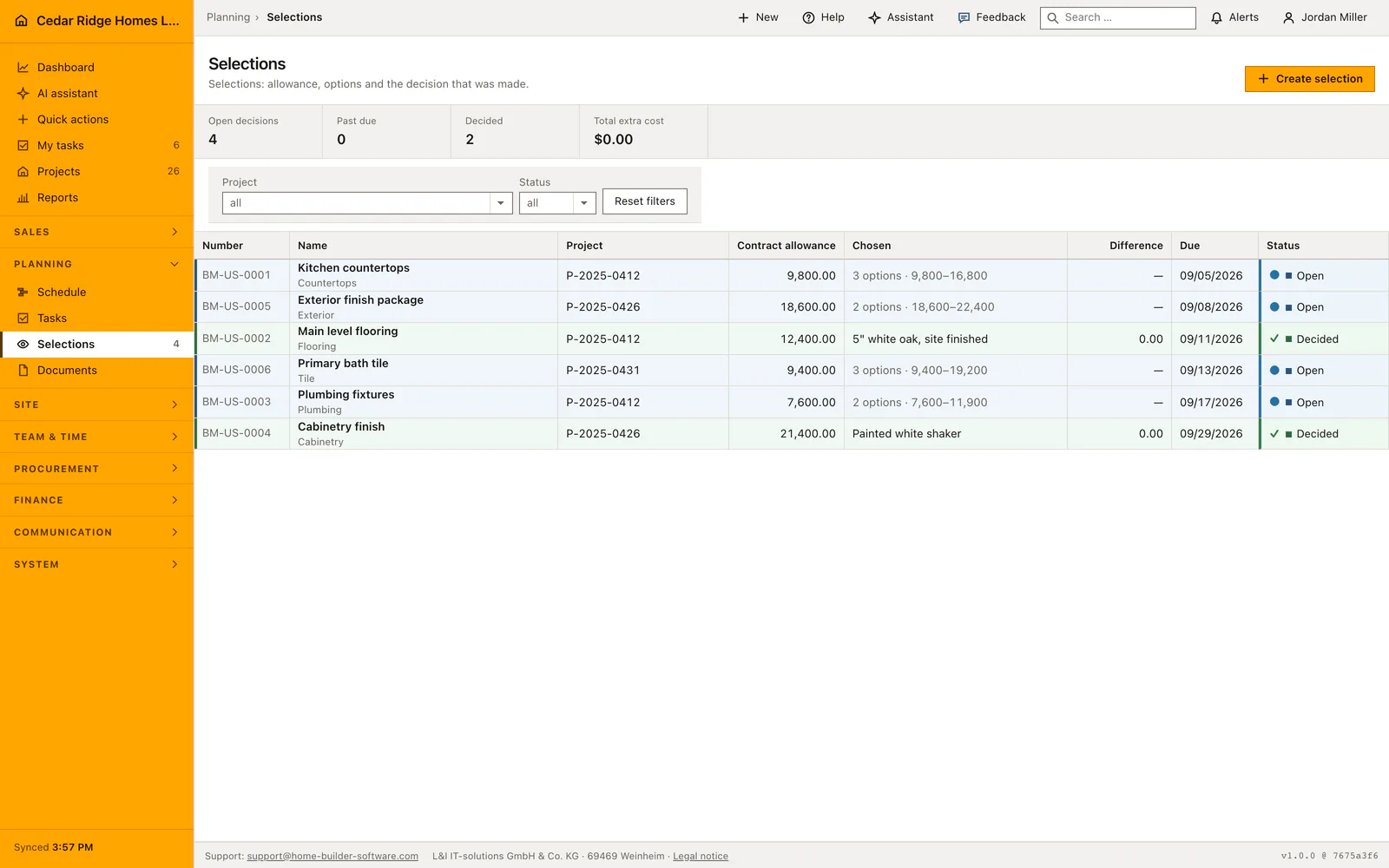
Selections hold the decisions the buyer still has to make, each one carrying the allowance the contract already covers and the priced choices behind it. A record names the project, its number, the trade it belongs to, the allowance, a due date and the status. The argument about what was included ends here, because the extra cost of every option is on the table before anybody commits to it.
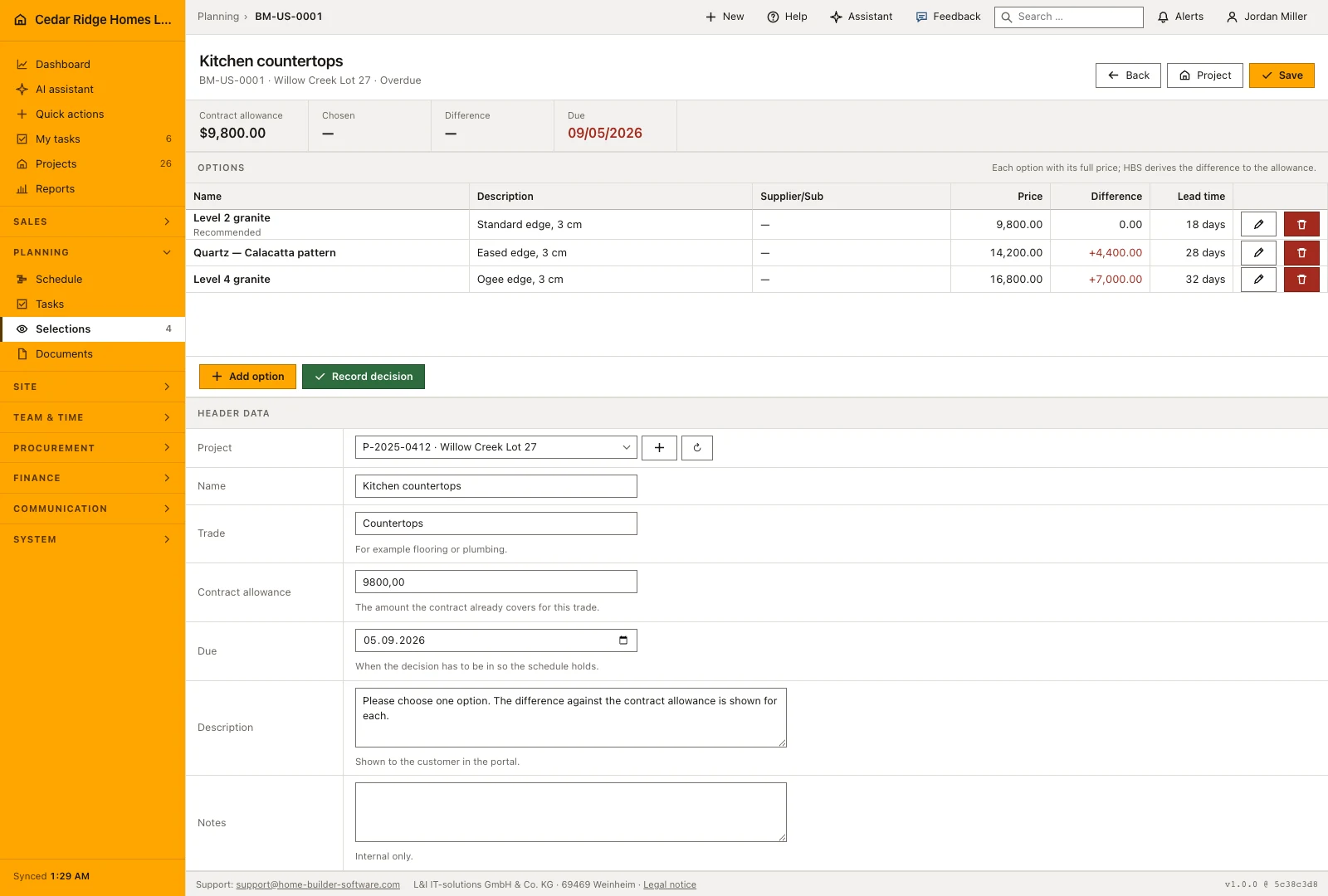
An option carries a title, description, supplier, full price, lead time and a recommendation flag, and lists show the range from the cheapest to the dearest offer. The difference is never stored, only derived: option price minus allowance, positive as a surcharge, negative as a credit. The due date is applied when the status is read, so an open selection past its date shows as expired without a background job rewriting anything. In the customer portal each option states its surcharge, its credit or that it fits the allowance.
Once decided, the record freezes: neither the header nor the options can be edited afterwards, because the customer saw exactly that list. A single click turns the difference into a change order at internal review status, carrying the chosen option’s lead time as added days, and a person still decides whether it leaves the house. Site management is notified, since a long delivery time moves dates. Reading needs project access, writing record rights, and raising the change order finance rights.
Creating a selection and pricing its options
Create selection asks for the project, a title, the trade, an optional description the buyer will read in the portal, the contract allowance, a due date and internal notes. The number is assigned automatically in the form BM-0001 and stays unique across the company. The due date is the day by which the decision has to be in so the schedule holds; it is not decoration, because the status is read through it.
Options are added one at a time, each with a title, description, supplier, full price, lead time in days and an optional recommendation flag. The price field wants the full price and not the difference, which the application works out itself. The overview names how many options a selection carries and the range from the cheapest to the dearest offer, so an undecided record already says how much is at stake.
 Open full-size screenshot
Recording the decision in the office or the customer portal
A buyer who decides on the phone or at the kitchen table is recorded by the office: Record decision takes the chosen option, the name of whoever decided and an optional customer note. A buyer who decides in the portal sees the same list, every option carrying its extra cost, its credit or the note that it fits within the allowance, and has to confirm explicitly before anything is written.
Both routes write the same fields, meaning status decided, the chosen option, the moment and the name, and both land in the audit trail, the portal route with the portal account behind it. The portal refuses a decision on a selection that is already decided or past its due date. Site management is told as soon as the choice lands, because the lead time of the chosen option moves dates.
From price difference to change order and delivery date
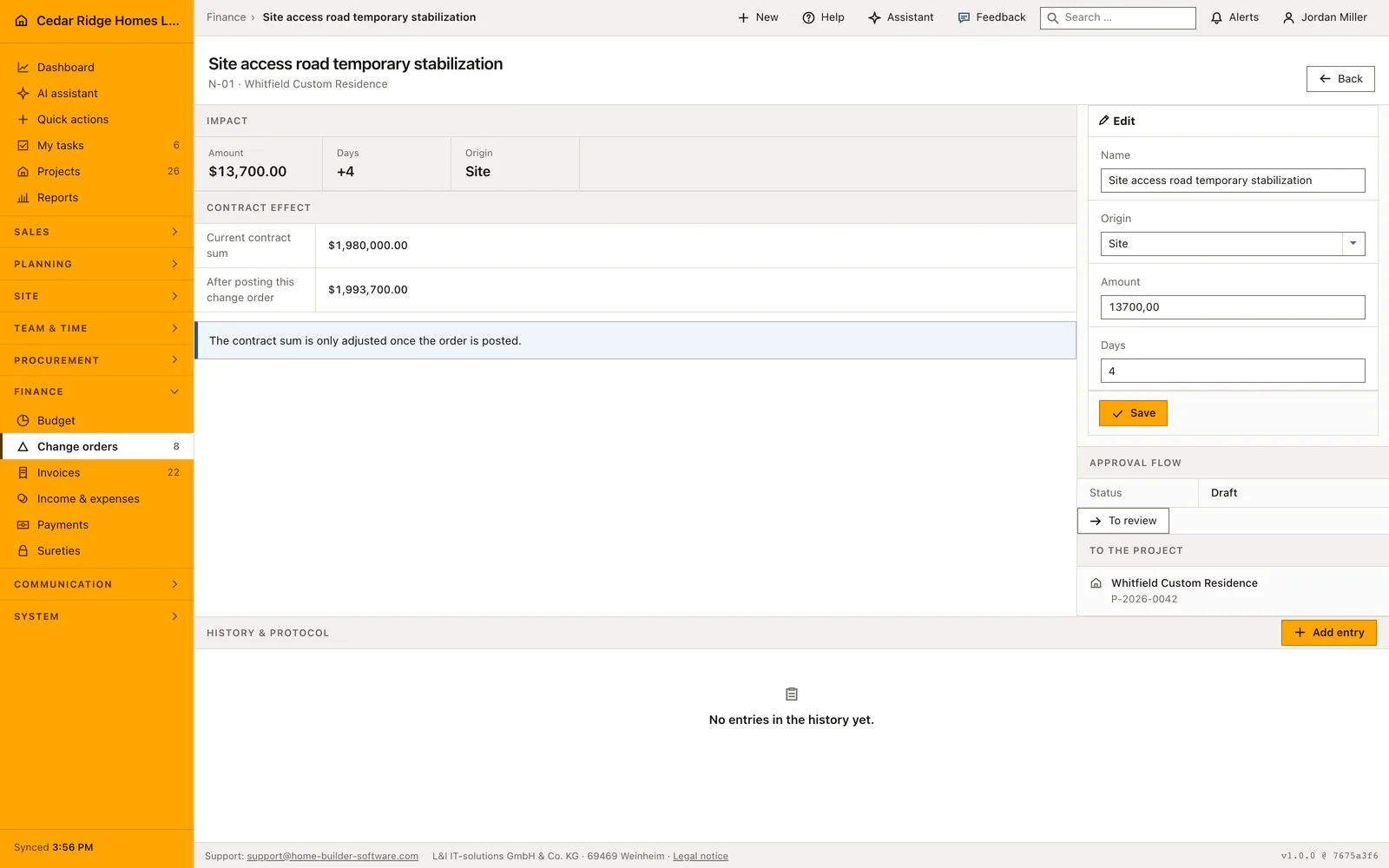
Create change order takes the difference between the chosen option and the allowance and writes a change order on the same project, numbered from NA-001 upwards, at status internal review. Its title names the selection and the chosen option, its origin is customer, and the lead time of the option becomes added days on the schedule side. The action is refused when the difference is zero, because there is nothing to bill.
What follows is a human decision: the change order still has to be released and sent, and the contract sum moves only when it is posted. Selections are also a register inside the project file, next to the schedule, the tasks and the documents, so the same decision list is reachable from the job. Inside the file the project dropdown disappears, because the frame already names the site.
 Open full-size screenshot
Home buyer selections management in the daily routine
Estimating opens a selection per trade with the allowance taken from the contract and a due date, then enters the options with supplier, full price and lead time and flags one as the recommendation. The buyer decides in the customer portal, or the office records who chose, a note and the date. Finance turns the difference into a change order held at internal review, and site management pulls the lead time into the plan before that trade is scheduled.
Read the documentationHome buyer selections management: what it covers
Compare priced options and supplier information against the allowance
Record who made the final selection with notes and decision date
Create a review-stage change order from the chosen option’s price delta and lead time
Home buyer selections management: questions and answers
How is the change-order amount calculated?
It is derived from the selected option’s difference against the recorded allowance rather than typed a second time.
Is this a 3D home configurator?
No. It manages the commercial selection workflow: allowances, priced options, the customer decision and its contract or schedule impact.
Use Home buyer selections management on your own projects
Request a trial period for the workflow around this module. We agree the roles, permissions and useful scope with you before preparing access.