
Contextual help and support
Reach support from every internal screen or open the assistant with a ready-made request to explain the current page, fields, actions and next steps.
Contextual help and support: how it works in Home Builder Software
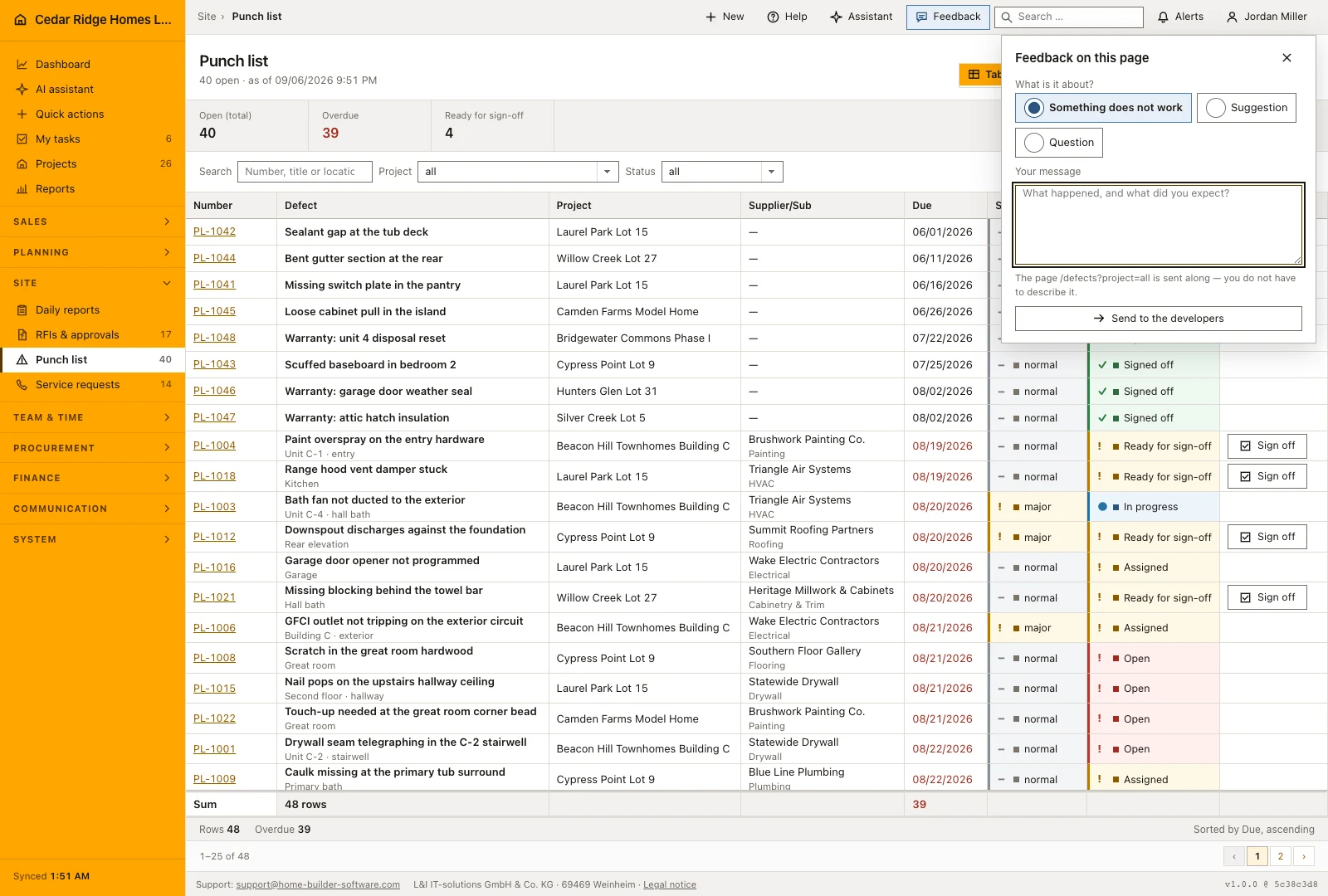
Help sits on the screen where the question came up. The top bar of every internal page carries a support link and a question mark, and the bottom right corner carries a feedback button. Nothing has to be described from memory afterwards, nothing has to be reproduced in a ticket portal, and nobody needs a mail client configured on a site phone to say that a screen is not doing what it should.
The question mark opens the assistant with a request already written: explain the fields, actions and next steps of this page. The support link opens a mail to the published support address. Feedback asks only what kind of message it is, something broken, an idea or a question, and what happened. Route, address, screen width, language and program version travel with it, which is exactly what would otherwise be asked back.
Feedback goes to the people who write the software, not to your own administration, which is why there is no feedback list inside the application: there is nothing here to process. The message is stored before it is sent, so a missing connection produces no error and no second attempt from you. It works without JavaScript, it stays reachable while the setup wizard is still running, and support details also appear in the footer, on login and in the customer portal.
Writing a feedback note and what travels with it
Choose whether you are reporting a problem, making a suggestion or asking a question. Describe the action you attempted and the result you expected, with enough detail for support to follow the same steps. The form shows the current page path and includes the interface language, screen size and application version automatically. Check the message before sending, especially when it refers to a particular project or document.
The feedback form includes contact and installation context so support can identify the company and reply to the right person. Describe the steps that led to the problem, what you expected and what actually happened. When the issue concerns one project or document, name that record and the action involved. This is more useful than a general report that the page does not work.
Using page help while working an unfamiliar screen
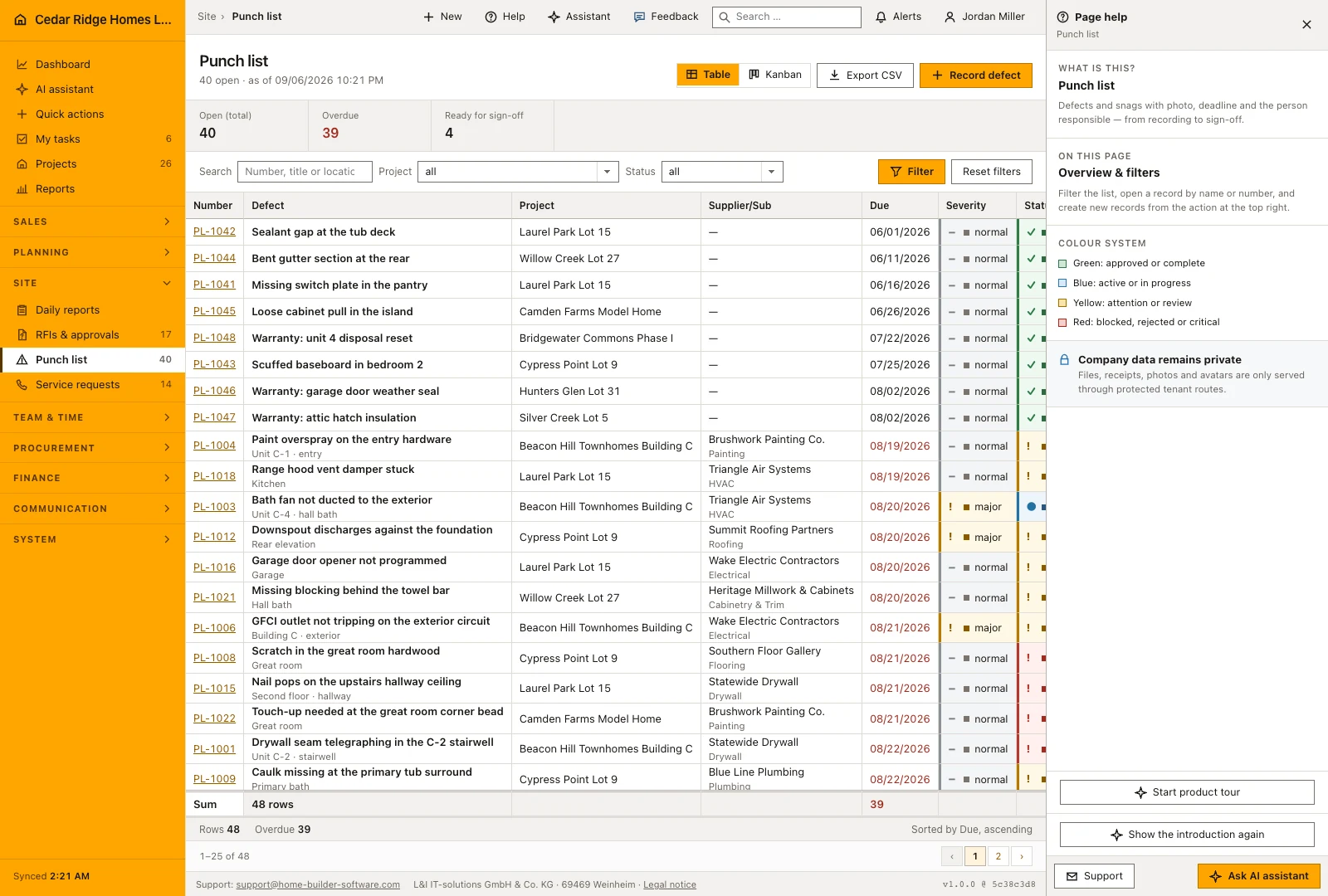
The help panel names the current screen, describes the module in one sentence and then says what kind of screen this is: a starting point, an overview with filters, a create form, an edit form or a detail page. On the create and edit screens of a module no introduction appears, deliberately, because the form in front of you is its own guidance and the band would take the room the next step needs.
Below that stands the color system the whole application uses: green for approved or complete, blue for active or in progress, yellow for attention or review, red for blocked, rejected or critical, together with the note that files, receipts, photos and avatars are only served through protected routes. The footer of the panel carries the support address and the button that switches to the assistant and puts the cursor in the question box.
 Open full-size screenshot
Support address in the footer, on login and during setup
The footer of every internal page carries the support address, then the registered name L&I IT-solutions GmbH & Co. KG, the postcode and city 69469 Weinheim and the link Legal notice, the three parts separated by middle dots, and last the program version, which is the only part the internal shell keeps to itself. The same address appears in the login and registration box, in the frame of the customer portal, on the guest chat page and on error screens, where the button opens a mail whose subject already names the page title and the status code that produced it.
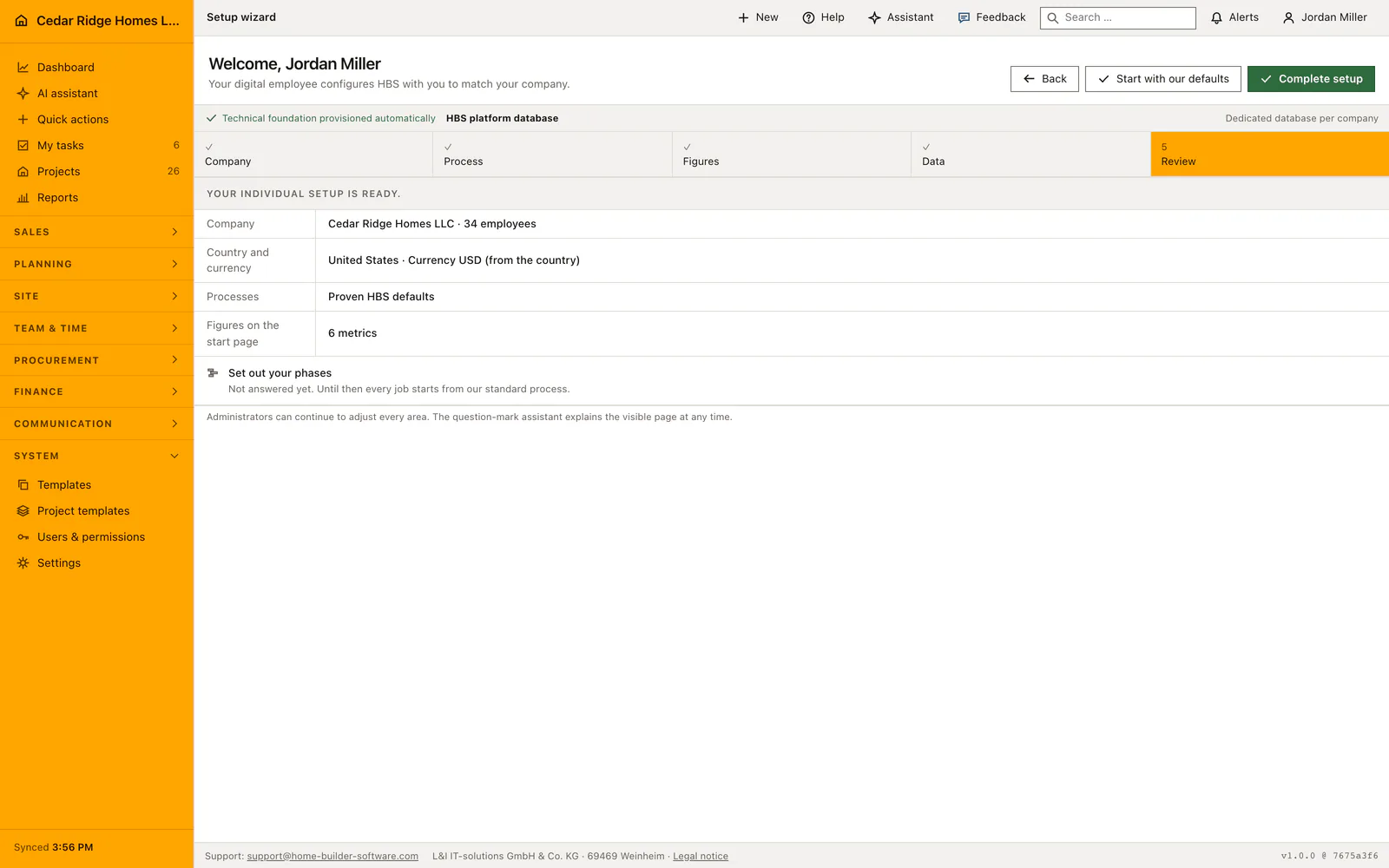
The feedback form is also available during company setup, so a problem with the first configuration can be reported from the screen where it occurs. Help dismissed on a first visit can be reopened later. If a license issue prevents normal work, contact support with the company name and license reference so the installation can be identified and the next step agreed.
 Open full-size screenshot
Contextual help and support in the daily routine
A foreman on a site phone hits a screen that will not do what he expects, taps the feedback button, picks the broken option, writes two sentences and carries on; the confirmation appears in place and the page never moves. In the office, an unfamiliar page gets explained by the question mark before anyone calls a colleague. Anything urgent goes by mail to the support address in the top bar. No one inside the company has to sort tickets.
Read the documentationContextual help and support: what it covers
Open an email to the published Home Builder Software support address
Ask the assistant to explain the currently visible page
Keep support and developer details available on login and portal pages
Contextual help and support: questions and answers
Where is support available?
Support and contextual help appear in the top bar of every internal page; contact details also appear in the footer, login and portal.
What does the question-mark action do?
It opens the assistant and prepares a request to explain the current page and its available actions.
Use Contextual help and support on your own projects
Request a trial period for the workflow around this module. We agree the roles, permissions and useful scope with you before preparing access.