
Construction software user management
Invite, maintain and deactivate Home Builder Software users with roles, project access, position and contact details from one administration area.
Construction software user management: how it works in Home Builder Software
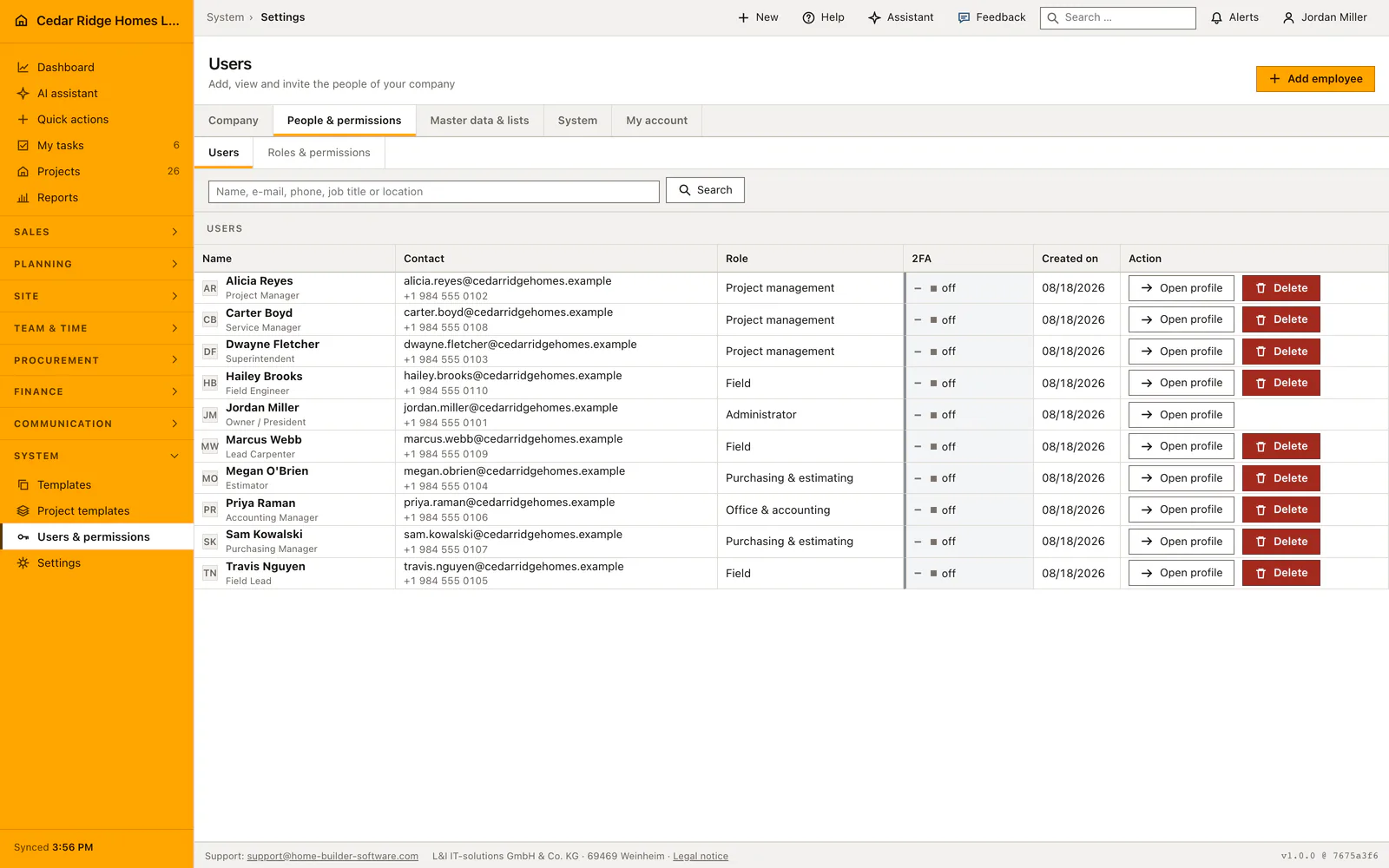
User administration answers one question: who may sign in, and as whom. A person and a login are two different things here, which is why the mason without a company mailbox still appears on the crew list, in the shift plan and on a task, while only those meant to work in the software need an address. Creating the record takes a name and a role; the rest can follow later.
The invitation form collects job title, office or location, phone, mobile and the hourly cost of that person’s work, and it can restrict the account to selected projects right away. Once an address is entered, the access link goes out immediately. The list shows the role, whether two-factor login by email is switched on and the creation date, and offers a fresh password link at any time. Deleting warns about the shifts and tasks still assigned.
Two account rules cannot be talked around: nobody removes their own account, and the last active administrator stays. Everything else in the record is read elsewhere rather than typed twice. The workforce directory and the quick contacts in chat take phone and location straight from it, each user maintains their own details in the profile, and the choice between English, German and French belongs to the account rather than the current session.
Adding an employee with role, contact details and hourly rate
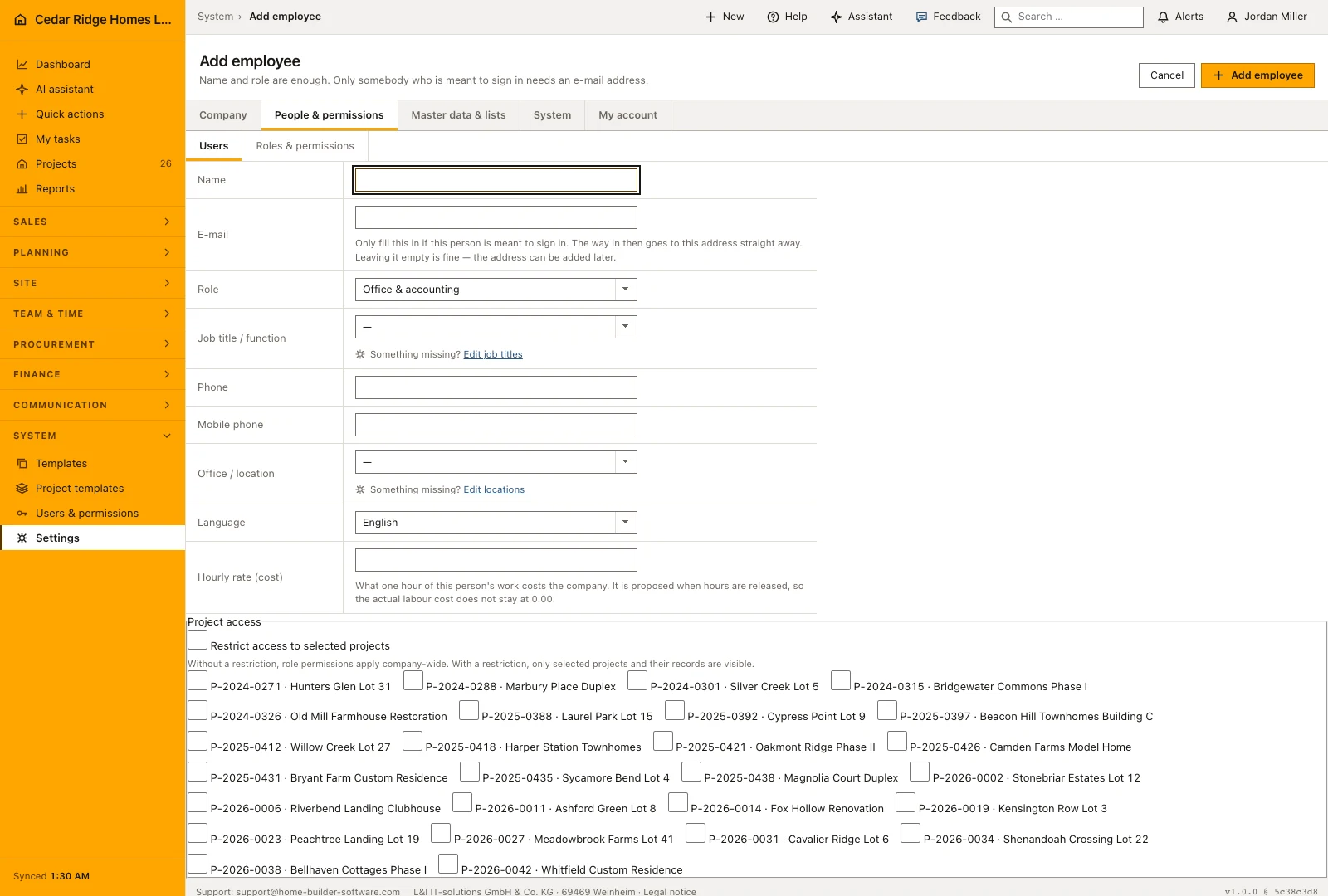
Name and role are required, the address is not, because a person on the crew list and a login are separate things. The same form takes job title, phone, mobile, office and the hourly rate, and it can switch on the project restriction and tick the approved jobs in one pass. Job title and office are select fields that adopt an unknown value, so the next person finds it as a ready option.
Afterwards every contact card carries two buttons. Edit contact details reopens address, job title, phone, mobile, office and rate; edit project access reopens the restriction together with its project list. Clearing that field on a later edit changes nothing, because an empty input is read as not entered rather than as an instruction to take somebody who signs in every morning off the system.
 Open full-size screenshot
Invitations, password links and two-factor sign-in
Saving a record with an address sends the invitation immediately and the confirmation names the mailbox it went to. The letter carries a link with which the person sets a password of at least ten characters. If the mail server refuses, the account still exists and the message says the letter did not get out, so nobody is left guessing. Send password link repeats the attempt from the list once the mailbox works.
From then on the account belongs to its owner, who maintains it under My account. Display name, interface language and password sit there, and so does the switch that adds a six-digit code, valid for ten minutes, to every sign-in. Changing the password signs the other devices out at the same moment. The language chosen there is stored on the account, so signing in from a different machine keeps English, German or French without anybody switching it again.
How the user record feeds workforce planning, tasks and chat
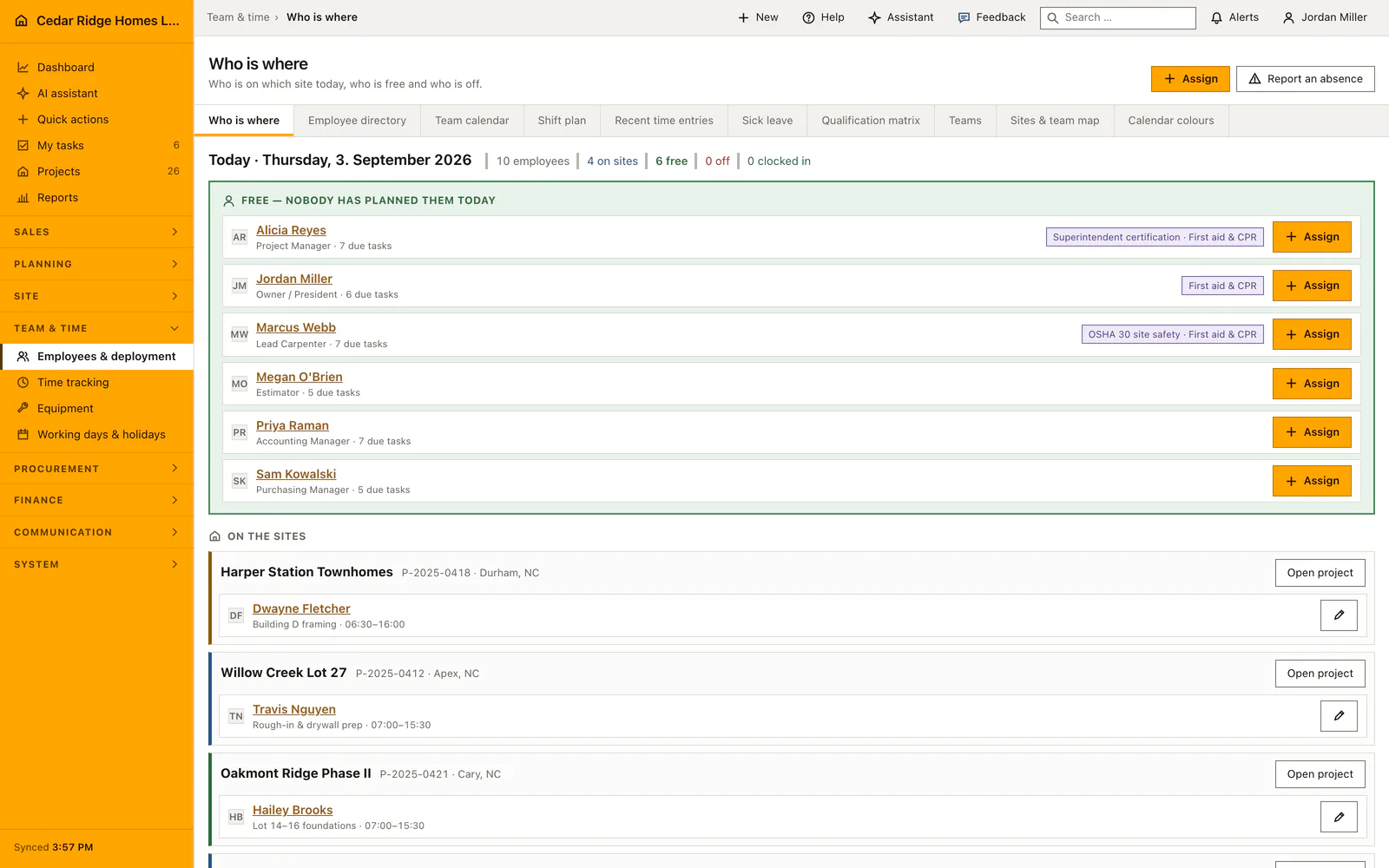
The record is read elsewhere rather than typed twice. Phone, mobile and office appear in the workforce directory and in the quick contacts of the chat, the hourly rate is proposed when hours are approved so that actual labor cost does not stay at zero, and the name is what shift planning, tasks and site management assign work to.
Review outstanding work before removing someone who leaves the company. Future shifts and open tasks may need to return to the available workload or be assigned to a colleague. Historical work should remain attributable to the person who carried it out. The account action explains its consequences, so use that information to arrange the handover before completing the change.
 Open full-size screenshot
Construction software user management in the daily routine
A new hire reaches the administrator first: name, role, job title, phone and, if this person is meant to work in the software, an email address. The invitation carries the access link, the person sets a password and switches on two-factor login in their own profile, after which every sign-in adds a six-digit code valid for ten minutes. Language is set once in the top right corner. When somebody leaves, the account is deactivated and the prompt shows what is still assigned.
Read the documentationConstruction software user management: what it covers
Invite users with roles and send a new password link
Maintain job title, office, phone and mobile details once for workforce and chat
Protect self-deletion and the last active administrator account
Construction software user management: questions and answers
Can a manager perform administrator user actions?
No. Invitation, deactivation and protected account actions remain limited to administrators.
Are employee contact details duplicated?
No. Profile, workforce directory and chat contacts use the same user record.
Use Construction software user management on your own projects
Request a trial period for the workflow around this module. We agree the roles, permissions and useful scope with you before preparing access.