
Change order software for builders and remodelers
Track residential construction and remodeling additions or credits with origin, amount, schedule extension, customer approval and controlled posting.
Change order software for builders and remodelers: how it works in Home Builder Software
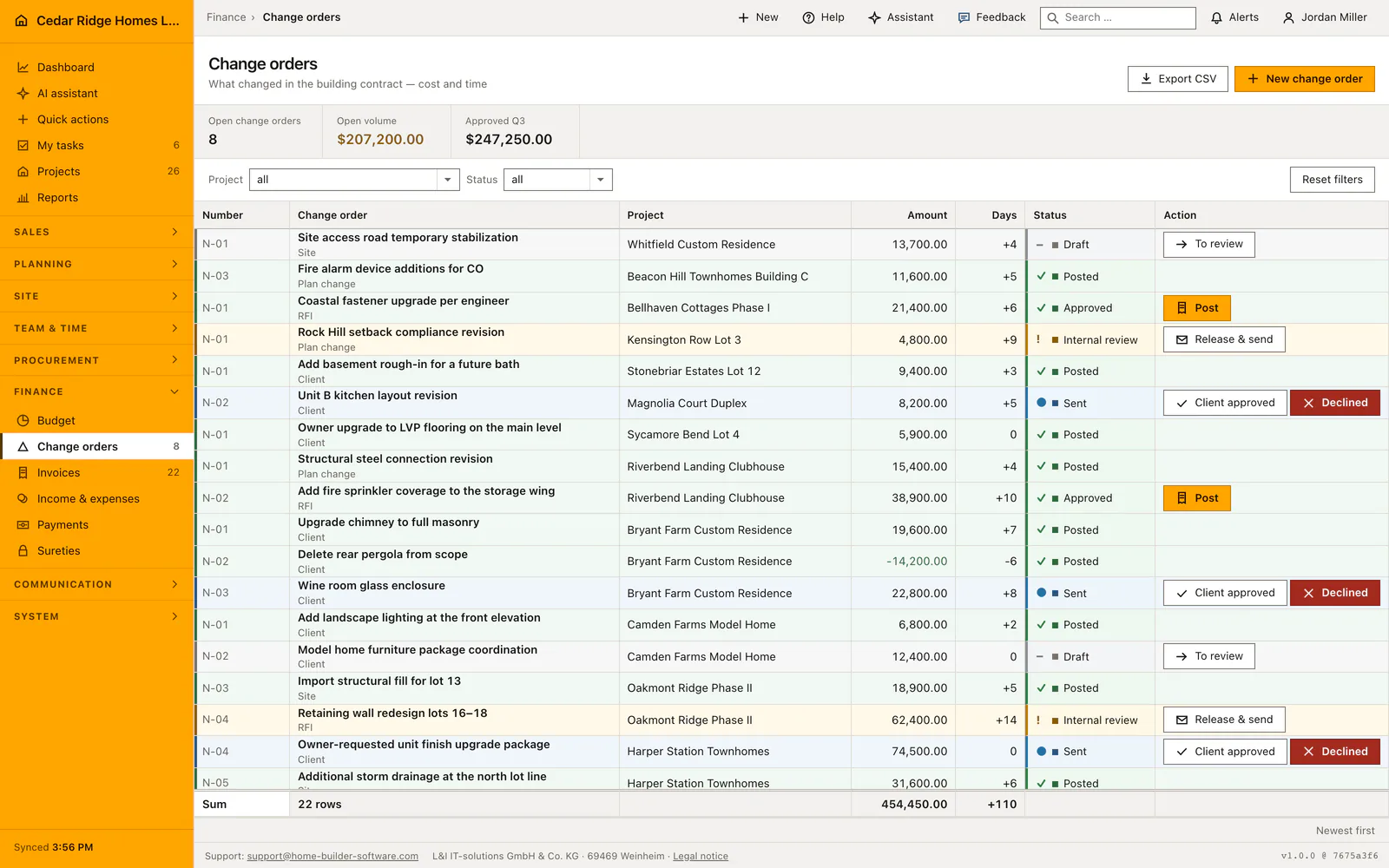
A change order only counts once it reaches the contract, and this register is where that happens. Every record carries where the change came from — the customer, the site, an RFI or a plan revision — together with its amount, the extra construction days it costs and the point it has reached in approval. Credits for work that fell away are entered as negative amounts and read green.
Six states carry the document: draft, internal review, sent, approved, declined and posted. Each row offers only the move its current state allows, so a draft goes to costing before it can reach the customer and an out-of-order jump is refused with an error. Title, origin, amount and additional days stay editable while the record is a draft or under internal review; sending locks those commercial fields. Declined and posted records are final.
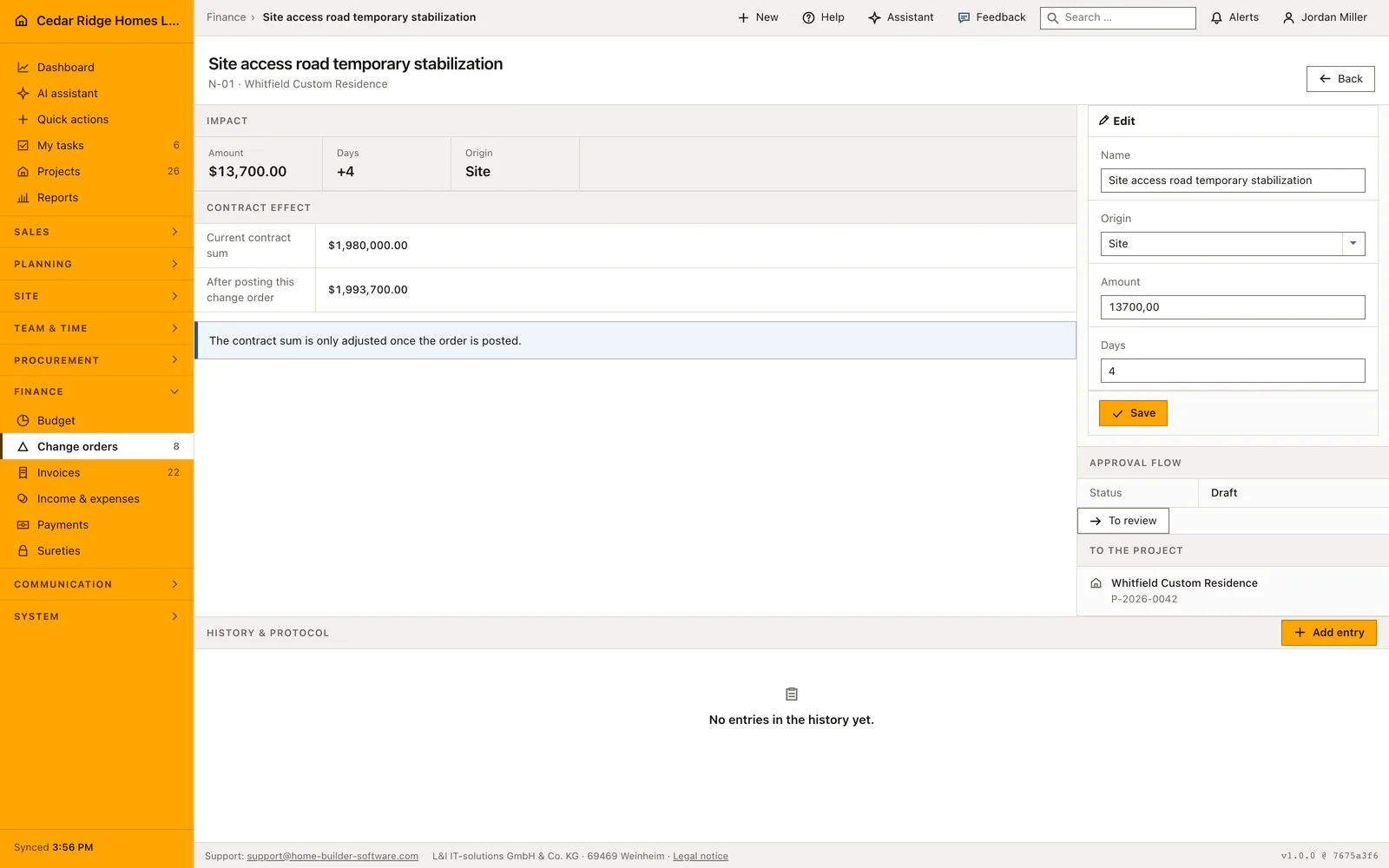
Posting moves the amount into the project contract value in the same transaction that changes the status, and the confirmation names the figure that was booked; a credit lowers the value the same way. From there the new contract value widens the billing basis shown when the next invoice is raised, the project file lists the pending record under decisions that are waiting, and any correction runs through a fresh credit rather than an edit.
Recording origin, amount and additional construction days
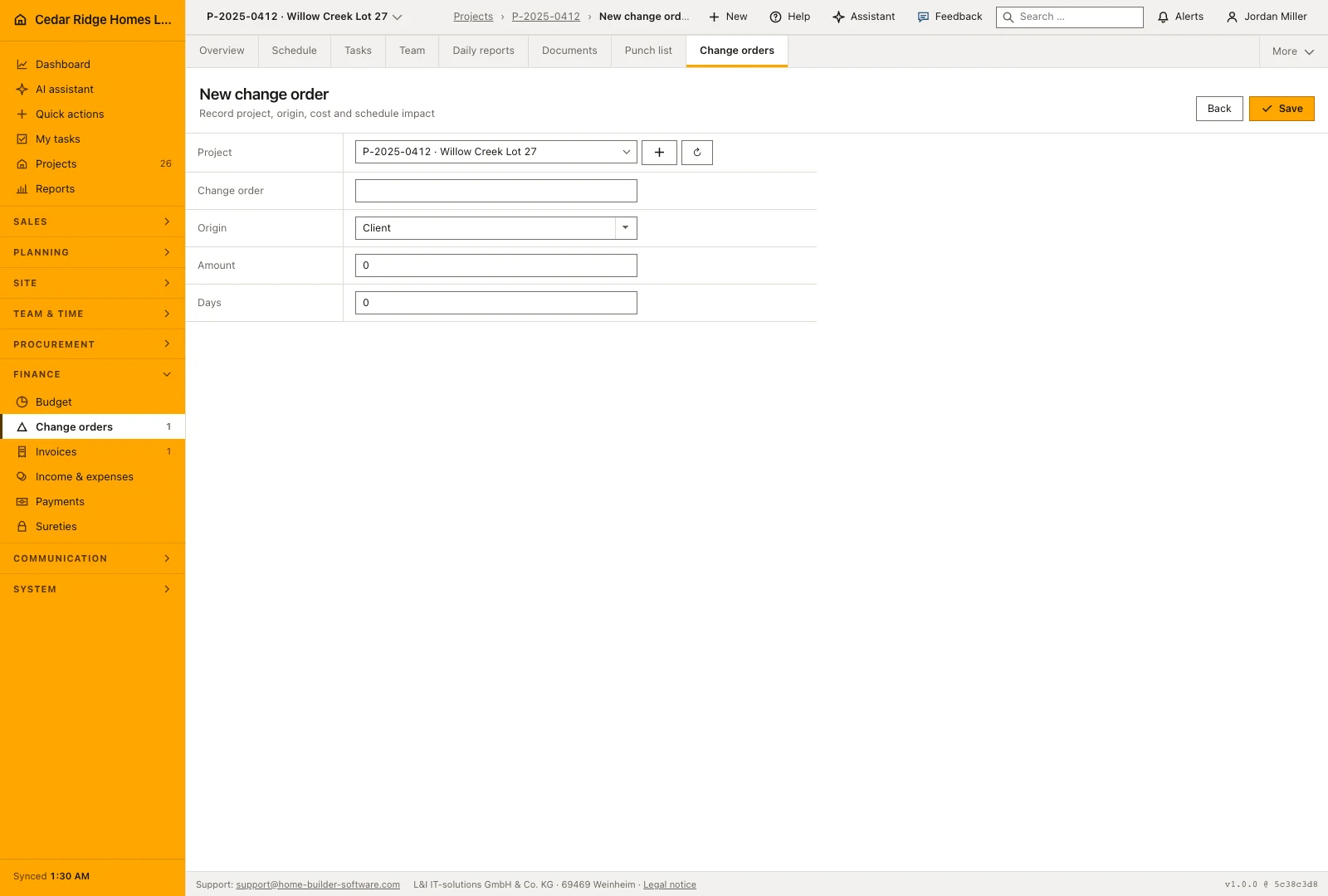
The form asks for the job, a title, the origin, the amount and the days added. Origin is chosen from customer, site, RFI and plan change, and appears as a sub line under the title in the register. The amount accepts a negative value: work that fell away is entered as a credit and reads green. Days added take a negative number too, for a change that shortens the program.
Numbering runs per job as N-01, N-02 and upward, so each site keeps its own series while the register interleaves several of them by creation date with the newest on top. A record starts as a draft. Title, origin, amount and days stay editable in draft and internal review; once it has gone to the customer those commercial fields are closed.
 Open full-size screenshot
From draft through customer approval to posting
A change moves from draft into internal review, then through the customer decision and posting. The available action follows its current status. Keep the description, origin, amount and additional days clear before sending it for a decision, because the commercial terms should not be silently rewritten after the customer has received them. A declined change remains distinguishable from work that was approved.
Posting applies the approved amount to the project’s contract sum. An additional charge increases it and a credit reduces it. The confirmation shows the posted amount, and repeating the action cannot apply the same change again. Review the project and amount before this final step: a later commercial correction belongs in a further documented change, keeping the original decision available for reference.
 Open full-size screenshot
How posted change orders reach billing and the project file
Once posted, the amount sits inside the contract sum, and that is the figure the invoice screen shows as contract sum including change orders. Together with what has already been billed it produces the remaining amount the office needs before writing the next progress invoice. Posting late is therefore no formality: until it happens the billing basis stays too small.
The project file lists a record that is still waiting among the decisions it needs and links straight into this register. The days added document the extension of construction time agreed with the customer, which later scheduling discussions refer back to. A correction after posting takes the shape of a new credit, never a reopening of the record that is already in the contract.
Change order software for builders and remodelers in the daily routine
Costing drafts the change order with its origin and amount and hands it to internal review. Site management checks the calculation and the extra days, then issues it to the customer. While it sits there, the open volume metric shows how much money is still undecided. When the customer answers, the row records approval or refusal in one click, and an approved change is posted so the contract value grows before the next progress invoice is written.
Read the documentationChange order software for builders and remodelers: what it covers
Filter project change orders by status and open value
Move each record through review, issue, approval and posting
Update the contract value atomically when an approved change is posted
Change order software for builders and remodelers: questions and answers
Can a posted change order be edited?
No. Posted records are immutable; corrections are handled with a new credit.
Can change orders reduce the contract value?
Yes. Credits use a negative amount and reduce the value when posted.
Use Change order software for builders and remodelers on your own projects
Request a trial period for the workflow around this module. We agree the roles, permissions and useful scope with you before preparing access.