
Construction software settings, API and webhooks
Configure company-wide behavior and manage scoped API keys, signed webhooks and MCP access while keeping storage and AI provider setup under L&I IT-solutions administration.
Construction software settings, API and webhooks: how it works in Home Builder Software
Settings is where a construction company reads two things it does not configure itself: where its files physically live, and which AI provider gets to see its data. Storage runs on the platform, on an S3 bucket or over SFTP, and L&I IT-solutions sets it up for the company through its admin menu, against the license assigned to the company; the same goes for the AI provider. The Storage and AI tabs show what is active and when it was last verified, and a change is requested from support. The rest of the area builds on those two foundations.
Neither connection goes live on trust. A storage backend has to survive a write, read and delete probe before activation, and the credentials L&I IT-solutions enters are stored encrypted and never displayed in the company settings. An AI provider, whether the platform, Anthropic, OpenAI, Azure OpenAI, Gemini or Ollama Cloud, is validated with a genuine request whose answer must come back non-empty. For Ollama Cloud the capabilities of the chosen model are read out, and a separately linked vision model serves image and photo checks only.
Documents, site photos and portal uploads then land in the storage L&I IT-solutions set up for the tenant, and the assistant answers through the provider connected there. A monthly budget in euros can be recorded as a cost guide for the platform AI and stays visible in the assistant header. Tool permissions decide how far the AI acts on its own: proposals waiting for release, immediate creation with deletion still held back, or the bypass only an administrator may activate.
Company identity, document layout and finance number ranges
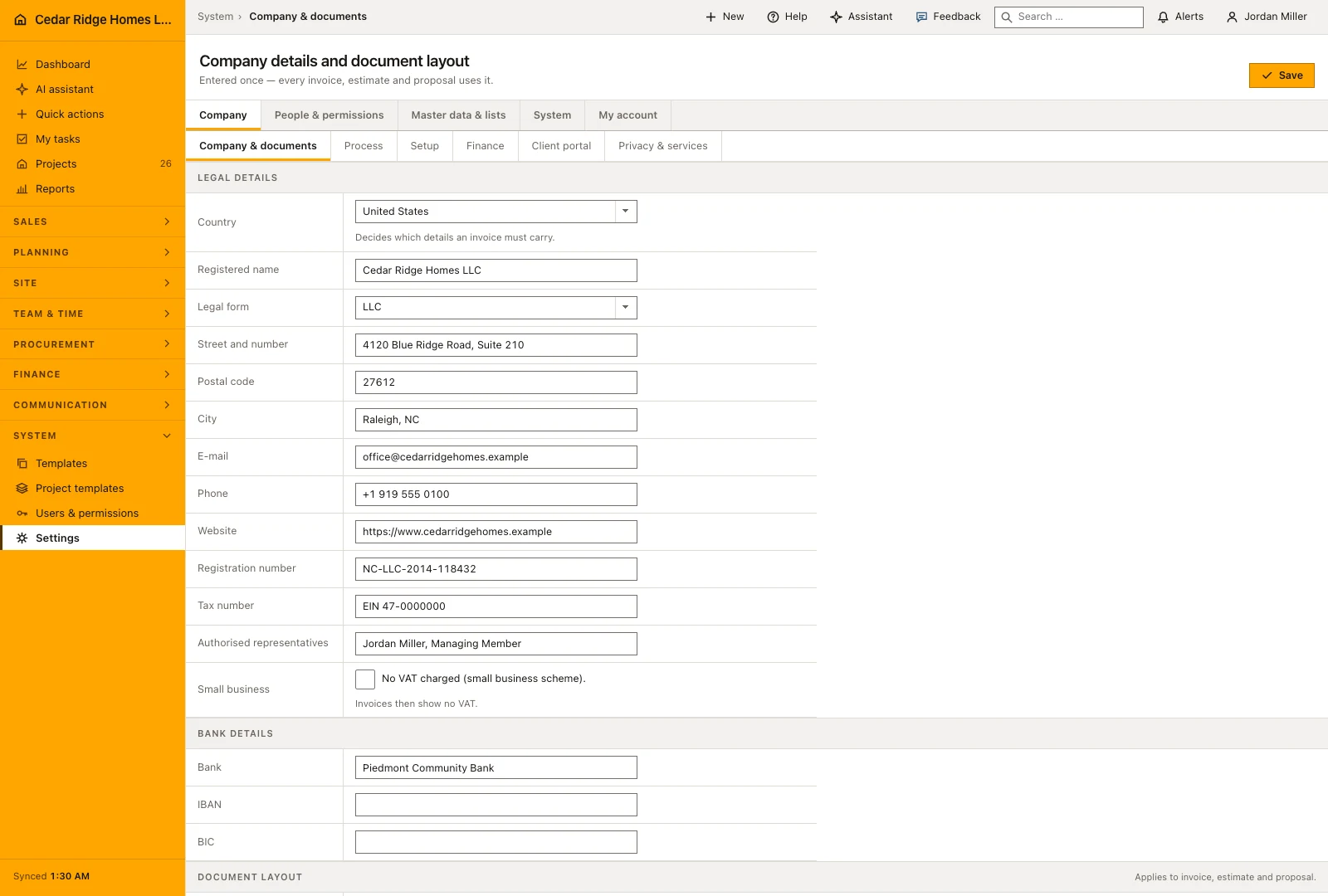
Company and documents is asked once and read by every printed record afterwards. It takes the country, the legal name, street, postcode and city, e-mail, phone and website, the legal form, register court and register number, VAT identification and tax number, the representatives and the bank details. The layout half sets the accent color, whether bank and register lines are printed, the payment terms, a footer note and the default introduction and terms, with a live preview of the footer.
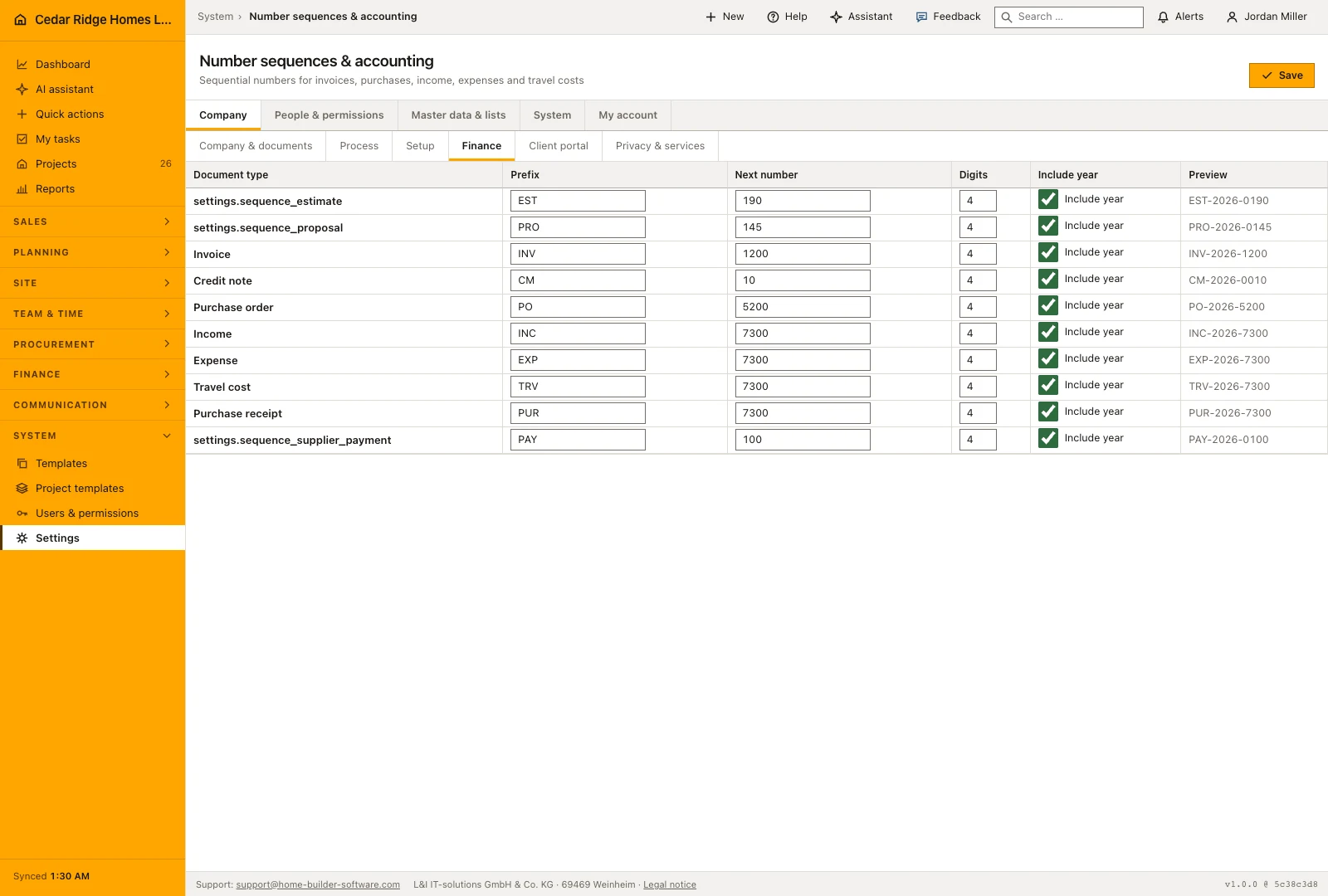
Finance settings define the number sequence for each document kind, including its prefix and next number. A changed prefix applies to newly issued documents and does not renumber existing records. Keep these choices with the people responsible for accounting and review them before the first documents are issued, particularly when bringing an existing numbering convention into the application.
 Open full-size screenshot
Storage backends, AI providers and their health checks
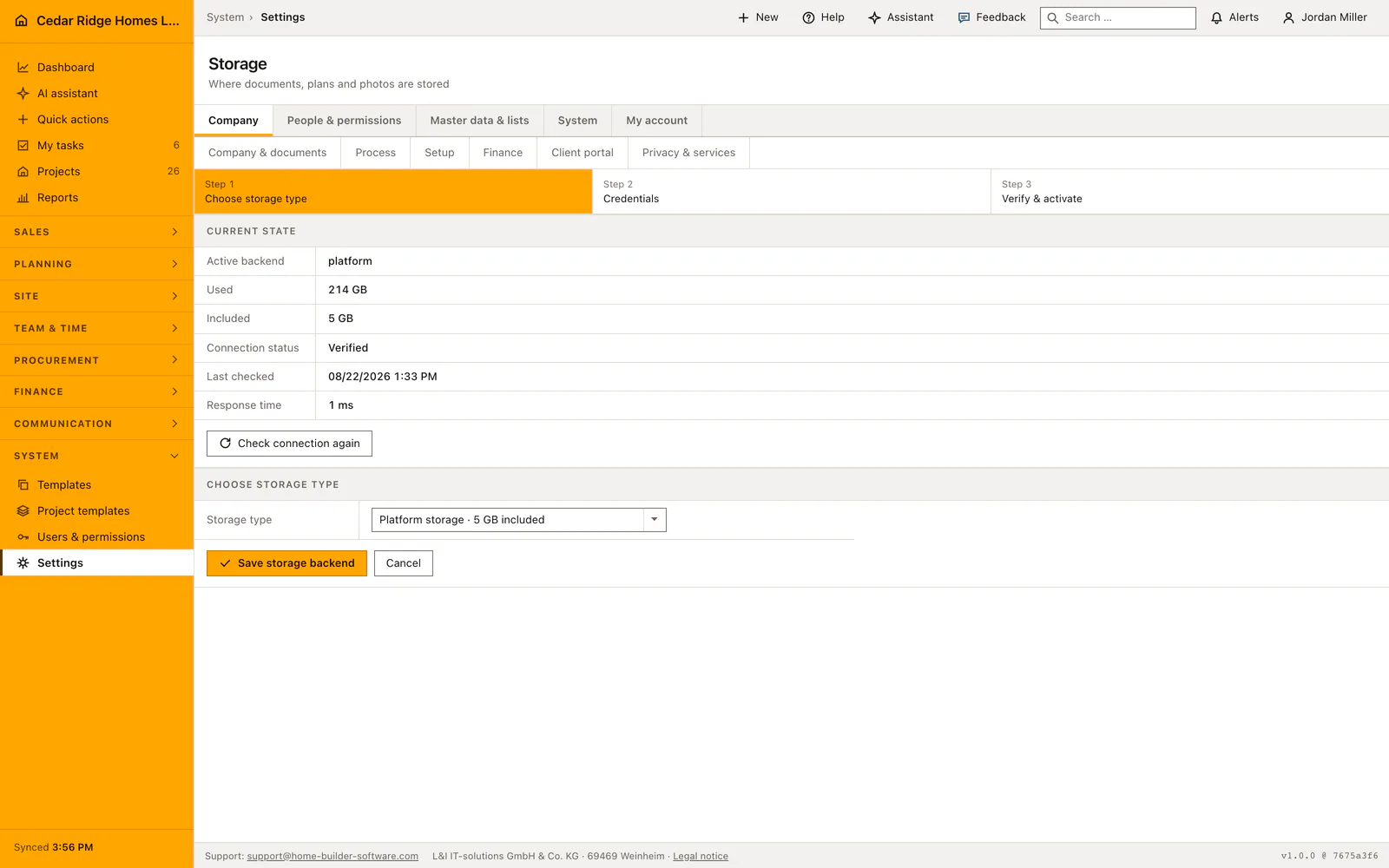
The Storage tab shows the storage service arranged for the company and its current status. L&I IT-solutions configures the connection against the company’s license; the company reads the active arrangement and contacts support when it needs to change. This keeps document storage an explicit operating choice rather than a separate technical setup that every project manager has to repeat.
The AI tab identifies the connected provider and model and displays the available status information. Ask support when the company needs another arrangement. Where a monthly AI budget is displayed, treat it as a planning guide rather than a guaranteed spending cap. Review the company’s tool-permission mode separately, since the choice of provider and the approval of proposed changes answer different questions.
 Open full-size screenshot
Where a saved setting shows up in the rest of Home Builder Software
Documents, site photos and portal uploads land in the storage L&I IT-solutions set up for the company, and the assistant answers through the provider connected there. The company identity prints on invoices, estimates and proposals; the number ranges issue their numbers there. Next-step labels color whole rows in the lead and pipeline lists through their semantic tone, and the pipeline stages define the columns of the board, so both are worth naming the way the office already speaks.
The company pick lists reach further than they look: trades appear on subcontractors and bid packages, equipment kinds on equipment, job title and office on every user record, project types on projects. Document folders structure the documents module. Under Integrations, API tokens and webhook endpoints connect the JSON API and forward the audit events, and the delivery list on that tab is where a failing endpoint becomes visible before anybody misses the data.
Construction software settings, API and webhooks in the daily routine
An administrator opens this area at go-live and whenever the infrastructure moves. Storage comes first, because documents otherwise have nowhere to go: the administrator reads the active backend and its verified status, and asks support when the company needs a bucket of its own. The AI tab works the same way, provider and model set up by L&I IT-solutions, while the monthly budget and the permission mode are chosen on purpose rather than by default. The office then takes over the company profile, number ranges, next-step labels and pipeline stages, which color the rows and groups everyone works in.
Read the documentationConstruction software settings, API and webhooks: what it covers
Issue expiring read or write API keys and rotate or revoke them
Subscribe signed webhooks to named product events and inspect delivery attempts
Download a time-limited read-only MCP connection under the issuing user’s permissions
Construction software settings, API and webhooks: questions and answers
Which records does the JSON API expose?
Read endpoints cover projects, pipeline, defects, invoices, schedules, daily reports, documents, RFIs, change orders, payments and purchasing; selected operational records also have write endpoints.
Do integrations bypass roles or project access?
No. Token scope can narrow access, while the issuing user’s role, project access and tenant boundary still apply.
Use Construction software settings, API and webhooks on your own projects
Request a trial period for the workflow around this module. We agree the roles, permissions and useful scope with you before preparing access.