
Construction project templates
Standardize phases, activities, milestones, duration, order, process types, checklists and photo evidence in one blueprint, while keeping every new project adjustable in the wizard.
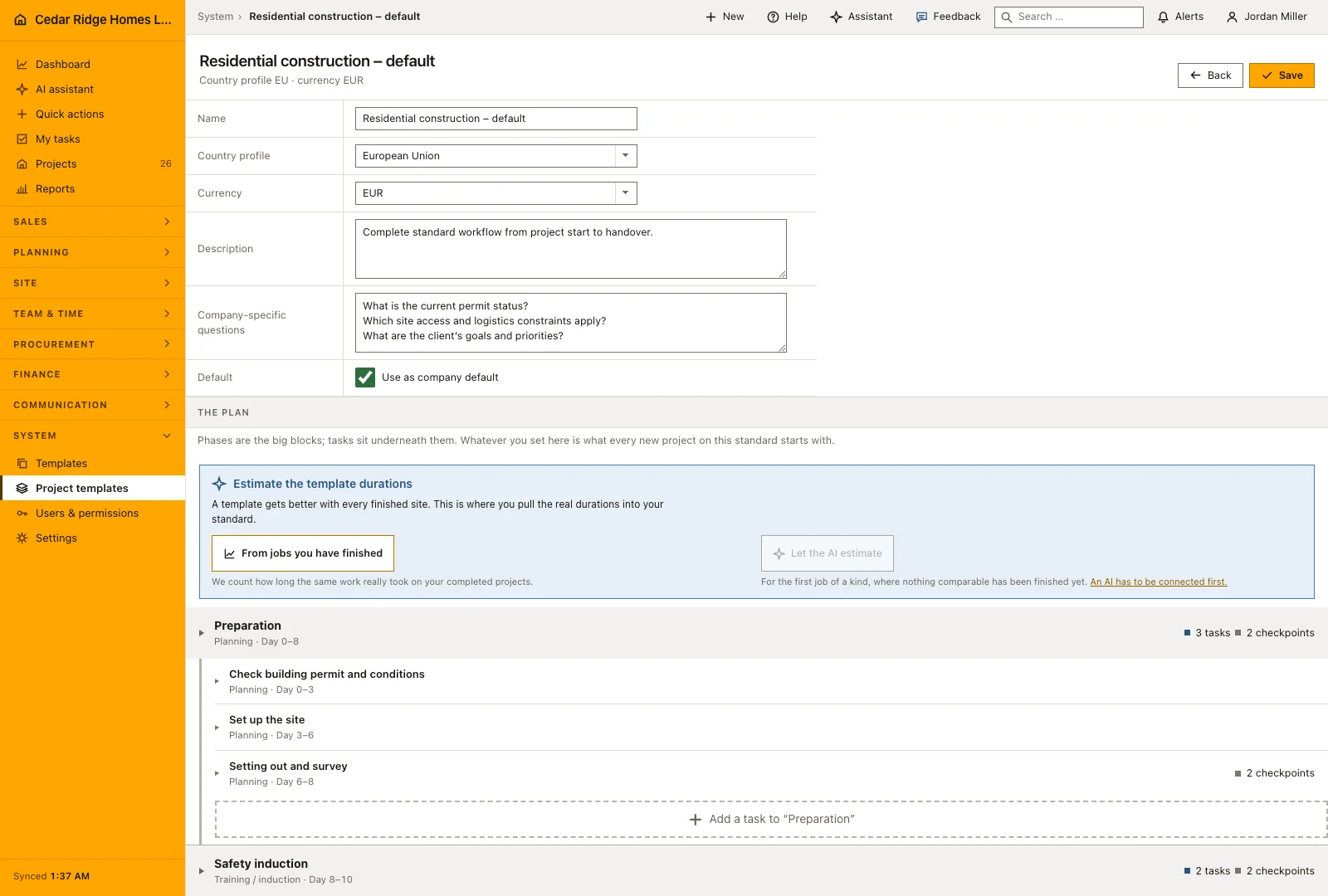
Construction project templates: how it works in Home Builder Software
A project template is the blueprint the creation wizard builds a real construction schedule from. It stores stages and tasks with their duration, order, milestone flag, process type, checklist and any photo evidence the crew has to supply, so a new site never begins with somebody rebuilding the familiar sequence from memory. One template is marked as the company standard; further templates sit beside it and stay fully editable.
Three routes open the wizard: take the company standard as it stands, pick another project template, or type a custom sequence of stages and tasks in which every line can carry its own duration, process type, checklist and photo check. Master data, start date, responsible person, contract value, country profile and currency follow, plus any template-specific company questions. A preview lists each generated schedule step, and project, template and schedule are written in a single transaction.
What comes out is not a document but the working schedule. Planning, safety briefing, execution, quality check and handover arrive as dated items on the calendar, with checklists and photo duties already attached to the matching task template. Country profiles for the EU, US, Canada, Australia and New Zealand fix currency, unit system and tax logic at creation time, so nobody corrects units on the first invoice. A custom sequence can be kept as a new company template.
Adding phases and tasks with duration, checkpoints and photo evidence
Build the template around recognizable phases such as preparation, execution, inspection and handover. Give each phase a name, a planned start offset and a duration, then add any checkpoints or photo requirements that belong to the work. These choices establish a reusable starting plan; the dates and responsibilities still need to be reviewed for the actual project before the template is applied.
Add tasks within the phase they belong to and describe the expected result clearly. A task can carry its own duration, checkpoints and evidence requirement. Separate work that needs a different responsible person or review decision instead of combining it in one long checklist. The resulting structure becomes easier to understand both in the project schedule and in the employee’s personal task list.
Running the creation wizard and reading the schedule preview
The wizard has three steps: basics, company questions, review. The first one decides where the plan comes from. Take the company default as it stands, pick another template, or type an individual sequence in which each entry names the phase, the task, the duration and the kind of step; a faulty line is rejected with its own line number rather than the whole form. Master data, start date, responsible person, contract value, country profile and currency belong to the same step.
The review step lists the generated activities with their proposed dates. Check whether the sequence fits the real start date, the available trades and any fixed handover commitment before creating the project. Duration suggestions appear alongside the planned values and need acceptance before they change the plan. Saving creates the project and its schedule together; the reviewed structure can also become a reusable company template.
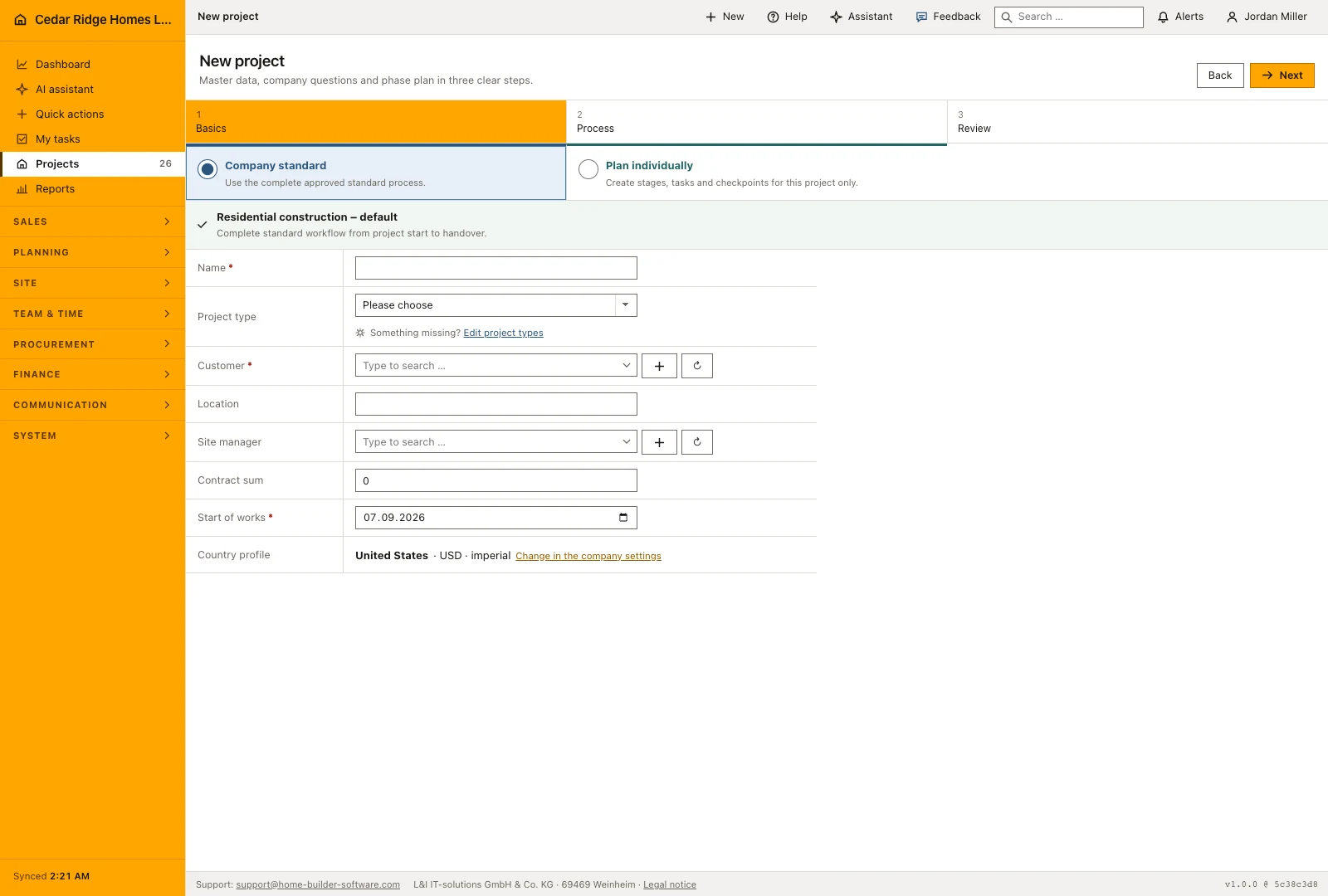 Open full-size screenshot
From template to schedule, work tasks and service requests
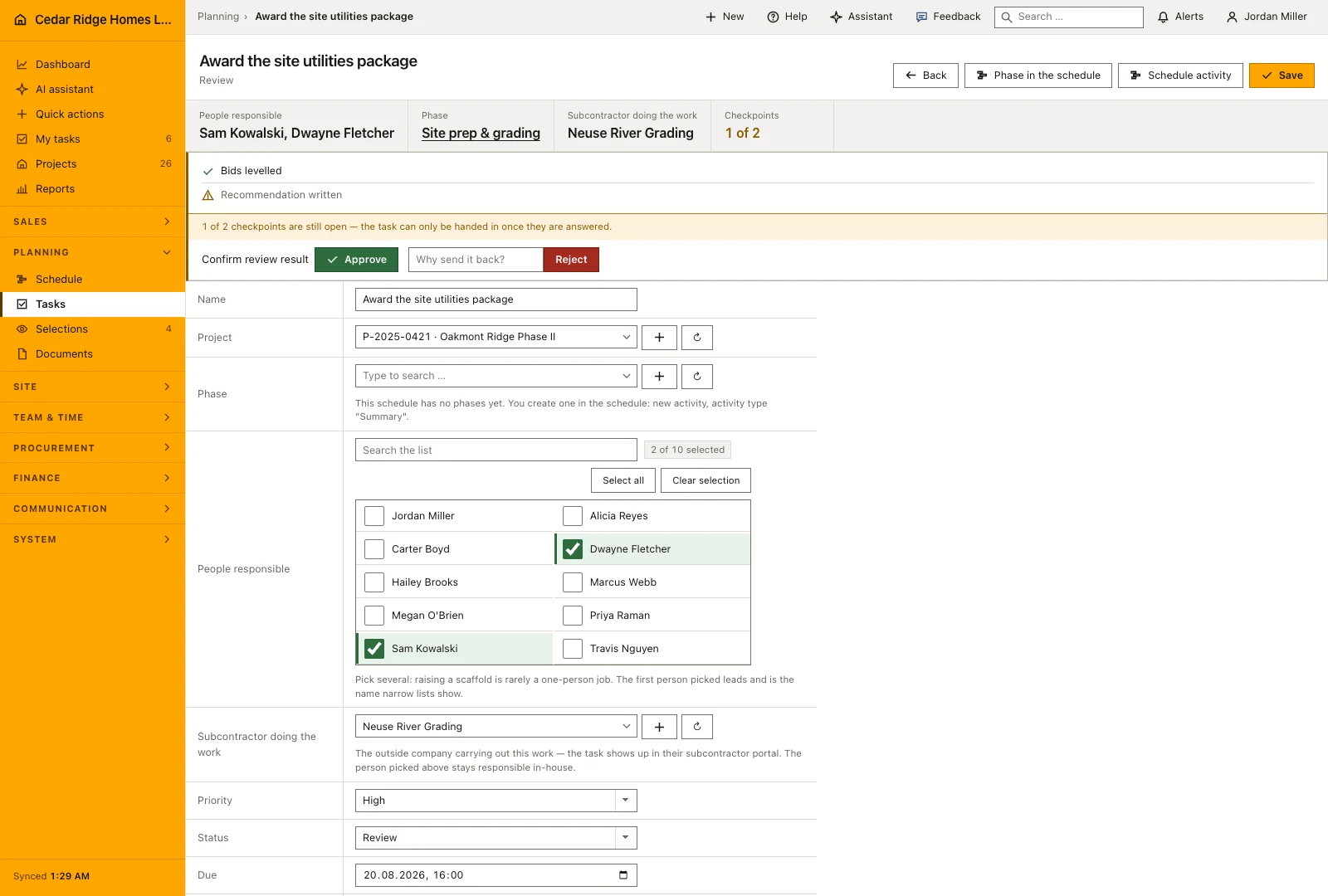
What the wizard produces is not a document but the working plan. The schedule chain carries dates, durations, milestones, dependencies, checklists and photo duties into the schedule module, and the project itself keeps the template it came from, its country profile, its currency and the answers given during creation. A task template can also be marked to create a work task or a service request when the template is applied, which puts operational follow-up in place on the first day.
Completed work can help improve the next plan. The duration estimator proposes values from comparable finished activities, or uses the assistant when there is no suitable history. Each suggestion identifies its basis. Review it against the scope and conditions of the next project before accepting it, because an earlier duration may include assumptions about crew size or site access that do not apply this time.
 Open full-size screenshot
Construction project templates in the daily routine
A signed contract sends the office into the creation wizard. The company standard is usually the right start, so that choice takes seconds, while start date, responsible site manager, contract value and country profile deserve more care. The preview is the last check: a stage that runs too long for this plot gets shortened before saving instead of repaired afterwards. Administration works the other end and prepares a template draft with AI, which waits under AI actions for an explicit acceptance.
Read the documentationConstruction project templates: what it covers
Maintain one company default and additional editable templates
Preview the generated schedule before project creation
Prepare an AI-assisted template draft as a reviewable action proposal
Construction project templates: questions and answers
Must every project use the company default?
No. The wizard can use the default, another template or a custom sequence.
Does an AI-generated template create records immediately?
Not by default. It first appears as an AI action that an authorized person accepts or rejects.
Use Construction project templates on your own projects
Request a trial period for the workflow around this module. We agree the roles, permissions and useful scope with you before preparing access.