
Construction lead management
Capture every home-building inquiry with customer, site, expected volume, owner and next step, then move it through the shared sales pipeline.
Construction lead management: how it works in Home Builder Software
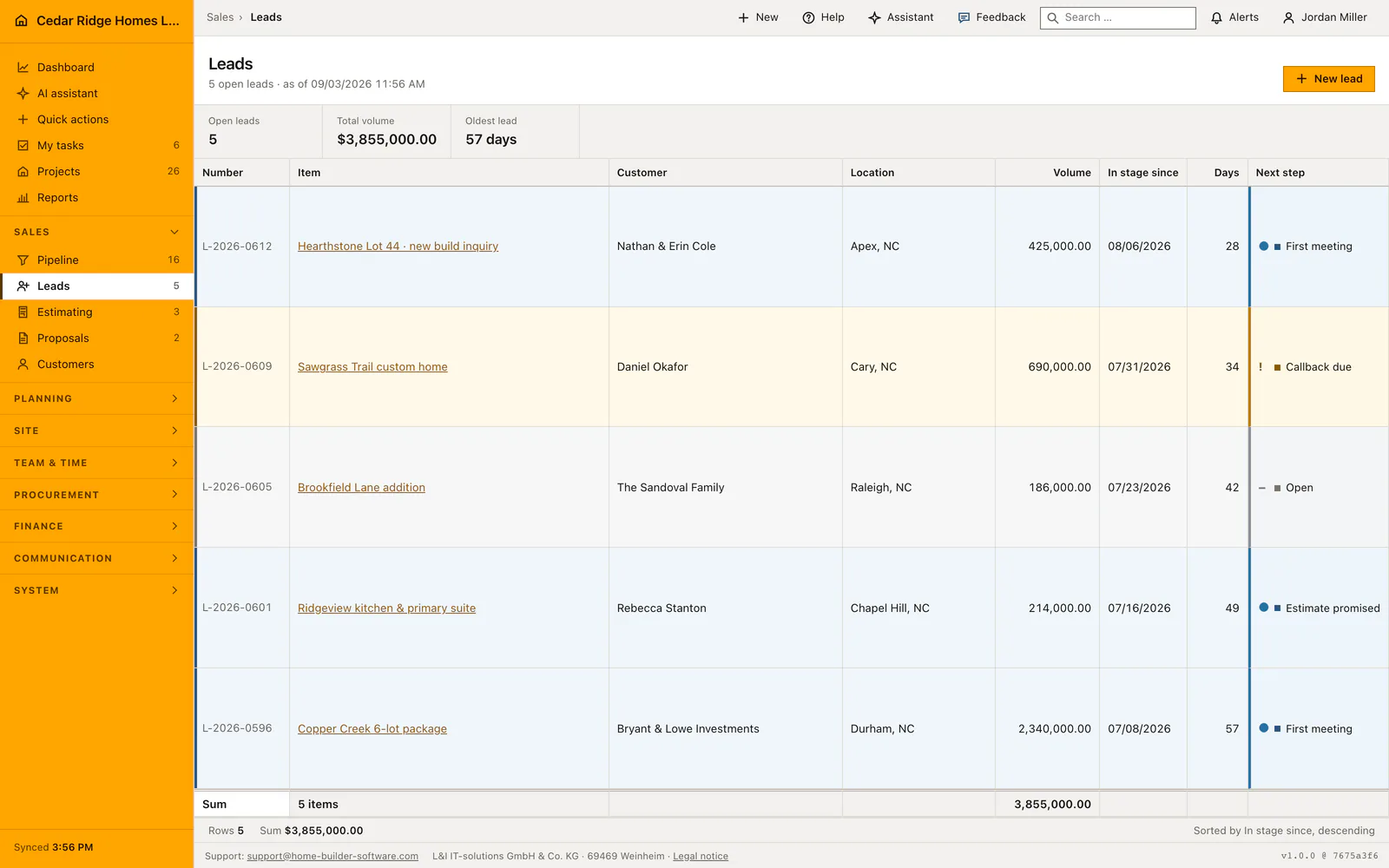
New inquiries land in one place instead of in an inbox, a notepad and somebody’s memory. The leads page holds every open inquiry at the first pipeline stage with its expected net volume, its age in days and the next step someone promised the caller. A metric band above the table counts the open leads, adds up their volume and names the oldest one in days.
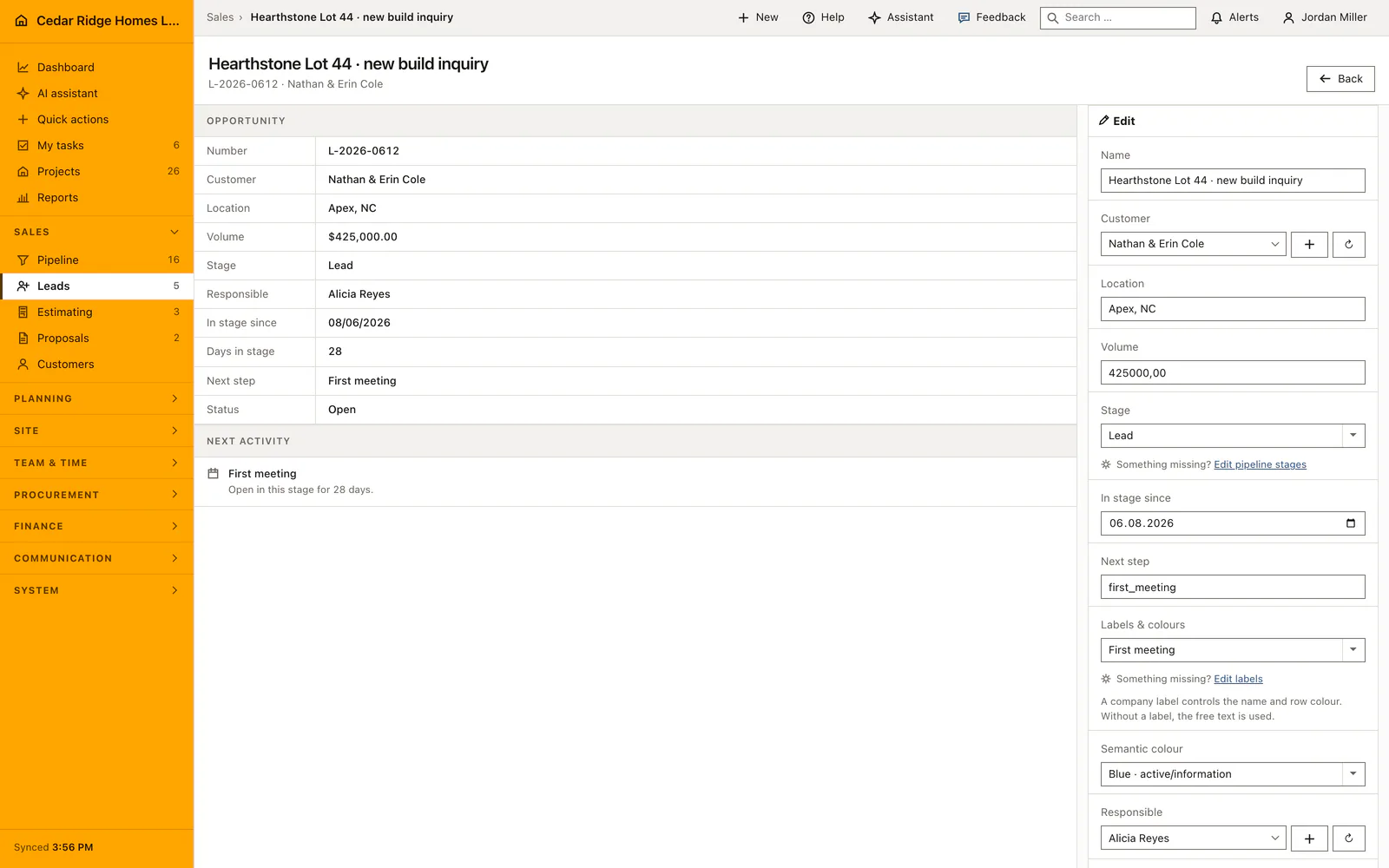
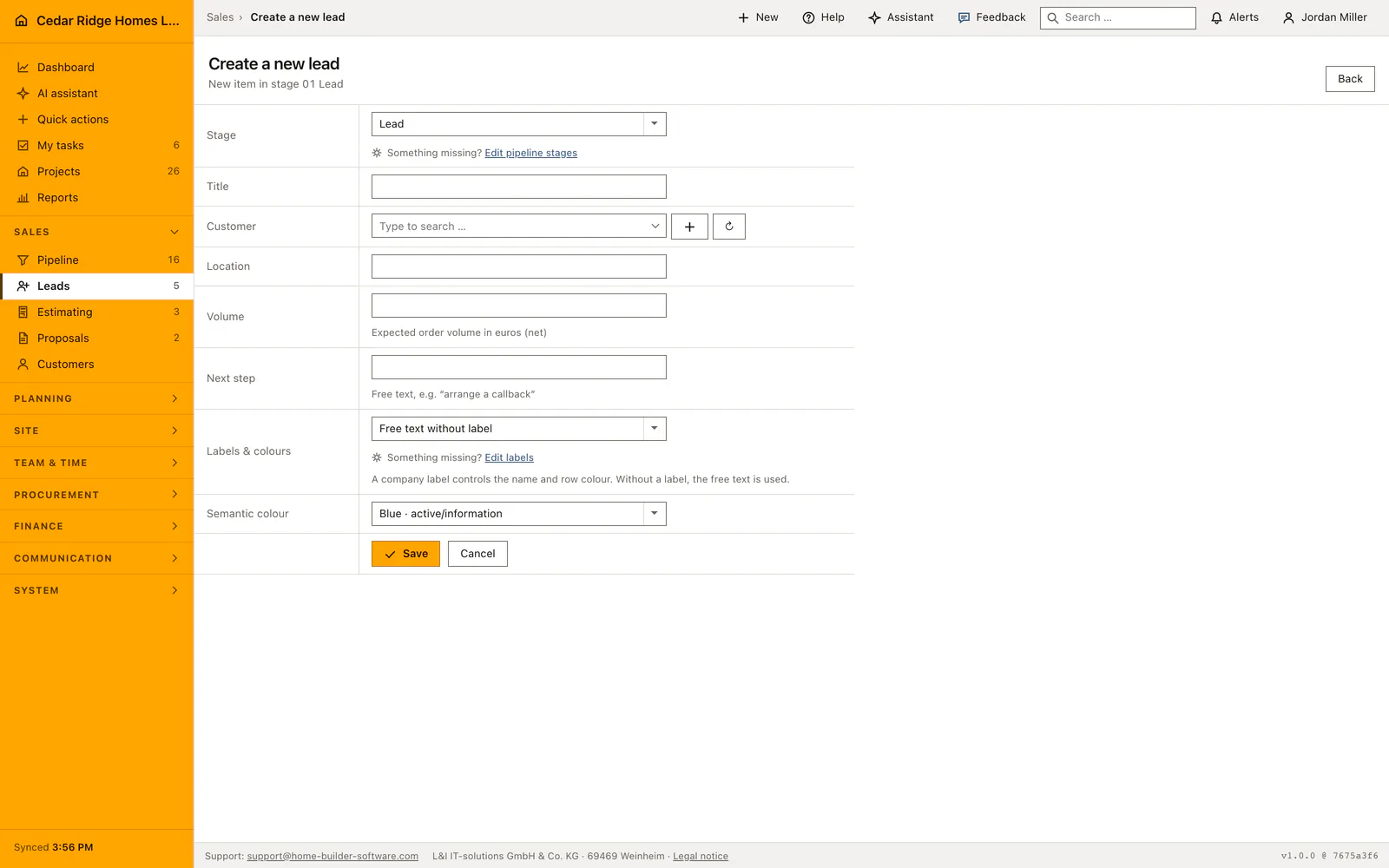
Creating a lead asks for a title, the prospect from the searchable customer master, the site, the expected net volume and a free-text next step. Saving issues a lead number in the form L-2026-0432, counted per company and per year, and records the person who entered it as the owner. The detail file then keeps customer, site, volume, stage, next step, responsibility and status editable, and the table footer totals the volume of every visible row.
A lead points at a customer record held as a prospect, so the same address and contact details are already in place when the deal closes; conversion activates that record and carries its customer ID into the project. The lead file also offers whatever fits the current state, from starting an estimate with customer and title prefilled to opening the proposal that came out of it, which keeps the chain of documents unbroken.
Filling the capture form and its automatic numbering
The form asks for a title of at most one hundred and fifty characters, the customer, the site, the expected net order volume in the company currency and the next step. Title and customer are required, the rest may stay empty. Volume is a number, not a range, and it feeds the total under the table as well as the pipeline figures, so an honest estimate is worth more here than a placeholder.
Saving issues the number itself. The prefix follows the stage the form was opened at, the year is the current one and the sequence is the highest number of that year for the company plus one, padded to four digits. Stage entry date is set to today, status to open and the current user to owner. The navigation badge is refreshed at once, so the new lead is counted without a reload.
 Open full-size screenshot
Watching the oldest lead and the next-step chips
The list sorts by the date an item entered the stage, newest first, and shows the three figures that matter for follow-up: how many leads are open, what they add up to and how old the oldest one is in days. A rising age figure is the signal that something has been left lying, and the days column names the case behind it. The totals row adds the volume of the visible rows.
Each row carries a next-step chip, which is the promise made to the caller. Working the list means clearing chips: a callback that was due becomes a first meeting, a first meeting becomes an estimate promised. The chip is edited in the opportunity file, either by picking another label or by typing over the free text, and the row color follows the choice immediately. Without a label the row keeps the neutral tone.
 Open full-size screenshot
From the lead file into estimate, proposal and pipeline
The opportunity file offers what the current state allows. With no estimate yet it offers to create one, with customer, case and title already filled in. With an estimate it opens that estimate and, while no proposal exists, offers to generate one. With a proposal it opens the proposal. In the contract stage the conversion into a project appears as well, and earlier stages say plainly that it is not available yet.
Beyond the file, the lead is the same record the pipeline draws. Moving it to estimating or proposal takes it out of this list, because the list holds the first stage only, and it reappears in the corresponding module list. The customer record follows the whole way: the prospect it points at becomes active at the moment the contract is converted, and the project stores that same customer identifier.
Construction lead management in the daily routine
Whoever takes the call opens the create form and types the title, the prospect, the site and the expected volume before the conversation is cold. The record appears immediately in the list and as a card at the first pipeline stage, with the caller listed as responsible. Sales checks the oldest-lead figure regularly, because a rising number there means an inquiry is sitting untouched, and works down the next-step chips until an estimate is worth writing.
Read the documentationConstruction lead management: what it covers
Monitor open lead count, total volume and oldest lead age
Create a numbered lead linked to a prospect customer record
Edit phase, next step, responsibility and status in the lead file
Construction lead management: questions and answers
Does a lead use a customer record?
Yes. A lead links to a prospect record that becomes an active customer when the contract is won.
Is a new lead visible in the pipeline?
Yes. It receives a lead number and starts in the first pipeline stage.
Use Construction lead management on your own projects
Request a trial period for the workflow around this module. We agree the roles, permissions and useful scope with you before preparing access.