
Construction RFIs and approvals
Track questions to architects, owners and authorities with due date, current responder, cost or schedule impact and a controlled answer-to-close workflow.
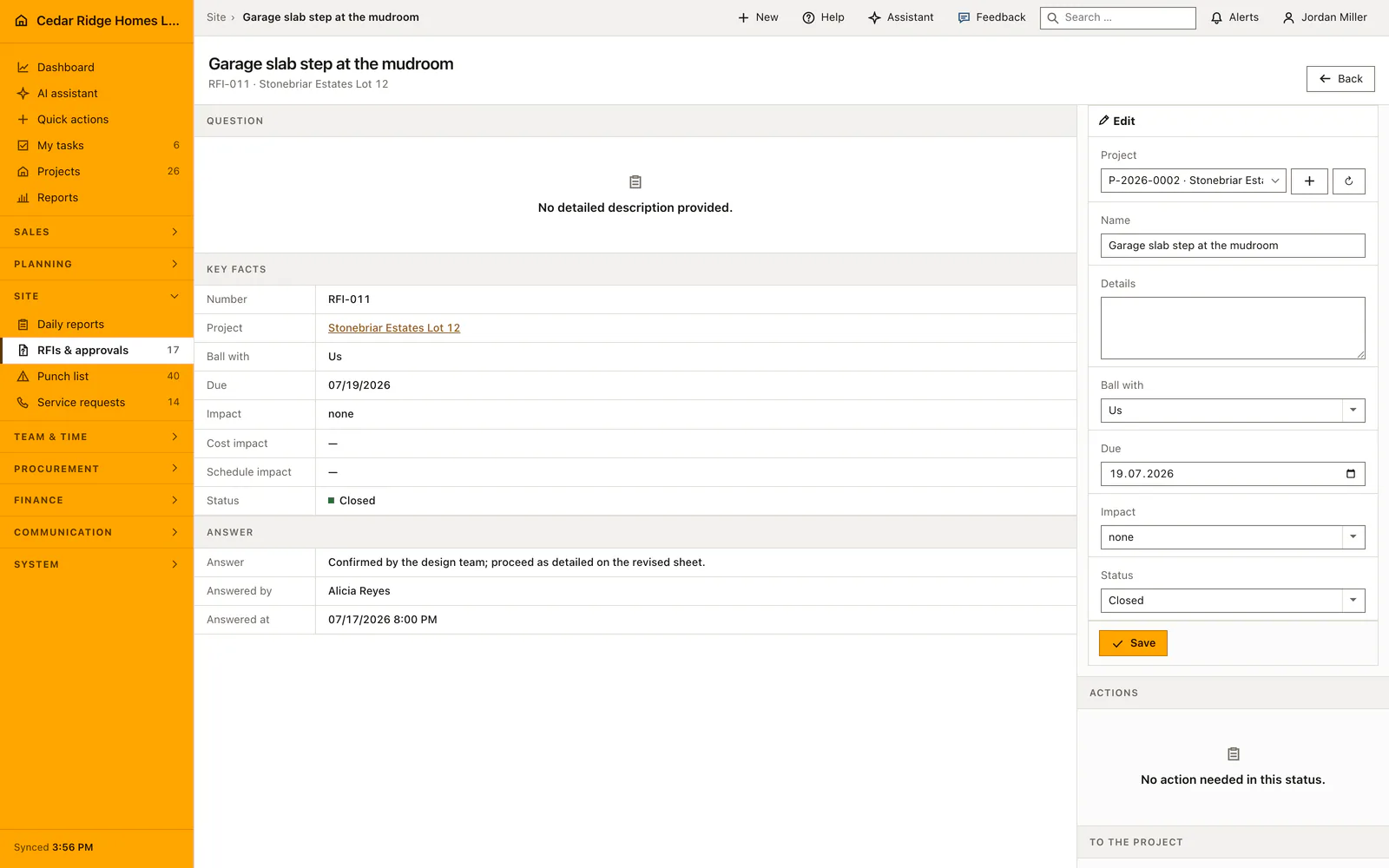
Construction RFIs and approvals: how it works in Home Builder Software
An RFI is a question that stops work until somebody answers it: a detail missing from the plan, a material the owner has not confirmed, an approval the authority still owes. This page keeps every one of them in a single list with the answer deadline attached, so a question posed in an email thread does not quietly become a two-week delay that nobody can explain afterwards.
Every row names who owes the answer, and the choices are us, the architect, the owner or the authority. Impact records whether the open question threatens cost, schedule or both. Rows sort by deadline, so the sharpest one sits on top, and a deadline turns red only once it is genuinely past while the question is still open. Draft, open, answered and closed carry a written label, never color alone.
The path forward is deliberately short. An open question moves to answered when the reply arrives, and only a reviewed answer may be closed; jumping straight from open to closed is refused. Answered questions also surface in the project file under the decisions that are waiting, so the site manager sees them without opening this list. What remains is a documented chain from the question to the checked and released answer.
Creating an RFI: question, ball with, due date and impact
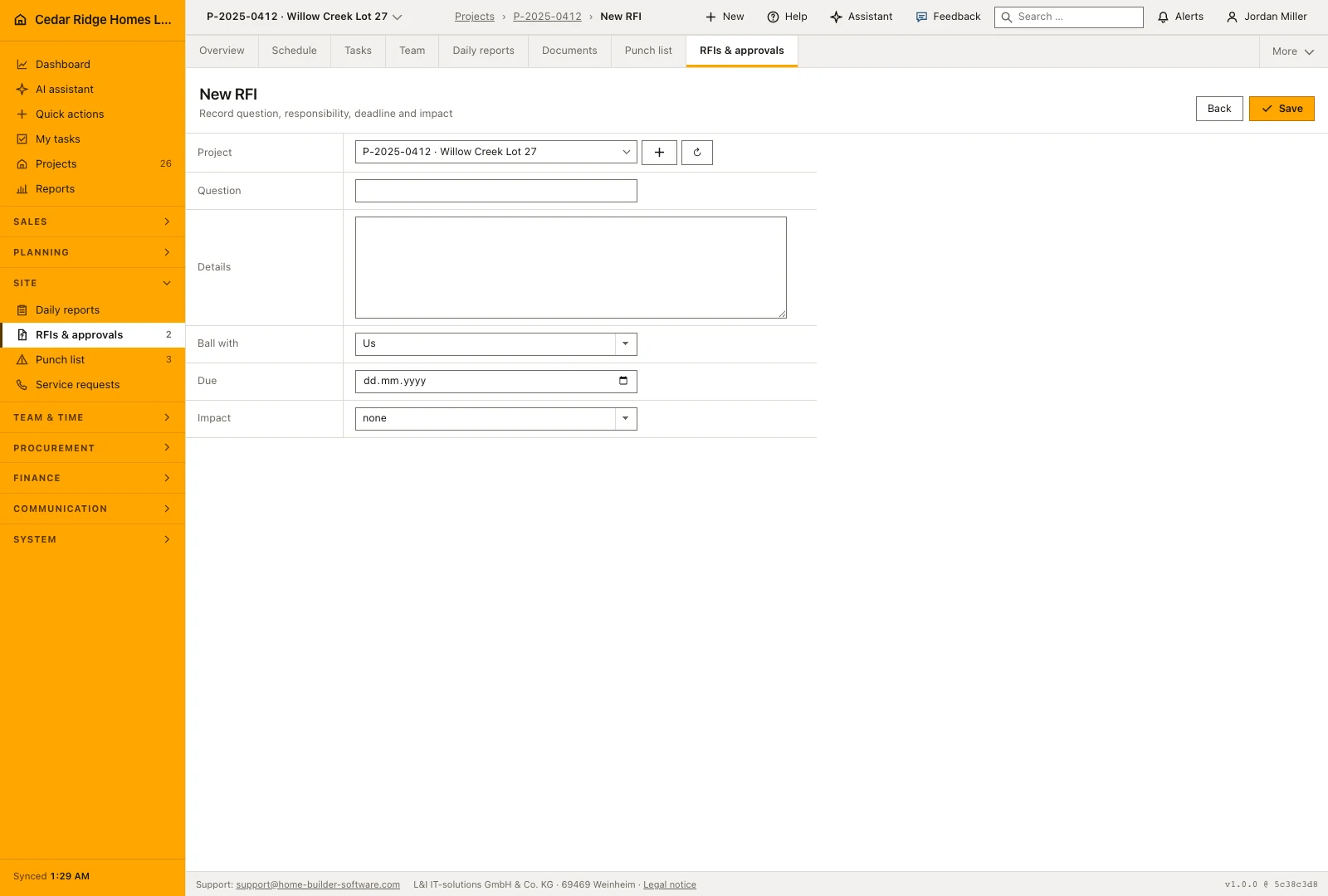
New RFI takes the project, a title of up to 180 characters, an optional detailed description, the party that owes the answer, an optional due date and the impact. Home Builder Software numbers the question per project as RFI-001 upward and starts it on open. Clicking the number opens the file, where the question, the description, the responder, the due date, the impact and the status can be corrected and saved.
Record the expected cost and schedule impact separately from the question itself. A clarification may have no financial consequence, while another may add work or delay a following trade. Keeping the amount and the number of days explicit gives site management something concrete to review with the answer. These fields describe the effect of the clarification; they do not replace the approval of a change order.
 Open full-size screenshot
Chasing overdue questions and recording the official answer
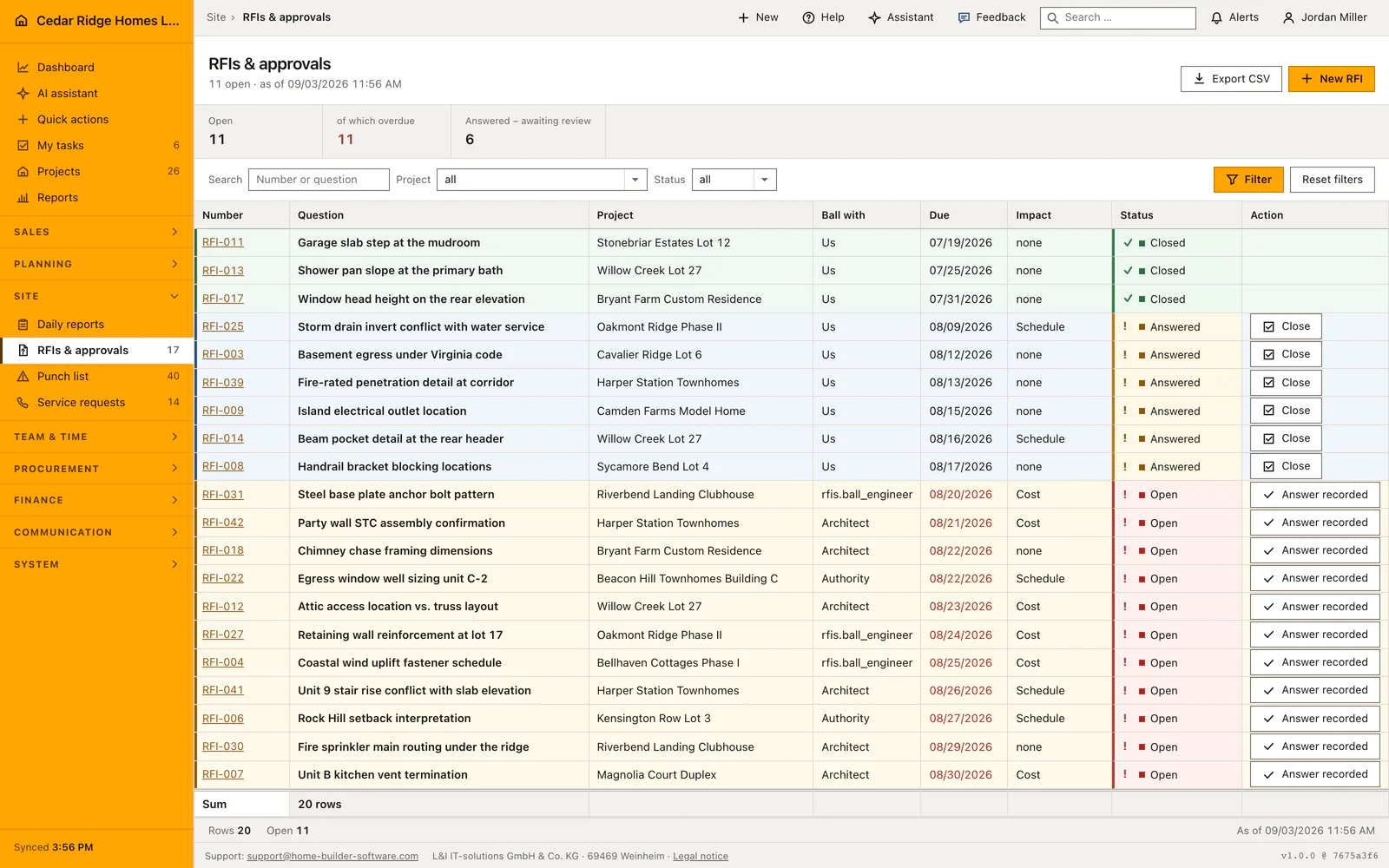
Filters narrow the register by project and by draft, open, answered or closed, and the search box matches the number and the title, because the office quotes RFI-014 while the site quotes what it was about. Rows sort by due date and then by number, so the sharpest question stands first, and the page carries 25 rows at a time. A due date turns red only while the question is open and the date is past.
The three figures above the table count open, overdue and answered rows inside the current filter, never inside the page. Answered questions wait for review, so the action column offers Close on those and nothing on open ones: an open question needs its response on file first. The CSV export carries the filters that are on screen, which keeps the file and the table describing the same set.
 Open full-size screenshot
RFIs in the project file, in change orders and in the schedule
An answered question also appears in the project file among the points that need a decision, with a link that opens the register filtered to that project and that status. A site manager therefore sees it without opening this module at all. Inside the project workspace the register has its own tab beside documents and the punch list.
Impact is the field that ties a question to money and time: what is marked cost belongs beside the change order it will produce, and what is marked schedule belongs beside the activity it delays. The recorded figures make that concrete in the company currency and in days. Notes, meeting minutes, photos and emails attach to the RFI through the same history used everywhere else in Home Builder Software.
Construction RFIs and approvals in the daily routine
Site management raises the question as a draft, names the party that has to answer and sets the reply deadline. Once it goes out, the row stands on open and the overdue figure at the top counts it the day after the deadline passes. Chasing means filtering to open and reading the red dates; the ball-in-court column says who to call. When the answer arrives it is recorded, checked against what was asked, and closed.
Read the documentationConstruction RFIs and approvals: what it covers
Filter RFIs by project and draft, open, answered or closed status
Show who currently owes the answer and highlight overdue dates
Move answered RFIs through review before final closure
Construction RFIs and approvals: questions and answers
Can an open RFI be closed immediately?
No. It must first be marked answered and then reviewed before closure.
Can an RFI record cost and schedule impact?
Yes. The impact can be cost, schedule or both.
Use Construction RFIs and approvals on your own projects
Request a trial period for the workflow around this module. We agree the roles, permissions and useful scope with you before preparing access.