
Construction proposal tracking
Keep open building proposals, customer value, time in stage, next step and binding deadline visible until the customer decides.
Construction proposal tracking: how it works in Home Builder Software
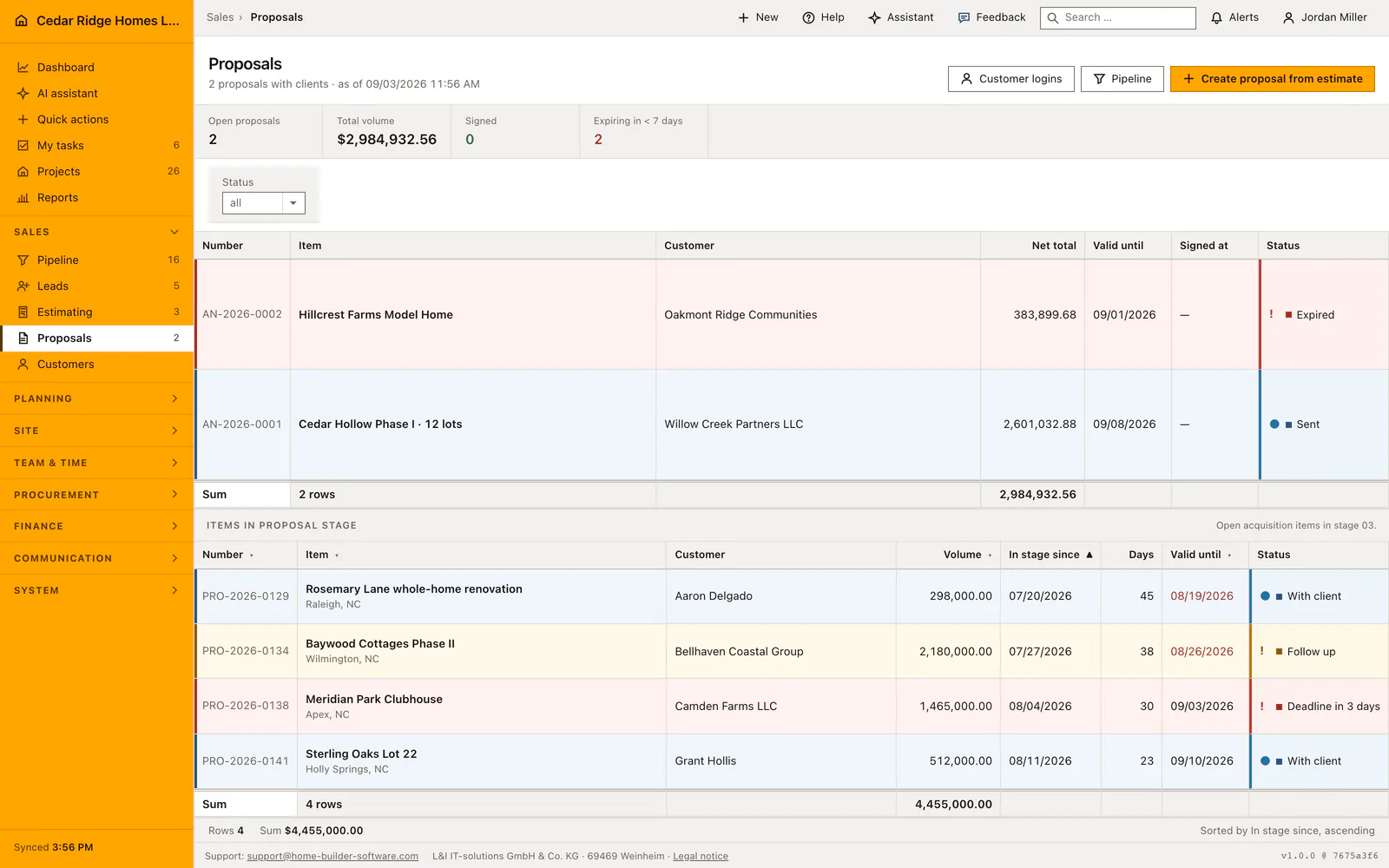
Once an offer is with the customer, the risk is silence. This watch list keeps every proposal in the decision stage in view, with the customer, the value, the date it went out, the days it has been waiting and the binding validity date. The metric band counts how many expire within seven days and deliberately includes those already past their date.
A validity date that has passed is printed in red, and the tile above turns red as soon as one such proposal exists, because those are the calls worth making today. The list opens sorted by time in stage with the oldest offer at the top, and every column can be sorted from the header. The status column reuses the next-step wording from the pipeline board, so nobody has to learn a second vocabulary for the same deal.
Chasing usually ends in one of two places: a new binding period agreed on the phone and recorded on the proposal, or a signature. A signed proposal is an order, so the proposal file itself offers the conversion into a project and, once that project exists, links straight to it. Where no matching opportunity is attached, the file says plainly that the project has to be created by hand.
How the snapshot folds surcharges into printed unit prices
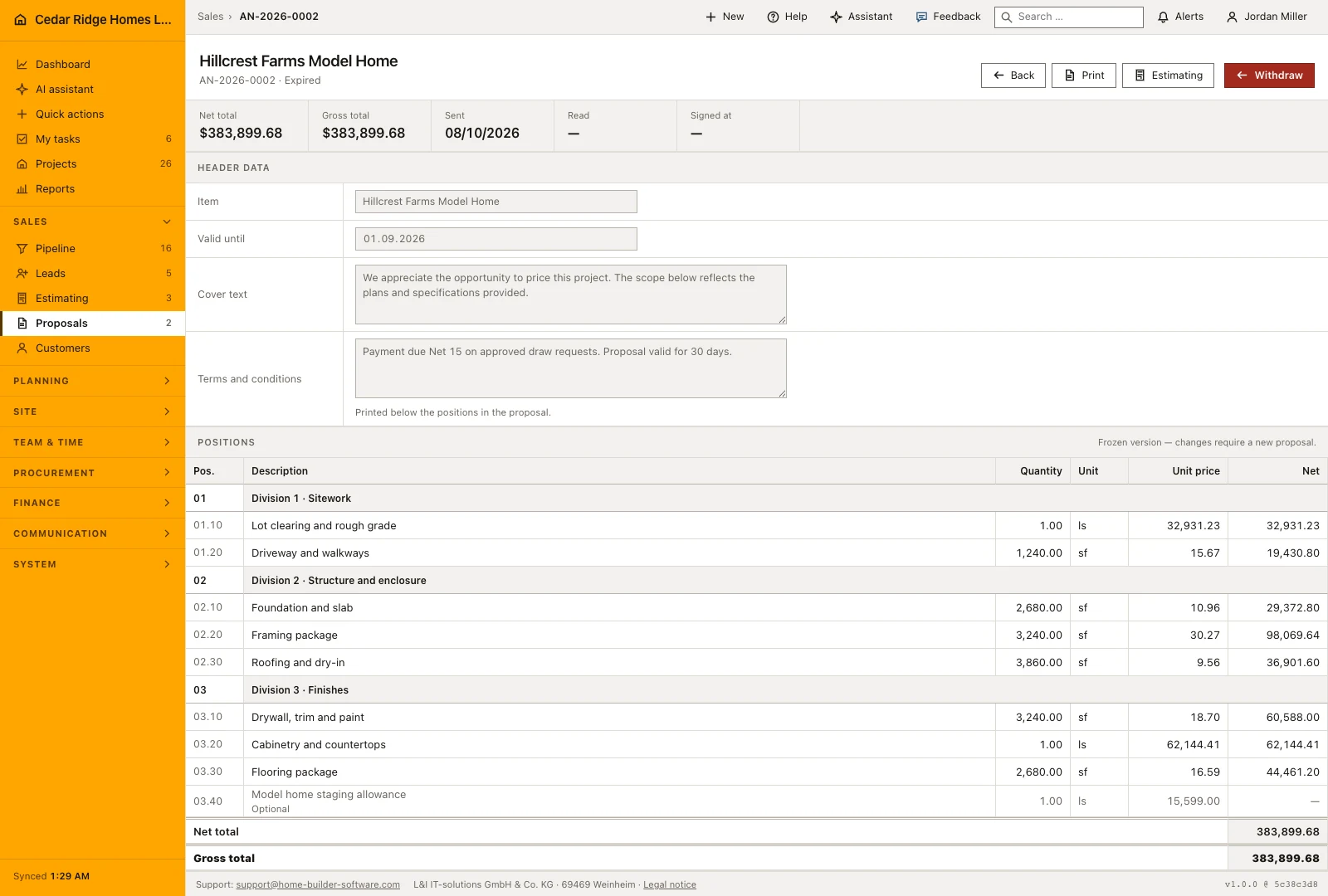
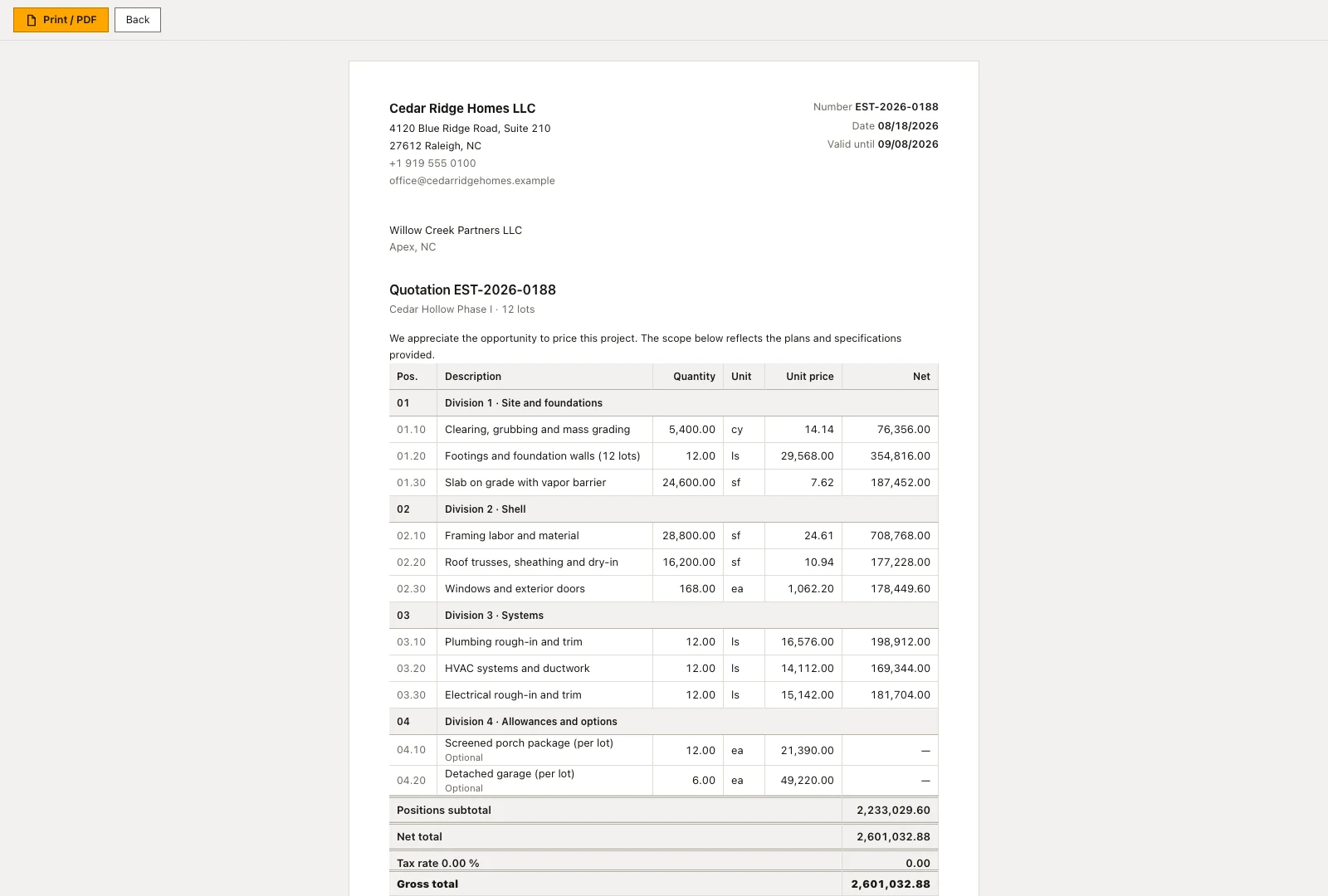
The estimate keeps cost, markup, overhead, risk and profit and discount apart, while the customer expects one price list that adds up. Home Builder Software therefore forms a single factor from the net total divided by the positions subtotal and multiplies every unit price by it. Section rows keep neither quantity nor price, and optional lines stay optional and remain outside the total.
The rounding difference is placed on the largest counted position, so the sum of the printed lines matches the printed net total exactly. Because the result is a snapshot, a later correction on the estimate no longer touches the offer. While the proposal is still a draft, title, validity date, cover text and terms and conditions can be changed; the positions cannot. What was sent stays as it was sent.
 Open full-size screenshot
Chasing offers with the expiry tile and the validity column
The metric band counts open offers, their volume, how many are already signed and how many expire in less than seven days. That last figure deliberately includes offers whose date has already passed, since those are the calls to make first, and the tile turns red as soon as it stands above zero. The worklist underneath opens sorted by time in stage, with the oldest offer at the top.
A date that has passed appears in red in its own column, which makes the follow-up order visible without any report. The status column shows the same next step as the pipeline board, so one case does not pick up a second vocabulary along the way. Number, title, volume, time in stage and the validity date can all be resorted from the column head, and a status filter survives paging.
Turning a signed offer into an order and a project
An accepted offer is an order, so the page does not stop at the signature. The order section offers the take-over of the linked opportunity as soon as it stands in the contract stage. The take-over creates the project, attaches estimate and offer to it and builds the budget from the estimate's cost groups, so the site does not start on an empty budget page.
Where the project already exists, the same place links straight to it. Without a linked opportunity the empty state says plainly that the project has to be created by hand rather than showing a button that cannot do anything. The portal account opened for the signature remains: it is the same login through which progress, released files and invoices become visible later on.
 Open full-size screenshot
Construction proposal tracking in the daily routine
Sales opens this page as a follow-up routine rather than a data-entry screen. The expiring-soon tile decides the order of the day, the red dates in the validity column identify which customers to ring, and the conversation ends either with an updated offer or an extended deadline written back onto the record. On acceptance the proposal is converted into a project from the same page, and the office picks up a job with its documents attached.
Read the documentationConstruction proposal tracking: what it covers
See open proposal count, volume and deadlines within seven days
Identify expired validity dates directly in the list
Use the shared next-step labels from the sales pipeline
Construction proposal tracking: questions and answers
How are expiring proposals highlighted?
The overview counts proposals expiring within seven days, while expired validity dates are shown in red.
Do proposals use separate sales statuses?
No. Their next-step labels are the same company-defined labels used in the pipeline.
Use Construction proposal tracking on your own projects
Request a trial period for the workflow around this module. We agree the roles, permissions and useful scope with you before preparing access.