
Construction proposal tracking: setup and daily use
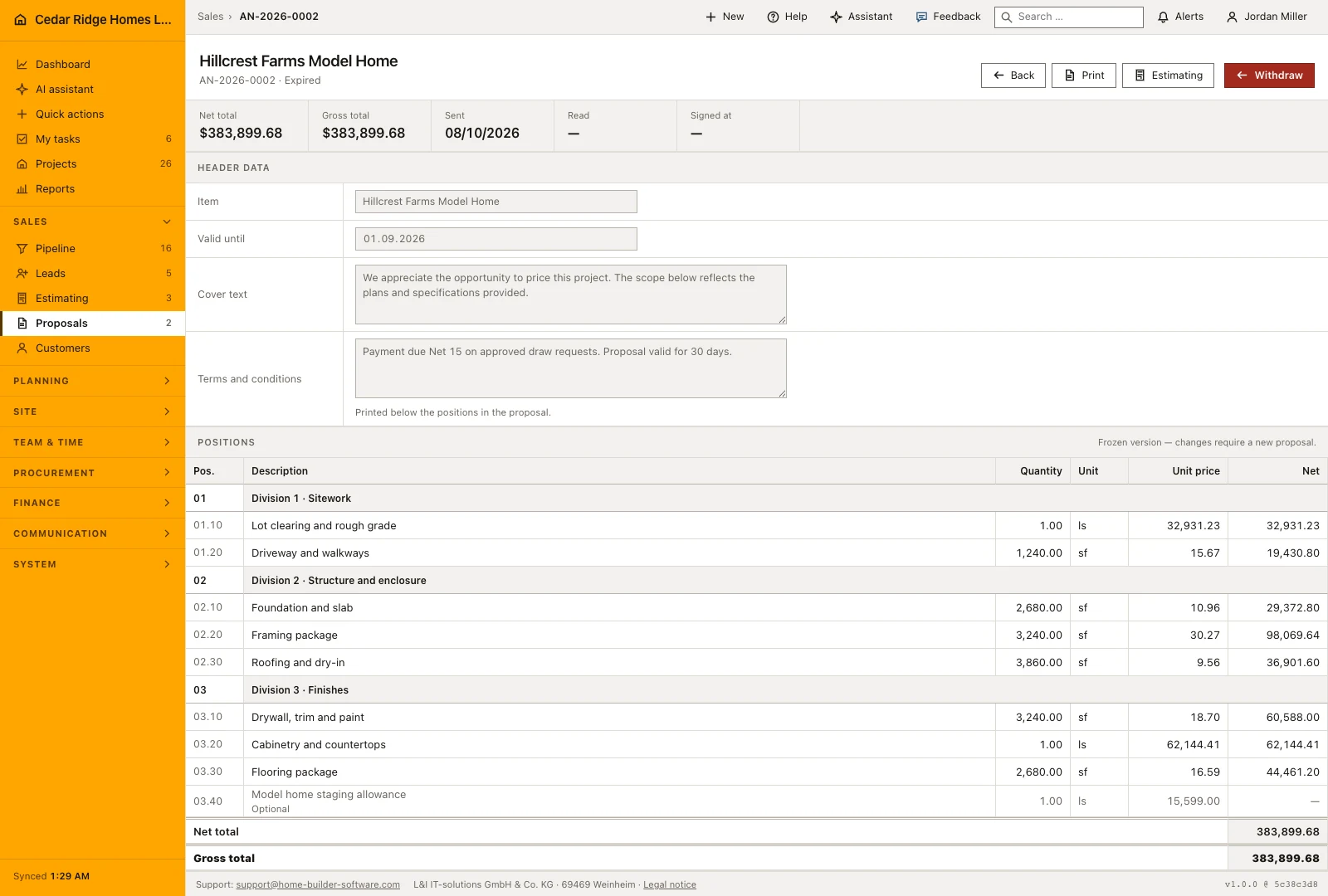
Proposals in Home Builder Software are frozen documents made from an estimate, never a second calculation. Creating one copies the priced positions, folds overhead, risk and profit and discount into the printed unit prices and issues its own AN number. From there the page follows what the customer does: sent, read, accepted with an electronic signature or declined with a reason, measured against the binding date under Valid until.
What an estimate must contain before a proposal exists
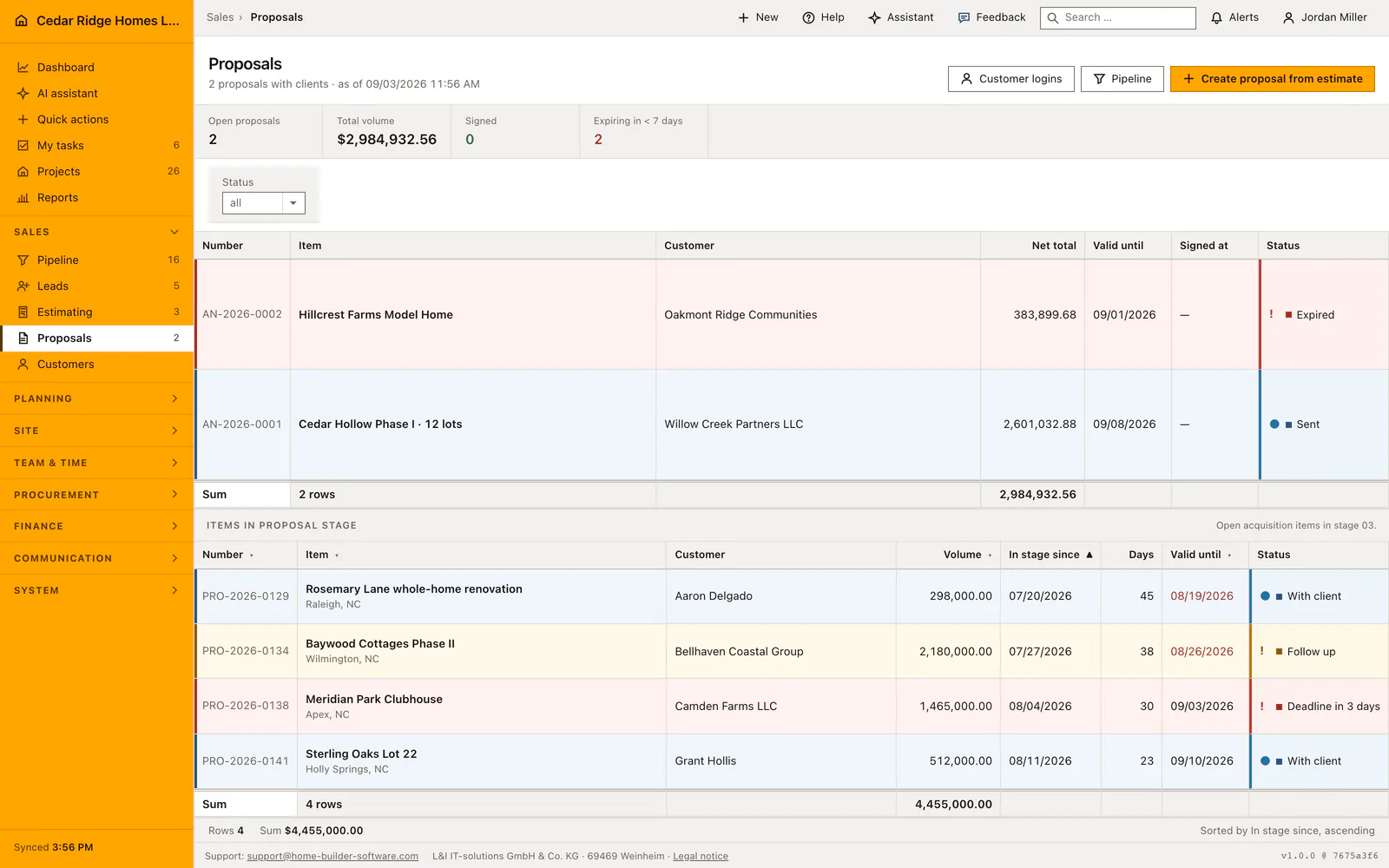
A proposal is only built from an estimate that already carries positions. The create form lists nothing but the tenant's estimates that have lines, and an empty estimate is refused, because an offer without a price list is not a document anybody could sign. Producing one asks for the write right on records, the same right that opens the estimate for editing, while reading is enough with the view right.
The number comes from the proposal sequence, prefix AN with the year and a four-place counter. Title, validity date, cover text and tax rate are taken over from the estimate, as are the links to customer, opportunity and project. If the customer is to sign in the portal, the account for that email address is created during sending, so nobody has to visit the customer logins page beforehand.
How the snapshot folds surcharges into printed unit prices
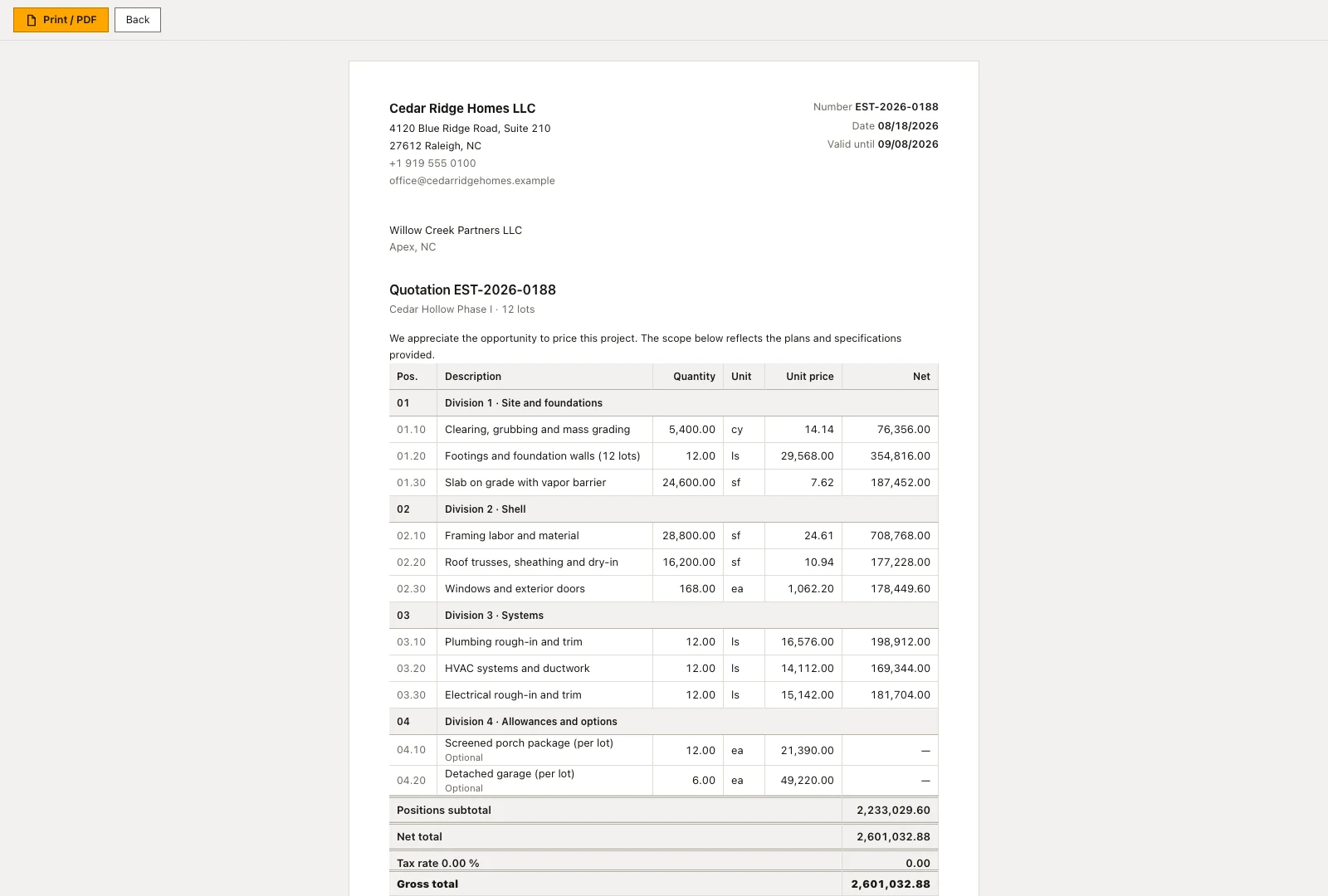
The estimate keeps cost, markup, overhead, risk and profit and discount apart, while the customer expects one price list that adds up. Home Builder Software therefore forms a single factor from the net total divided by the positions subtotal and multiplies every unit price by it. Section rows keep neither quantity nor price, and optional lines stay optional and remain outside the total.
The rounding difference is placed on the largest counted position, so the sum of the printed lines matches the printed net total exactly. Because the result is a snapshot, a later correction on the estimate no longer touches the offer. While the proposal is still a draft, title, validity date, cover text and terms and conditions can be changed; the positions cannot. What was sent stays as it was sent.
Chasing offers with the expiry tile and the validity column
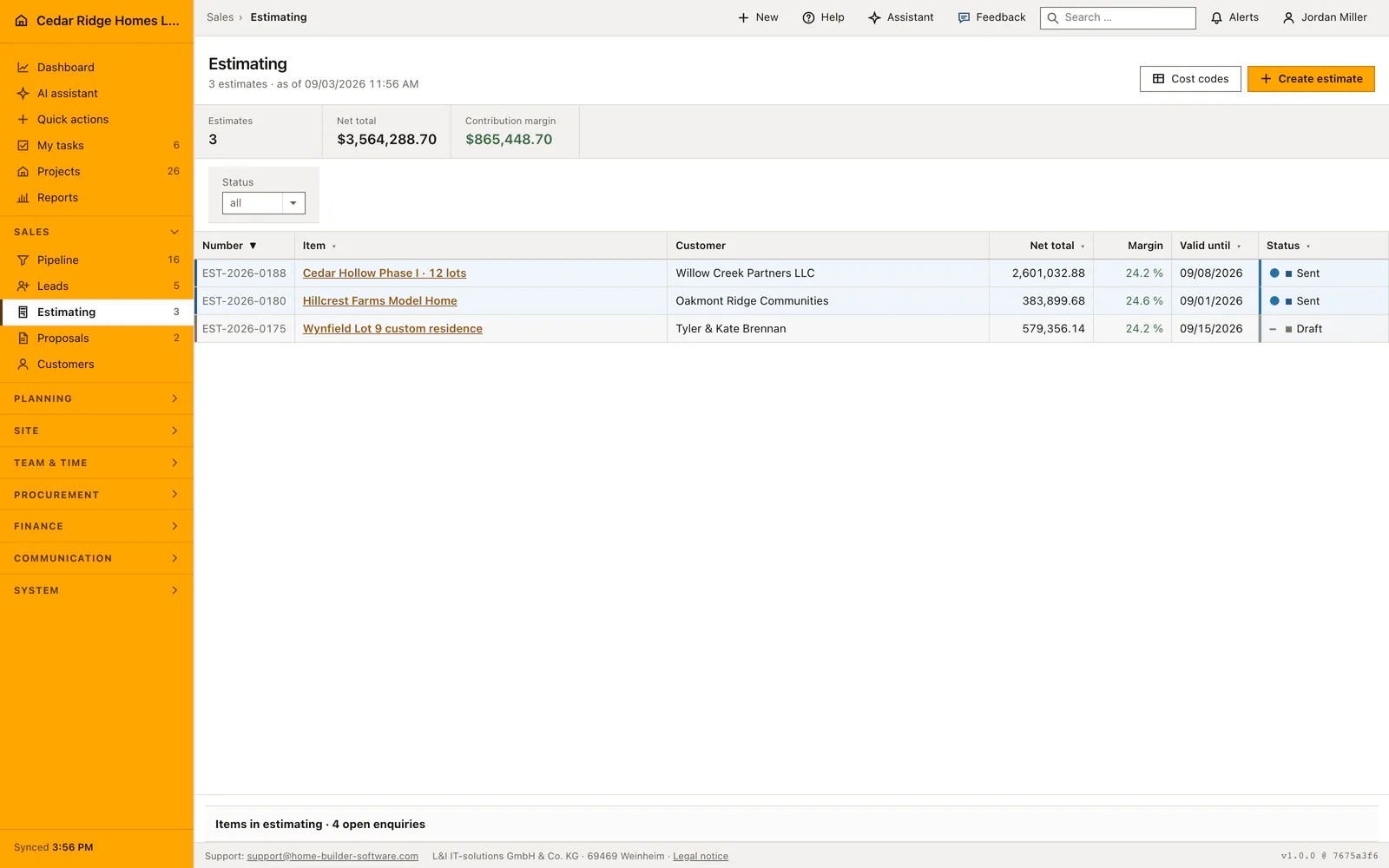
The metric band counts open offers, their volume, how many are already signed and how many expire in less than seven days. That last figure deliberately includes offers whose date has already passed, since those are the calls to make first, and the tile turns red as soon as it stands above zero. The worklist underneath opens sorted by time in stage, with the oldest offer at the top.
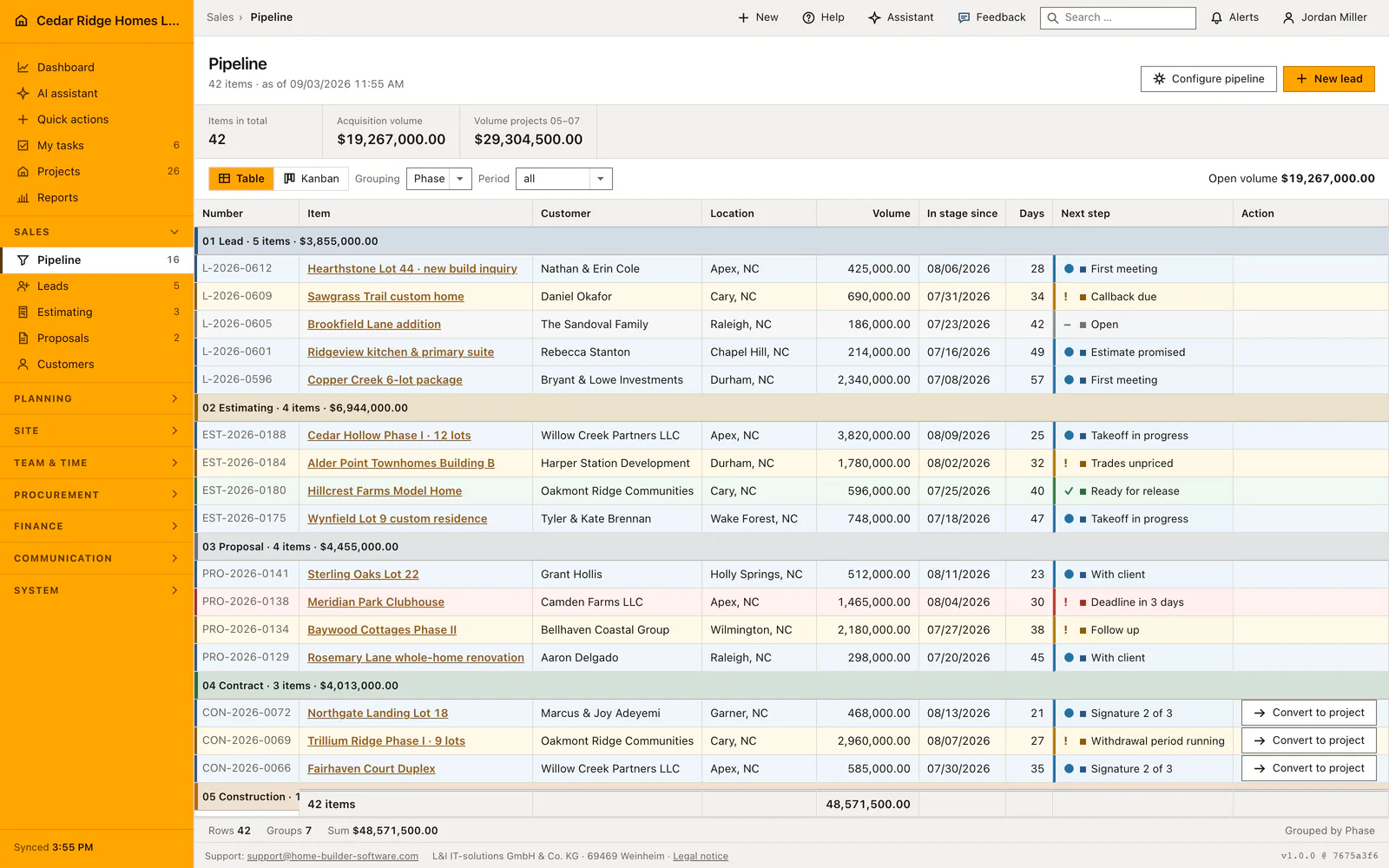
A date that has passed appears in red in its own column, which makes the follow-up order visible without any report. The status column shows the same next step as the pipeline board, so one case does not pick up a second vocabulary along the way. Number, title, volume, time in stage and the validity date can all be resorted from the column head, and a status filter survives paging.
Sending, withdrawing and the electronic signature record
Send to customer asks for a name and an email address, creates or reuses the portal account behind that address, sets the status to Sent, stamps the send time and stores the signature address on the document. The linked opportunity moves into the proposal stage at the same moment. From then on the document is frozen and the editable header fields are closed.
The customer accepts with their full name and a confirmation; name, address, timestamp and IP address are kept as the electronic signature. Declining records a reason instead. Withdraw pulls a sent, read or declined offer back into draft and clears the send and decision timestamps, but a signed proposal is a contract document and refuses to be withdrawn. Creation, sending and withdrawal each write an audit entry.
Turning a signed offer into an order and a project
An accepted offer is an order, so the page does not stop at the signature. The order section offers the take-over of the linked opportunity as soon as it stands in the contract stage. The take-over creates the project, attaches estimate and offer to it and builds the budget from the estimate's cost groups, so the site does not start on an empty budget page.
Where the project already exists, the same place links straight to it. Without a linked opportunity the empty state says plainly that the project has to be created by hand rather than showing a button that cannot do anything. The portal account opened for the signature remains: it is the same login through which progress, released files and invoices become visible later on.
Worked example: the proposal for Hearthstone Lot 44, up to the signature
The Hearthstone Lot 44 estimate for Nathan and Erin Cole in Apex closed with a positions subtotal of 480,000 dollars and, after the header surcharges, a net total of 504,000 dollars. Create proposal froze the copy AN-2026-0003 and multiplied every unit price by the factor 1.05 that dividing one sum by the other yields: the foundation line rose from 84,000 to 88,200 dollars, framing from 210,000 to 220,500 dollars, the mechanical package from 96,000 to 100,800 dollars and the finishes from 90,000 to 94,500 dollars. The four printed lines add up to 504,000 dollars again to the cent.
Send to customer took Erin Cole's name and address on 09/10/2026, created the portal account behind it and stamped the send time, while the header already carried 10/10/2026 under Valid until, so the document ran along in the expiry count. She signed on 09/24/2026 with her full name; name, address, time and IP address stayed on the record as the electronic signature, and a withdrawal was refused from that moment. The office pulled the case into the contract stage on the board, and the order section offered the take-over, which created the project and built its budget from the estimate's cost groups.
Construction proposal tracking: checks before saving
A proposal can only be created from an estimate that has positions; an estimate without lines is refused.
Sending freezes the document: any further change requires a withdrawal back into draft first.
A signed proposal cannot be withdrawn; only sent, read and declined documents may return to draft.
The printed lines always add up to the printed net total, because the rounding difference lands on the largest counted position.
Construction proposal tracking: common mistakes
Correcting a price on the estimate changes nothing on the copy the customer holds. The snapshot is deliberate: withdraw the offer, or produce a new one from the corrected estimate.
An offer with no validity date never enters the expiry count. It sits with the customer without ever appearing among the calls that are due.
The take-over into a project needs the linked opportunity in the contract stage. An offer signed without one leaves the office no route except creating the project itself.
The product page describes the same module from the business side, with the decisions it supports and the modules it connects to.
See the product pageFrequently asked questions
How are expiring proposals highlighted?
The overview counts proposals expiring within seven days, while expired validity dates are shown in red.
Do proposals use separate sales statuses?
No. Their next-step labels are the same company-defined labels used in the pipeline.
Configuring this part for your own company?
Describe the sequence you follow today and the result you need at the end of it. We can walk through the settings that produce it.