
Construction team and project chat: setup and daily use
Chats sits in the Communication group and holds four kinds of conversation: a team chat, a direct message between two colleagues, a job chat tied to one building project and a customer chat. Opening the module needs View workforce planning; the form that creates a new chat needs Edit master data. Every message is also filed as a history entry. What follows covers creating a chat, writing in one, and letting a customer read along.
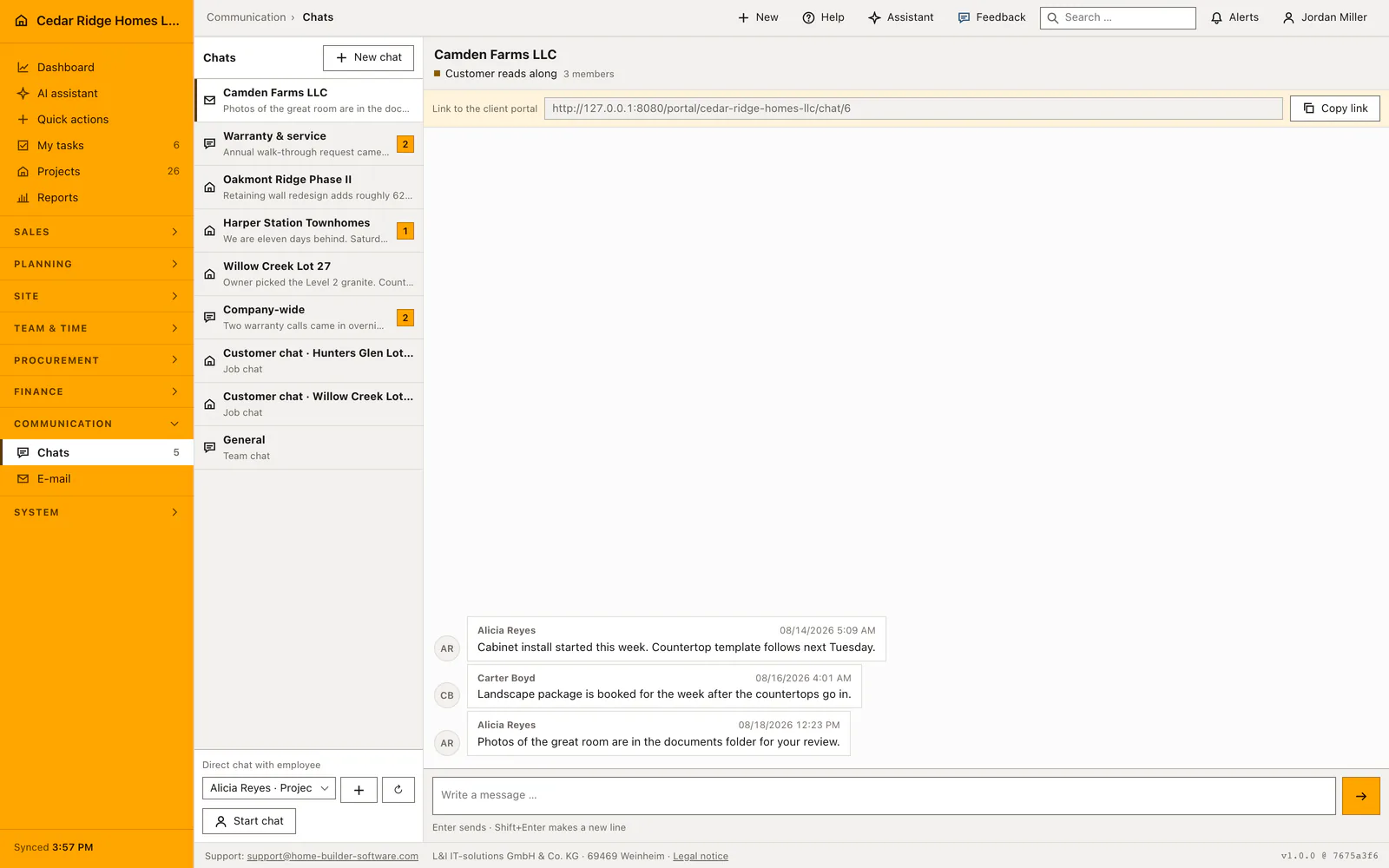
Where chats live in the navigation and who may open them
The entry sits under Communication next to email, and its badge counts the messages a person has not read yet, not the messages that exist. Access is granted by View workforce planning, which is a right the field roles hold as well, because a foreman who cannot ask a question is the reason people fall back on private phones.
On the first visit a company-wide channel called General is created if it is missing, and whoever opened it becomes its owner. A private chat is visible to its members and to administrators; nobody else finds it in the list. A channel id belonging to another company answers 404, which means a guessed address reveals nothing about the tenant next door.
Creating a team, job or customer chat
The button above the conversation list opens the form. A name of up to 160 characters is required, then the kind: team chat, job chat or customer chat. Choosing job reveals the project picker, choosing customer reveals the customer picker, and the members are ticked from the list of active users. The person creating the chat is added as its owner whether or not the box is ticked.
Two checkboxes decide who reads along. Visible to all employees turns the conversation into a company-wide channel that needs no membership. Share with the customer marks a job or customer chat as readable from outside, which is what produces the signed link. A direct message is not created here at all: the picker at the foot of the sidebar starts it, and asking twice for the same colleague reopens the existing conversation instead of a second one.
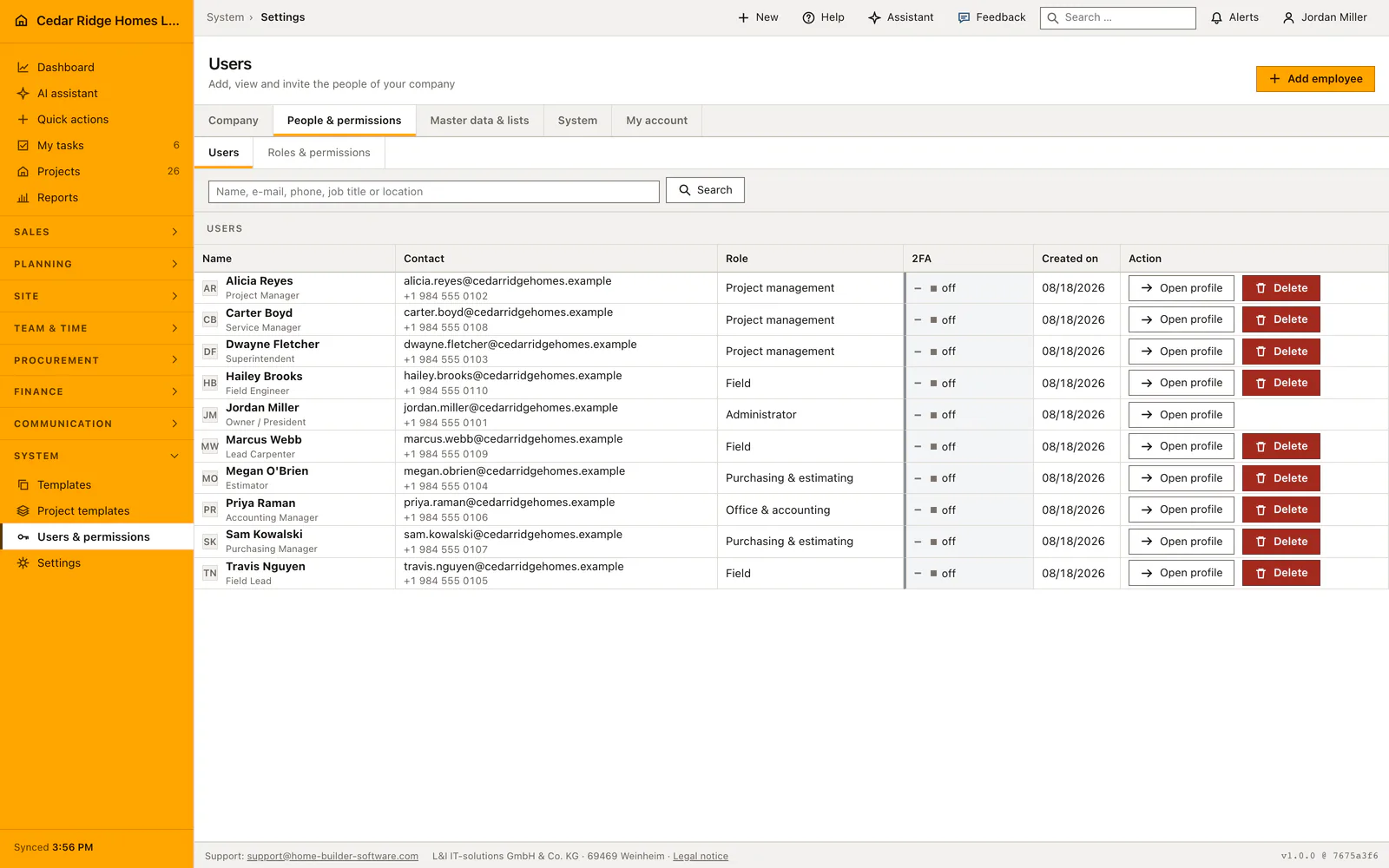
Writing, reading and following a conversation
The list on the left ranks conversations by their newest message and shows the first 64 characters of it beneath the name, with the unread count on the right. The thread renders the newest 200 messages and says so when older ones exist. A message holds up to 5000 characters, Enter sends it and Shift with Enter makes a new line. The thread refreshes itself every eight seconds through a checked endpoint.
On a phone the list and the thread are two addresses: the conversation list at the module root and one conversation under its own id, so the back arrow, the browser and a bookmark all mean the same thing. On a wide screen both panels stand side by side. Opening a conversation marks it read for that person, which is what makes the badge drop.
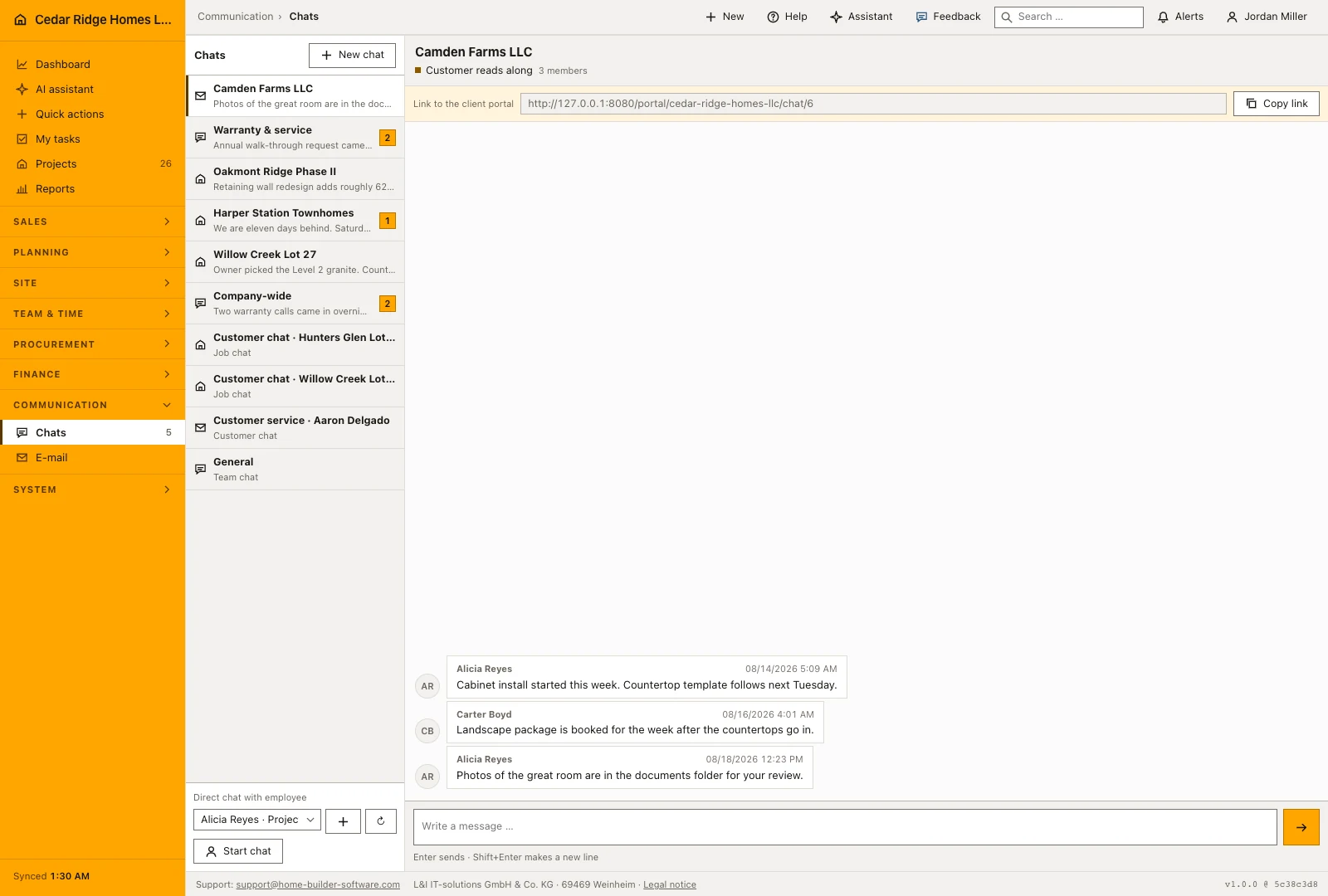
Membership, deletion rules and the history entry per message
Access is checked again on every read, send and refresh, not only when the list is drawn. Administrators reach every conversation of their own company; everybody else reaches the public ones and those they are a member of. A chat created by the system, meaning General, the customer conversation of a project and every direct message, carries no delete button, so the links from a project or a customer never break.
A conversation created by a person can be deleted by its creator or by somebody holding Manage company settings, and that removes its messages with it. Every message written anywhere in the module is filed a second time as a history entry of type chat: on the project for a job chat, in the customer history for a customer chat, and on the conversation itself for team and direct messages.
Customer access through the signed link and the portal
A conversation shared with the customer shows a copyable link at the top of the thread, signed and valid for thirty days. The guest opens it, types a name and writes; no account is created and nothing outside that one conversation becomes visible. The header of the thread carries a labeled chip saying the customer reads along, because that single fact changes how a site manager writes.
Where the customer already has a portal account for the project, the portal address is offered instead of the signed link, since it does not expire and carries the real name. The portal shows the same conversation as an area that a company can switch off for everybody, and the project file leads into the customer conversation directly, so the site manager reaches it without searching the chat list.
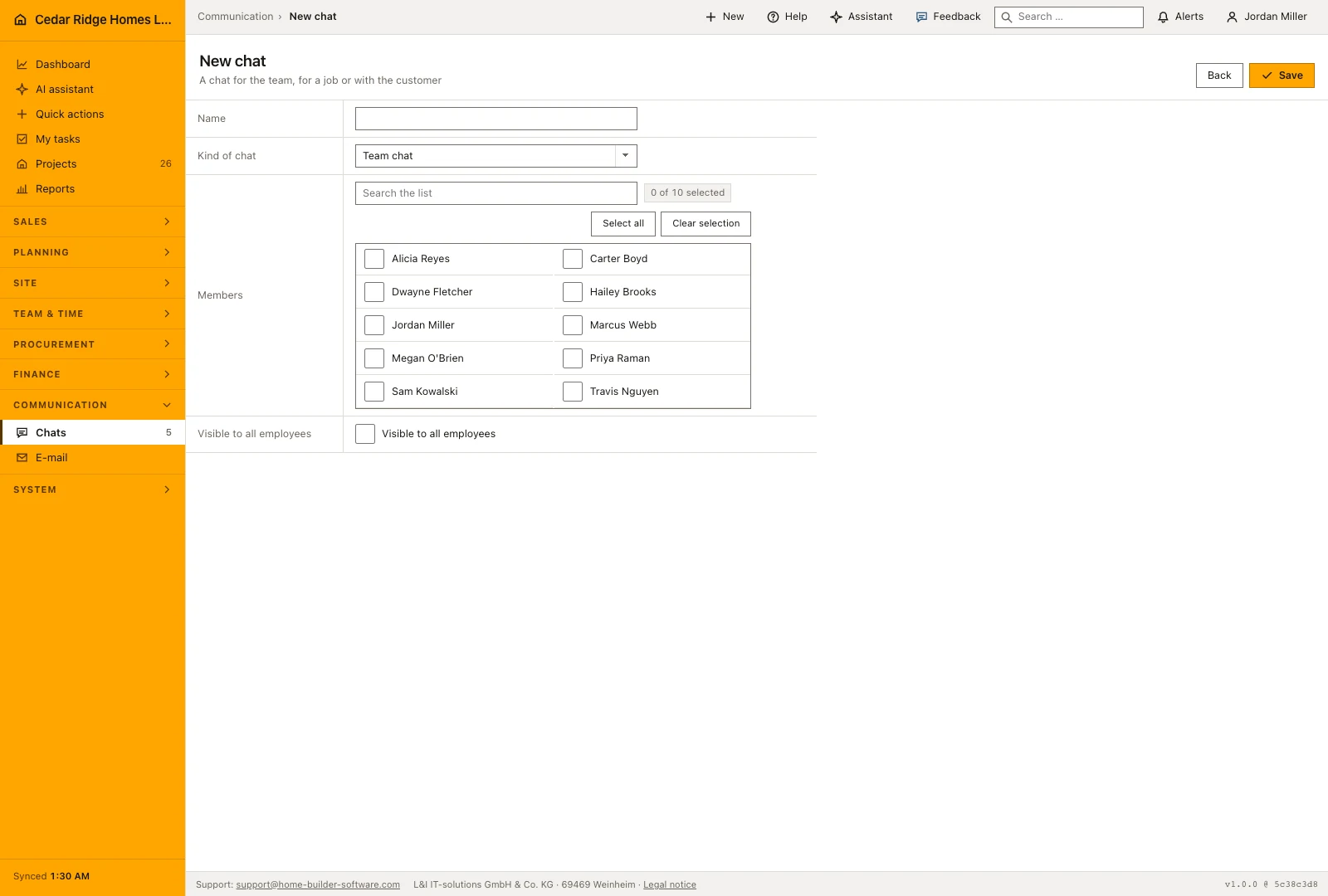
A customer chat shared with Camden Farms during the model home build
When the Camden Farms model home reaches the finishing trades, Alicia Reyes creates a conversation named Camden Farms LLC, chooses the kind customer chat, picks the customer record and ticks Carter Boyd and Jordan Miller, which makes three members with herself as owner. She sets the share with the customer, and because Camden Farms already uses the portal for this project, the thread offers the portal address instead of the thirty-day signed link. The header now carries the chip saying the customer reads along, which is the one line everybody checks before writing anything about money.
Within one week the thread earns its keep: Alicia reports that the cabinet install has started and that the countertop template follows on Tuesday, Carter adds that the landscape package is booked for the week after, and Alicia points the customer to the great room photos in the documents folder. Every one of those messages is filed a second time in the Camden Farms customer history. Meanwhile the badge beside Chats counts five unread messages, two under Warranty and service, one for Harper Station Townhomes and two in the company-wide channel, and opening the Harper Station conversation alone drops it to four.
Construction team and project chat: checks before saving
A conversation opens only when it is public or lists the person as a member; administrators reach every conversation of their own company.
The guest route works only while the conversation is marked as shared with the customer and the signature is still valid; otherwise it answers 404.
A message is limited to 5000 characters, and a thread renders the newest 200 with a note as soon as older ones exist.
Conversations created by the system, including General and every direct message, offer no delete button and cannot be removed.
Construction team and project chat: common mistakes
Share with the customer makes the whole thread readable from outside, including what was written before the box was ticked. Read the chip in the header before subcontractor rates or margins are discussed.
The customer conversation of a project is company-wide by default, so every colleague with access to the module can read it. Keep an internal disagreement in a private chat or a direct message.
Older messages are not loaded once a conversation passes two hundred entries. An agreement that has to survive belongs in the project history as well, where the people who act on it will look.
The product page describes the same module from the business side, with the decisions it supports and the modules it connects to.
See the product pageFrequently asked questions
Who can see a private channel?
Only its members and administrators can access it.
Can a customer use the same project conversation?
Yes. A customer-enabled project channel appears in the portal and internal chat as one shared conversation.
Configuring this part for your own company?
Describe the sequence you follow today and the result you need at the end of it. We can walk through the settings that produce it.