
Customer portal for home builders: setup and daily use
The customer portal gives a home buyer their own address for the build. Administrators decide under settings which sections exist, staff invite a named account under portal accounts and grant it individual projects, and the buyer signs in with a password, an access code or a signed link. Progress, dates, site days, files, invoices, proposals, selections and the project conversation are visible. Internal budgets, cost groups, margins, notes and supplier names are not.
Switching portal sections on under settings
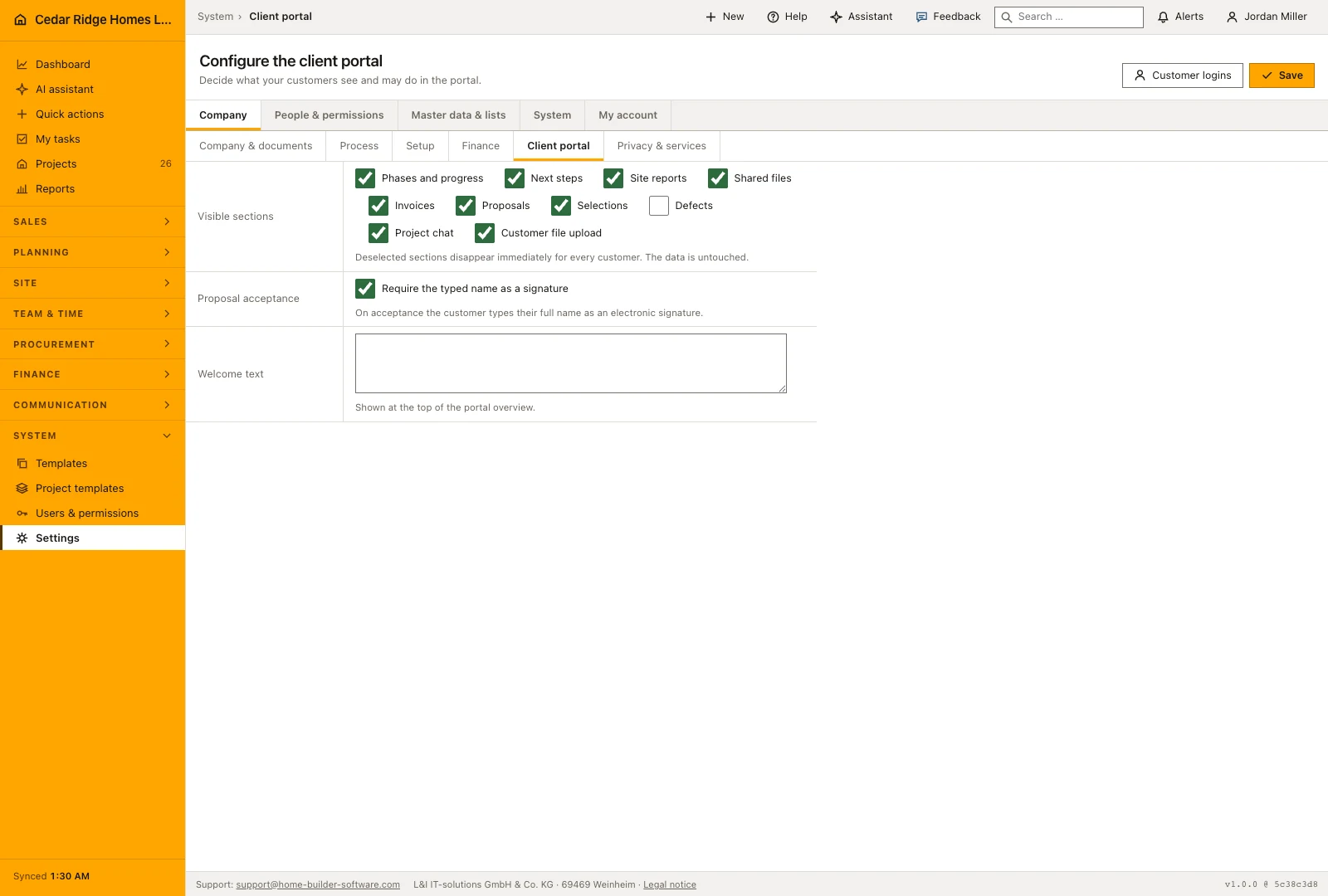
The portal tab of the settings area belongs to settings.manage. It carries a switch for each section: phases and progress, next steps, site reports, shared files, invoices, proposals, selections, defects, project chat and customer uploads. Everything a buyer only reads is on out of the box; defects are off. A welcome text of up to 2,000 characters appears above the overview, and the signature setting decides whether accepting a proposal requires the buyer to type their full name.
The same configuration decides both the navigation and what is reachable. A section that is off is not merely unlinked: its page answers 404, which is why an old bookmark or a guessed address cannot walk around the decision. The files page stays available while either the shared files or the customer uploads switch is on, so releasing documents without accepting uploads is a normal combination. Saving writes an audit entry naming the sections that remained on.
Creating a portal account and granting it projects
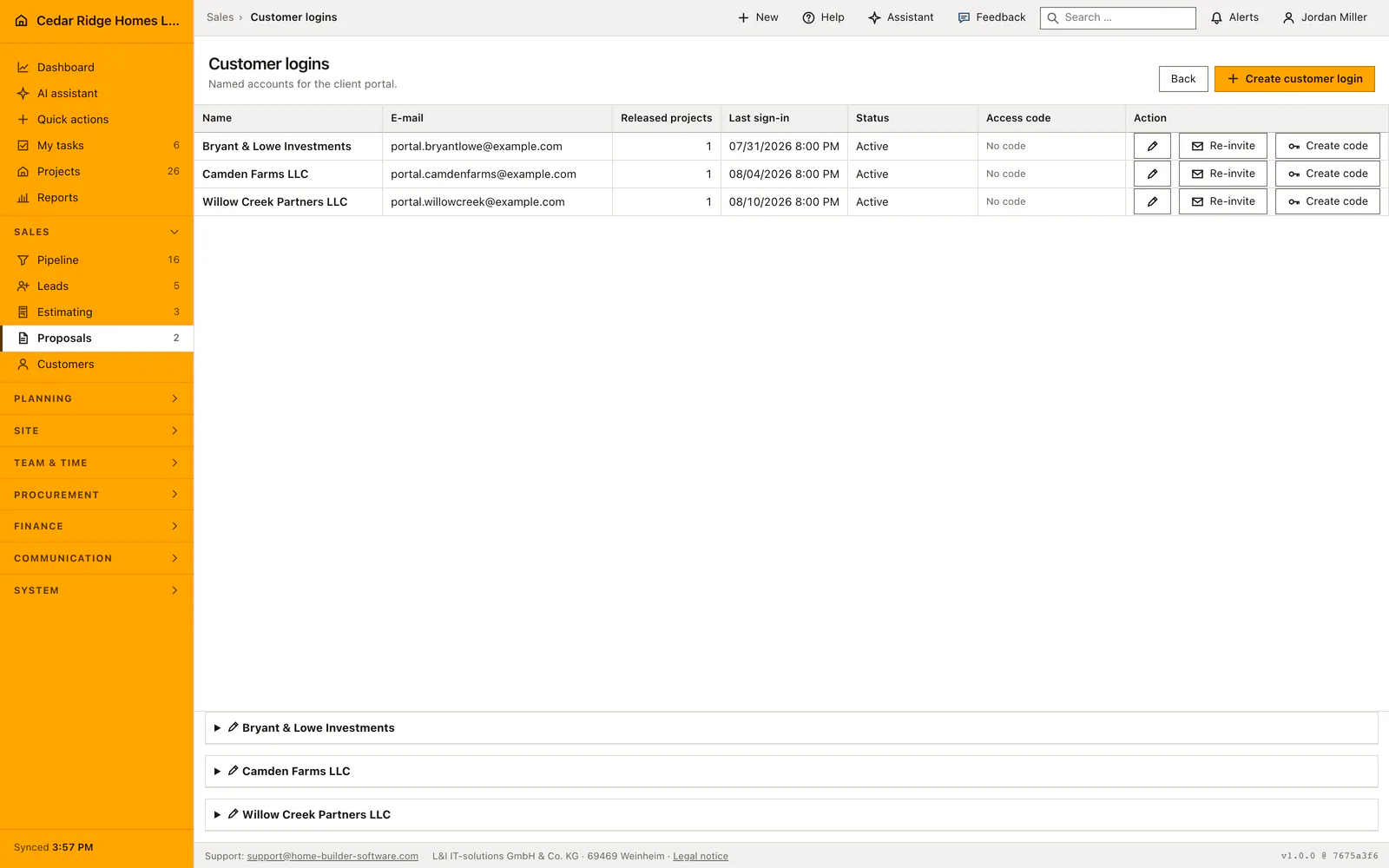
Portal accounts live under the proposals area and need records.write. The form takes a name and an e-mail address of up to 180 characters each, an optional link to an existing customer record, and the projects this person may open. Project access is an explicit list of project ids: belonging to the same company grants nothing, and a project outside the list answers 404 even when the account is signed in.
The invitation goes out immediately and carries a single-use link valid for 72 hours; the buyer chooses a password of at least twelve characters containing letters and digits. A password is never sent by mail. If the letter could not be delivered the page says so and the account still exists, so a second attempt is a re-invitation rather than a new record. Editing an account changes its name, its active state and its project list; a re-invitation invalidates the previous link at once.
Reading out an access code and sharing the signed project link
For a buyer who will not type a password, the account list issues an access code. It is twelve characters in three blocks drawn from an alphabet without confusable pairs, readable over the telephone or printable in a letter. The code appears exactly once, is stored only as a hash, lasts thirty days and can be ended immediately with the revoke action. Signing in asks for the e-mail address and the code together, allows five attempts a minute per address and per origin, and answers every failure with the same sentence.
The third way in needs no account at all. The customer portal action in the project file issues a temporary signed address valid for thirty days, and each section gets its own signed address as the page renders. The signature covers the whole address, so any edited character invalidates it. An expired or altered link shows a notice page offering the ordinary sign-in, never data. Portal pages carry a noindex instruction, because signed links do not belong in search results.
Releasing documents, revoking access and portal audit records
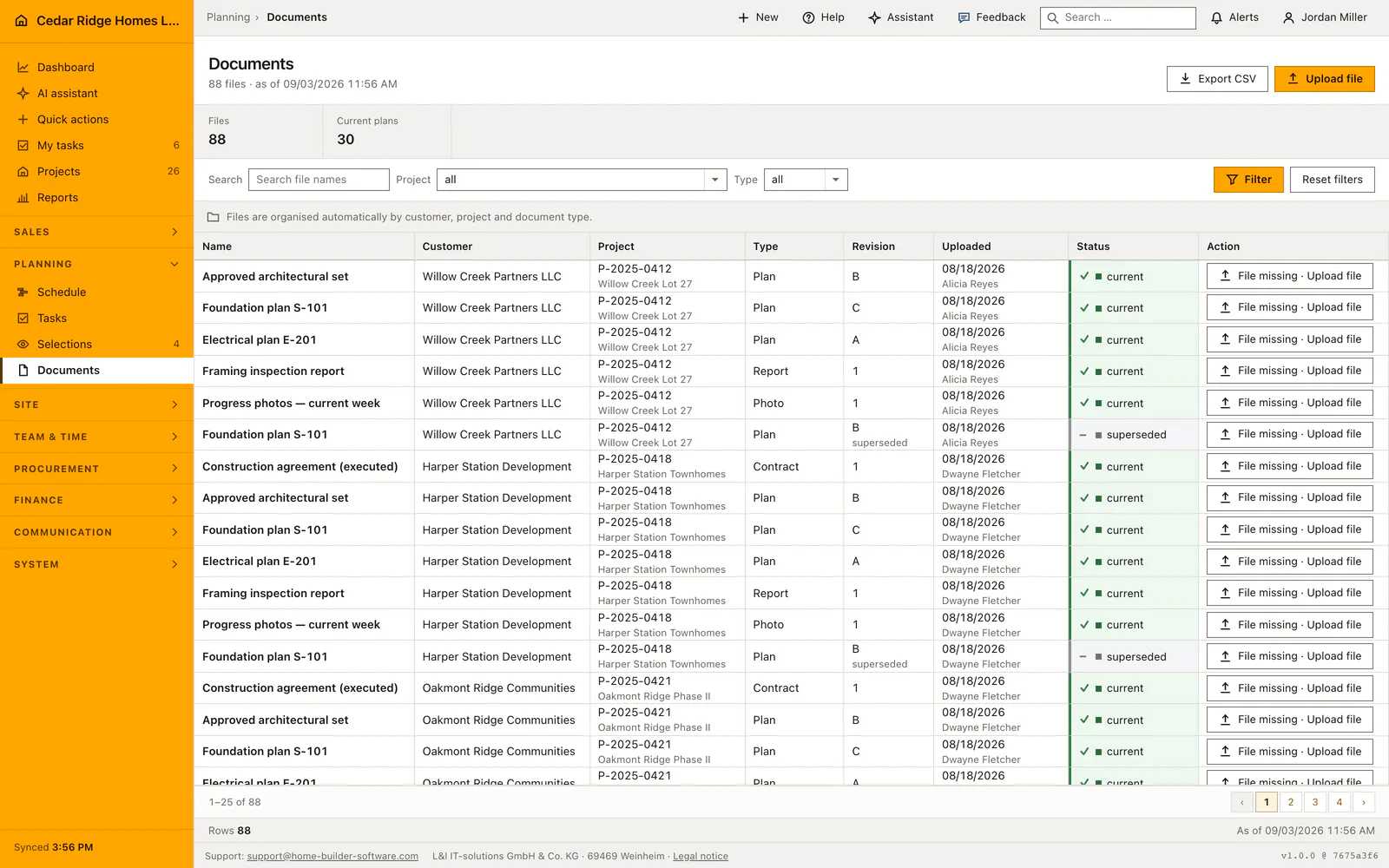
A document reaches the portal only when it is explicitly released for it; the flag is off when a file is uploaded. The download rechecks that the shared files section is still switched on, so a link handed out four weeks ago stops working once the company withdraws the section. Customer uploads accept up to twenty megabytes in pdf, png, jpg, jpeg, webp, txt, docx and xlsx, and the uploader's name is taken from the signed-in account rather than from a form field.
Decisions made in the portal are recorded on the company side. Accepting a proposal keeps the typed signature, the account address, the moment, the origin address and the browser; deciding a selection keeps the chosen option, the buyer's note and the consent, and notifies the site manager. Deactivating an account ends its sign-in at once while the record and its history remain, and an access code that was read out survives that switch until it is revoked separately.
Proposals, selections and the project conversation for the buyer
Two levels of navigation meet the buyer. The account level holds the overview of their builds, the proposals waiting for an answer with accept and decline, and the selections with their deadline and the upcharge shown per option before any choice is made. A selection that has been decided or has run past its deadline refuses a second answer with 422, which is the point at which a telephone call replaces a click.
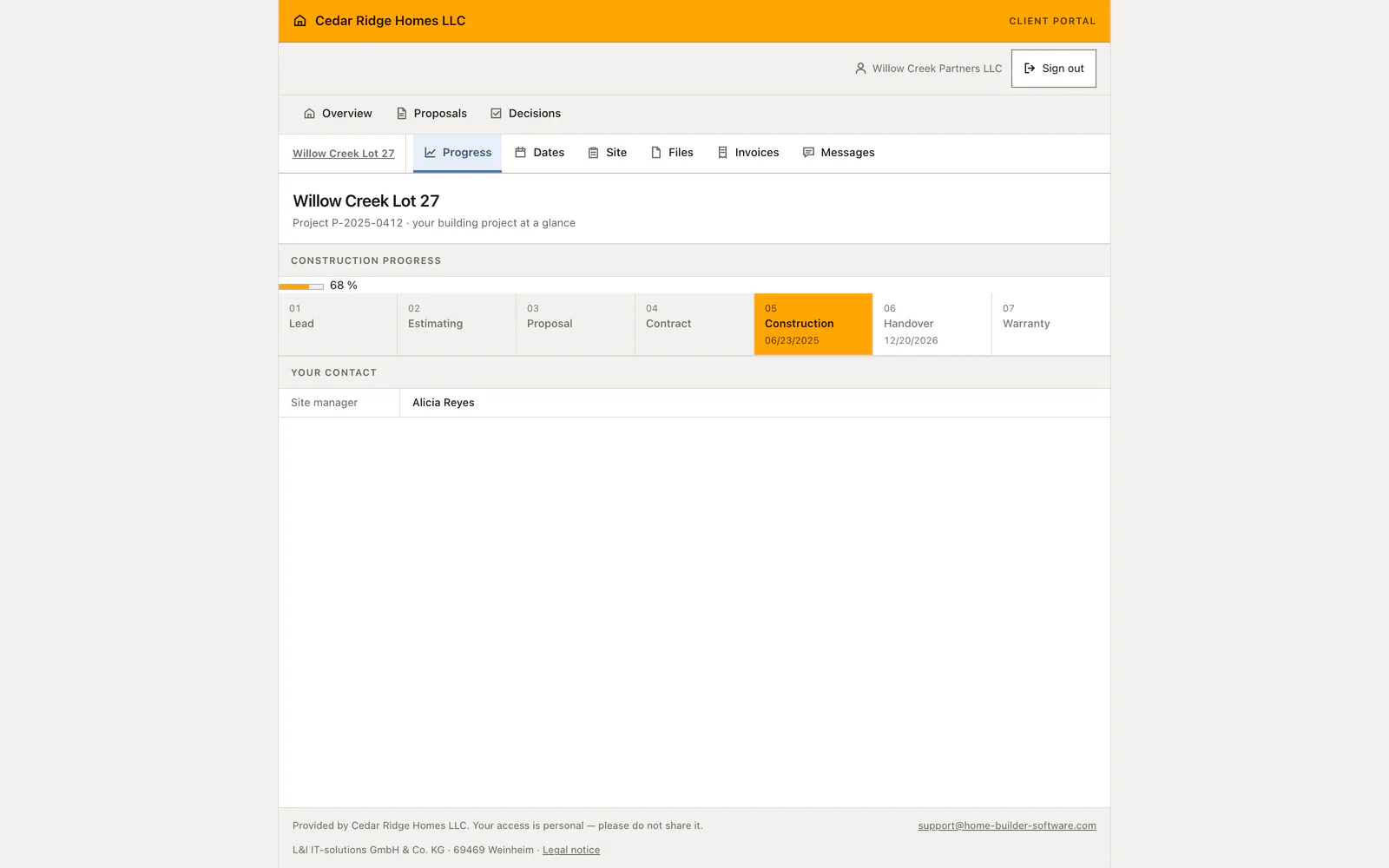
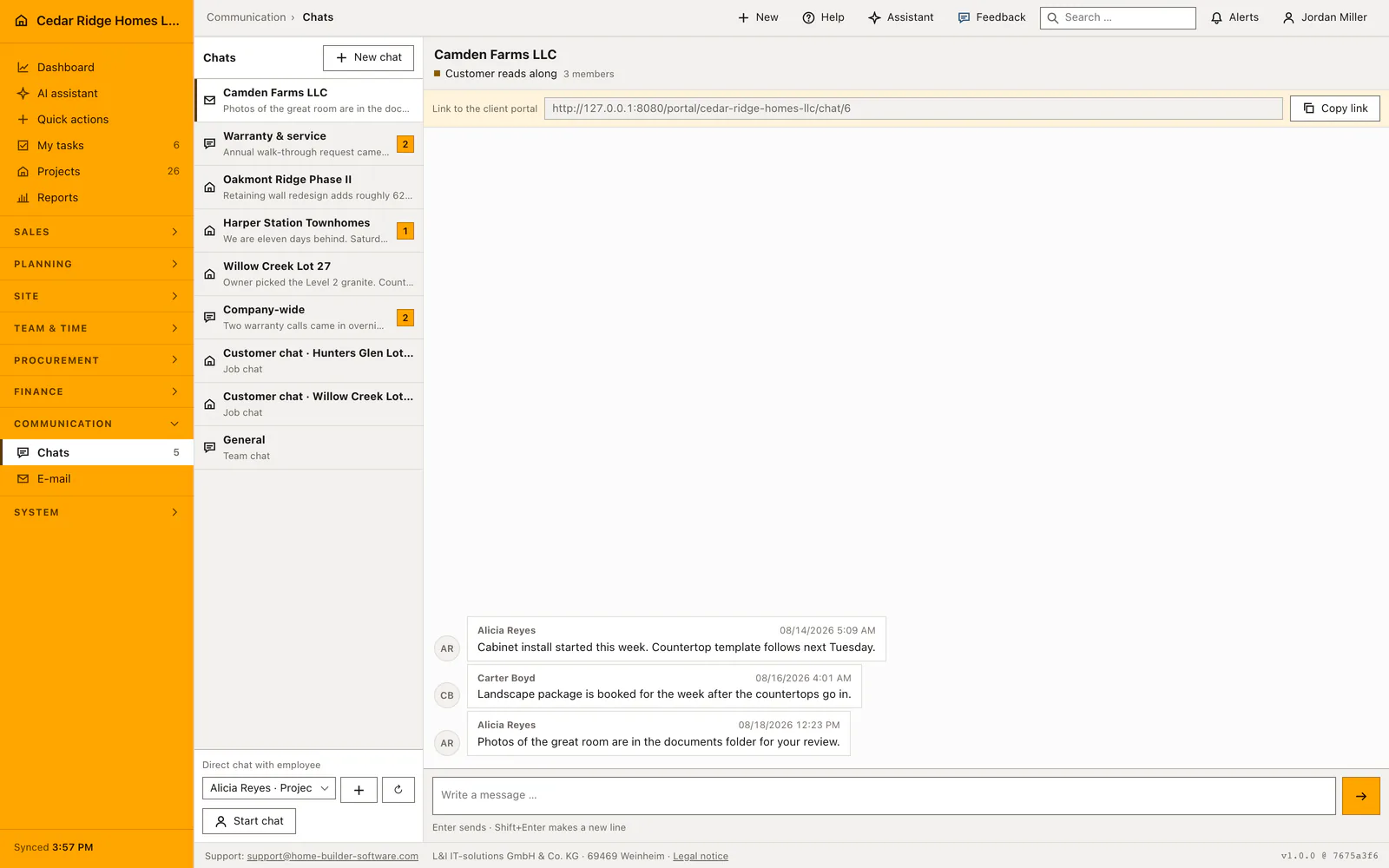
The project level holds the pages of one build: progress with the phase strip and the responsible site manager, the coming schedule items with their period, the last site days reduced to date and photo count, the released files with an upload form, and the invoices with number, gross amount, outstanding amount, due date and payment status straight out of the invoice module. Messages run through the shared project channel, so the same exchange appears in the internal chat and as a chat entry in the project history.
Worked example: the Whitfield family follows the customer portal for Sycamore Bend Lot 4
For Sycamore Bend Lot 4 the Cedar Ridge Homes LLC office creates a portal account: name The Whitfield Family, address thewhitfieldfamily@example.com, linked to the customer record and granted exactly one project, P-2025-0435. The invitation leaves at once, its single-use link holds 72 hours, and the same evening the Whitfields set a thirteen-character password of letters and digits. Under settings the company keeps shared files, invoices and selections on and leaves defects off. Site management releases a single file into the portal, the approved plan set in revision B; the other documents of the project stay internal because the release flag sits on each file individually.
Signed in, the Whitfields see their build at 74 percent with site manager Carter Boyd named beside the phase strip. The invoice page lists six draws against the 398,000-dollar contract; the newest, INV-2026-1052 over 39,800 dollars — exactly ten percent — remains open until September 2, 2026, and everything earlier is marked paid. Under selections the kitchen countertop waits with an August 28 deadline: the included laminate at no upcharge, quartz at 2,850 dollars, quartzite at 5,400. They pick the quartz and add a note about the sample; the system stores option, note, consent and moment, and notifies Carter Boyd. After the deadline a second answer would end with 422.
Customer portal for home builders: checks before saving
A section switched off answers 404, so an old bookmark or a guessed address cannot reach data the company has withdrawn.
An access code is displayed once, kept only as a hash, expires after thirty days and can be revoked at any moment.
Signing in with a code allows five attempts a minute for each address and each origin, and reports every failure identically.
An account opens only the project ids granted to it; membership of the same company opens nothing by itself.
Only documents released for the portal appear in the shared files, and each download rechecks that the section is still on.
Customer portal for home builders: common mistakes
Deactivating an account does not end an access code that was read out over the telephone last week. Revoke the code in the same visit, otherwise the person still reaches every project the account was granted.
A signed project link runs for thirty days and cannot be extended. Posting it in a letter that takes a week leaves little time, so an invited account with its own password is the better answer for a long build.
Turning the customer uploads switch off leaves the files page reachable through the shared files switch but removes the upload form. Tell a buyer who was asked to send photos there where the pictures should go instead.
The product page describes the same module from the business side, with the decisions it supports and the modules it connects to.
See the product pageFrequently asked questions
Can internal budget and supplier data appear in the portal?
No. Internal cost groups, budgets and supplier information are excluded from the customer view.
What happens when a portal area is disabled?
It disappears from navigation and becomes unavailable even through an old direct link.
Configuring this part for your own company?
Describe the sequence you follow today and the result you need at the end of it. We can walk through the settings that produce it.