
Printable construction progress report: setup and daily use
The progress report is a read-only page at /projects/{id}/report. It carries no application frame, only a link back and a print button, and it is assembled entirely from data that already exists: the project file, the schedule activities, the billed sum and the daily reports. Nothing on the sheet is typed. The register that leads there is called Site report and appears for roles holding reports.view.
What the progress report takes from the project
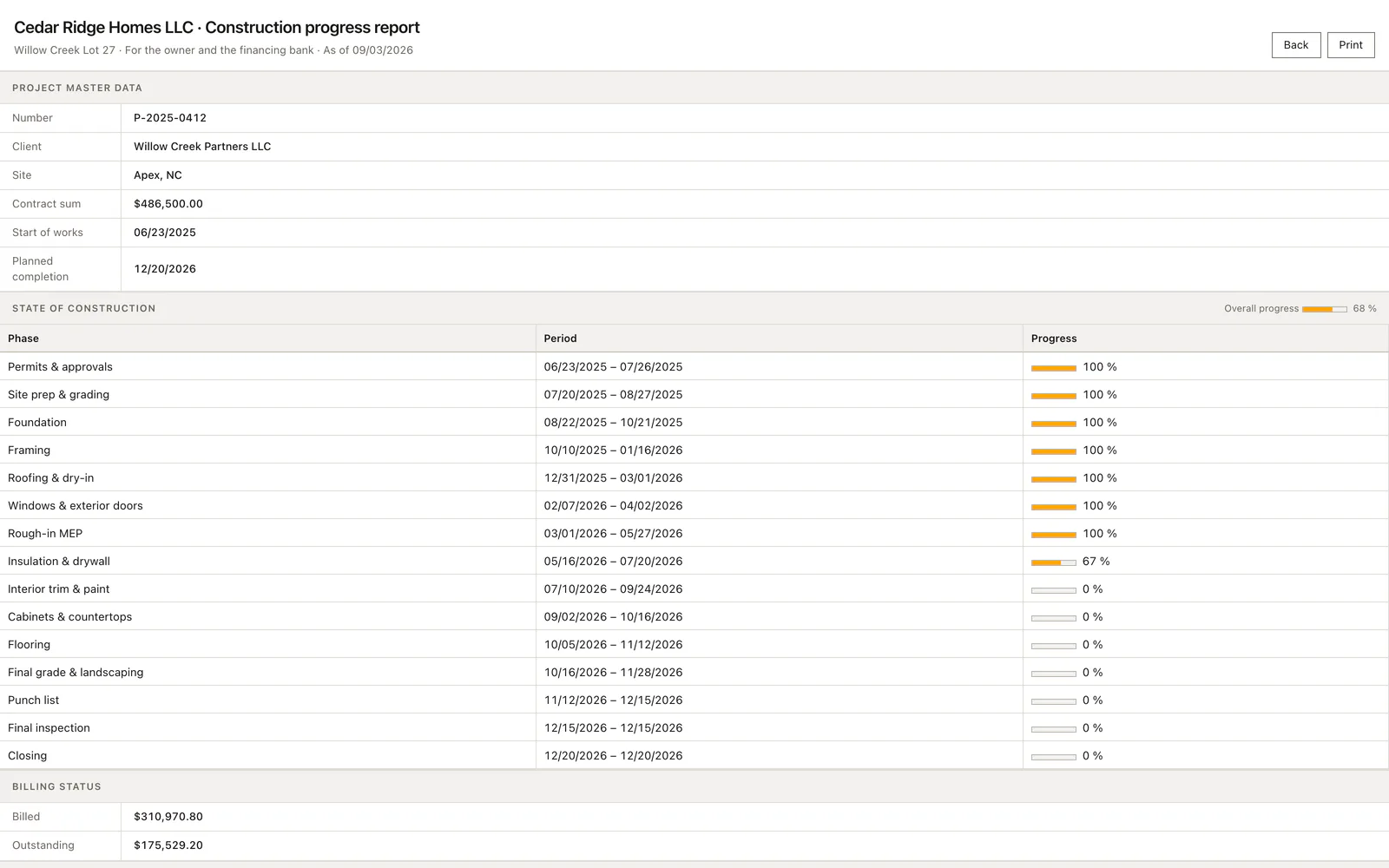
The sheet reads the project master record for the number, the customer, the site, the contract sum, the start of works and the planned completion, so an empty site field prints as a dash in front of the bank. Overall completion comes from the progress figure on the project. The trade table is the schedule of this one job; a project without activities prints the empty-plan line instead of a table, and that is the impression a lender should not be given.
Billing reads the billed sum on the project and subtracts it from the contract sum, so the outstanding figure is exactly that difference. Site documentation counts the daily reports of the project and adds up their photo counts. Nothing is cached: the page is composed on every request, so a correction made two minutes earlier is already on the printout.
Opening the progress report and printing it as PDF
Open the project, then the Site report entry in the register bar. What opens is a stand-alone HTML document rather than a screen inside the application, because the printed sheet is the deliverable and a sidebar has no business on it. Two controls sit at the top right: the way back into the project file and the print button. Both belong to the head action area, which the print rule hides, so neither of them reaches paper.
Print opens the browser print dialog, and Ctrl+P does the same. Choose the PDF destination there when a file belongs to the tranche request, or print directly when the signature happens on site. The signature block leaves two empty rows under site management and owner or bank, each with the hint place, date, signature, so the sheet is ready to sign the moment it leaves the printer.
Correcting a figure the lender will question
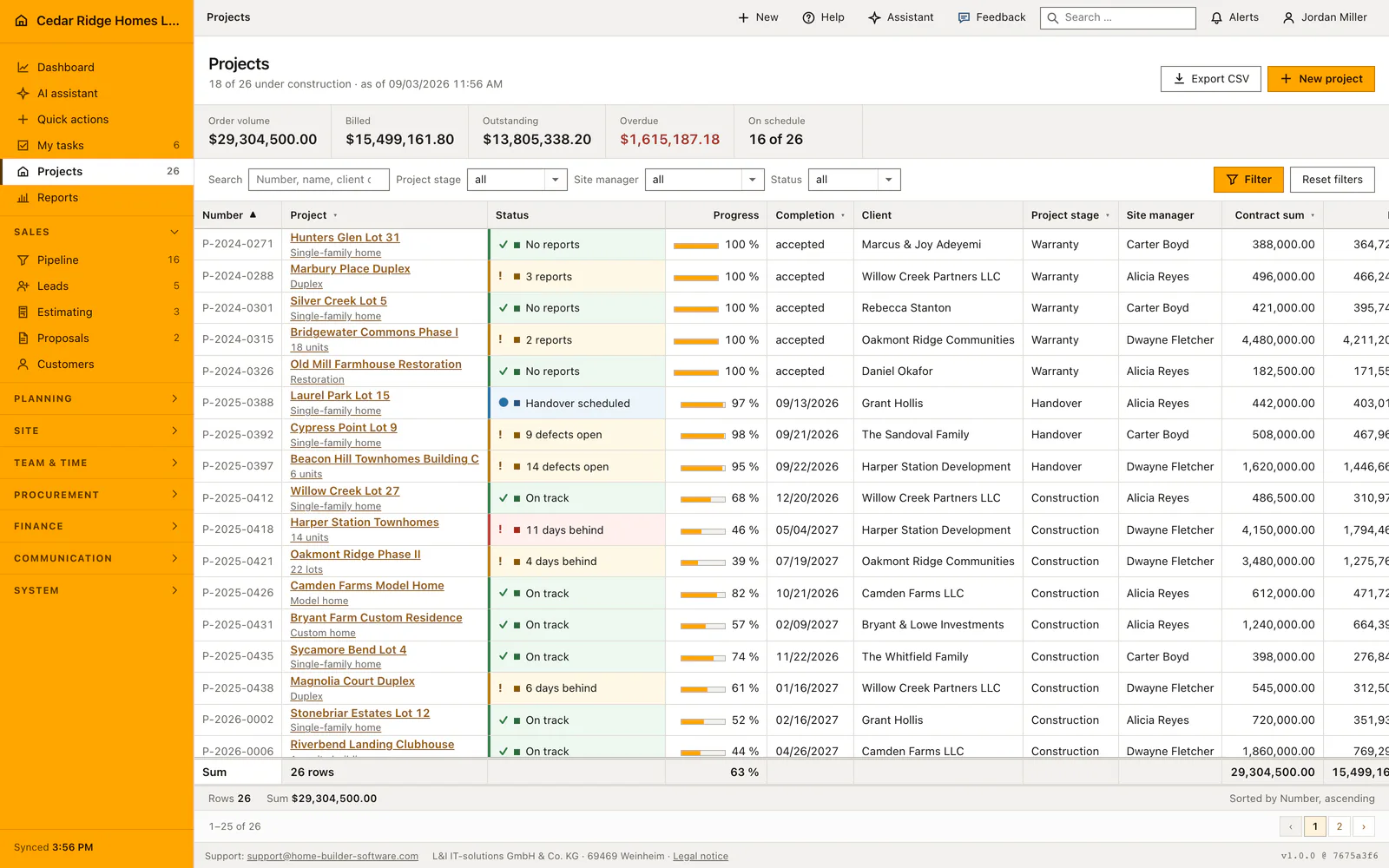
Because nothing is entered here, a wrong figure always sits somewhere else. A trade showing zero percent although the crew finished last week is a schedule activity whose progress nobody moved. Open the schedule of that job, change the activity, reload the report. A contract sum that reads too low belongs to the project master record and not to this sheet.
The billed amount is the sum the invoicing module carries for the job, so an interim invoice still sitting as a draft does not appear in it. The count of daily reports and photos is the honest measure of how completely the site was recorded, and it rises only when the missing reports are written. There is no field on the sheet for typing a friendlier number.
Which role may open the progress report
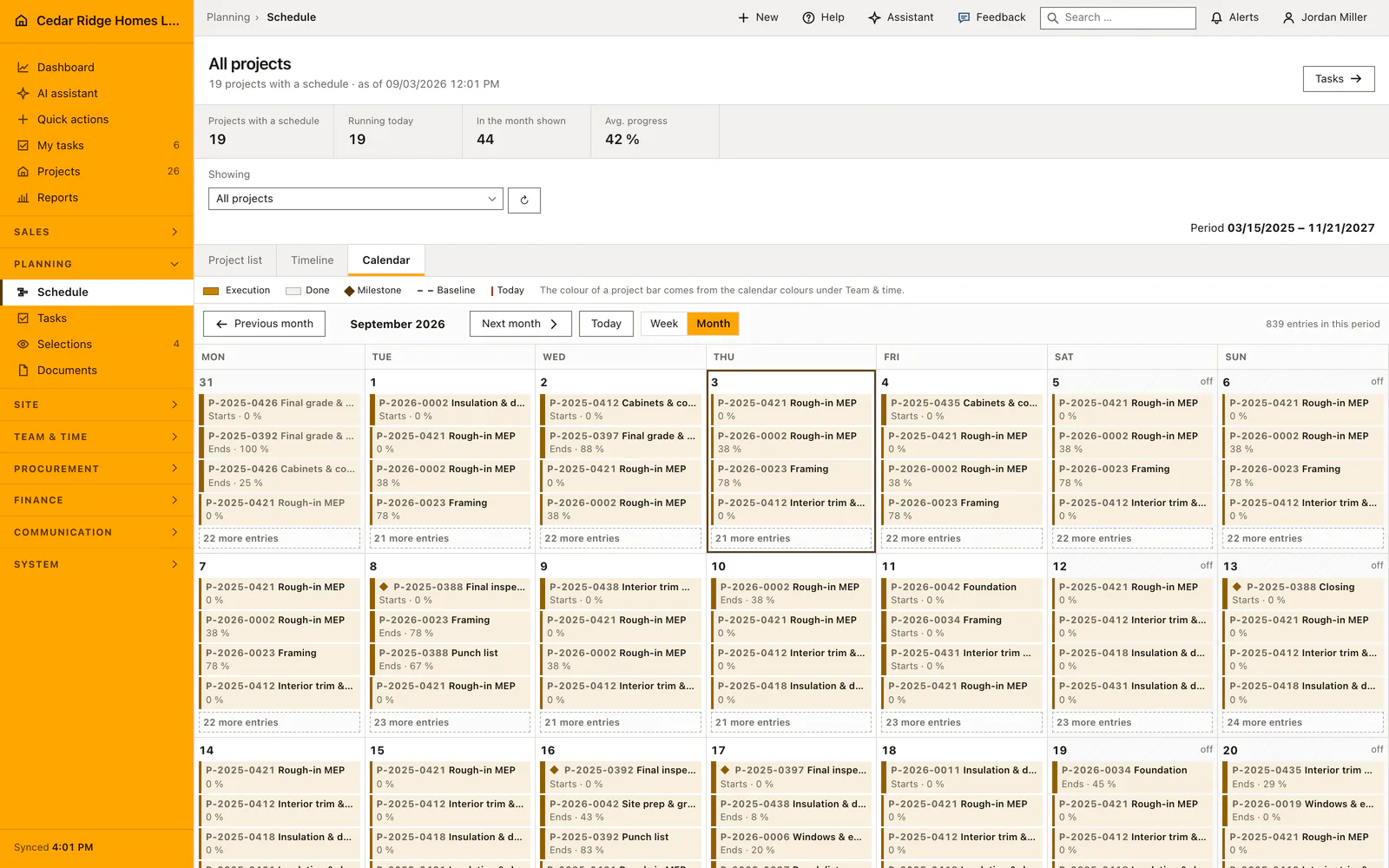
The register in the project file shows itself to accounts holding reports.view. Of the delivered roles those are the administrator, the Bauleitung, the office and accounting role, the buying role and payroll; the Baustelle role does not carry that permission and therefore does not see the entry. The address itself lives in the routes file of the projects module, whose gate asks for projects.view before the controller runs.
The controller then compares the company of the project with that of the signed-in account and answers 404 otherwise, so a guessed project number from another tenant yields nothing. The page is read-only in the strict sense: not a single writing route exists on it, which means no decision about write permissions ever has to be made here. Printing happens in the browser and not on the server.
Where schedule, invoices and daily reports supply the figures
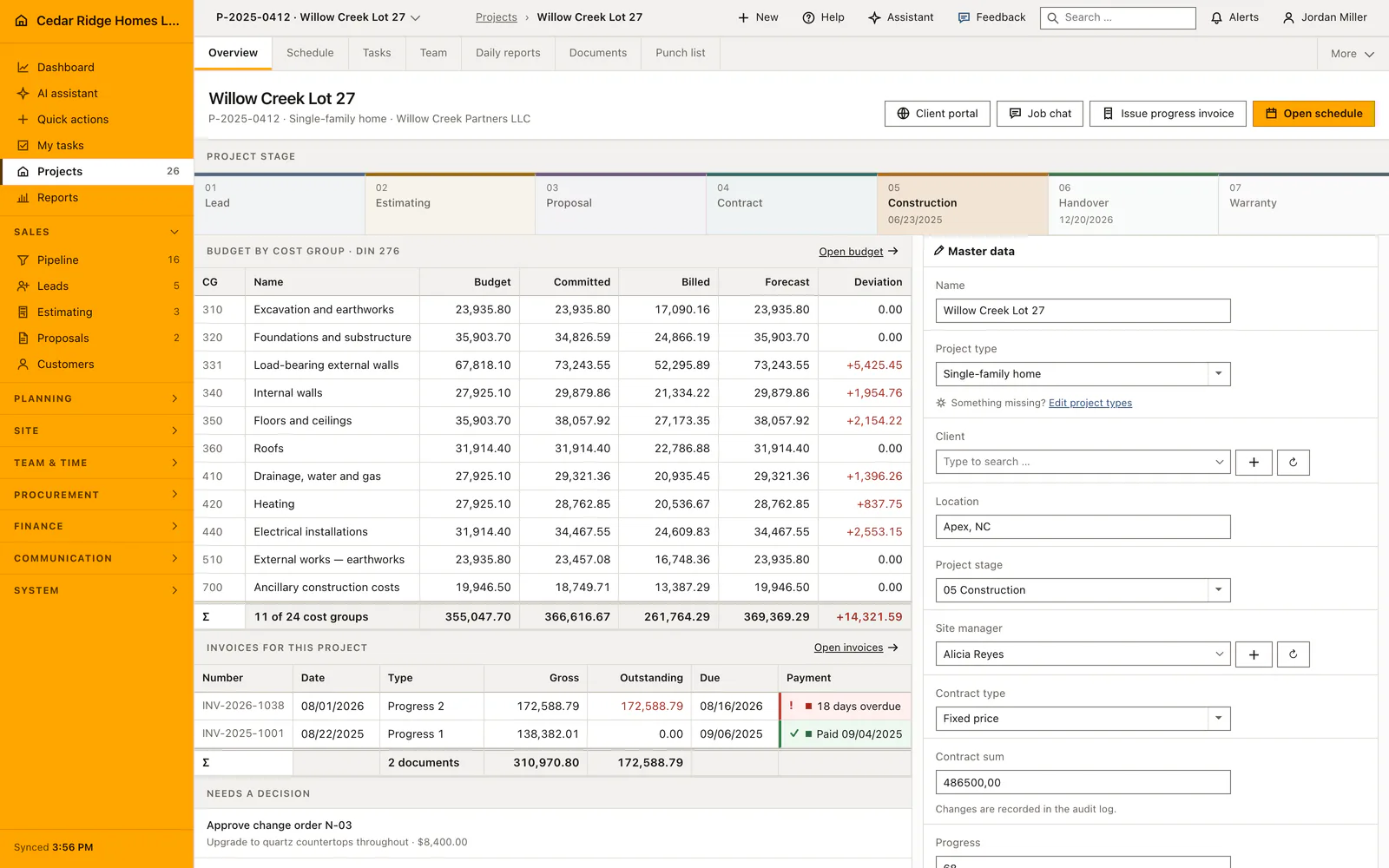
The trade rows are schedule activities with their start, end and progress, drawn as a bar. Report and Gantt view of the same job therefore cannot drift apart. If the schedule is grouped into phases, that is the sequence of works the bank reads. An activity without a duration still prints its dates, and an empty schedule is recognisable at once because the table then carries only the note about the missing plan.
The billing figures are the same ones the invoice ledger states for the job, and the outstanding amount is the contract sum minus what has been billed. A change order therefore moves the sheet only once it has changed the contract sum on the project. The documentation block counts daily reports and their photos, the same records the daily report register lists, so the density of evidence grows with every report site management writes.
A worked progress report example for the construction lender
Before Cedar Ridge Homes LLC requests the next draw for Harper Station Townhomes, project P-2025-0418 in Durham, Dwayne Fletcher opens the project file and the Site report register. The sheet assembles itself: master data with the customer Harper Station Development, the contract sum of 4,150,000.00 dollars and the planned completion in May 2027, an overall progress of 46 percent, and the trade table drawn from the schedule, where framing for buildings A and B stands at 100 percent while the rough-in of the building services still shows 40. The documentation block counts 58 daily reports and adds their photo column to 214 pictures.
The 40 is wrong, because the inspection passed on Friday, so Fletcher opens the schedule, moves the activity to 62 percent and reloads the sheet; nothing is cached, and the table follows immediately. The billing block reads 1,867,500.00 dollars billed, subtracts them from the contract sum and states 2,282,500.00 dollars outstanding, while a progress invoice of 312,400.00 dollars still sitting as a draft is deliberately not part of that figure. Print opens the browser dialog, the PDF goes into the draw request, and the signature block keeps one row for site management and one for the lender.
Printable construction progress report: checks before saving
The report holds no writing route at all; every figure on it is read from the project, its schedule, its invoices and its daily reports.
A project of another company answers 404, so the sheet cannot be opened by guessing a project number.
The back link and the print button sit in the head action area, which the print rule removes, so neither control reaches the paper.
The Site report register is offered only to roles holding reports.view, which the delivered Baustelle role does not carry.
Printable construction progress report: common mistakes
A schedule drawn once and never maintained prints finished trades at zero percent. Move the progress on the activities before the sheet goes to the bank.
The outstanding amount is the contract sum minus the billed sum. A change order agreed but not yet written into the contract sum makes the remainder look larger than it is.
By default the browser puts headers and footers with the address and the date around a sheet that already carries its own date. Switch both off once in the print dialog.
The product page describes the same module from the business side, with the decisions it supports and the modules it connects to.
See the product pageFrequently asked questions
Does the progress report require duplicate data entry?
No. Its figures are assembled from the project, schedule, invoices and daily reports.
Can the report be saved as a PDF?
Yes. The clean print view can be saved as PDF through the browser print dialog.
Configuring this part for your own company?
Describe the sequence you follow today and the result you need at the end of it. We can walk through the settings that produce it.