
Construction software setup wizard
Set up storage, company details, processes, existing data, AI, dashboard and final checks through a guided seven-step administrator workflow.
Construction software setup wizard: how it works in Home Builder Software
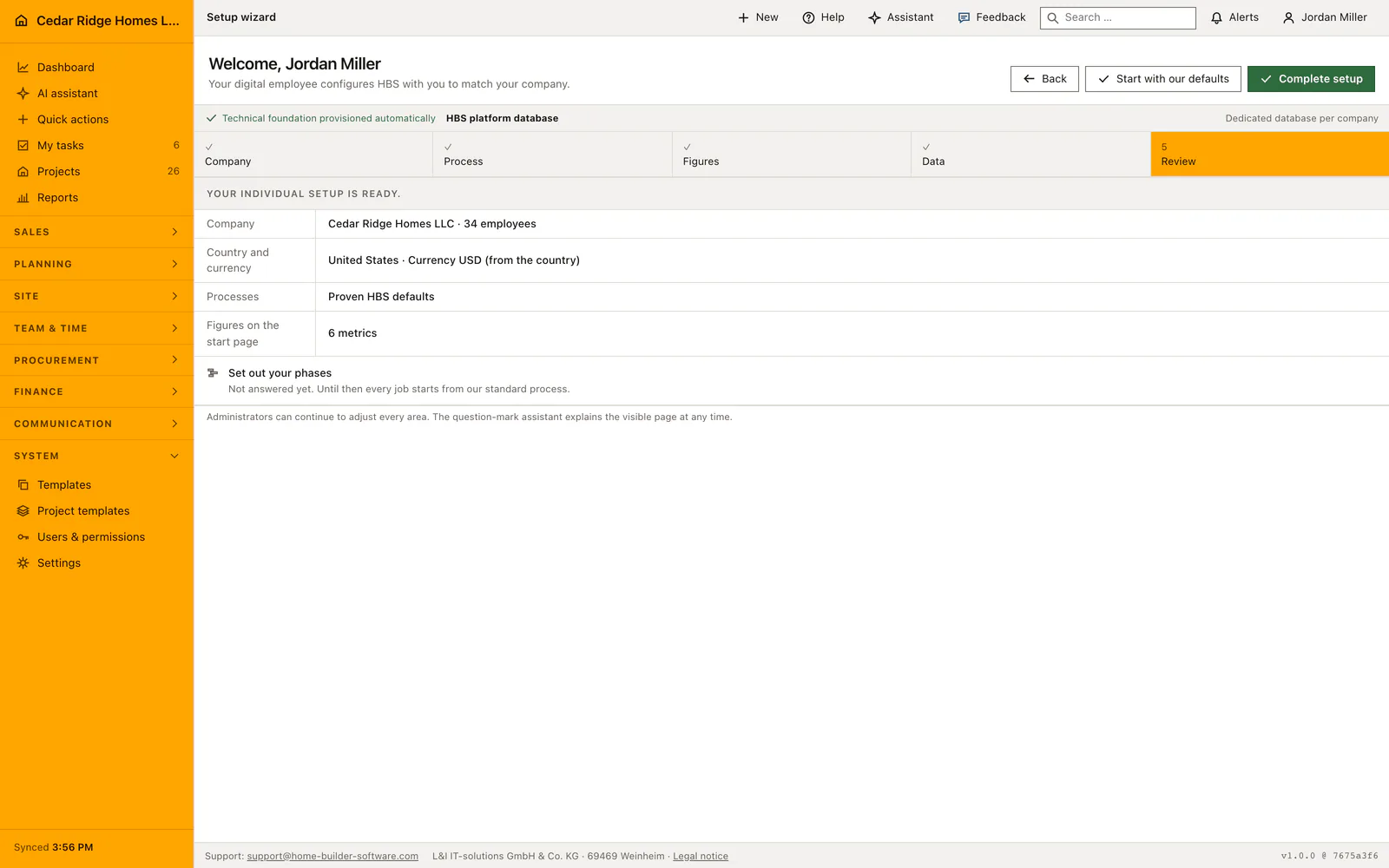
Registration leaves you with an empty tenant, and the setup wizard fills it before anyone opens a first project. A digital colleague walks the first administrator through seven steps, from storage and company details to the closing check, with the action for the visible step in the top right corner and the contextual assistant answering questions on the right. Nobody has to guess which decision belongs at the beginning.
The storage step shows what L&I IT-solutions has set up for the company, platform storage, an S3 bucket or SFTP, tested before it counts; nothing is typed in here, and a different target is requested from support. The company step records name, employee count, street, postcode, city, ISO country, country profile, currency and timezone. Processes can follow the standard selection or be picked one by one across acquisition, estimating, projects, service, workforce, mail and portal, and the extra fields your leads, projects and customers need can be created right there.
What you decide here shapes every later screen. The country profile carries currency, units and tax logic into estimates and invoices, the chosen processes decide which modules appear in the navigation, and the metrics picked in the dashboard step become the company start page. Contacts imported during the data step arrive as real customer records, so the first project can be created immediately. Setup only closes once database, storage and AI have passed their checks.
Company address, country profile, currency and timezone
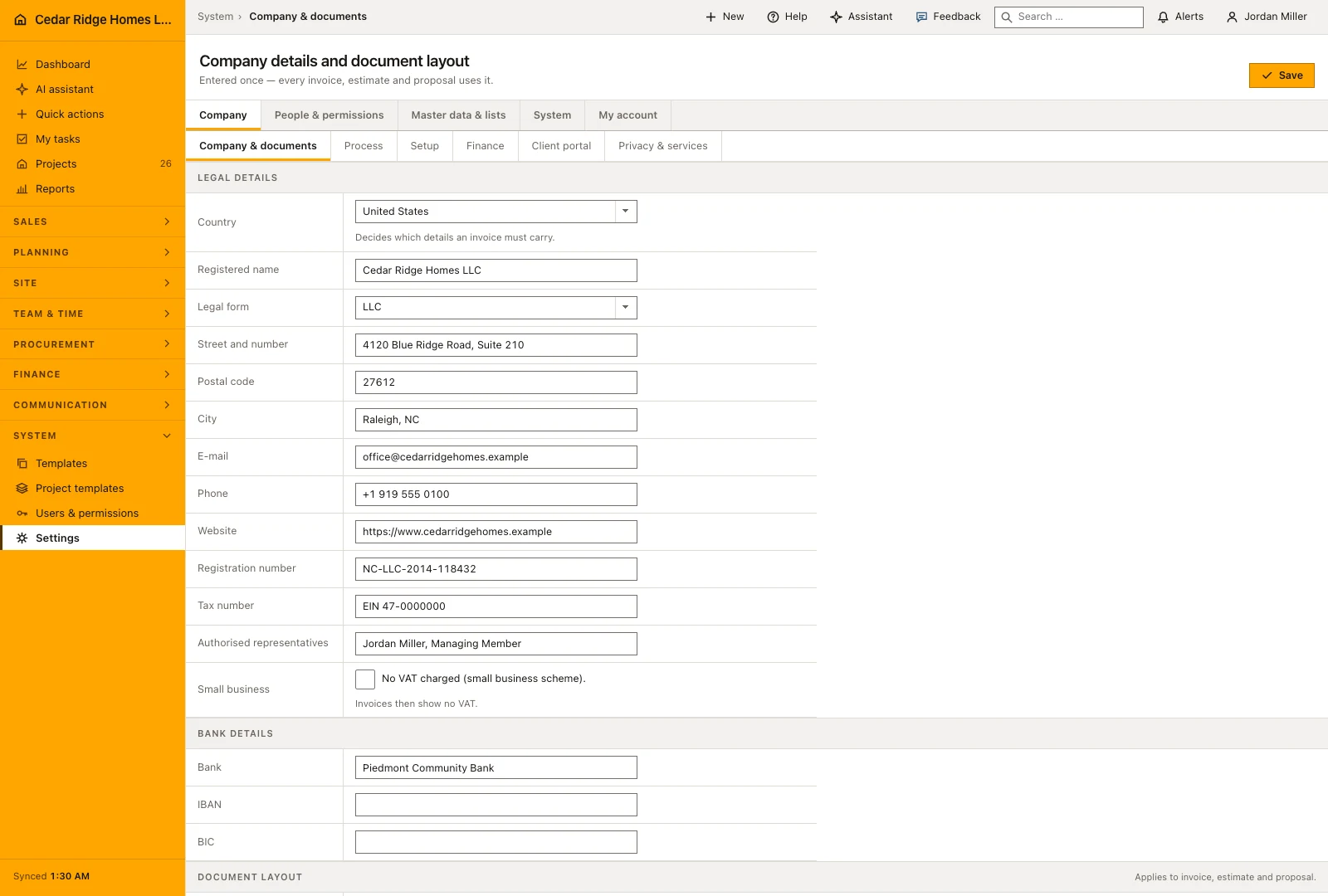
The company step asks the name, the employee count between one and a hundred thousand, street, postcode, city and the ISO country code. The country decides the rest, and the panel beside the form previews what it will apply: the profile, the currency, the timezone, the units and the tax logic with its rates. Anything derived can still be overridden by opening the panel.
The step strip is a row of links rather than a decoration, so any step can be reopened later. Correcting the postcode on the first screen weeks later does not rewind the wizard, because the recorded progress is only ever raised, never lowered. The same checklist stays reachable from the Company group of the settings area after completion, which matters because the company process and the dashboard figures are exactly the answers people postpone.
 Open full-size screenshot
Process selection, extra fields and your own project phases
Choose the workflows the company needs and the starting point for its project plan. The guided process setup lets you describe phases, work and responsibilities rather than beginning with a blank schedule. Additional fields for leads, projects and customers can be added as individual entries. Review their names before saving so colleagues recognize what they are expected to enter later.
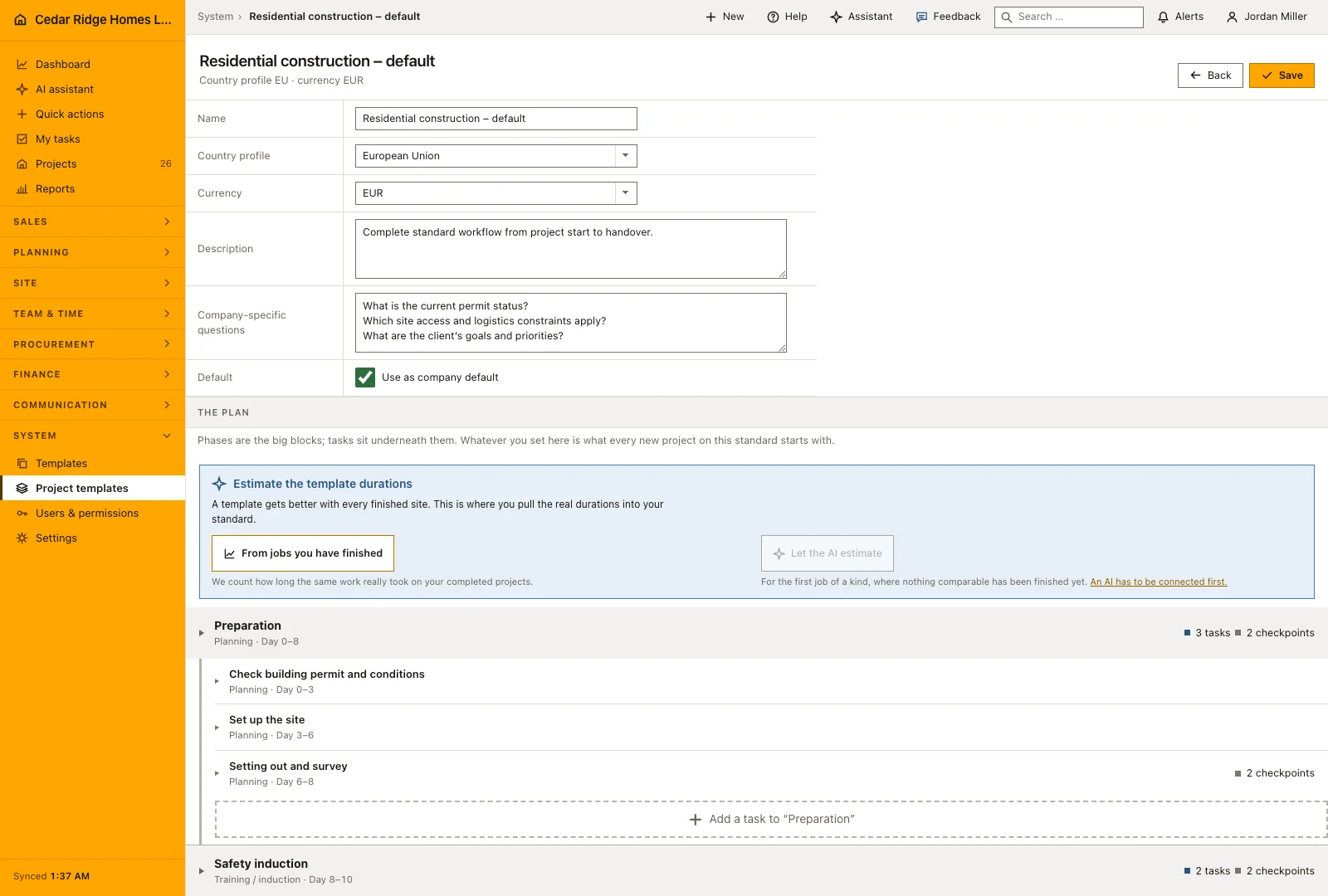
Alongside it sits a separate wizard for the company process, one question per screen. It asks which phases a normal project has, what work happens inside each phase, and three questions whose answers change later screens: who signs a task off, whether handover requires a photo, and how a normal project is billed. Nothing is written until the last button, and the result becomes the company default project template, editable in the plan editor forever afterwards.
 Open full-size screenshot
What the setup answers change in the dashboard, navigation and documents
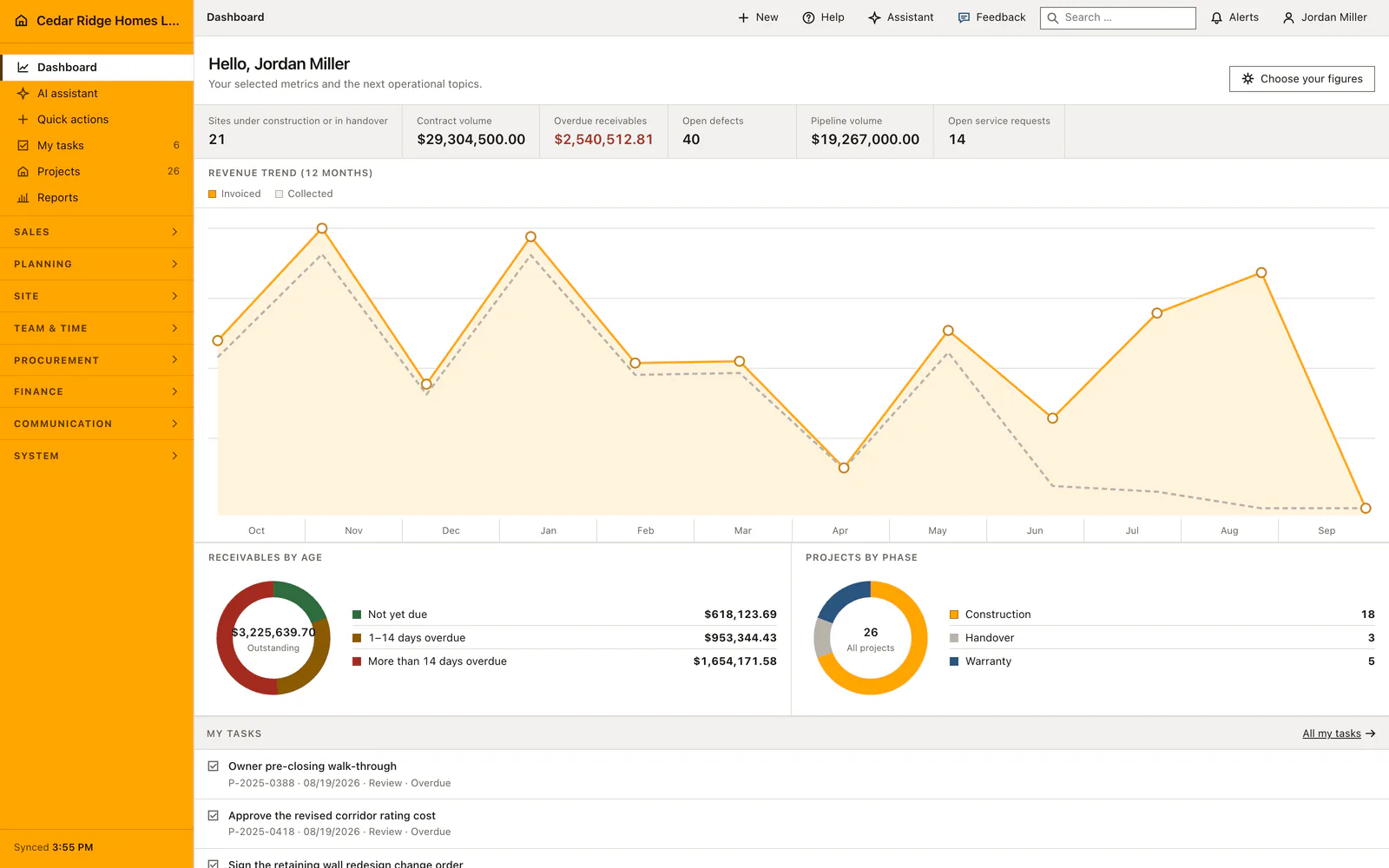
The dashboard step decides which figures the company start page opens with, and the same selection can be reopened from the dashboard later. The process selection decides which modules appear in the navigation, so a company that does not run a service desk is not asked to ignore one. The extra fields defined during setup appear in the detail files of leads, projects and customers, and imported contacts arrive as real customer records with their own customer number.
The country profile is the one with the longest reach. Currency, units, tax logic and rates travel from it into estimates, proposals and invoices, which is why the company step deserves care even when everything else is left standard. The company process becomes the template every new project starts from, and the schedule generated from it can still be changed phase by phase, including the durations that are later calculated from finished building sites.
 Open full-size screenshot
Construction software setup wizard in the daily routine
An administrator runs this once, straight after registration and after the isolated database is provisioned. Working top to bottom, they confirm the storage L&I IT-solutions set up, enter the company block, choose the processes the office actually uses, import the existing contact list, read which AI connection L&I IT-solutions has put in place, tick the dashboard figures and read the summary. Anyone in a hurry takes the default path, which sets platform storage, platform AI, the standard modules, EU and EUR and a workable dashboard. Colleagues are invited into a system that already fits.
Read the documentationConstruction software setup wizard: what it covers
Select country profile, currency, units, tax logic and timezone
Import contacts or define custom tables and fields during setup
Require database, storage and AI checks before completion
Construction software setup wizard: questions and answers
Which country profiles are included?
Home Builder Software includes EU, US, Canada, Australia and New Zealand profiles with matching defaults.
Can setup apply sensible defaults?
Yes. The default path configures platform services, standard modules, EU/EUR and a practical dashboard after tenant activation.
Use Construction software setup wizard on your own projects
Request a trial period for the workflow around this module. We agree the roles, permissions and useful scope with you before preparing access.