
My construction tasks
Give every employee a focused view of assigned and available work, including phase, due date, checklist status and progress.
My construction tasks: how it works in Home Builder Software
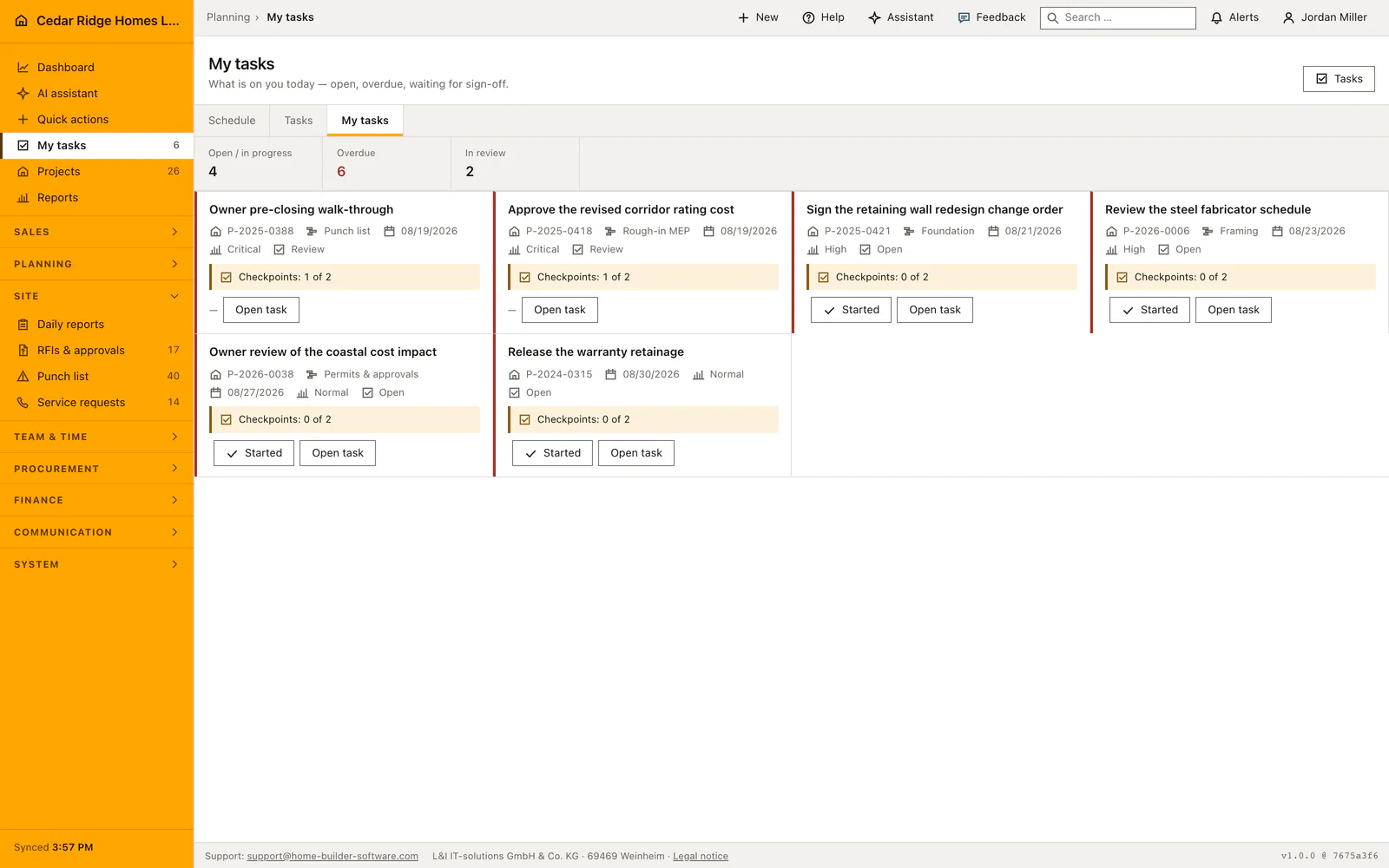
My tasks answers one question only: what does this person have to do. The full company list answers what is going on everywhere, and a carpenter in a cold stairwell had to filter his way to his own work every single time, assuming he knew the filter was there. Three figures head the page, open, overdue and awaiting review, and everything below them belongs to whoever is signed in.
Work arrives as cards rather than table rows, because this page is opened one-handed on a phone. Each card names the project number, the schedule phase, the due date, the priority, the status and how many checkpoints are still unanswered, while late tasks are marked and sorted to the top. Work nobody has picked up can be taken over on the spot, but only while it really is unclaimed. Rejected tasks carry the written reason they came back.
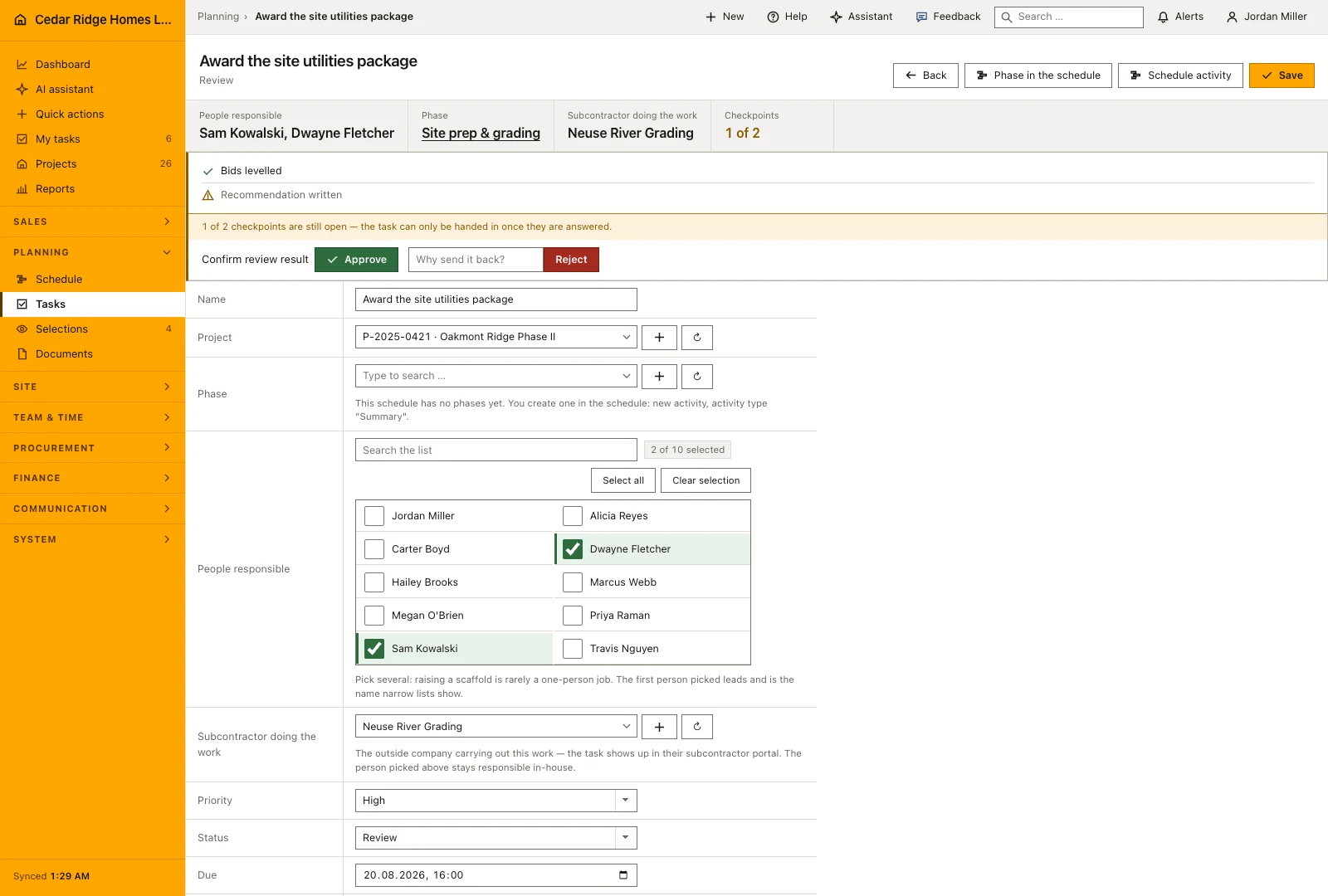
Checkpoints are not decorative. While one is unanswered the task can be neither handed in nor set to done, and the one-click row button, the status field and the server all apply that rule. Hand in therefore opens a screen that asks the outstanding points instead of passing over them. After the hand-in the decision waits with site management, approval and rejection are logged with user and time, and a rejection needs a reason.
Reading a task card: project number, phase, due date, checkpoints
Each card names the project number or says that the task has none, the phase where the schedule has one, the due date or its absence, the priority and the current status. A task past its due date is marked and sorted to the top, and the word overdue is written out because the marking never rests on color alone. The description is shown shortened, and a rejected task carries the written reason it came back.
Under the facts sits the checkpoint line, which counts how many of the declared points are answered. It is placed next to the button that hands the task in, so nobody submits work without having seen the list they were meant to work through. The statuses are open, in progress, blocked, review and done; the priorities run from low through normal and high to critical.
 Open full-size screenshot
Reporting progress and taking on work nobody carries
The next action follows the task’s current status. Open work can move into progress, and a blocked task can resume when the obstacle is resolved. When a task requires review, the employee hands it in for the responsible reviewer instead of approving their own result. The checkpoint list and any requested evidence should be complete before that handover.
Available, unassigned work can be taken on from the personal task view where the employee has the necessary access. Once a person is responsible, the task stays assigned rather than becoming available for someone else to claim. Planning decisions such as changing the project, due date, priority or assigned colleague remain with people who have the corresponding management rights.
From a schedule phase into the task and back to the start page
The company-wide task list is the same data with the filters around it: by project, by phase or explicitly without one, by status, by person, by nobody at all, and by a word in the title or description. Grouping by phase orders the chapters the way the work happens, following the start of each summary activity, which is the order the schedule already draws.
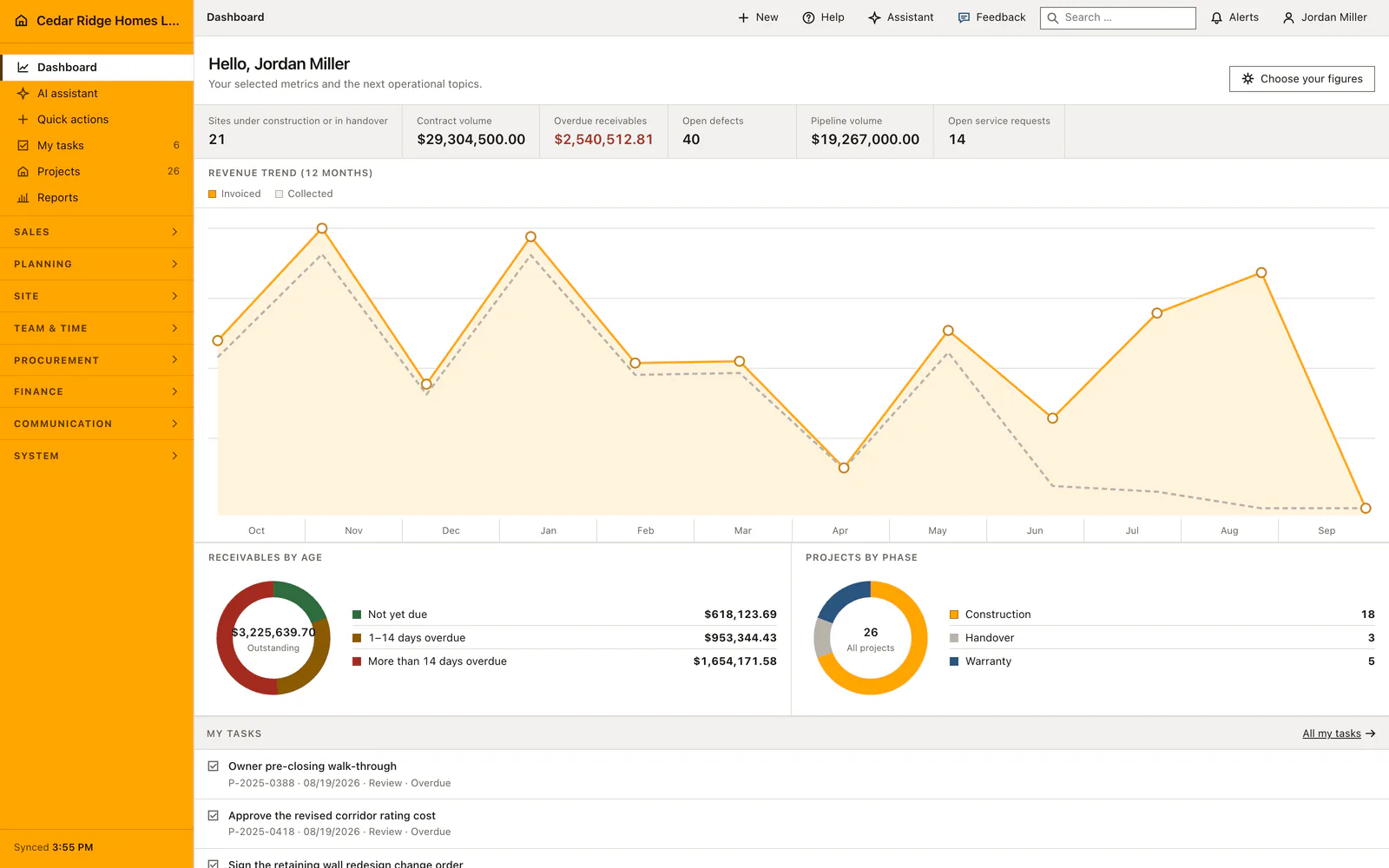
The start page repeats a short version of the personal list, overdue first, with a link to the full page, and the navigation badge counts the same open work and narrows to the active project when one is selected. The assistant can create, assign, update and complete tasks as well, under the same planning permission and, in the default setting, with a person deciding before anything is written.
 Open full-size screenshot
My construction tasks in the daily routine
The crew opens the list at the start of the shift, works down from the overdue cards and reports a start with one tap from the row. Unassigned work is claimed on the spot instead of waiting for the dispatcher. Once the last checkpoint is ticked, the hand-in screen records the answers and the status change together and notifies everyone who plans the workforce. Site management approves or sends the task back with a reason, and the employee sees the outcome on the same list.
Read the documentationMy construction tasks: what it covers
Collect all tasks assigned to the signed-in employee
Include still-unassigned work that the employee may take on
Update progress and complete required checks from the task workflow
My construction tasks: questions and answers
Which tasks appear in My tasks?
Employees see their assigned tasks and work that is not yet assigned, subject to their access.
Can a task be completed with unanswered checklist items?
No. Required checkpoints must be answered before submission or completion.
Use My construction tasks on your own projects
Request a trial period for the workflow around this module. We agree the roles, permissions and useful scope with you before preparing access.