
Construction team and project chat
Keep team channels, direct messages, project conversations and customer chats in one tenant-aware system linked to the relevant history.
Construction team and project chat: how it works in Home Builder Software
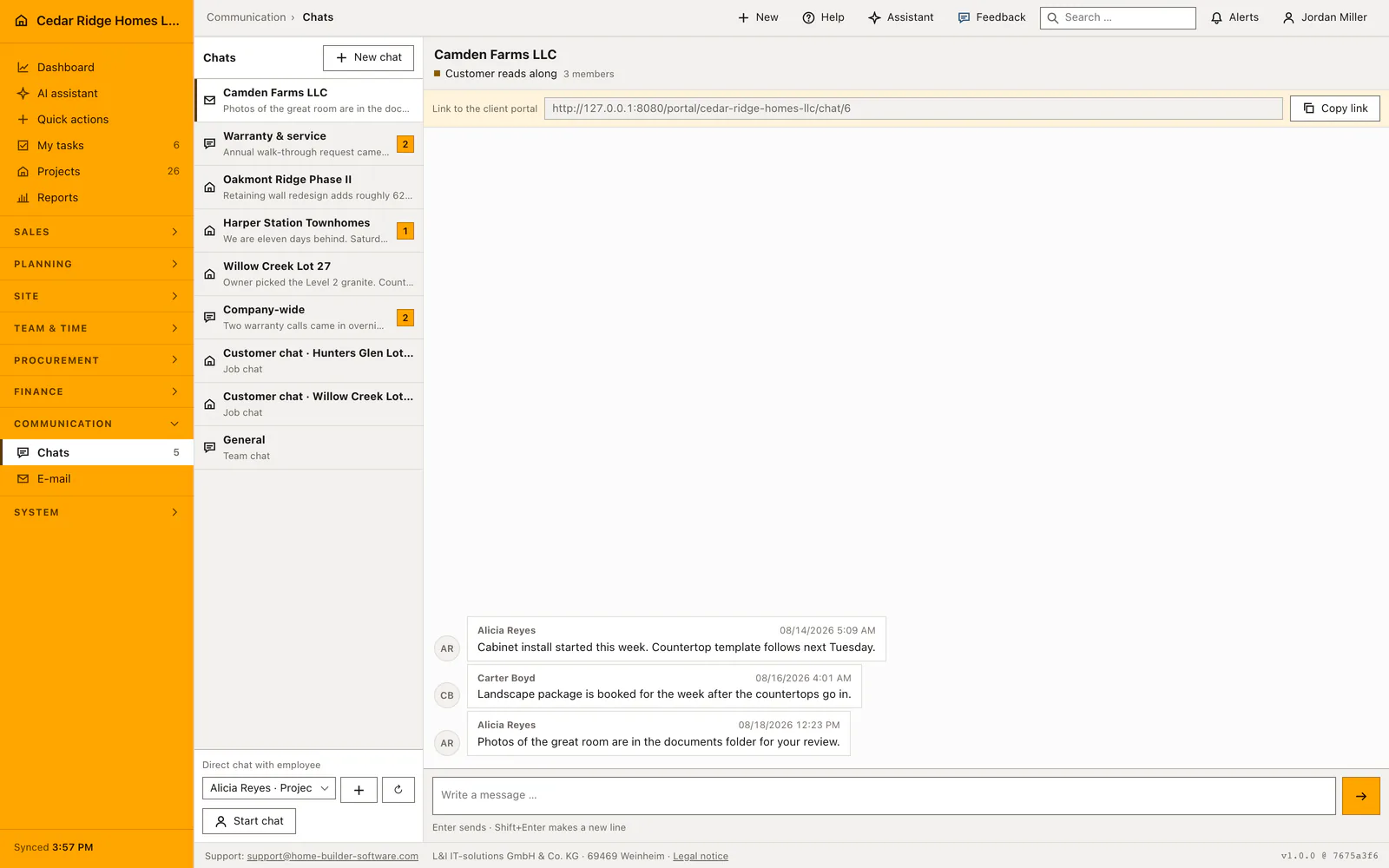
Chats sit under Employees and hold four kinds of conversation: a team channel for a chosen group or the whole company, a direct message between two colleagues, a project channel tied to one building job, and a customer channel that works even without a project. Talk about a house stops living in private phones and scattered mailboxes, and the people who join a site later can read what was already agreed.
Creating a channel means picking the type, the project or customer, and the members; a company-wide channel is marked visible to all employees, and a project channel can carry the customer release. Released project channels produce a copyable signed link that lasts thirty days, and the guest only types a name to answer. Private channels stay with their members and administrators, a channel id from another company answers 404, and system-created channels resist deletion so the project, customer and direct links hold.
Nothing said here is lost to the record: each message is filed a second time as a chat entry, on the project file for a project channel, in the customer history for a customer channel, and on the channel itself for team and direct talk. The conversation list ranks by the newest message and counts what a person has not read yet, while the sidebar directory dials a colleague or opens their mail without leaving the screen.
Creating a team, job or customer chat
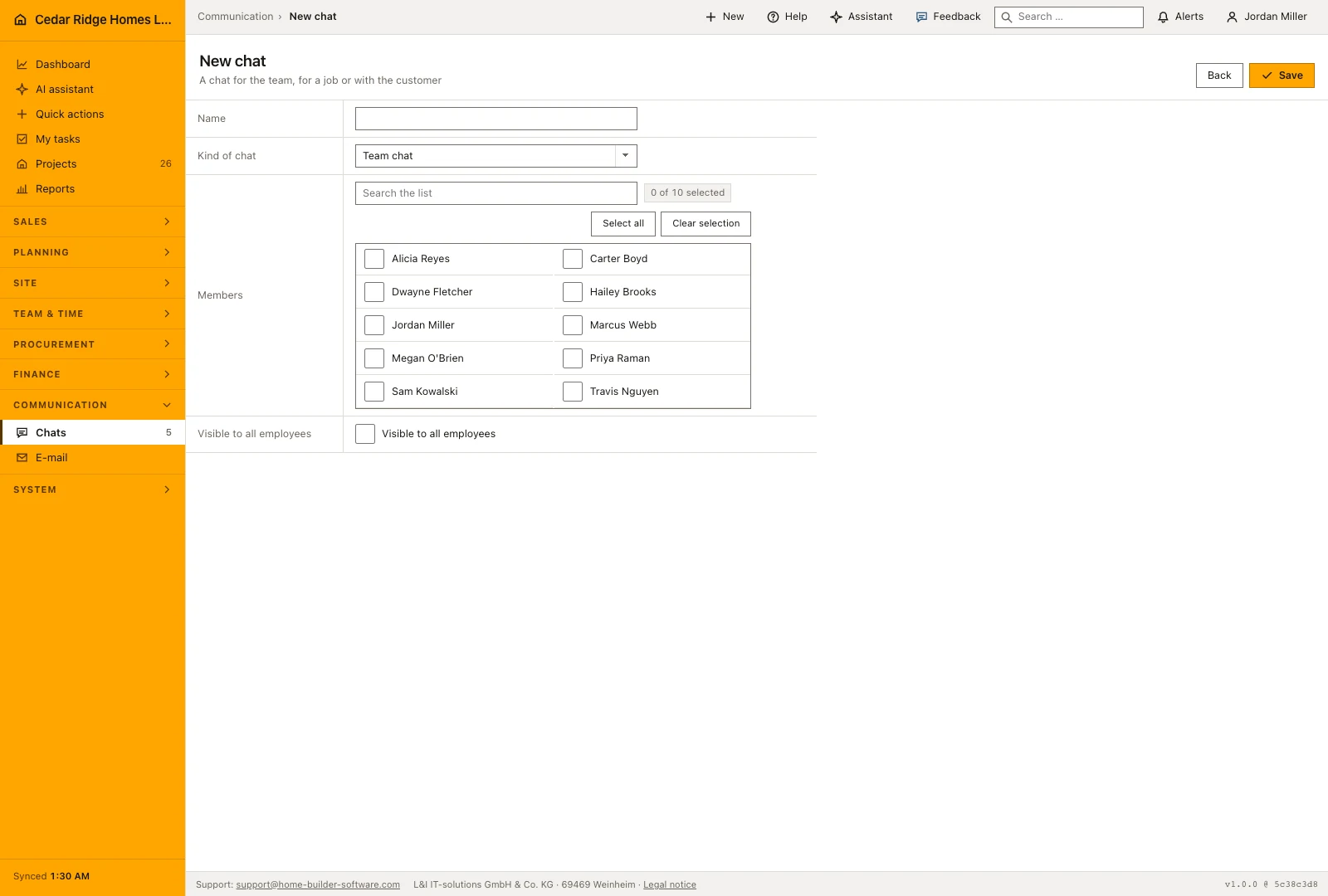
The button above the conversation list opens the form. A name of up to 160 characters is required, then the kind: team chat, job chat or customer chat. Choosing job reveals the project picker, choosing customer reveals the customer picker, and the members are ticked from the list of active users. The person creating the chat is added as its owner whether or not the box is ticked.
Two checkboxes decide who reads along. Visible to all employees turns the conversation into a company-wide channel that needs no membership. Share with the customer marks a job or customer chat as readable from outside, which is what produces the signed link. A direct message is not created here at all: the picker at the foot of the sidebar starts it, and asking twice for the same colleague reopens the existing conversation instead of a second one.
 Open full-size screenshot
Writing, reading and following a conversation
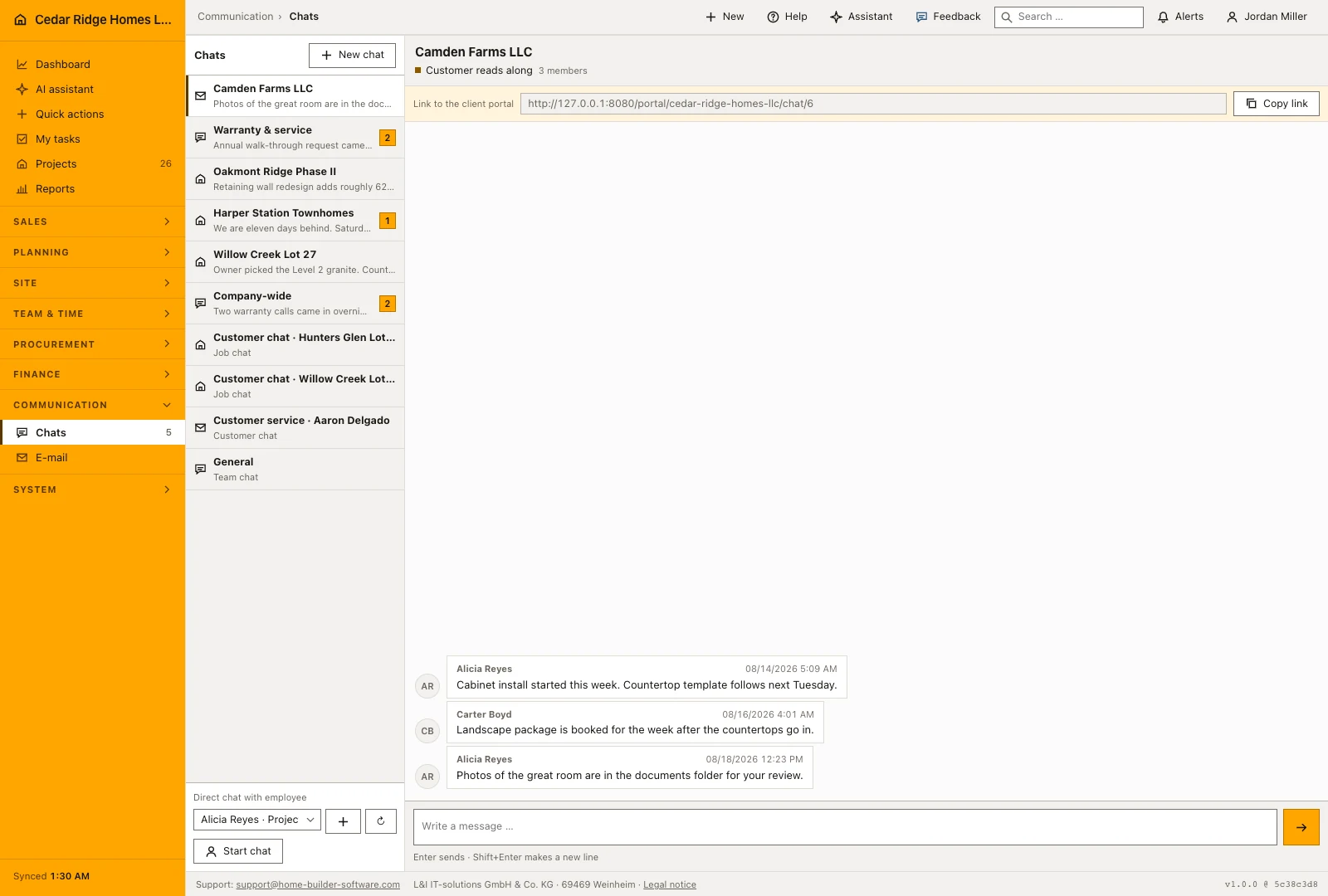
The conversation list shows the latest message and unread activity next to each name. Open a thread to read the exchange and send a reply; Enter sends a message, while Shift and Enter starts another line. Keep the message tied to a recognizable subject, especially in a project channel where office staff and site crews may return to it several days later.
On a phone the list and the thread are two addresses: the conversation list at the module root and one conversation under its own id, so the back arrow, the browser and a bookmark all mean the same thing. On a wide screen both panels stand side by side. Opening a conversation marks it read for that person, which is what makes the badge drop.
 Open full-size screenshot
Customer access through the signed link and the portal
A conversation shared with the customer shows a copyable link at the top of the thread, signed and valid for thirty days. The guest opens it, types a name and writes; no account is created and nothing outside that one conversation becomes visible. The header of the thread carries a labeled chip saying the customer reads along, because that single fact changes how a site manager writes.
Where the customer already has a portal account for the project, the portal address is offered instead of the signed link, since it does not expire and carries the real name. The portal shows the same conversation as an area that a company can switch off for everybody, and the project file leads into the customer conversation directly, so the site manager reaches it without searching the chat list.
Construction team and project chat in the daily routine
A site manager opens the project file, jumps into its customer conversation and asks the buyer about a tile decision; the buyer answers through the signed link on a phone, giving only a name. Purchasing reads the same thread later from the project history without asking anyone to forward anything. Direct messages carry the quick internal questions, the general channel carries announcements, and every entry stays where the project is documented.
Read the documentationConstruction team and project chat: what it covers
Create team, direct, project and customer channels
Share selected project channels with customers through signed access
Write every message to the corresponding project, customer or channel history
Construction team and project chat: questions and answers
Who can see a private channel?
Only its members and administrators can access it.
Can a customer use the same project conversation?
Yes. A customer-enabled project channel appears in the portal and internal chat as one shared conversation.
Use Construction team and project chat on your own projects
Request a trial period for the workflow around this module. We agree the roles, permissions and useful scope with you before preparing access.