
Custom construction sales pipeline
Track leads through estimating, proposal and contract stages in a configurable table or Kanban pipeline built for the home-building lifecycle.
Custom construction sales pipeline: how it works in Home Builder Software
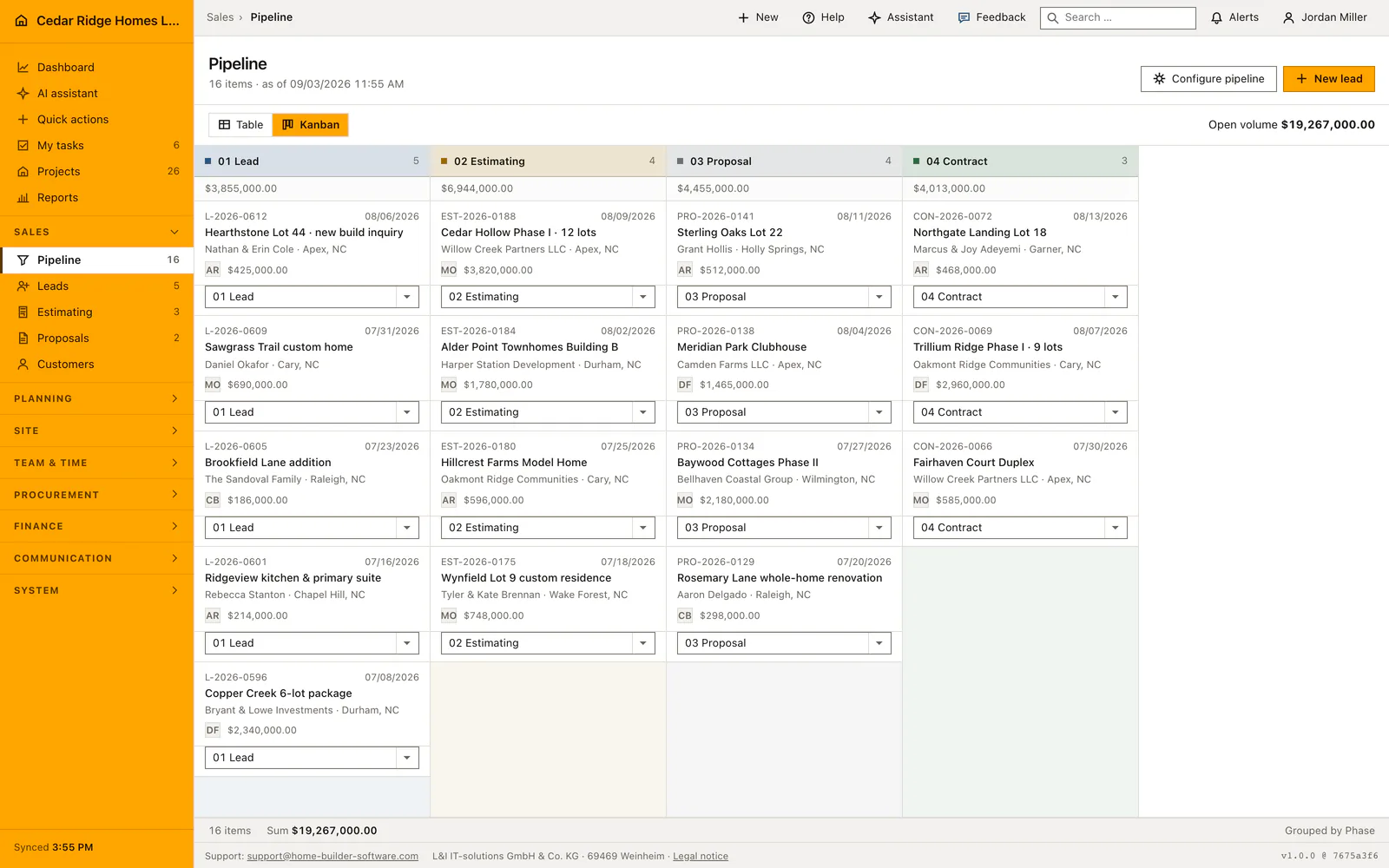
Every open sales case sits on one board here, from the first inquiry to the signed contract, followed by the phases of running projects. Nobody has to keep a private list of who was called last week. The table view sums the volume behind each stage, the Kanban view shows the same cases as cards, and both read from the stage definition the company itself controls.
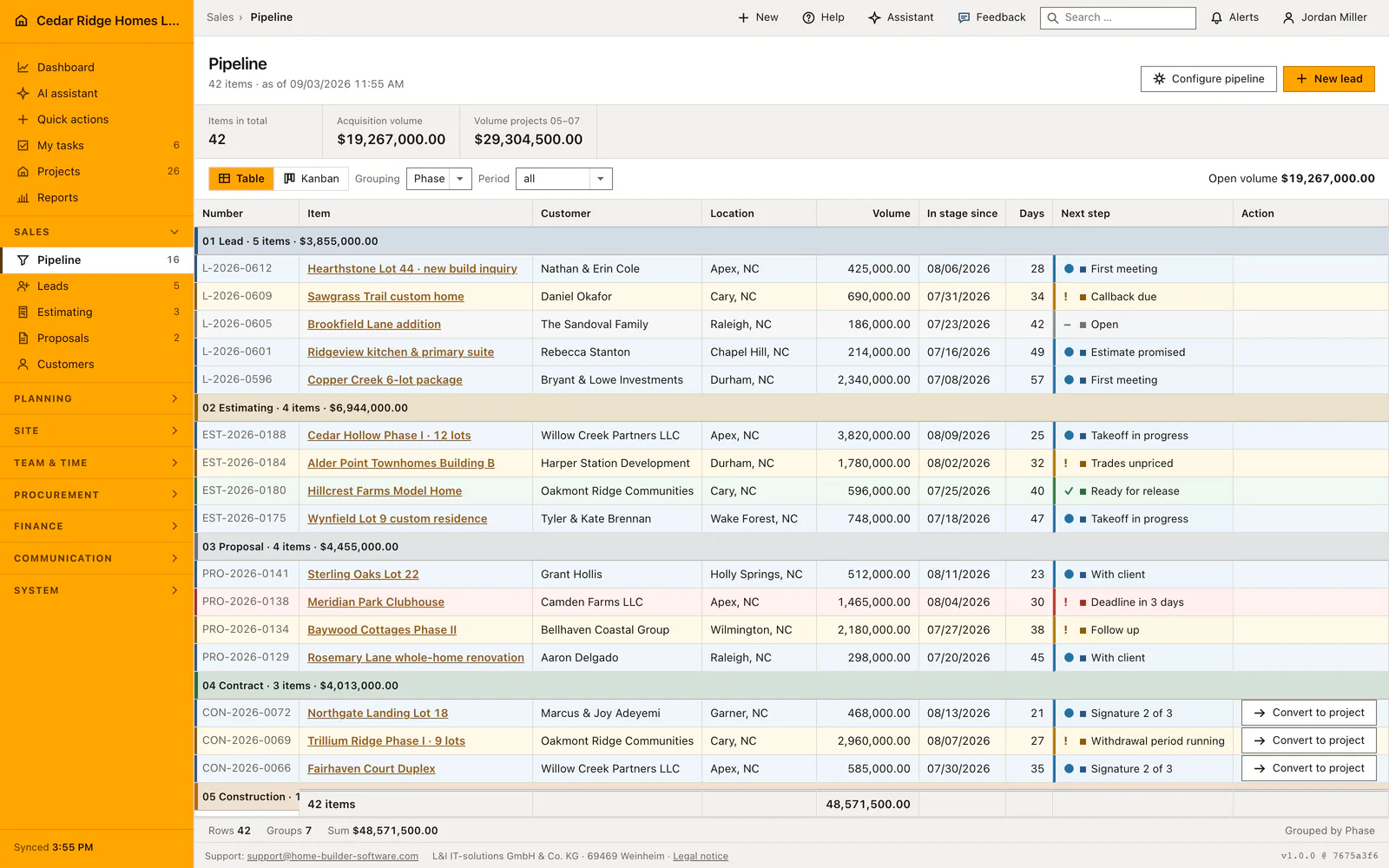
Administrators open the stage configuration and rename, reorder and recolor the four core stages for lead, estimating, proposal and contract, then add as many stages of their own as the business needs. A stage already in use cannot be deleted. Dragging a card to another column resets the time-in-stage counter, so the age you read is always the age in the current stage. Row color follows the next-step label, and the wording and status symbol stay legible next to it.
The contract stage is the one controlled exit. Converting a won case writes the project, its contract value and its responsible person in a single step, closes the case as won, and attaches the estimate and the signed proposal to the new project so their history travels with it. Where the estimate already carries priced lines, the project budget is built from them, and the office never retypes a figure that was agreed in sales.
Adding an opportunity and changing its stage
New cases enter through the lead form, which the pipeline offers in its own header. The chosen stage decides the number prefix and where the save lands, so an item entered directly at estimating receives a number beginning with K and returns to the estimating list. Every new item starts open, with today as the day it entered the stage and the person entering it as owner. The navigation counter is refreshed at once.
Move an opportunity between sales stages from the board or update its stage in the opportunity file. Both views refer to the same case, so the customer, expected value and responsible person remain connected as the work progresses. Keep the date and next step current when an opportunity moves: the team needs to know what happens next as well as which stage now contains it.
 Open full-size screenshot
Working the Kanban board and the grouped pipeline table
The table lists sales stages first and running construction, handover and warranty afterwards, so the whole book of work reads top to bottom. A group header states its stage, how many items it holds and their total volume, and an empty stage is left out rather than drawn as a blank block. Each row carries number, item, customer, site, volume, the date it entered the stage, days since then and the next step.
The board covers the sales stages only, since a running job is no longer being sold. Column headers repeat count and total; cards show the number, the date in stage, the title, customer and site, the owner initials and the volume. Row and card color follow the stage or the next-step label, and the wording and status symbol stay beside the color so nothing depends on color alone. Both views link into the same opportunity file.
Handover into estimating, proposals, project and budget
Conversion copies more than a name. The project takes the case title, its customer, its site, the volume as contract sum, the owner as site manager and today as the start date, and it opens in construction with progress at zero. The build type stays empty on purpose, because it describes what is being built and not where. The estimate and the signed proposal are attached to the project, so it stays traceable which documents the site grew out of.
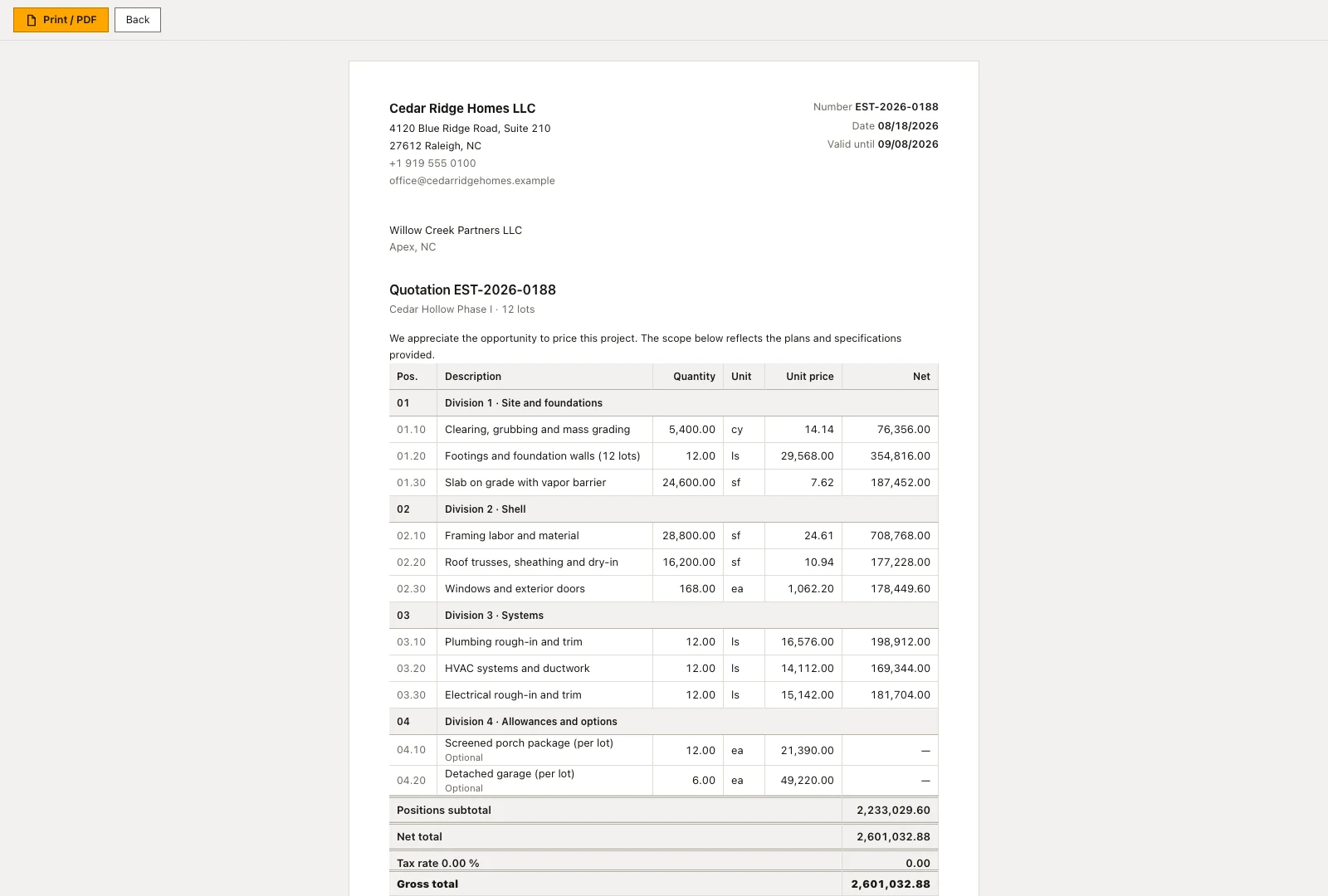
Where a costed estimate exists, its lines become the budget of the new project, grouped by cost group, and the confirmation names how many groups were written. Without priced lines no budget is created and the message names the project number only. From there the money side is worked in budget, invoices and purchasing, while rows and cards in both views lead back into the opportunity file.
 Open full-size screenshot
Custom construction sales pipeline in the daily routine
An administrator shapes the board once, naming the stages the way the company already talks about them and defining the next-step labels under settings. After that the board belongs to whoever owns sales: cards are pulled forward as an estimate goes out or a customer signals interest, and each card links straight to the underlying lead file. When a contract stage card is finally moved to won, conversion hands project, value and responsibility to the site side of the business.
Read the documentationCustom construction sales pipeline: what it covers
Rename, reorder and color pipeline stages for the company
Move opportunities by drag and drop while preserving time-in-stage
Convert a won contract into a project with value and responsibility
Custom construction sales pipeline: questions and answers
Can we add our own pipeline stages?
Yes. Administrators can add, reorder, rename and color custom stages; stages in use are protected from deletion.
What happens when an opportunity is won?
The controlled conversion creates the project with its contract value and responsible person and closes the opportunity as won.
Use Custom construction sales pipeline on your own projects
Request a trial period for the workflow around this module. We agree the roles, permissions and useful scope with you before preparing access.