
Construction service requests
Connect each customer service request with priority, due date, project, customer, description, owner, custom fields and the shared activity history.
Construction service requests: how it works in Home Builder Software
After handover the phone keeps ringing: a door that sticks, a heating circuit that never warmed up, a warranty claim three months into occupancy. Each call becomes a numbered service request with a subject, a description, a priority and a due date, tied to the customer and to the project it belongs to. What used to live in one person’s inbox becomes a record the whole office can pick up.
Priorities run from low to urgent, and the status moves through open, in progress, waiting and closed, with the closing date set the moment a request is closed and cleared again if it reopens. Open requests sort ahead of the ones that are waiting, so the list reads in the order it should be worked. Creating a request requires write permission on the route itself, not merely a hidden button.
The list follows the site chosen in the top bar and shows the whole company when none is selected; an empty list says which site it is filtered to and offers the way back out. Notes, comments, meeting minutes, photos and emails all sit in the same history as everywhere else, and custom fields carry whatever your company records. A daily report can point at the request, dating the visit that settled it.
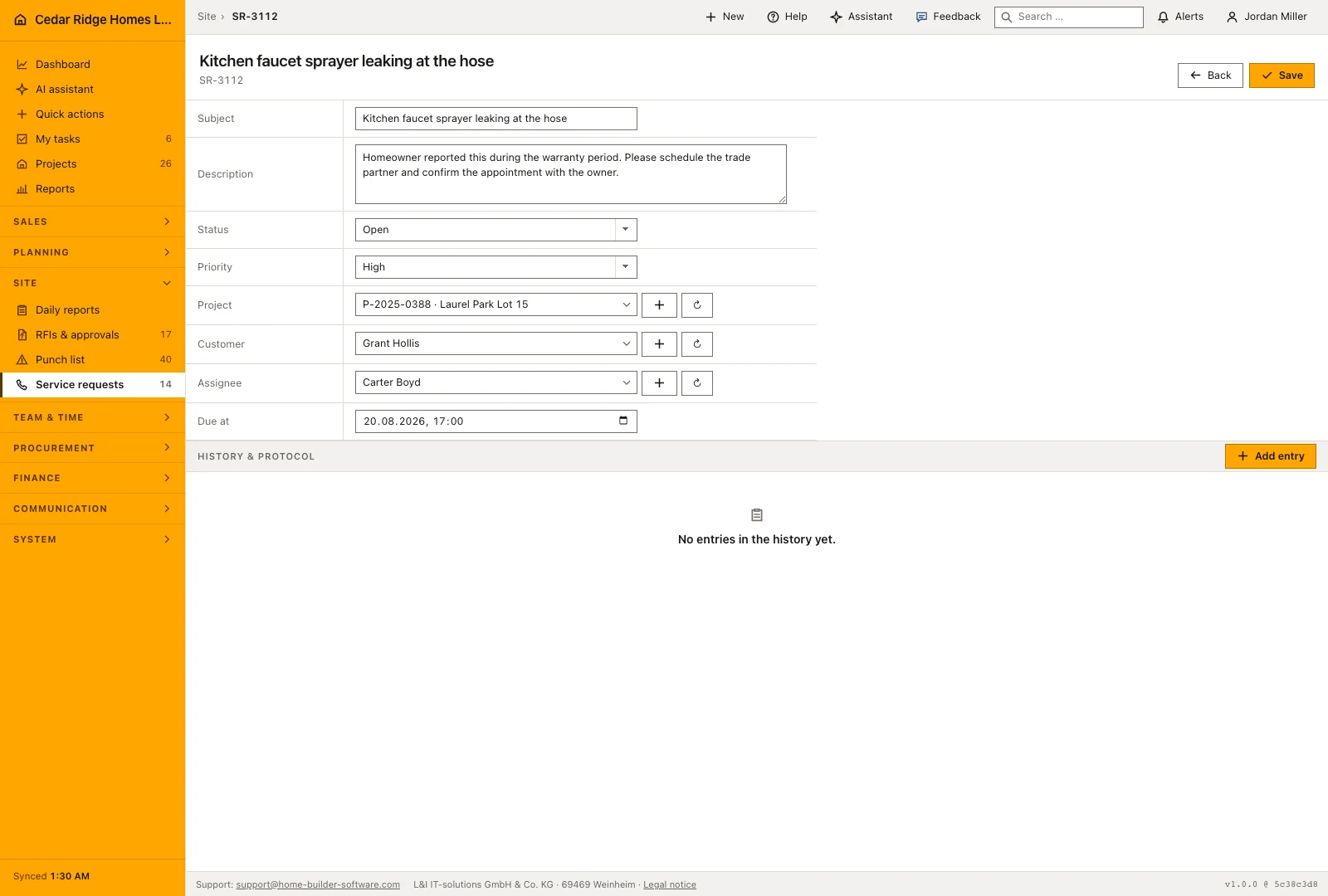
Opening a request: subject, description, priority and due date
The subject takes up to 180 characters and is the only required text beside status and priority; the description takes up to 10,000. Priority runs low, normal, high and urgent, while status runs open, in progress, waiting and closed. A due date can be set, and the form starts every new request on open at normal priority so the ordinary case needs two entries and a save.
Saving opens the request file, where each field is corrected in place, followed by the custom fields your company defined and the shared history. Closing a request stamps the moment it was closed, and moving it back to any other status clears that stamp again, so a reopened case never carries a closing date it no longer deserves.
 Open full-size screenshot
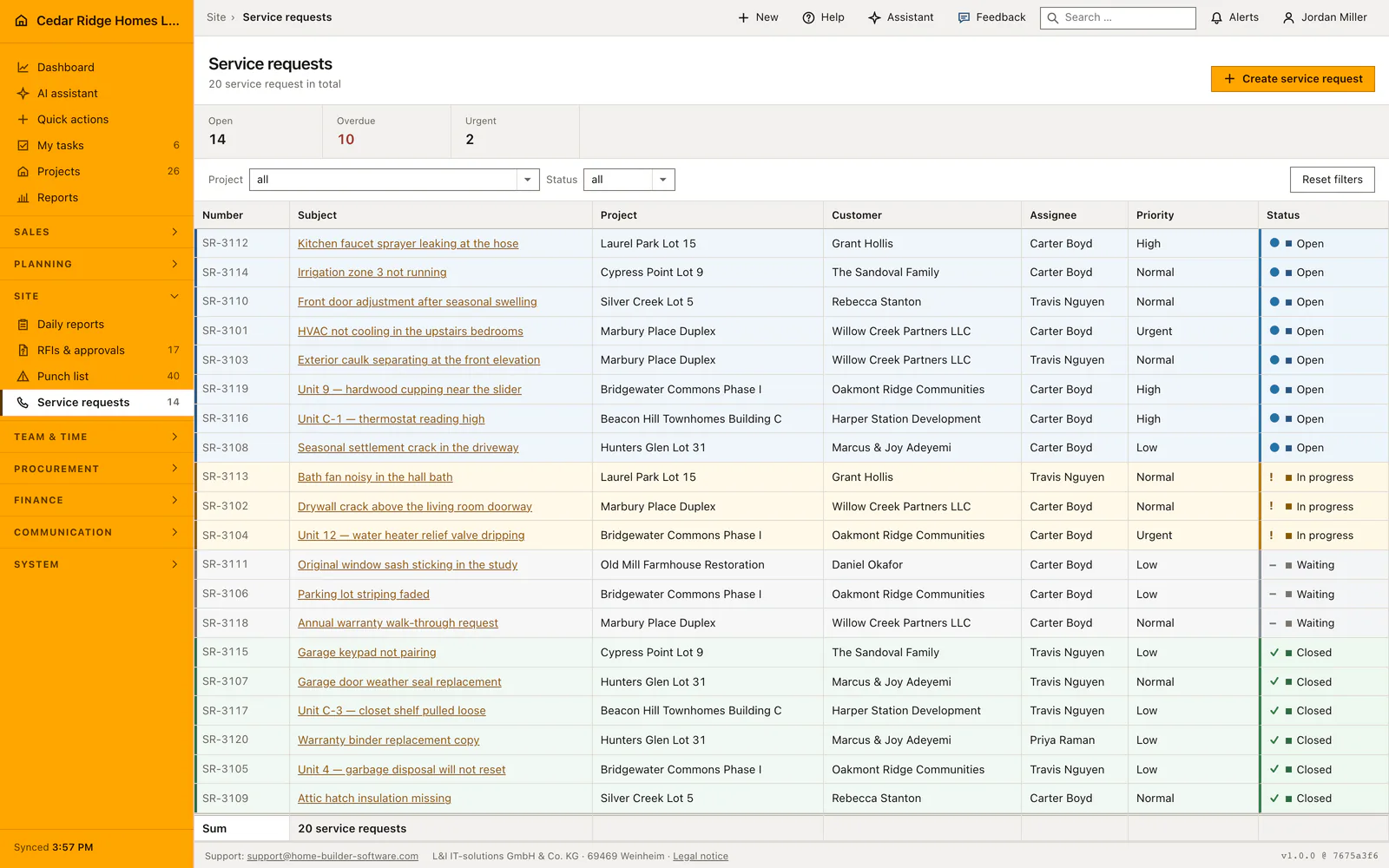
Reading the list by site, status and the open, overdue and urgent figures
The register sorts by status in working order, open first, then in progress, then waiting, then closed, with the newest first inside each group. The project filter offers every site rather than only the ones that already own a request, so the control can always name the site the table is narrowed to. The status filter is checked against the four allowed values.
The figures count open requests, those past their due date and still not closed, and open ones marked urgent, always for the rows on screen. When the list is empty under an active site it names that site and offers the way back to all of them, because an empty table and a company with no requests would otherwise look identical.
Service requests in daily reports, the dashboard and project templates
A daily report can link the service requests of its own project, which dates the visit that settled one and files it beside that day's work. Only requests of that project are offered, and a tick from elsewhere comes back as a field error. The AI daily report draft also reads the service requests of the chosen project and period.
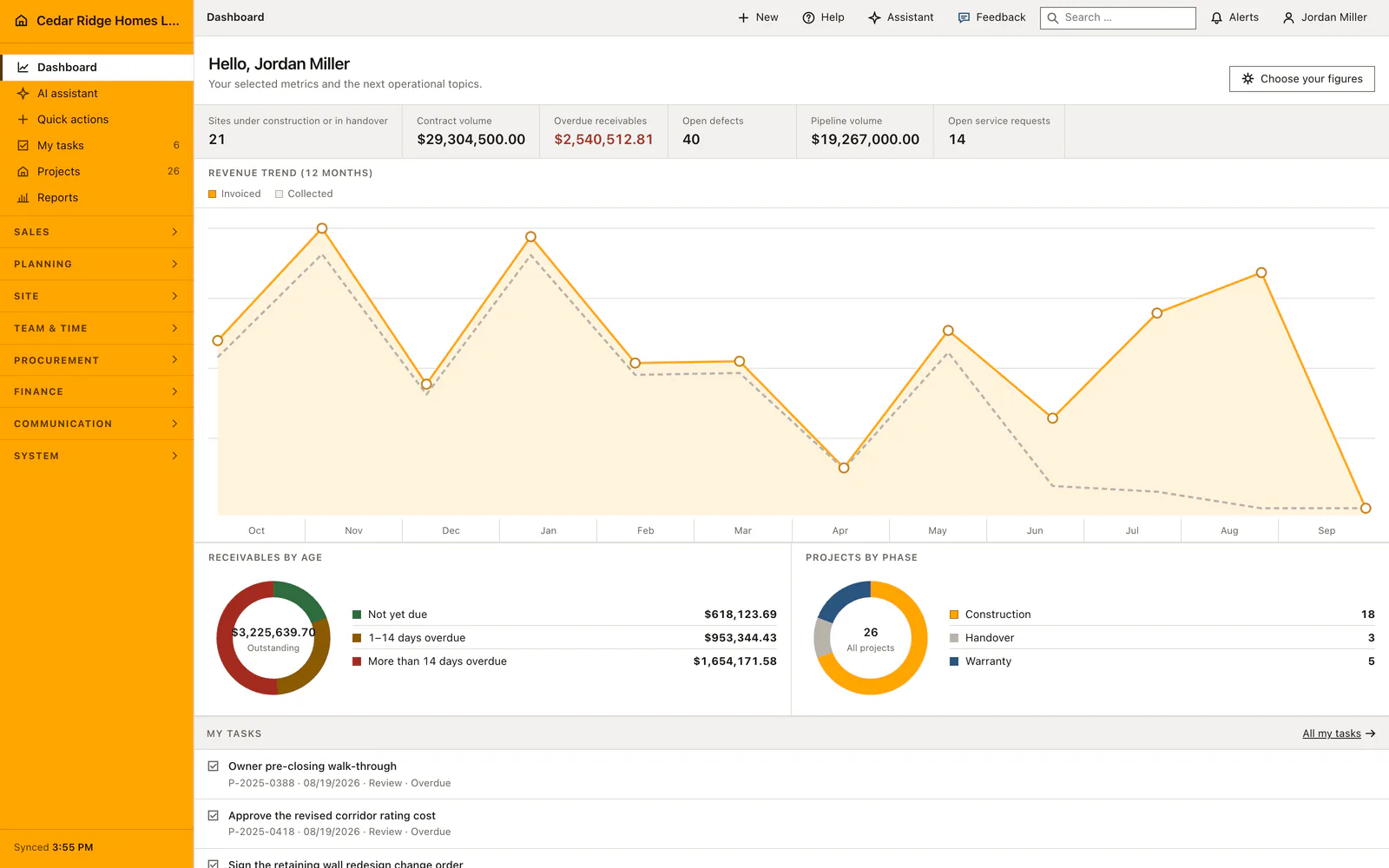
The dashboard can carry open service requests as one of its configurable figures, together with a panel that lists them by number, subject and assignee. A project created from a process template opens the requests that template marks as service work, tied to the customer, to the site manager and to the schedule activity whose last day sets the due date.
 Open full-size screenshot
Construction service requests in the daily routine
The office takes the call, opens a request, names the customer and the project and gives it a priority and a date. Whoever is assigned sees it in the list sorted with open work on top. Once a technician is sent out the status goes to in progress, and waiting covers the weeks a part is on order. The three figures above the table, open, overdue and urgent, tell service management where the week is slipping.
Read the documentationConstruction service requests: what it covers
Filter requests by site and status with open, overdue and urgent metrics
Edit responsibility, priority, due date, project and customer in one record
Keep notes, meetings, photos and email in the common history
Construction service requests: questions and answers
Can service requests be linked to both a customer and a project?
Yes. Both relationships are available alongside the responsible person and due date.
Does the list follow the active construction site?
Yes. With a site selected it filters to that site; without one it can show the whole company.
Use Construction service requests on your own projects
Request a trial period for the workflow around this module. We agree the roles, permissions and useful scope with you before preparing access.