
Construction daily reports
Record one daily report per project and day with weather, crew size, hours, completed work, photos and status for a consistent day-by-day record of the jobsite.
Construction daily reports: how it works in Home Builder Software
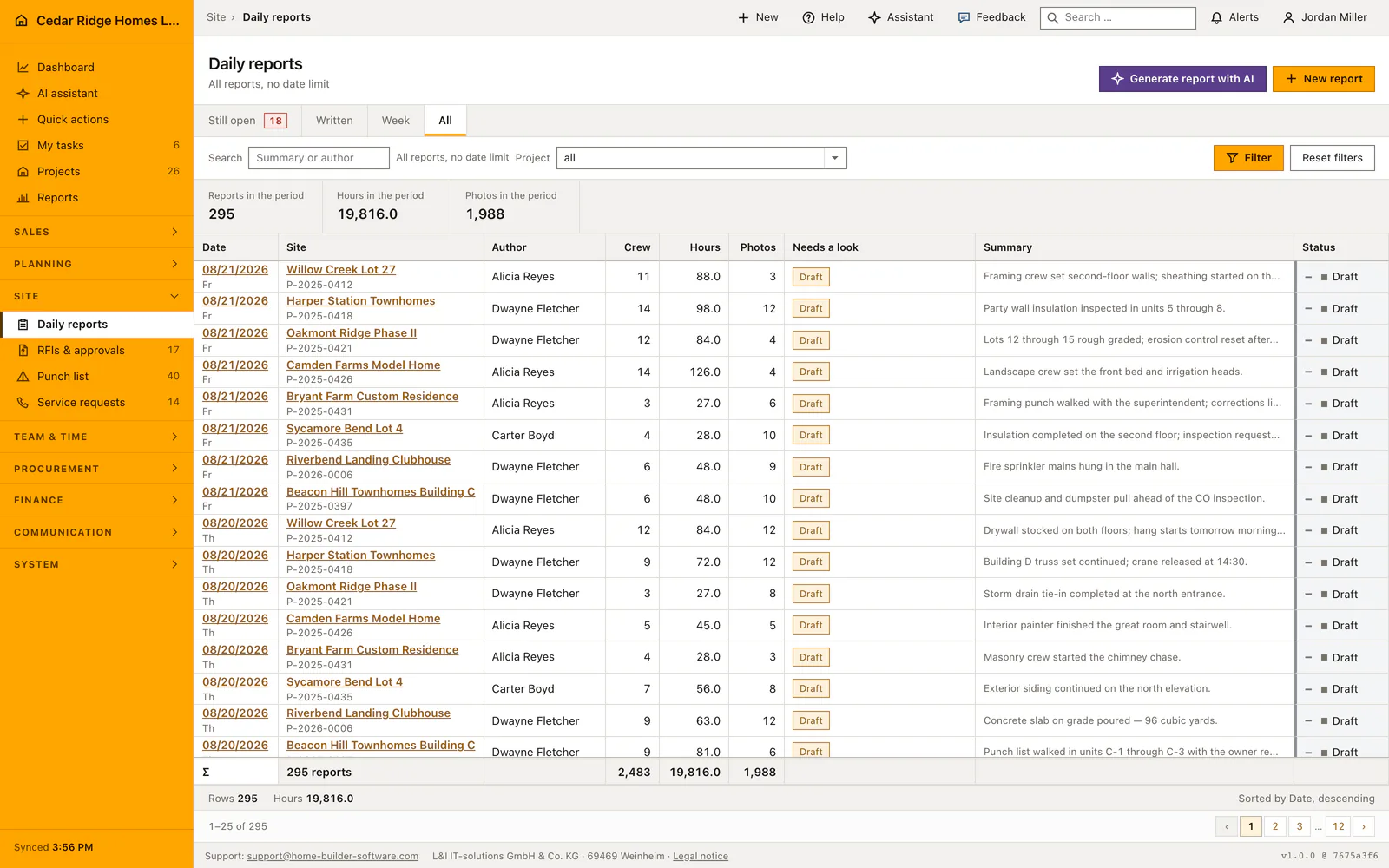
A daily report is the dated record of one construction day on one site, and Home Builder Software allows exactly one per project and date. That single rule ends the argument that starts weeks later, when nobody can say how many people stood on the site the Tuesday the concrete pour slipped. Weather, crew strength, man-hours and a written summary are captured the same evening, while the day is still accurate.
Try to save a second report for the same project and day and the form answers on the date field instead of crashing. The author comes from the signed-in account, never from the form. Hours and crew size can be pulled from the time entries clocked that day, and weather from the site coordinates once an administrator switches the service on. The list totals crew, hours and photos across the rows you are looking at.
Each report can hang on the schedule item that was running that day, and it can point at the service requests, work tasks and defects of the same project, so a disruption is filed against the work it delayed. The number of reports and photos becomes the documentation density the bank reads in the progress report. Nothing has to be typed twice, and the diary stays where an expert or an insurer would look for it.
Writing a report: date, schedule item and linked records
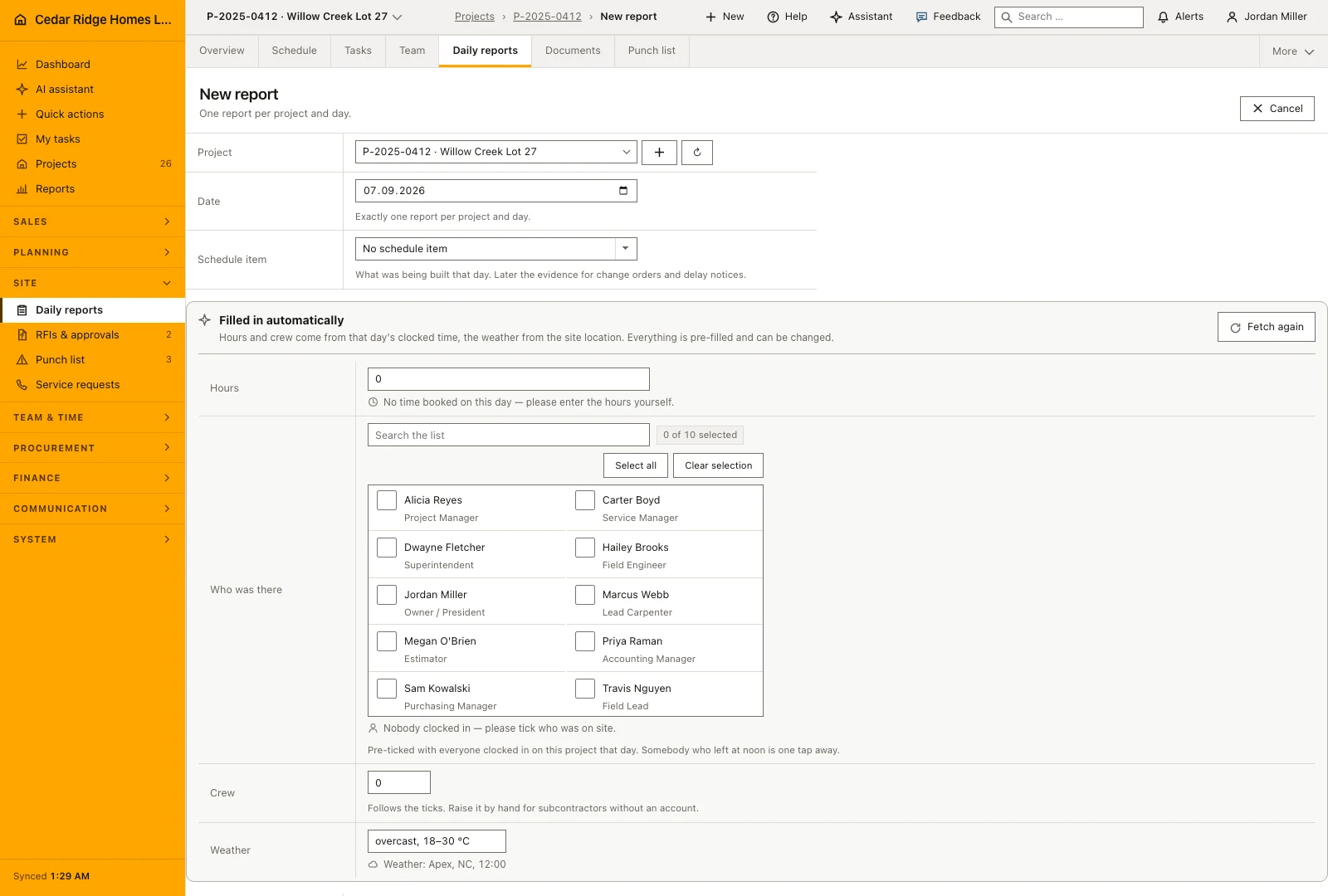
The capture form opens on the site shown in the top bar, or on the one named in the address, and only then falls back to the first running site that still owes the day. The date starts on today. While the project select is still open, the form asks whether that day is written and offers the existing report instead of a second one. Weather, crew count, hours and the summary are the fields that save.
Below them the form offers the schedule activity the day belongs to, grouped into the ones running on that date and the rest, plus checkbox groups for the service requests, work tasks and defects of the same project. Up to twenty photos in jpg, jpeg, png or webp, each at most 15 MB, can be attached. Correcting a report uses the same form, and new pictures are added to the ones already on it.
 Open full-size screenshot
The evening round: Still open, the day picker and the summary search
Still open is the view the register opens on outside a project, because a report nobody wrote cannot appear in a list of reports that exist. It names each site, its site manager, the date of its last report and how long ago that was, with a link straight into the form. Written, Week and All switch the same page to the reports that do exist, inside the day or week the picker shows.
The figures above the table count sites without a report, then reports, hours and photos in the period on screen. The search box matches the summary text and the author name, deliberately not the missing sites, and it searches only the selected period. Each row can carry short written marks: draft, no text, no hours, the number of defects linked to it, and AI-assisted where the summary began as a generated draft.
Where the daily report reaches the schedule, the punch list and the bank
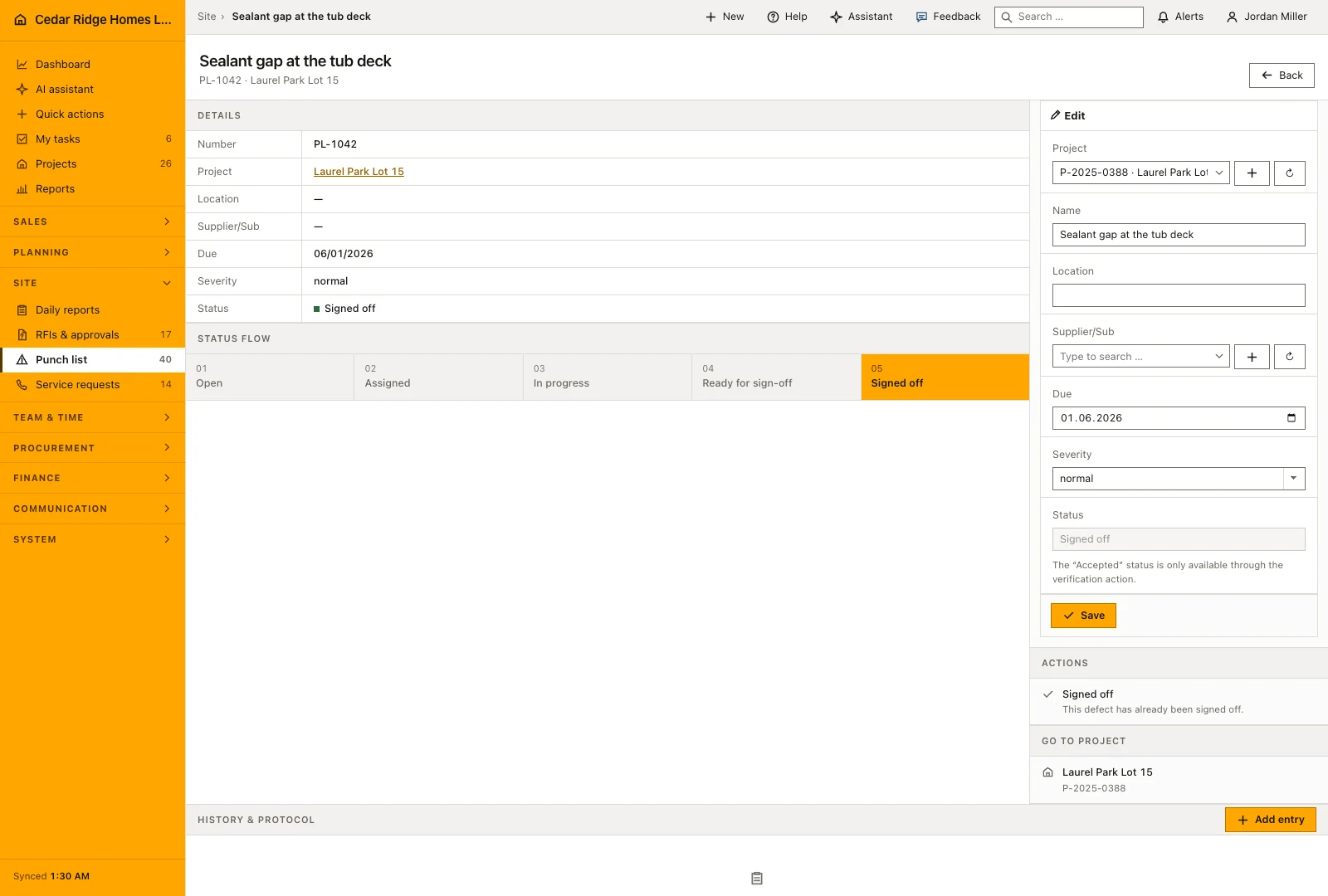
A report hung on a schedule activity says what was being built that day, which is exactly what a change order or a delay notice needs months later. The linked defects, work tasks and service requests have to belong to the same project. The number of linked defects also shows as a red mark on the row, because those are the entries where somebody still has to act.
Inside a project the register appears as the Daily reports tab and opens on that job's own reports rather than on the company-wide evening question. The count of reports and photos feeds the documentation section of the site progress report, the sheet a construction lender reads before the next installment. The AI draft summarizes reports, activities, tasks, service requests and defects of one project over at most 31 days, and you save it yourself.
 Open full-size screenshot
Construction daily reports in the daily routine
The site manager writes the report at the end of the shift, usually on a phone. The form opens on the site that is already active in the top bar, the date is today, and the clocked hours are offered as a starting point. Weather, crew and the summary of what was built go in, photos follow, and the entry saves as submitted. The office reads the diary the next morning, and its figures wait for the next progress report.
Read the documentationConstruction daily reports: what it covers
Filter daily reports by project and period
Summarize visible workforce, hours and photo counts
Prevent duplicate reports for the same project and date
Construction daily reports: questions and answers
Can two reports be saved for the same project and day?
No. Home Builder Software rejects the duplicate and asks for another project or date.
What does a daily report capture?
It records the project, date, author, weather, crew size, hours, work summary, photos and status.
Use Construction daily reports on your own projects
Request a trial period for the workflow around this module. We agree the roles, permissions and useful scope with you before preparing access.