
Customer portal for home builders
Give home buyers controlled access to progress, schedule, site news, documents, invoices, selections and the shared project conversation without exposing internal costs.
Customer portal for home builders: how it works in Home Builder Software
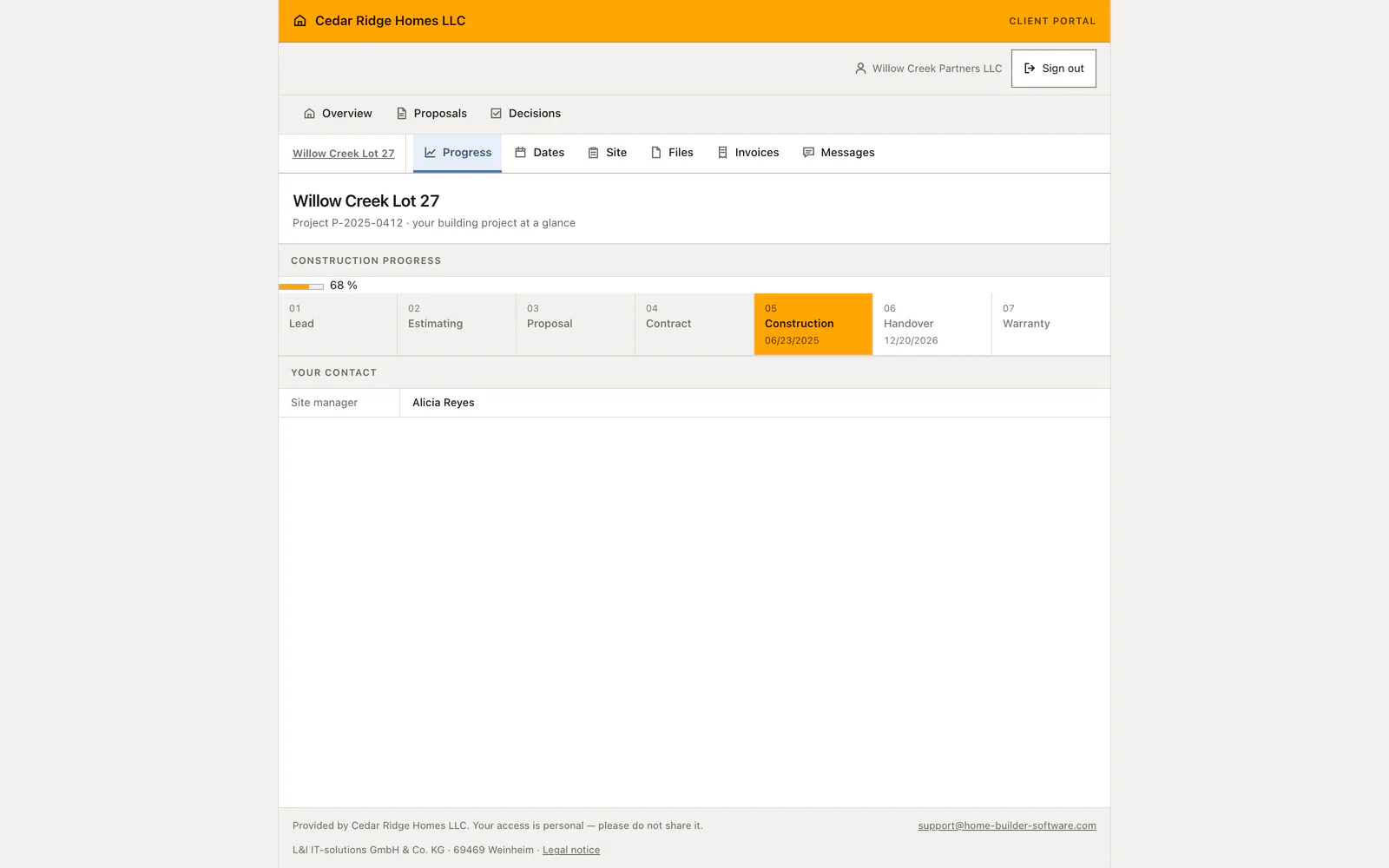
Home buyers get their own address for the build, with the phase strip, the site manager, upcoming works, the last daily reports reduced to date and photo count, released files, their invoices and the project conversation, each on its own page. Budgets, cost groups, margins, internal notes and supplier names never reach it. The Saturday phone call asking how far the house has come loses its reason to exist.
Three doors lead in. An invited buyer sets their own password, since no password is ever mailed. A twelve-character access code in three blocks can be read out on the telephone or printed in a letter; it is shown once, stored hashed, valid for thirty days and revocable the moment a letter goes astray. A signed project link works without any account and expires the same way. Switching a portal area off removes it from the navigation and blocks old links to it.
Decisions the buyer makes travel straight back into the office. Accepting a proposal records the typed signature name, the account email, the time, the IP address and the browser, moves the lead on and notifies the person who owns it. Choosing a selection option stores the choice, the buyer’s note and the moment of consent, then alerts the site manager; an expired or already decided selection refuses a second answer. Uploads land in tenant storage as portal-visible documents.
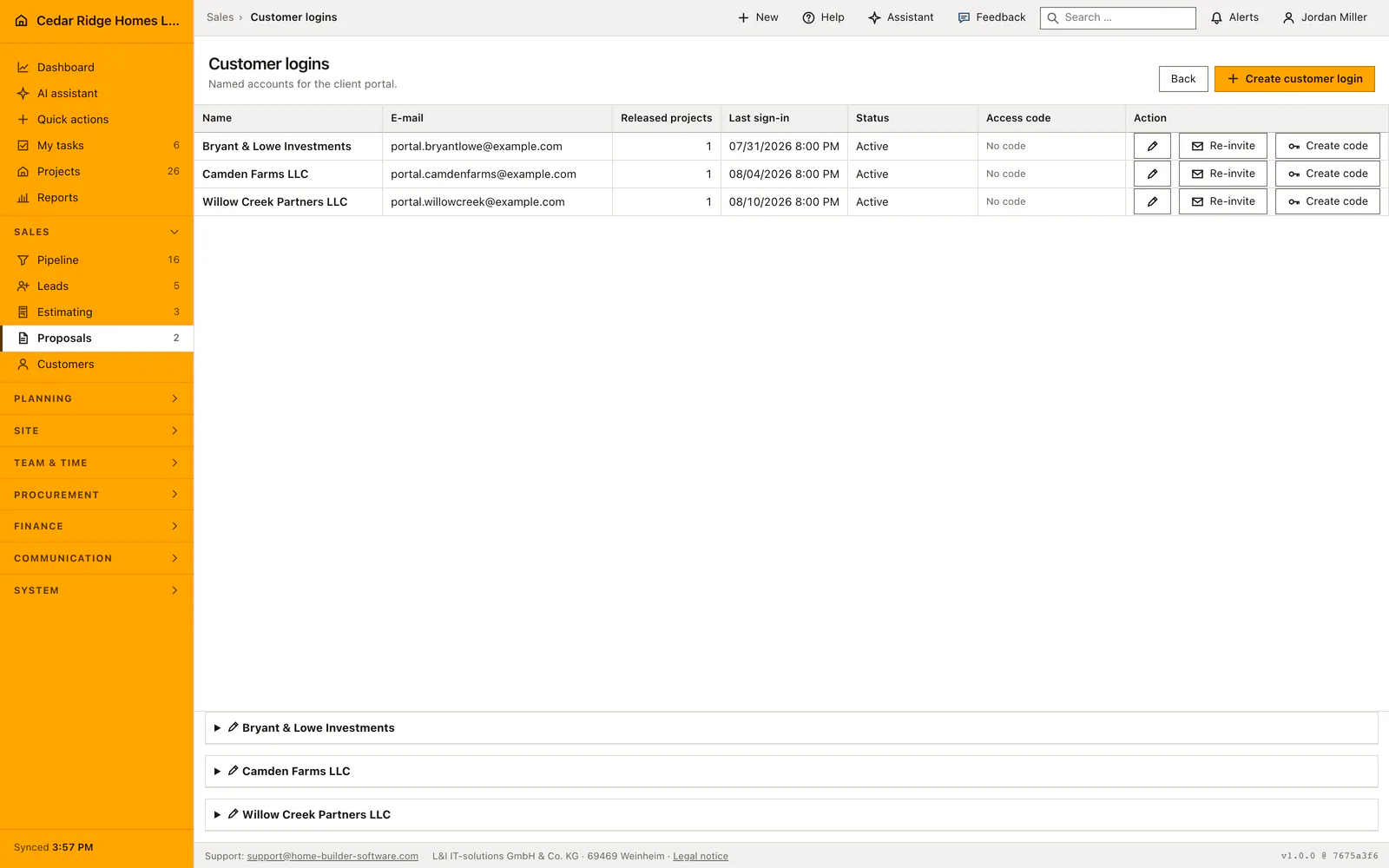
Creating a portal account and granting it projects
Create a portal account for the customer with their name, email address and an optional link to the existing customer record. Select the projects that this person should be able to open. Review that list before inviting a buyer who has several builds underway, since access to one project should not imply access to every project held by the company.
The invitation goes out immediately and carries a single-use link valid for 72 hours; the buyer chooses a password of at least twelve characters containing letters and digits. A password is never sent by mail. If the letter could not be delivered the page says so and the account still exists, so a second attempt is a re-invitation rather than a new record. Editing an account changes its name, its active state and its project list; a re-invitation invalidates the previous link at once.
 Open full-size screenshot
Reading out an access code and sharing the signed project link
An access code offers another sign-in option for a customer who needs help getting started. Issue the code from the account list and pass it to the intended person through an appropriate channel. The customer signs in with their email address and code together. Codes have a limited lifetime and can be revoked, so replace or end an old code when access arrangements change.
A project can also be shared through a temporary signed link. This is useful for a limited visit to the portal without setting up another ordinary application account. Treat the link as access to that project and share it only with its intended recipient. If it expires, use the supported invitation or sign-in path rather than altering the address by hand.
 Open full-size screenshot
Proposals, selections and the project conversation for the buyer
The customer’s overview brings together the projects they may access, proposals waiting for a response and selections that still need a decision. For each option, the customer can compare the amount with the agreed allowance before confirming a choice. A decision that is already recorded or needs clarification should be resolved with the office rather than treated as another open selection.
The project level holds the pages of one build: progress with the phase strip and the responsible site manager, the coming schedule items with their period, the last site days reduced to date and photo count, the released files with an upload form, and the invoices with number, gross amount, outstanding amount, due date and payment status straight out of the invoice module. Messages run through the shared project channel, so the same exchange appears in the internal chat and as a chat entry in the project history.
Customer portal for home builders in the daily routine
Sales creates the portal access, the buyer receives an invitation and picks a password, or is given a code over the phone. During construction the office marks a plan as visible to the portal and the buyer downloads it; the daily reports keep the progress page honest without anyone writing a status mail. When a selection deadline nears, the buyer chooses an option with its upcharge, the site manager is notified, and the answer waits in the record rather than in a voicemail.
Read the documentationCustomer portal for home builders: what it covers
Offer password, time-limited access code or signed-link entry
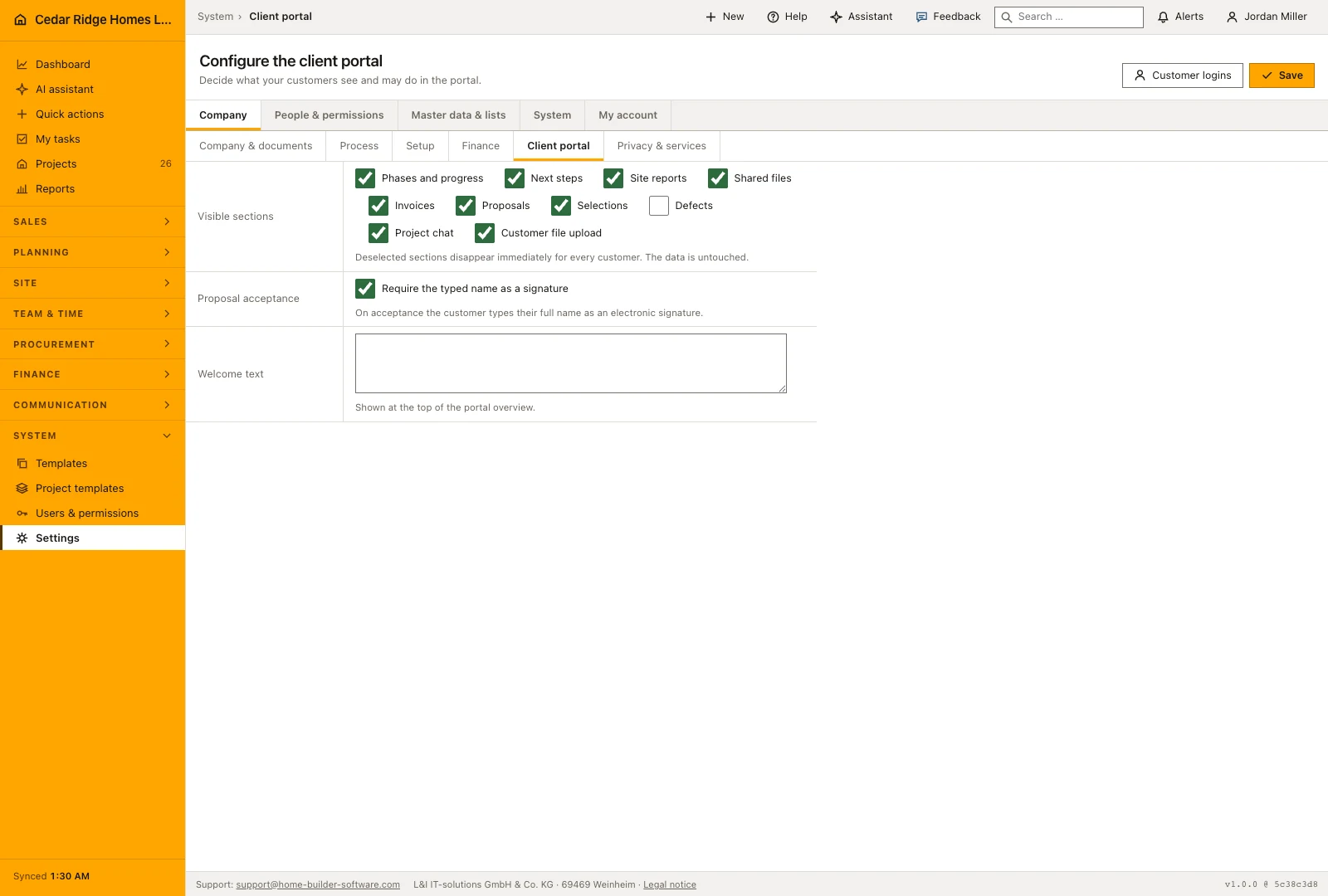
Configure which portal areas the company makes available
Keep uploaded files in tenant storage and customer messages in the project channel
Customer portal for home builders: questions and answers
Can internal budget and supplier data appear in the portal?
No. Internal cost groups, budgets and supplier information are excluded from the customer view.
What happens when a portal area is disabled?
It disappears from navigation and becomes unavailable even through an old direct link.
Use Customer portal for home builders on your own projects
Request a trial period for the workflow around this module. We agree the roles, permissions and useful scope with you before preparing access.