
Unified construction activity history
Keep notes, comments, meetings, minutes, photos, email and portal chat in a reusable timeline attached to the relevant business record.
Unified construction activity history: how it works in Home Builder Software
A phone call that only one person remembers is worth nothing three months later, when a customer asks what exactly was agreed on site. The same history sits on projects, leads, customers, subcontractors, service requests and equipment, so what was said, agreed or photographed is written where the record lives. One timeline, one place to look, and no private mailbox holding the only copy of a decision.
An entry is a note, comment, meeting, minute, photo, email or portal chat, and each one keeps its time, an optional title, the text, the author and the metadata that belongs to it. Photos go into tenant storage and every download rechecks the company and the storage path. Incoming mail becomes an entry when it is assigned to a record, with message-id deduplication keeping the same message from landing twice. Authors delete their own entries; administrators may remove any.
Because the timeline is the same component everywhere, nobody learns a second tool to find out who wrote what and when. Portal messages arrive as chat entries marked visible to the portal, while internal budgets, supplier data and private notes are never part of that view. Recurring values such as job title, office, trade or equipment kind come from company lists instead of free text, which is what keeps later grouping and evaluation honest.
Adding a note, minutes or a site photo to a record
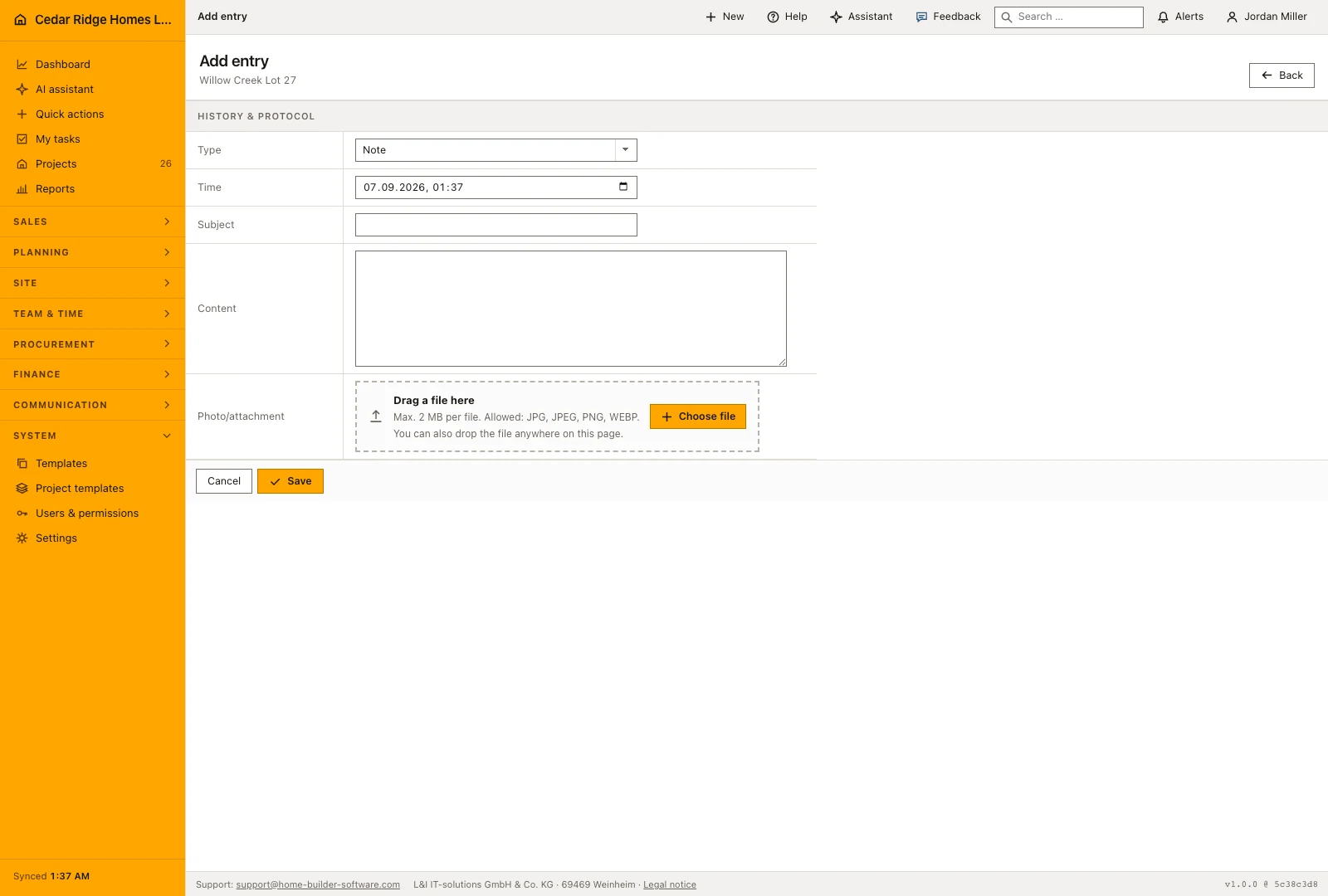
Add entry opens a form of its own rather than a box inside the page. Type offers Note, Comment, Meeting, Minutes and Photo; E-mail, Chat and System are absent on purpose, as those entries come from the mail module, from chat and from system processes. The time is prefilled with the current minute and can be moved back to the moment the call, the walk or the meeting actually happened, which is what makes the thread readable months later.
Give the entry a subject and enough detail to explain the decision, observation or request. Attach a photo when it is the clearest record of what was found, and describe its location and relevance in the text. A colleague should be able to understand why the photo matters without asking the person who uploaded it to reconstruct the whole site visit.
 Open full-size screenshot
Reading the timeline while a job runs
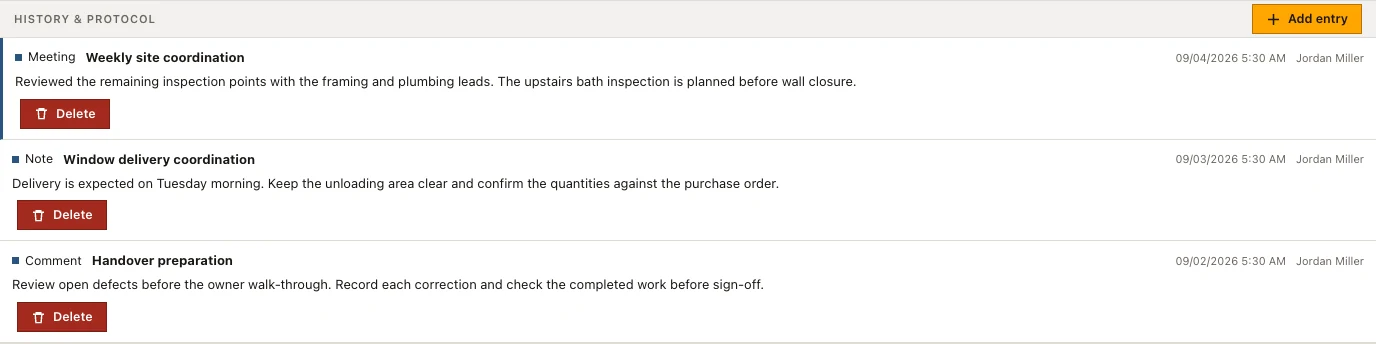
Give minutes and meetings a subject. Untitled entries appear as No subject, and twenty of them below one another help nobody once a deadline is being disputed. The time field is what orders the list, so a note typed on Monday about Friday's site walk belongs on Friday and not on the moment of typing. The same holds for a call written up the next morning.
Photos are not shown inside the page; the entry carries an Open photo button that delivers the file as a download. An existing entry cannot be edited, because it records what was said, so a correction takes the form of a new entry rather than a rewrite of the old one. That is also why deletion is the only way back and why the delete button itself is kept narrow.
Mail, portal chat and defect deletion feeding one timeline
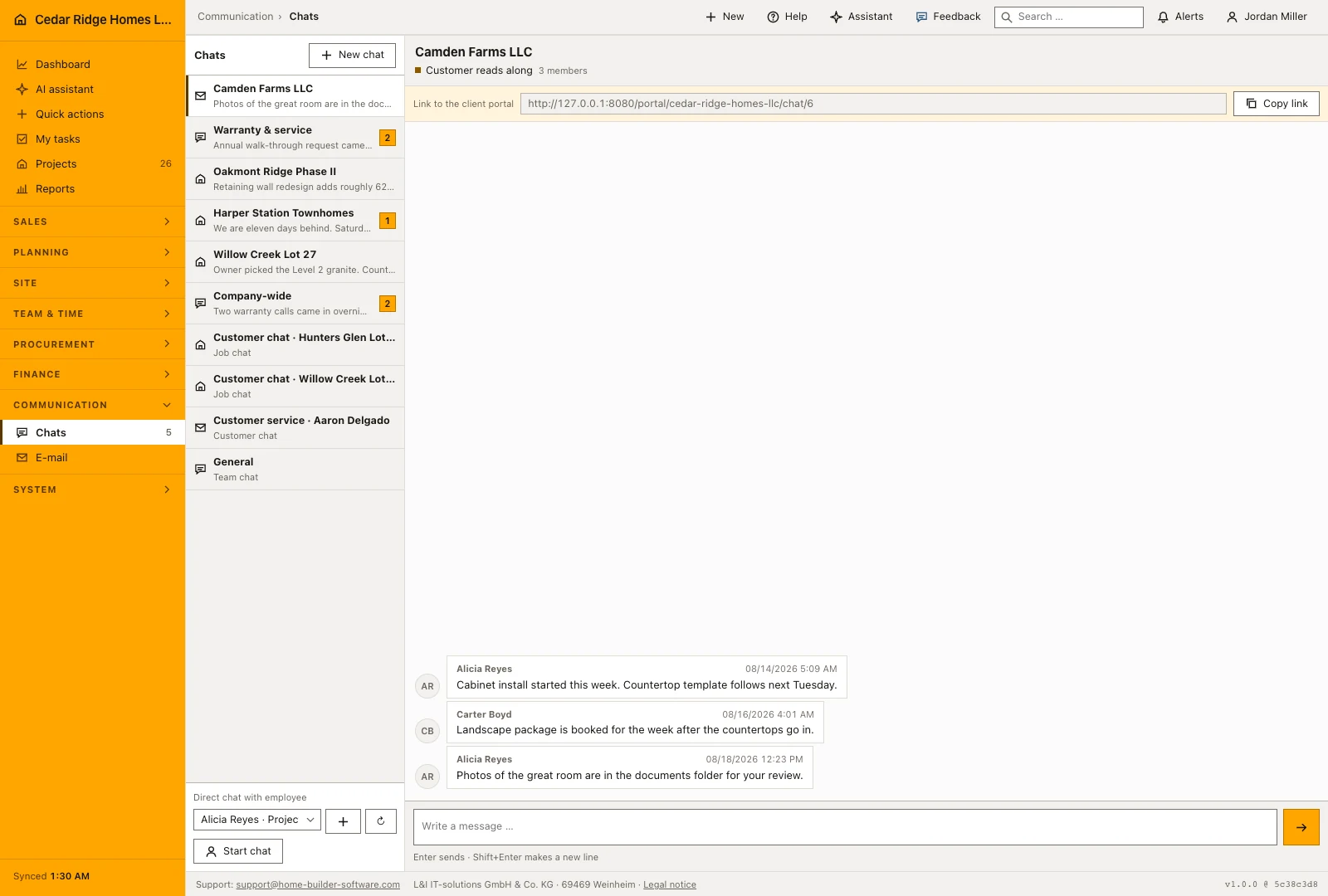
Assigning an email to a record brings its subject, text and date into that record’s history. Project and customer conversations also contribute messages to the relevant history, so written decisions remain near the work they concern. Before replying, read the surrounding entries to check whether a meeting note, a newer email or a site observation has changed the position.
The thread outlives the record it hangs on. When a defect deletion proposed by the assistant is approved, the entries move to the project first and the approval screen names how many will move, so walk-through photos and notes are not lost with the defect number. Custom fields stand on those same detail pages above the history, which is what lets a site file be read straight through from master data to the last note.
 Open full-size screenshot
Unified construction activity history in the daily routine
A site manager comes back from a walk-through and writes a note on the project with the photos taken an hour earlier. The office assigns an incoming supplier mail to the subcontractor record, where it stays as a mail entry. A customer writes in the portal and the message appears in the same timeline as a chat entry. Meeting minutes get a title so they are findable. When a defect turns into an argument months later, the record is read from top to bottom.
Read the documentationUnified construction activity history: what it covers
Use the same history on projects, leads, customers, subcontractors, requests and equipment
Record author, time, title, body and supporting metadata
Protect photo downloads by company and storage path checks
Unified construction activity history: questions and answers
Which activity types are supported?
The history supports notes, comments, meetings, minutes, photos, email and portal chat.
Where are history photos stored?
They are kept in tenant storage and downloaded only after company and path checks.
Use Unified construction activity history on your own projects
Request a trial period for the workflow around this module. We agree the roles, permissions and useful scope with you before preparing access.