
Construction roles and permissions
Build company roles from separate view, write and management permissions and apply the same access rules to navigation, screens, actions and server requests.
Construction roles and permissions: how it works in Home Builder Software
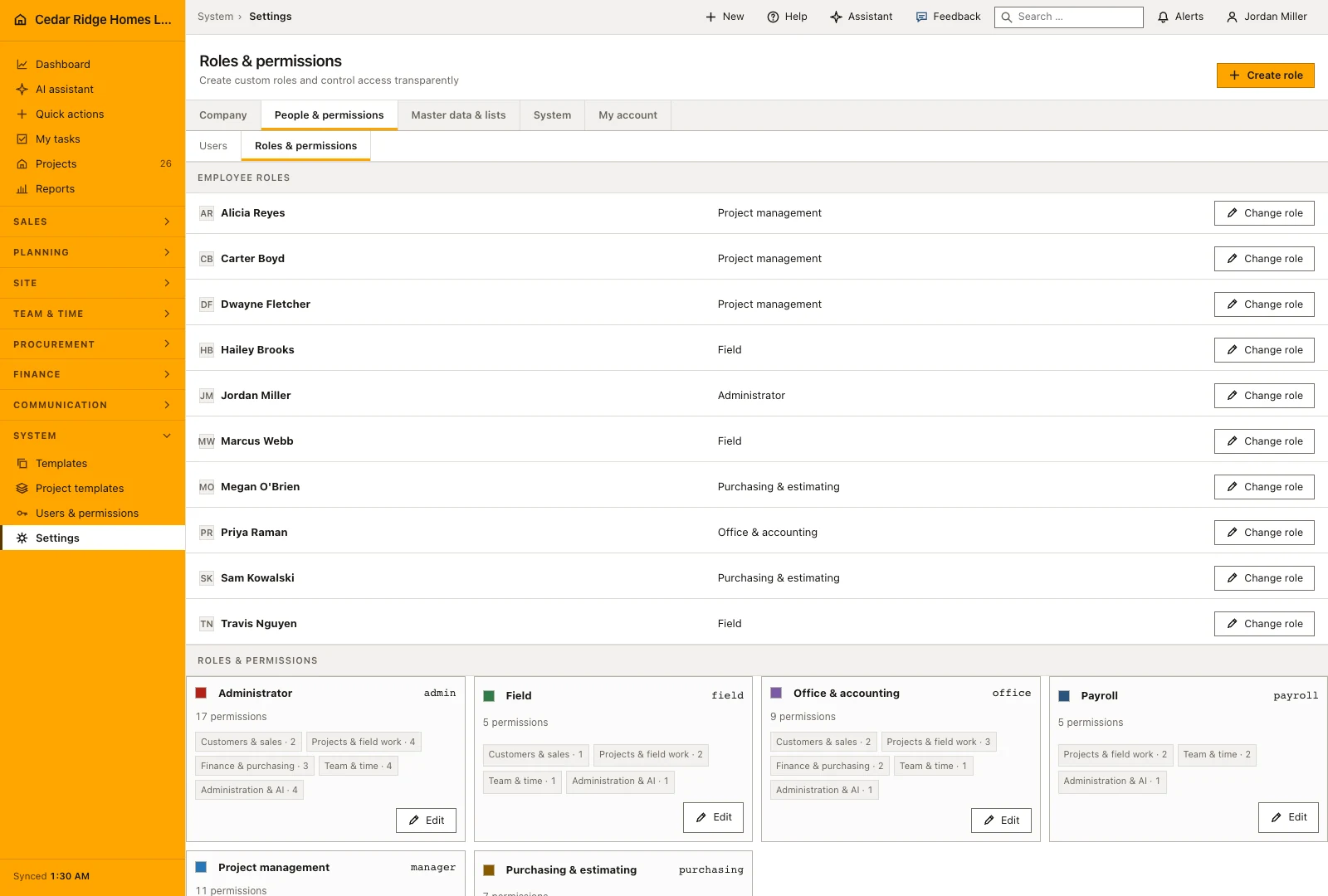
Permissions are cut along the jobs people actually do, not along the modules the software happens to contain. A buyer who orders material and books the goods receipt has no business seeing the invoices the company sends its customer, and a foreman who writes a daily report, records a defect or raises an RFI has no reason to edit sales master data. A role consists of a name, a color and a freely chosen combination of rights.
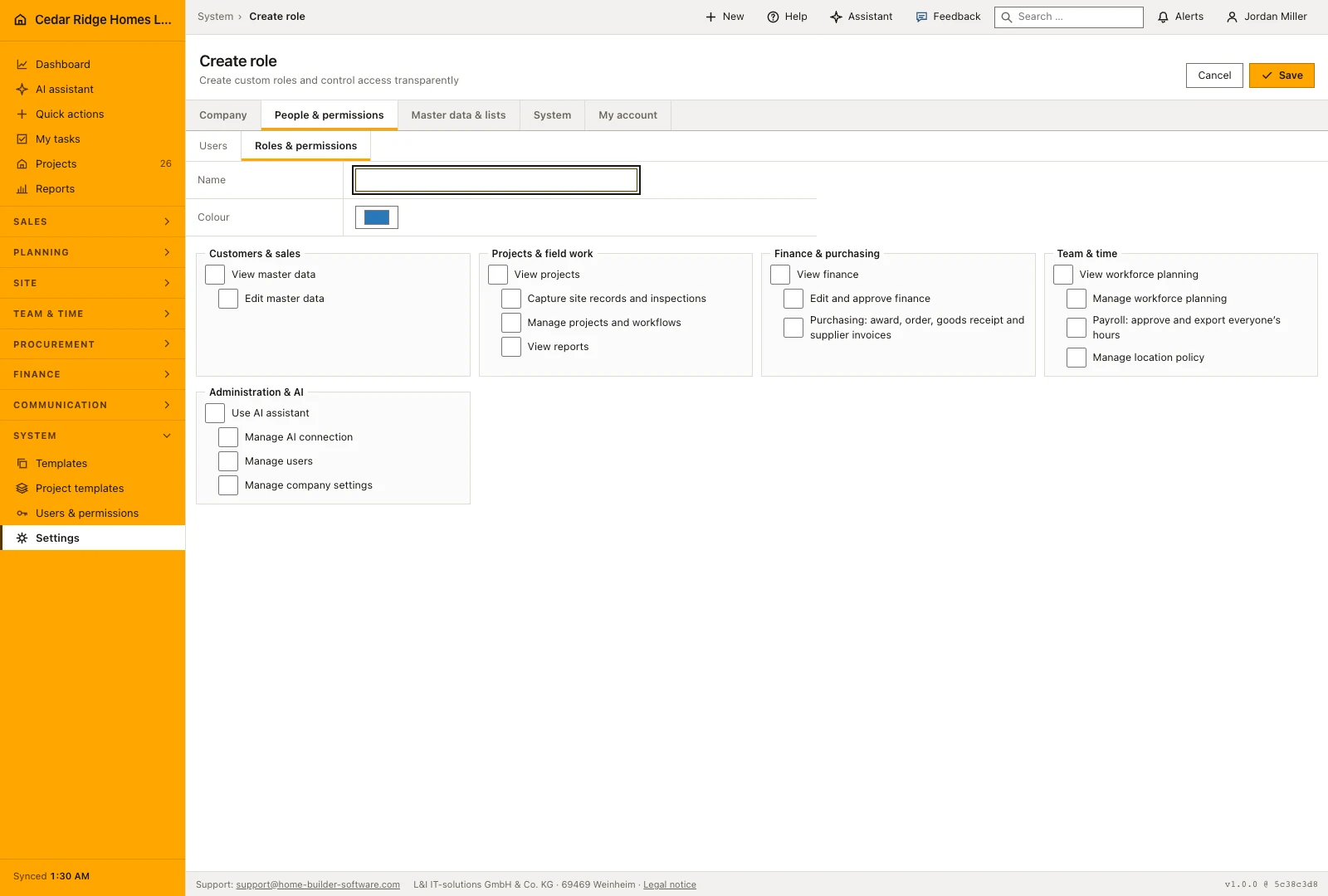
Reading and writing are separate switches. Master data, projects, finance and workforce each carry a view right and a write or management right, site capture deliberately sits apart, purchasing is kept away from outgoing invoices and payroll away from staff planning. Reports, AI use, AI configuration, location policy, user administration and system settings can be released one by one, and a management right always brings its view right with it.
Hiding a button is never the boundary. The interface trims navigation, messages and actions to the role, while the server checks every page request and every write, and controllers still test ownership, tenant and status transitions. On top of the role, an employee can be limited to an approved project list: an unlisted project answers as not found, revealing neither its existence nor its number, while company-wide records without a project stay visible where the role allows.
System roles as starting values and what they already open
The supplied roles provide starting points for administration, project management, office accounting, purchasing, payroll and field work. Choose the role that matches the person’s job, then review the actual permissions rather than relying on the name alone. An employee who orders materials may need purchasing access without authority to issue outgoing invoices, while a payroll colleague needs different access from the person planning shifts.
Review a supplied role before adapting its name or permissions to the company’s organization. Administrator access remains protected so an accidental role change cannot remove the company’s way back into account administration. The role overview shows the assignments and permission groups together, making it possible to review who holds an action before changing the role used by several people.
Creating company roles for specific responsibilities
Create a company role with a clear name and select its permissions by work area. Use a name that colleagues recognize, such as field lead or purchasing coordinator, and review each selected action against the person’s responsibilities. A role can be reused for several employees, which is easier to maintain than making a different access arrangement for every new colleague.
Management permissions include the viewing access needed to carry out that work. Purchasing, invoice management, workforce planning and payroll can still be separated because they represent different responsibilities. Review both what a person can see and what they can change. The resulting role should let them finish their assigned job without opening unrelated financial or administrative actions.
 Open full-size screenshot
Assigning a role and limiting a person to certain projects
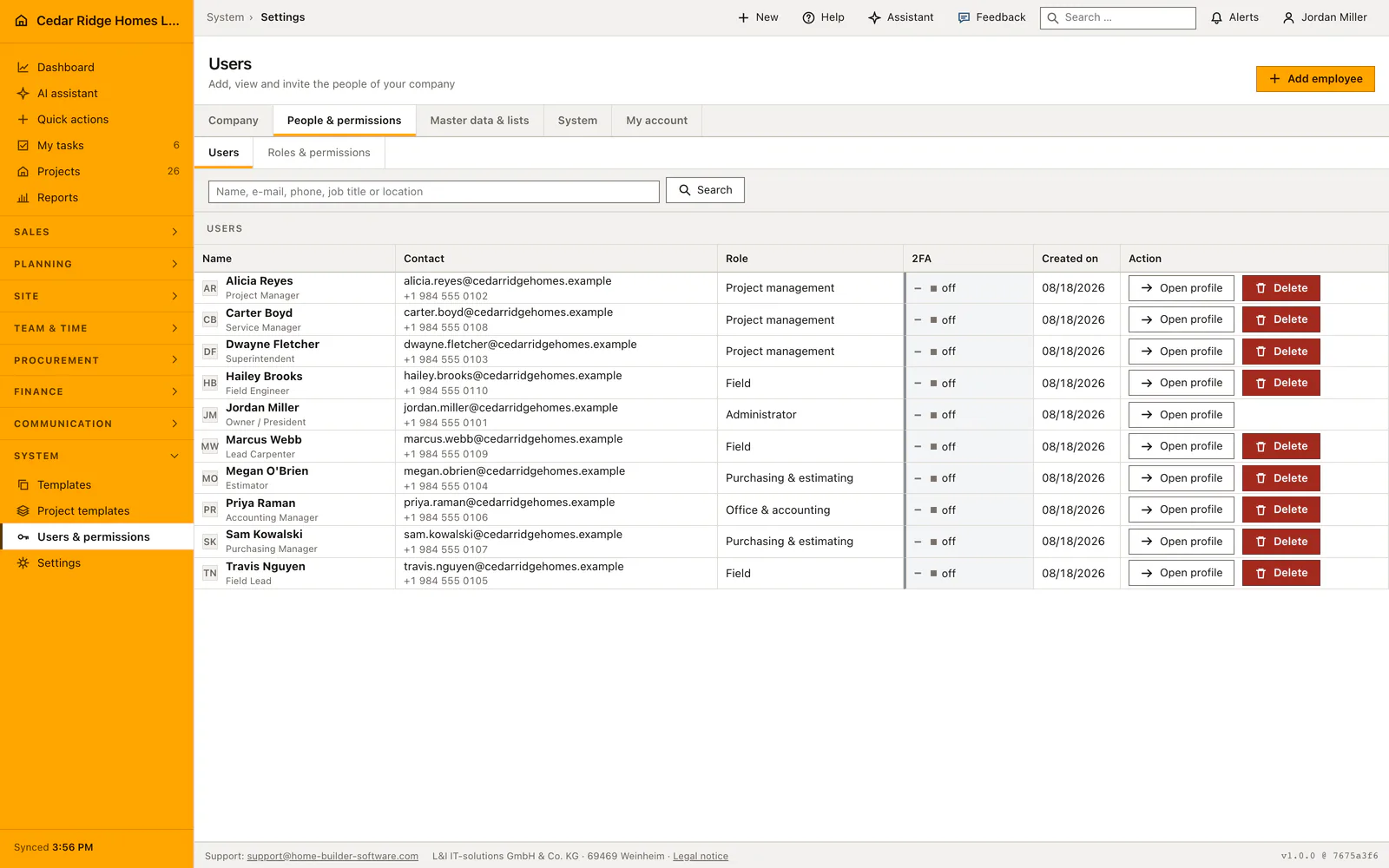
Change a colleague’s role from their account or the role-assignment overview, then review the permissions the new role grants. Administrator assignments receive additional protection, including protection for the last active administrator. For an ordinary personnel change, check whether the new role should replace the previous responsibilities entirely or whether a more specific company role is needed.
On top of the role sits the project restriction, edited from the contact card of a person under Edit project access. Switching it on and picking jobs limits that account to exactly those; switching it on and picking nothing leaves the person without a single project-bound record, which is a useful state for an external bookkeeper and a surprising one for a foreman. Company-wide records that carry no project stay visible wherever the role allows them.
 Open full-size screenshot
Construction roles and permissions in the daily routine
Roles are set up once and touched rarely. The administrator starts from the shipped system roles, copies what fits and adds something like a payroll role that sees hours but never customer invoices. Assignment happens per user, the administrator role stays reserved for administrators and nobody changes their own. The project restriction is usually ticked at invitation, when a foreman joins for a single building site. A role that still has holders has to be reassigned before it can be removed.
Read the documentationConstruction roles and permissions: what it covers
Combine project, record, finance, workforce and system permissions
Give field roles capture access without granting sales master-data changes
Protect the administrator role and roles still assigned to users
Construction roles and permissions: questions and answers
Is hiding a button the only permission control?
No. Home Builder Software also checks page access and every write request on the server.
Can a custom role be deleted while assigned?
No. It must first be removed from all users.
Use Construction roles and permissions on your own projects
Request a trial period for the workflow around this module. We agree the roles, permissions and useful scope with you before preparing access.