
Construction estimating software
Build itemized home-building estimates with quantities, unit costs, markups, margin, optional items and cost types that can become the project budget.
Construction estimating software: how it works in Home Builder Software
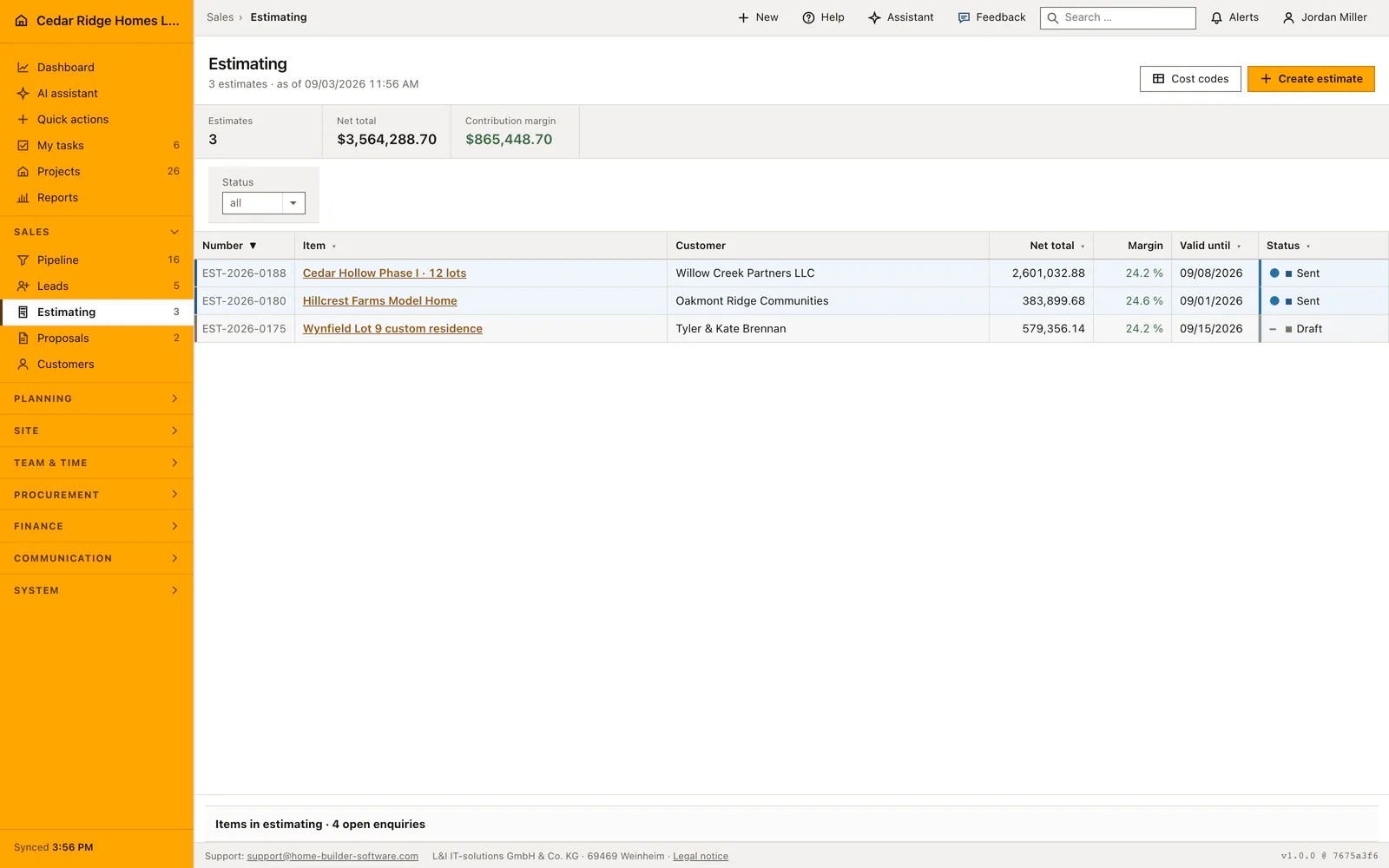
Pricing a house happens inside a real document here, not in a spreadsheet that nobody can find six months later. Each line carries its quantity, unit, unit cost and markup, and the margin appears while the figures are still being typed. The overview lists every estimate with its costs, net total, margin percentage, validity and status, next to the open opportunities that still have no document at all.
Overheads, risk and profit, discount and the tax rate are set once in the header. Line entry works in either direction: give a unit cost and a markup and the unit price follows, or type the price you want and the markup is derived from it. Section lines split the document into readable parts, optional items appear for the customer without counting toward the total, and every line takes a cost type from the company catalog, prefilled with the DIN 276 cost groups.
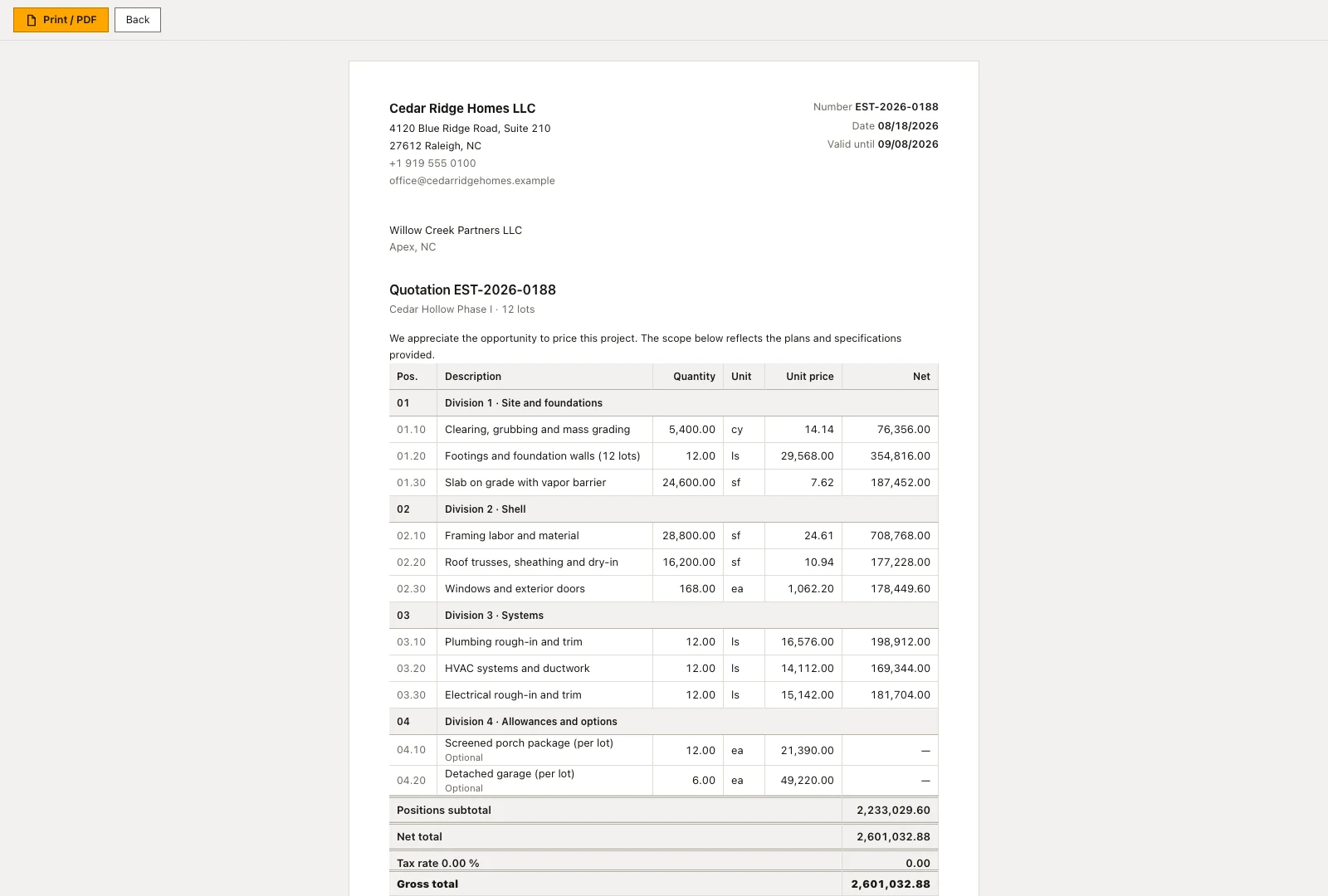
The printed document shows the customer prices only, never costs, markup or margin. Marking an estimate as accepted pushes its opportunity into the contract stage and copies the net total across as the volume, so board and document cannot disagree. With the finance permission, the same lines build the project budget grouped by cost group, and the transfer can be repeated without creating duplicates. Accepted and rejected documents freeze; later commercial changes run as change orders.
Creating an estimate document from an open opportunity
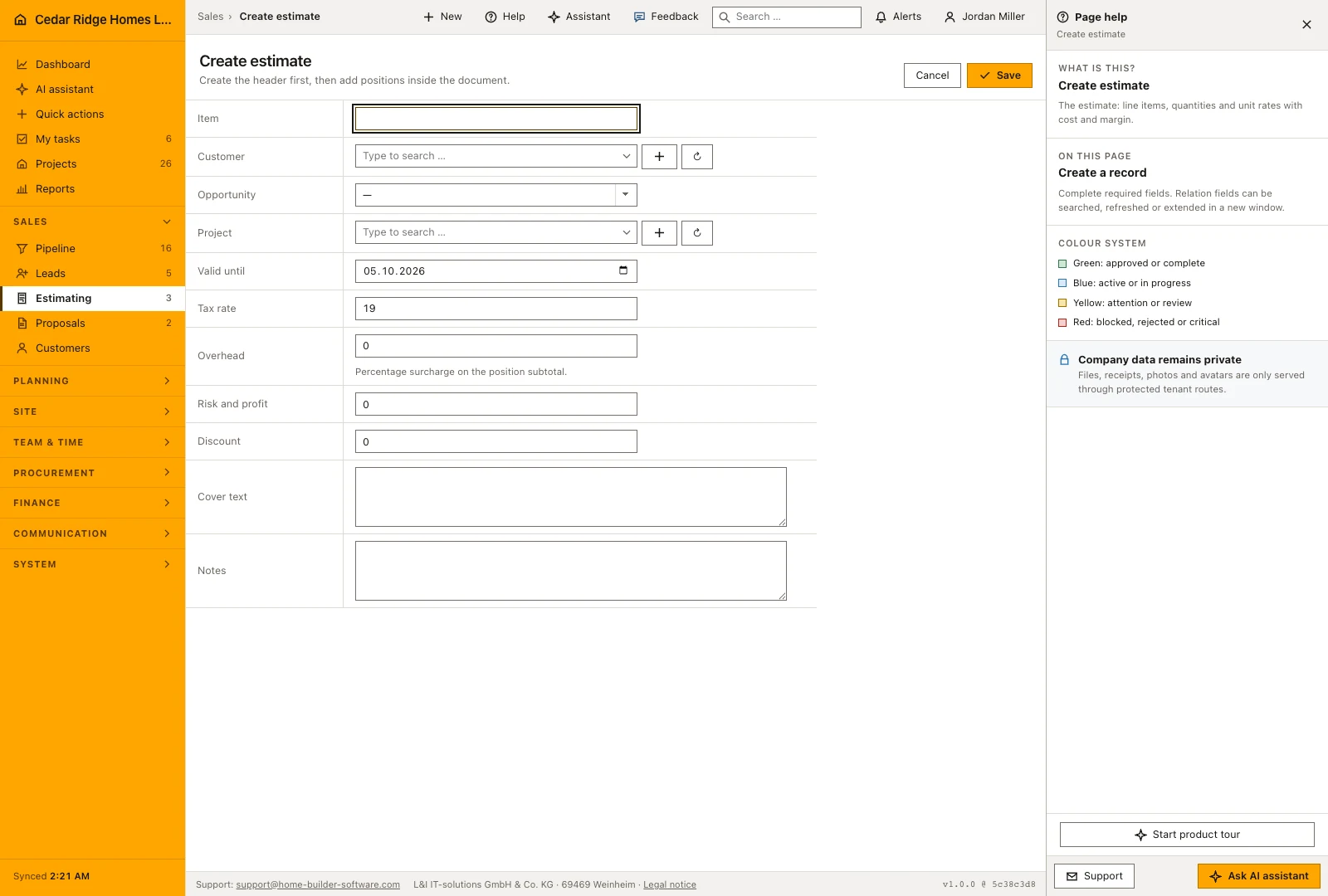
Start an estimate from the opportunity when the commercial context already exists. The customer, opportunity and working title then carry into the estimate form. A separate estimate can also be started from the estimating register. Review the customer and project links before adding positions, particularly if the calculation will later become a proposal or supply a project budget.
The create form writes the header and nothing else. Positions are entered afterwards inside the document, which opens with net total, gross total, cost and contribution margin above the position table and folds the header fields behind a summary. Assigning a project early has a concrete consequence: the budget preview preselects that project and no other. Without the assignment somebody has to pick the target explicitly later.
 Open full-size screenshot
Entering priced positions, sections and optional items
The position form serves both adding and editing. Each row takes a type, an optional cost code, a position label, a description, unit, quantity, unit cost and markup. Leaving the unit price empty derives the price from cost and markup; entering a unit price calculates the markup instead. Review the resulting position amount and margin before adding the next item, particularly when mixing purchased materials with labor.
A row type of section produces a heading that structures the specification and counts towards no sum. Optional positions are quoted and printed but stay outside cost, net total and margin, and so do section rows. Picking a cost code fills unit, unit cost and markup from the catalog as long as those fields are untouched. The cost group behind that code decides which line of the project budget will later receive the amount.
 Open full-size screenshot
From the accepted estimate to the proposal and the project budget
Create proposal sits on the estimate itself. It produces a frozen copy in which overhead, risk and profit and discount are folded proportionally into the printed unit prices, so the customer reads one clean price list that adds up to the cent. Where a proposal already exists the page links to it instead of offering a second one, which is how an estimator sees that the job is already out with the customer.
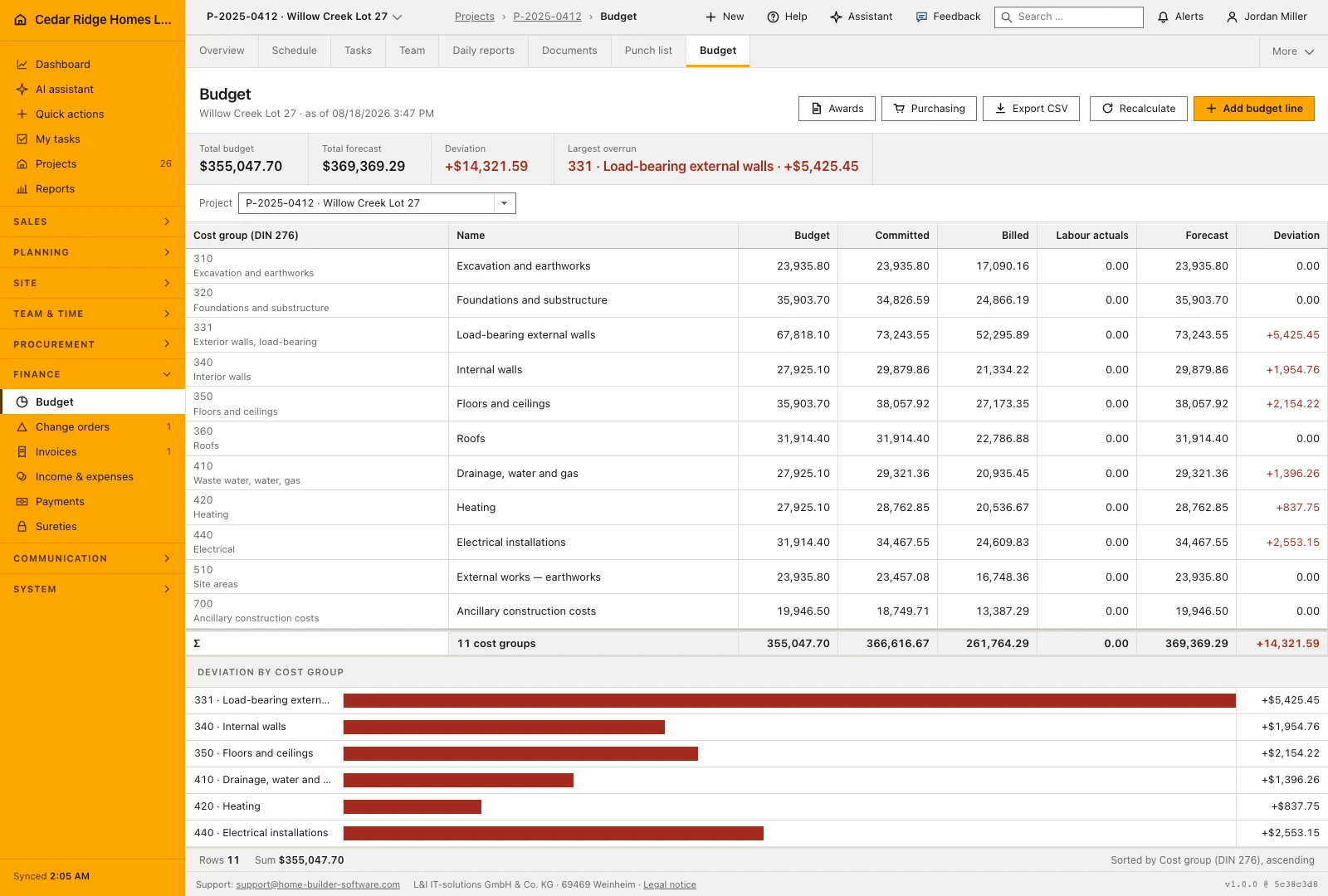
Transfer to budget opens a preview first. It shows for every cost group the figure the project currently carries, the figure the estimate would write and whether the line is added or overwritten. Only the estimate's own project or an explicitly chosen one is preselected. Writing aggregates the positions per cost group, so a repeated transfer corrects the numbers instead of doubling the rows, and the budget forecast is rolled up afterwards.
 Open full-size screenshot
Construction estimating software in the daily routine
An estimator picks an opportunity that has reached the estimating stage, sets the markups and tax rate on the header, then works down the trades adding priced lines with their cost types. The print view goes to the customer as the offer. When the answer comes back, the status is set, the opportunity jumps to contract, and a colleague with finance rights transfers the lines into the project budget so site costs can be measured against what was actually sold.
Read the documentationConstruction estimating software: what it covers
Calculate selling prices, markups and margin while editing line items
Print customer-facing proposals without exposing internal cost or margin
Transfer accepted estimate lines into grouped project budget items
Construction estimating software: questions and answers
Can an estimate contain optional items?
Yes. Optional lines appear in the document but are excluded from the total.
Can an accepted estimate be changed?
Accepted or rejected documents are locked; later commercial changes are handled as change orders.
Use Construction estimating software on your own projects
Request a trial period for the workflow around this module. We agree the roles, permissions and useful scope with you before preparing access.