
Construction time tracking
Let employees clock in and out, select a project or add a manual time entry without making GPS a requirement.
Construction time tracking: how it works in Home Builder Software
Hours reach the office as data, not as a paper slip handed over on Friday. Time tracking has its own navigation entry, so a bricklayer opens one page, clocks in, picks the project if there is one, and clocks out again at the end of the day. Anything missed later becomes a manual entry with date, start, end, break minutes and a note. Location never gates any of this.
Every booking runs from submitted to approved or rejected. The approval dialog proposes the rate stored on the employee and says where to enter one if none exists, asks for the DIN 276 cost group, then freezes rate, cost group, budget link and the calculated labor cost and locks the row. A rejection needs a written reason. A locked entry can only be corrected or deleted after a logged reopening, and the period payroll export carries approved hours alone.
Approval is what makes an hour count against a project. Each release and each reopening triggers the budget rollup, so approved labor cost lands in the actual figures of its cost group, and both budget and report show labor actuals as a line of their own. Payroll receives one file per period with employee, project, hours, cost group, rate and cost. Nobody retypes a timesheet, and every frozen figure keeps the decision behind it.
Clocking in, clocking out and adding a forgotten day
Clock in creates a booking dated today, enters the current time as the start, leaves the minutes at zero, sets the status to running and the source to the clock. The project select stands on the job of the running booking, otherwise on the project in context, otherwise on the one last booked. A second clock-in is refused: the answer says that you are already clocked in.
Clock out finishes the running entry and moves it into the recorded time awaiting the next step. Check the project before ending the booking, especially when moving between sites during the day. The page also shows time already recorded for today and across the week, helping the employee spot a forgotten stop or a missing manual entry before handing the period to the office.
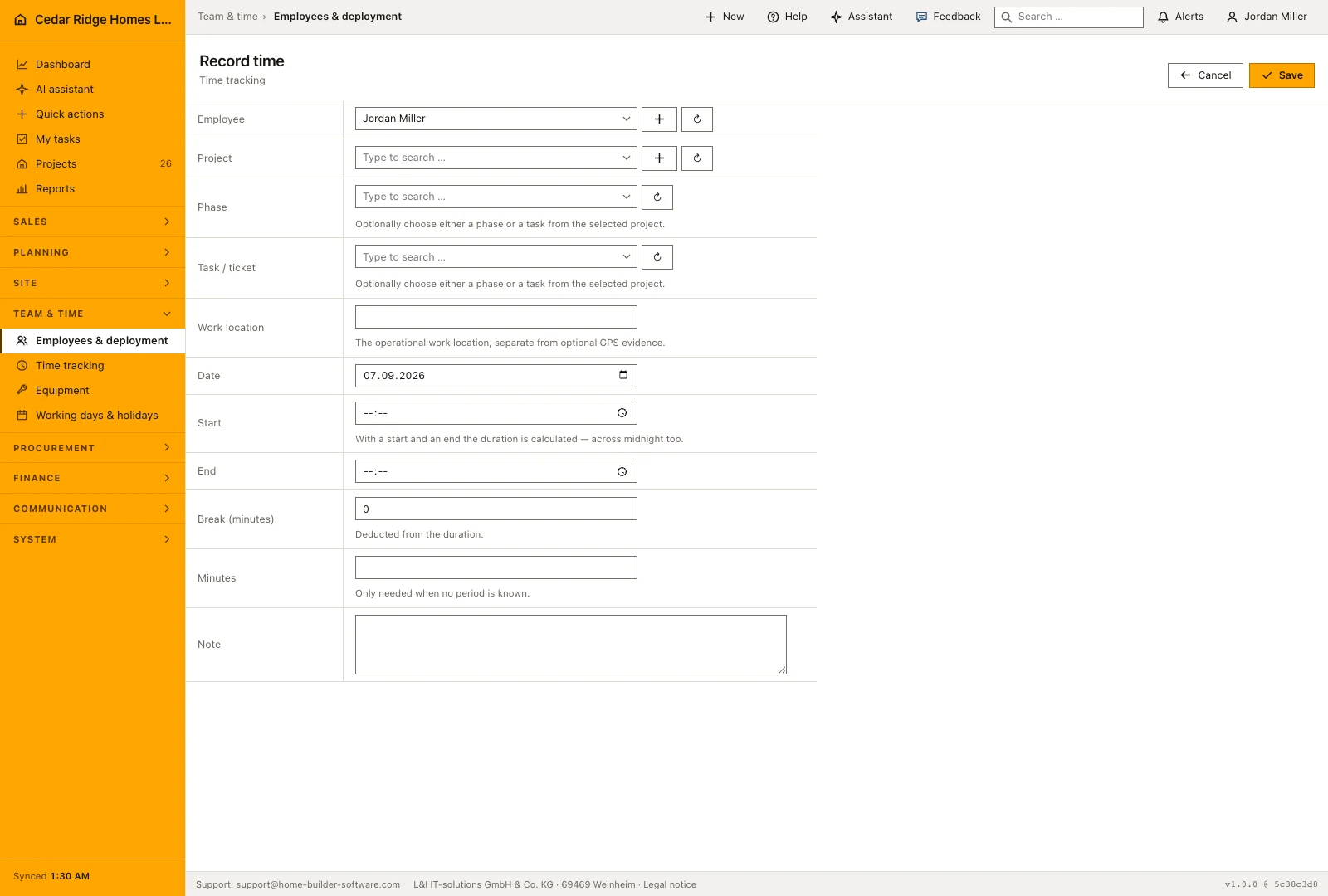
A forgotten day becomes a manual booking with a date, a period or a plain number of minutes, break minutes and a note. When a start and an end are given the duration is calculated and the break deducted; an end before the start counts as work past midnight, and a break longer than the period is refused with a message of its own. Correcting a booking that is still running closes it in the same step.
 Open full-size screenshot
Approving, rejecting and reopening a time booking
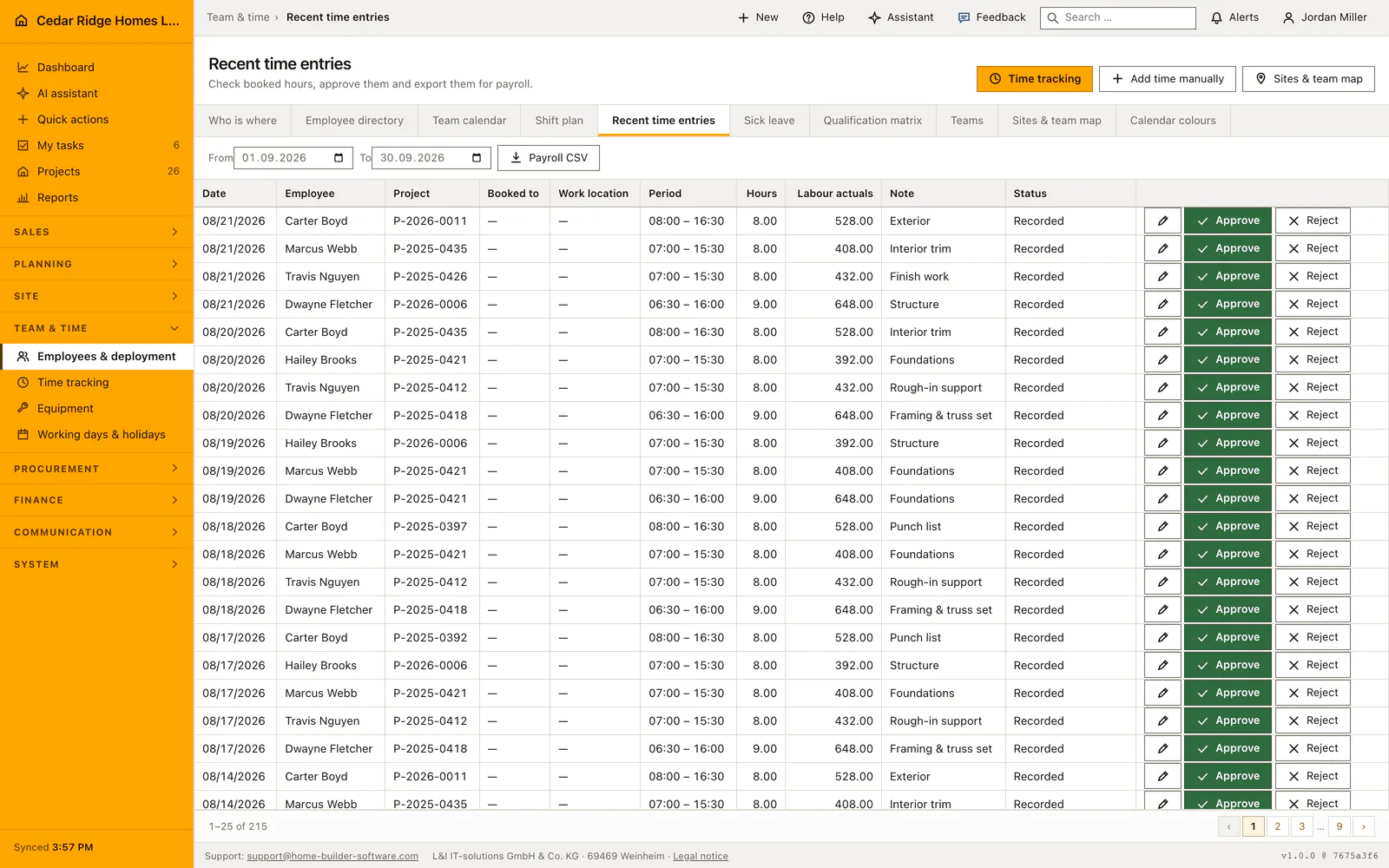
The office time register shows 25 rows per page, all bookings for the planning and payroll permissions and only your own otherwise. Approve opens a screen of its own instead of a cell in the table, because the decision costs money: it proposes the person's stored rate, demands the DIN 276 cost group and states that the amount enters the labor cost of the project.
Approval writes the rate, the cost group, the reference to the matching budget row, the calculated labor cost, the approving account and the moment, and it locks the row. A locked row refuses editing and deleting with the note that a manager has to reopen it first. A rejection demands a reason of up to 500 characters, sets the labor cost to zero and locks the row as well.
Reopening a booking returns it to recorded status for correction. Approval belongs to people with payroll authority, while planning managers can reject or reopen entries within their rights. This lets the planner question an implausible duration without deciding the payroll rate. The recorded decisions retain their history so the office can follow why a booking was returned and later approved.
Approved hours in the project budget and the payroll export
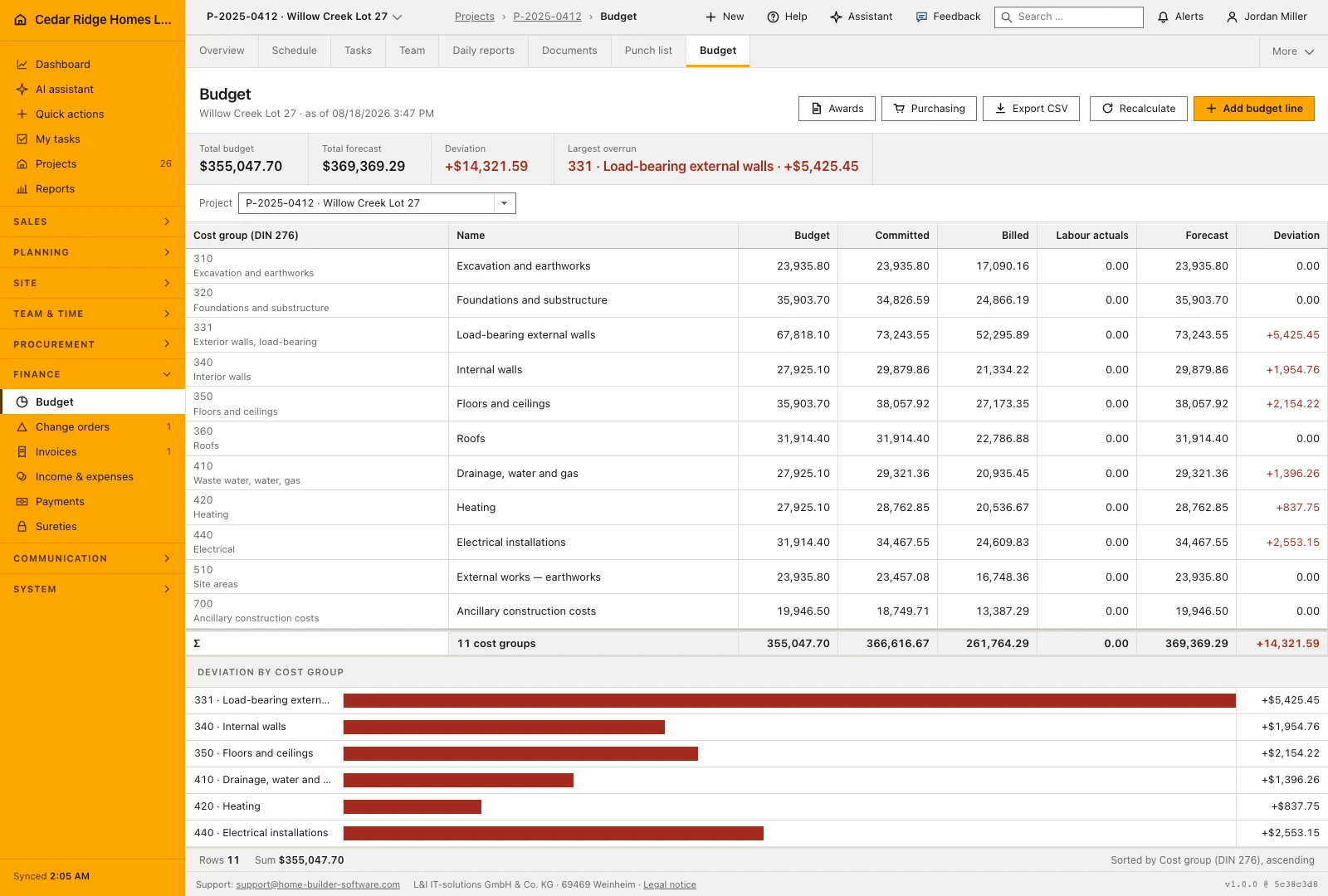
Approval is what makes an hour count towards a job. It triggers the recalculation of the project budget, so the labor cost of the booking lands in the actuals of the cost group chosen in the dialog, and the reference to the budget row is stored on the booking whenever the project keeps a row for that group. Rejection and reopening trigger the same recalculation with a labor cost of zero.
Prepare the payroll export for a start and end date. It includes approved bookings with the employee, project, hours, cost group, rate and cost, so the exported period can be reconciled against the entries that were reviewed. Running or unapproved work should be resolved before the final export. The crew overview remains useful for checking who is currently clocked in and whether that matches the day’s assignments.
 Open full-size screenshot
Construction time tracking in the daily routine
The crew clocks in when work starts on site and out when it ends, choosing the project so the hour knows where it belongs. Missing days are added from the office as manual entries. Site or project management then works down the hours list, opens each booking, checks rate and cost group, and either approves or rejects it with a reason. Approved rows lock and feed the budget. Payroll pulls the period export at month end.
Read the documentationConstruction time tracking: what it covers
Start or stop the current work session from a dedicated page
Assign time to a project or add a manual entry
Share location only after company policy, employee consent and an explicit action
Construction time tracking: questions and answers
Is GPS required to track time?
No. Clocking in and out always works without a location.
Does Home Builder Software track employees continuously?
No. Location is requested only after policy and consent and when the employee explicitly chooses to send it.
Use Construction time tracking on your own projects
Request a trial period for the workflow around this module. We agree the roles, permissions and useful scope with you before preparing access.