
Construction punch list and defect management
Manage defects across projects from capture and trade assignment through correction and verified acceptance in a list or Kanban board.
Construction punch list and defect management: how it works in Home Builder Software
Defects do not disappear because someone promised to fix them. The punch list holds every one of them across all projects, from the moment it is written down in a room to the moment site management confirms on site that it is gone. Each entry names the location, the trade in charge and the deadline for correction, which is what turns a vague complaint into a task somebody owns.
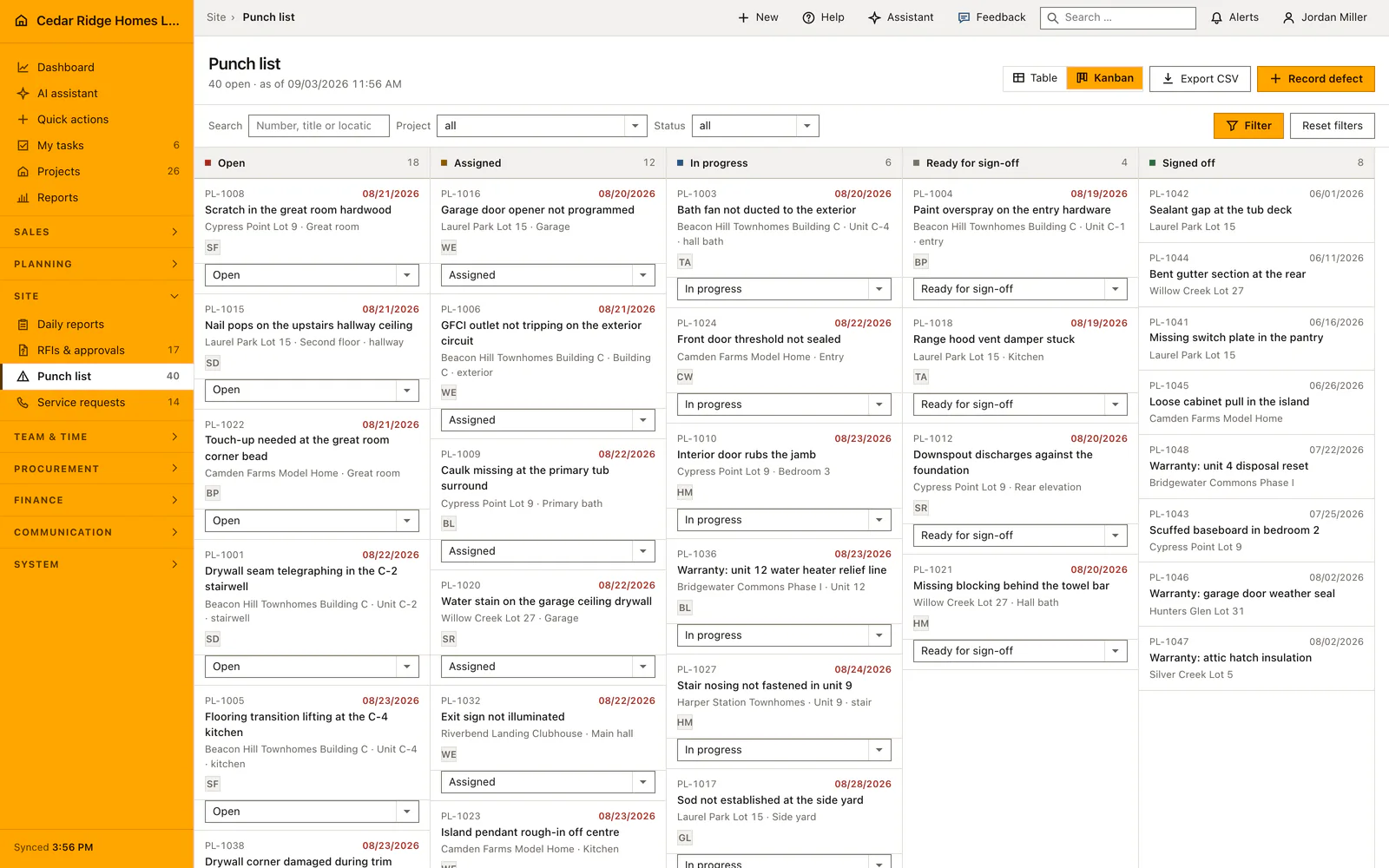
A new defect gets the next M number automatically, starts as open and carries a severity of normal or major. The board runs open, assigned, in progress, ready for verification and accepted, and dragging a card saves at once; if the save fails the card returns to where it came from. The final column takes no drops. Overdue means the deadline has passed and the defect is not yet accepted.
Acceptance is a separate action that only works from ready for verification, and an accepted defect cannot be reopened through the form. Every valid move and every acceptance lands in the audit log, and the open count feeds the badge in the navigation. Photographic evidence of the repair belongs in the daily report of that day, which can link the defect, so the fix keeps its date and its author.
Recording a defect: title, location, trade, due date and severity
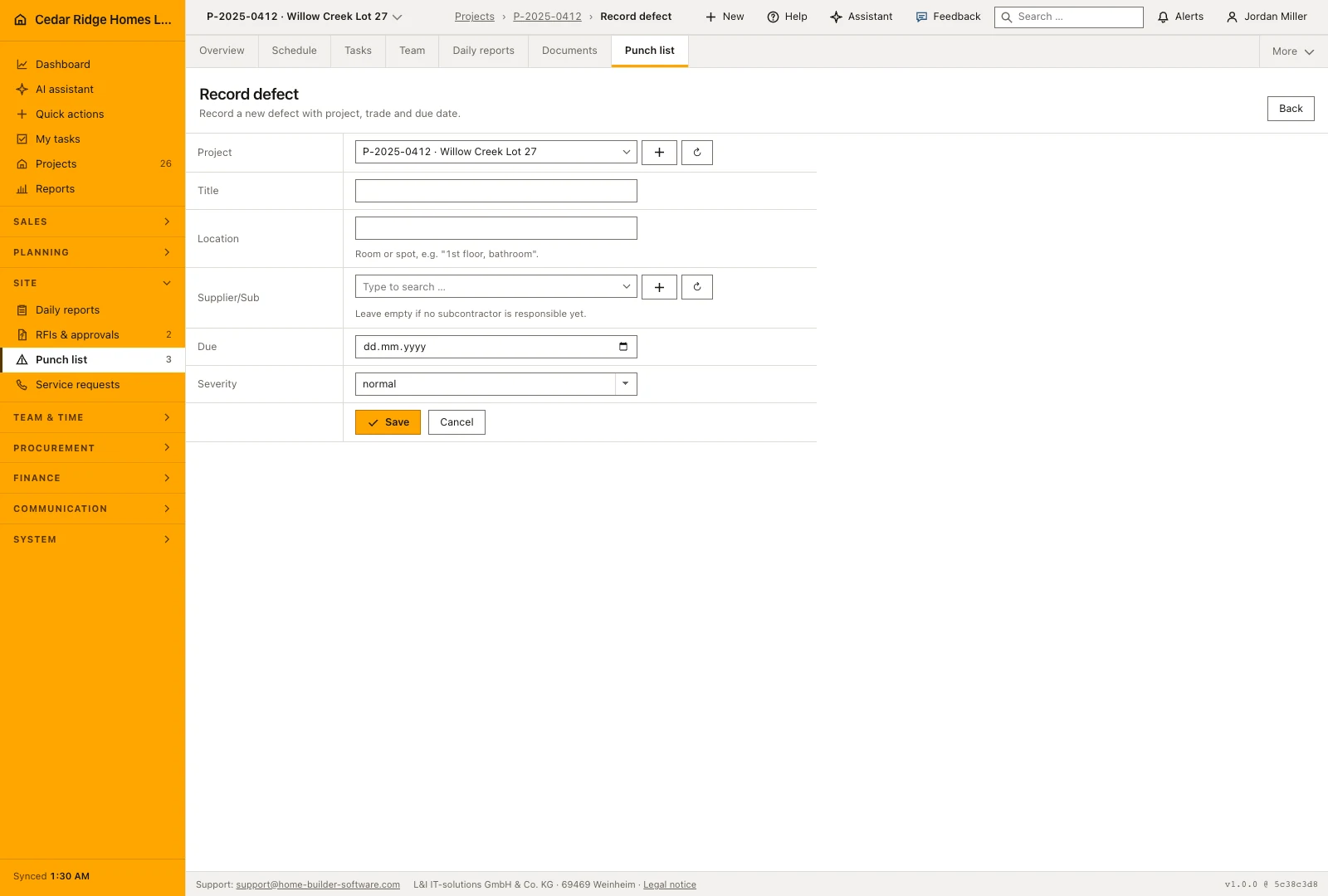
Choose the project, describe the defect and identify its location precisely enough for the responsible trade to find it. Add the subcontractor, due date and severity when known. For example, scratched flooring becomes an actionable item when it names the upstairs hall and the contractor responsible for correction. A due date makes the entry part of overdue follow-up if it remains unresolved.
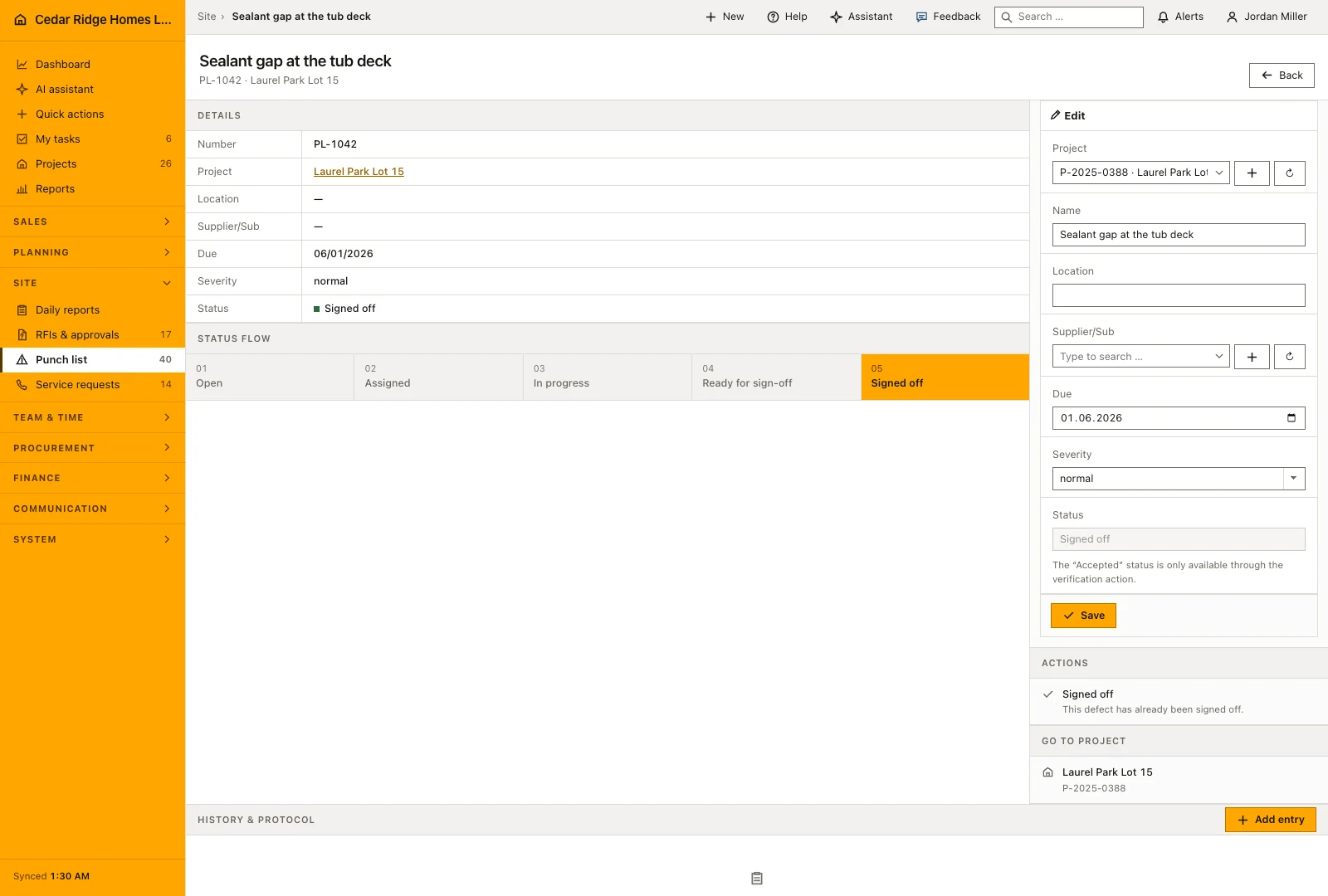
The number is issued company wide as M followed by the next sequence, not per project, so a number quoted on a handover sheet identifies exactly one entry. The new defect starts on open and appears at once in the table, on the board and in the navigation count. Its file shows the same fields for correction and, above them, the status flow with the current step marked.
 Open full-size screenshot
Table, Kanban board and searching by number, title or location
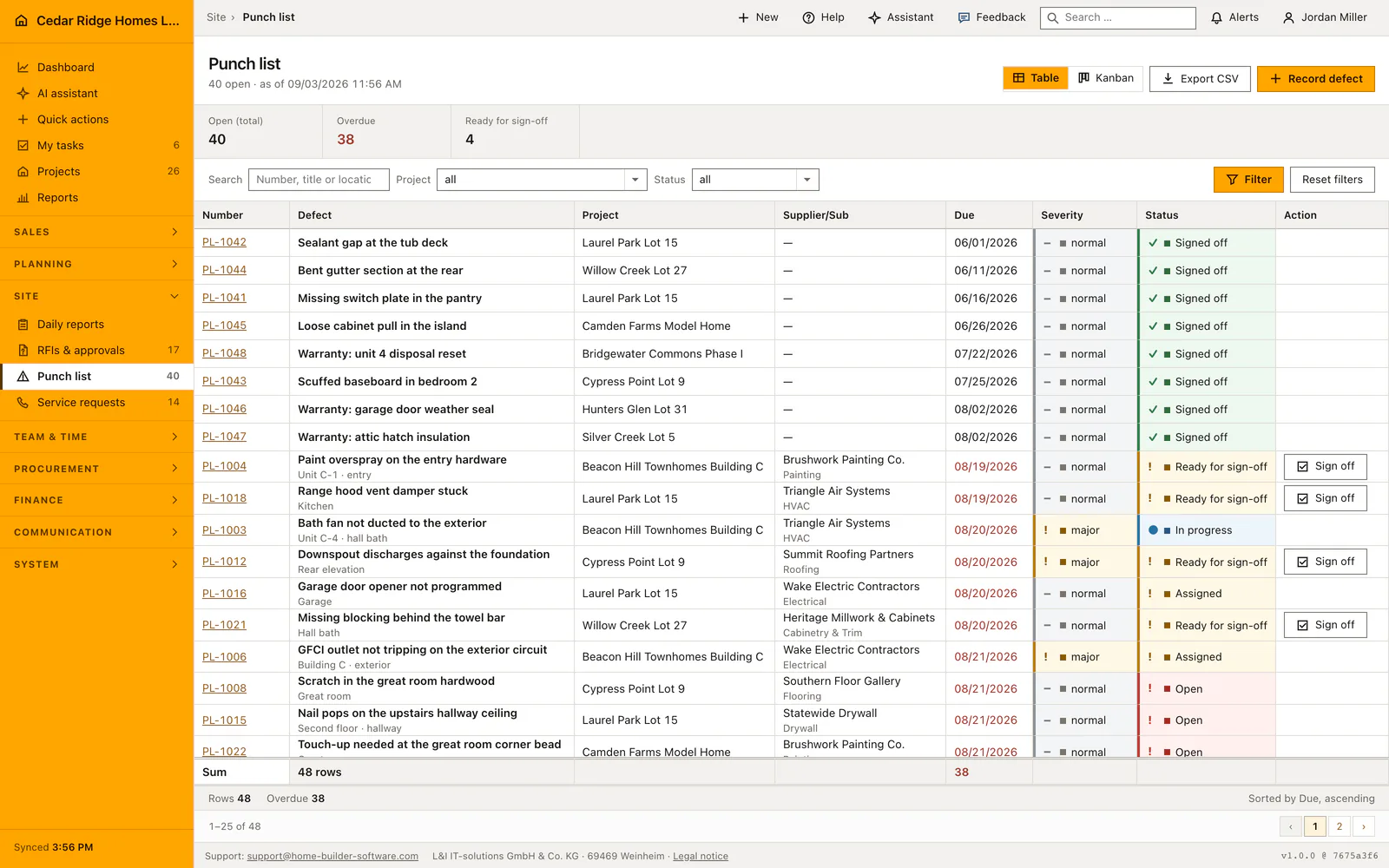
Use the table when you need to search a defect number, compare due dates or export a filtered list. Use the Kanban board when the site meeting needs a view of open, assigned, in-progress and ready-for-sign-off work. Project, status and search filters help keep the discussion on the same set of defects when changing between the two views.
The figures above both views count open, overdue and ready for sign-off inside the current filter, and overdue means the due date has passed while the defect is not yet accepted. On the board a card carries the number, the title, the project and location, the due date and the subcontractor initials. Dragging saves immediately and returns the card to its column if the save fails; on a phone the card opens and the status is set in the file.
 Open full-size screenshot
Sign-off, the audit trail and what an accepted defect still allows
Ready for sign-off means that the correction has been reported and still needs checking. It is not the same as accepted work. Open the record or the relevant table row, check the repair and use the separate sign-off action. The final board column is not a drag target, so moving a card during a meeting cannot accidentally count as the inspection itself.
Once a defect is accepted, its own form offers no other status, so it cannot be reopened from there. Board moves and sign-offs go into the audit log together with the defect, the status it came from and the one it went to. The CSV export carries number, project, title, location, subcontractor, due date, severity and status for the filtered set.
 Open full-size screenshot
Defects in the daily report, the project file and the subcontractor's work
A defect has no photo field of its own. The picture that proves the repair belongs to the daily report of the day it was made, and that report can link the defect, which dates the evidence and names its author. The link also shows on the report row as a written mark, so an evening that produced defects is visible without opening it.
Inside a project the punch list appears as its own tab and answers for that job alone, while the register in the main navigation answers for the company. The supplier column names the trade that owes the correction, and the initials on the board card carry the same name in short form. Comments, meeting notes, pictures and emails collect on a defect in the history every other record uses.
Construction punch list and defect management in the daily routine
A walk through the building produces the entries: project, title with location, responsible subcontractor, deadline and severity. The trade picks the card up on the board and moves it to in progress, then to ready for verification when the work is done. Site management goes back to the room, looks at the repair and presses accept, or leaves the card where it is. The open and overdue figures above the list show what the week still owes.
Read the documentationConstruction punch list and defect management: what it covers
Prioritize defects by due date, severity, location and responsible trade
Move operational statuses on a Kanban board with save-failure rollback
Reserve final acceptance for an explicit superintendent review action
Construction punch list and defect management: questions and answers
Can a card be dragged directly to Accepted?
No. The final status is reached only through the acceptance action after onsite verification.
What happens if a Kanban status update fails?
The card returns to its previous column so the screen does not imply an unsaved change.
Use Construction punch list and defect management on your own projects
Request a trial period for the workflow around this module. We agree the roles, permissions and useful scope with you before preparing access.