
Construction income and expense records
Record income, expenses, employee costs and purchases with project, supplier, net amount, tax, status, note and a protected receipt.
Construction income and expense records: how it works in Home Builder Software
Receipts collect in jacket pockets, mailboxes and glove compartments, and the cost they represent never reaches the project. This register takes all four in one place: income, expense, employee expense and purchase, each with an optional project and supplier, net amount, tax, status and a note, plus the receipt itself as a PDF or a photo taken on site.
Filters combine type, status and period, and every total refers to the list currently shown rather than the whole year. The entry keeps its type and its assigned number once saved while the remaining fields stay editable. Seven separate number ranges exist for invoices, credits, purchase orders, income, expenses, employee expenses and purchases, each with prefix, next counter, padding and year part, and every number is reserved inside a database transaction.
Expense and purchase entries that reach booked or paid become the invoiced column of the matching DIN 276 cost group, which is how actual cost arrives in the budget without anyone typing it twice. Supplier invoices from purchasing write their own entry carrying the purchase order, due date and invoice reference. Receipts stay in private tenant storage, are served through a permission-checked endpoint and never receive a public address.
Creating an income, expense, travel or purchase entry
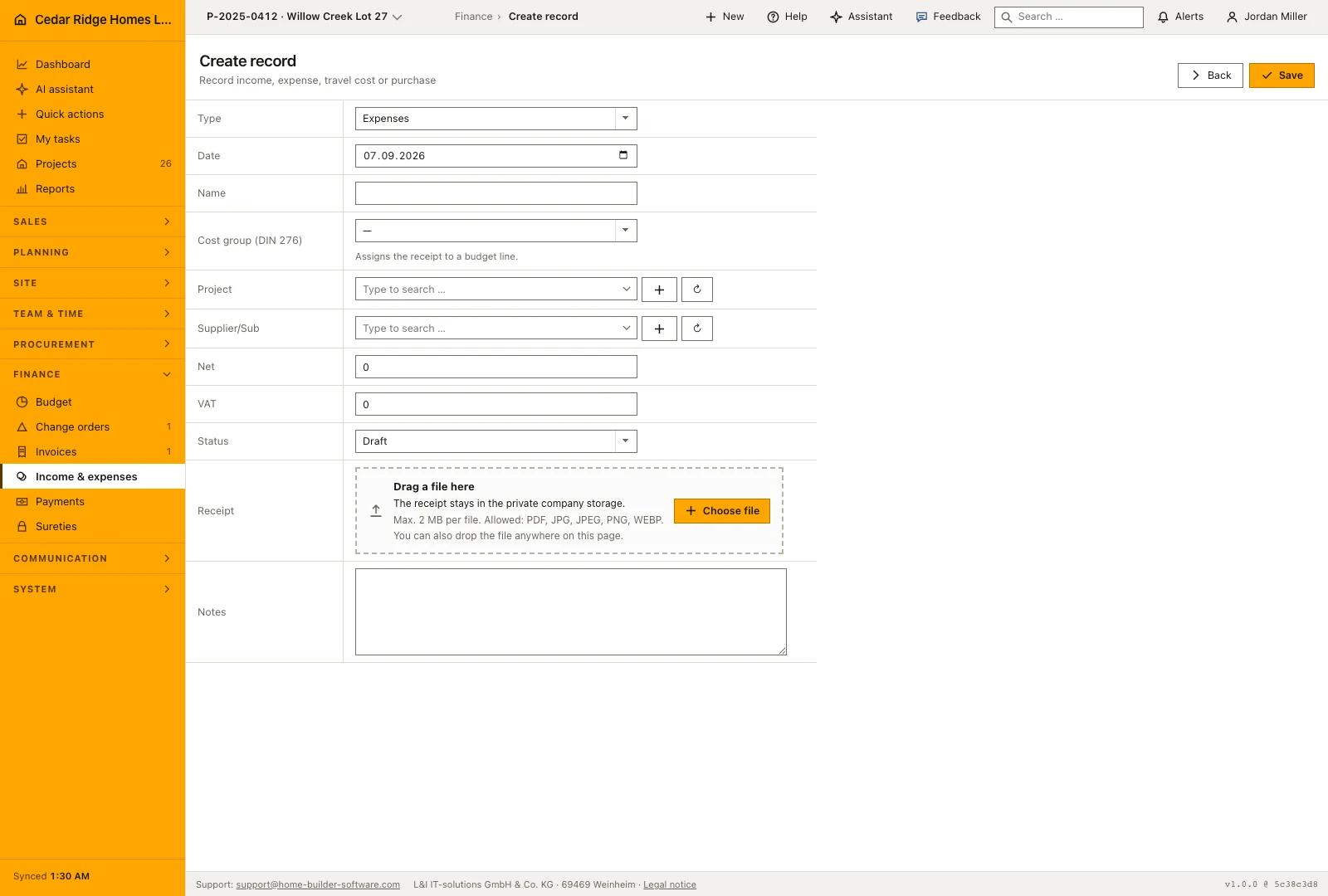
Open the entry form and choose income, expense, travel or purchase before entering the date and description. Add the project, supplier and cost group when the entry belongs to a job. Net and tax amounts are entered separately and produce the gross amount shown in the register. Choose the type carefully, because it identifies the record throughout the later review and booking workflow.
Status starts on Draft and moves on to Submitted, Booked, Reimbursed or Rejected. The receipt field accepts a PDF, JPEG, PNG or WebP file up to 10 MB and names the document already attached, so replacing one is a decision rather than an accident. The note field holds up to 5000 characters. Saving lands on the detail page, where everything except the type and the assigned number can still be corrected and stored again.
 Open full-size screenshot
Filtering the expense register by type, status and period
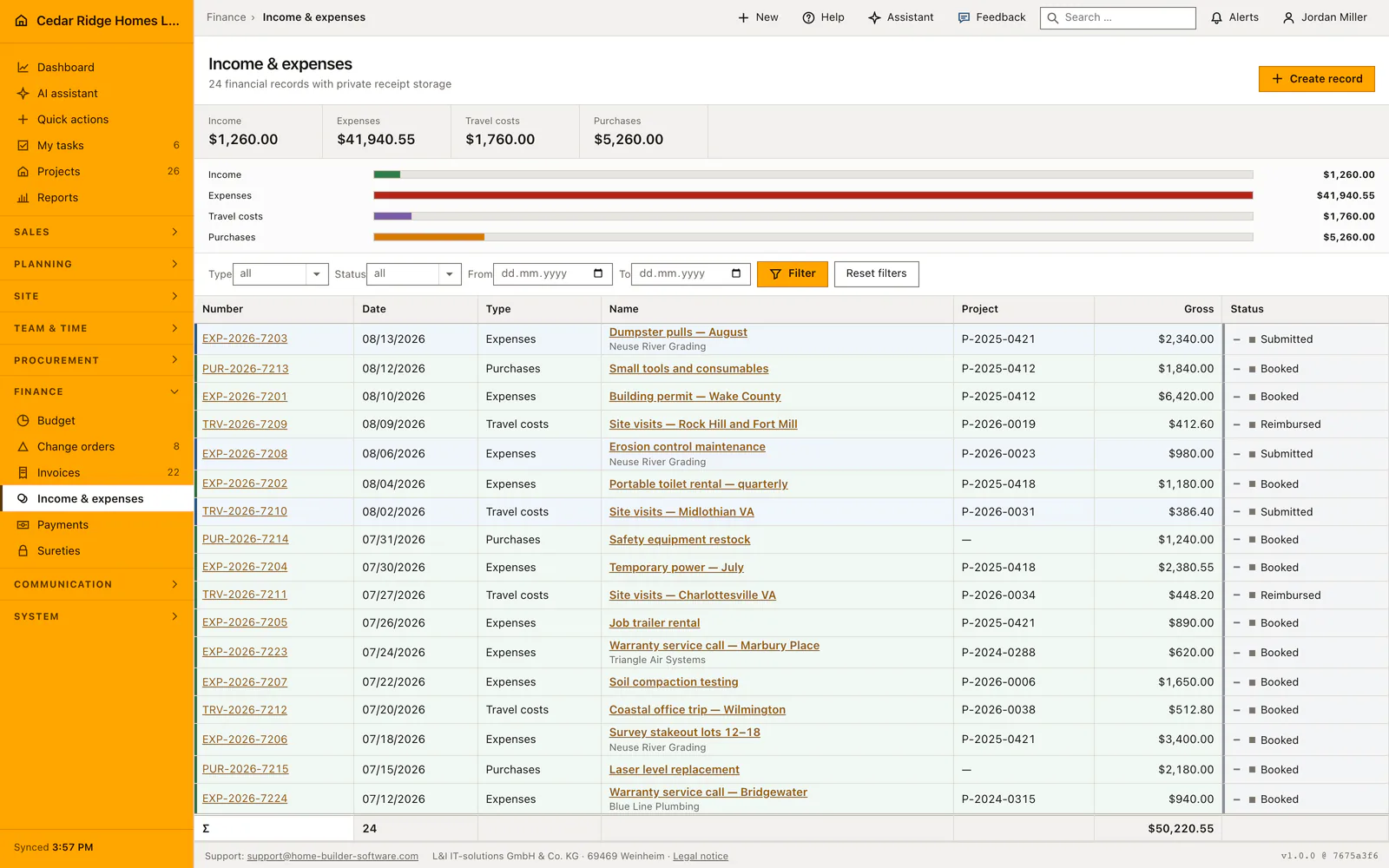
The filter bar above the table combines type, status, date from and date to. The figures over it are the totals per type and they cover the whole filtered set rather than the page on screen, which is what makes a period filter usable for a quarterly figure. The bars underneath compare the four types against the largest of them, so a month dominated by purchases is readable before a single row has been opened.
The table itself lists number, date, type, name with the supplier underneath, project number, gross and status, and each row is tinted by its status so booked and rejected records separate at a glance. Sorting is fixed on date descending and the list pages at 25 rows. The foot line repeats how many entries the filter found and their total, and the number in the first column opens the entry.
How a booked expense reaches the budget and purchasing
An expense or purchase entry that carries a cost group and stands on Booked or Reimbursed counts its net amount into the Billed column of that cost group on the budget page. The recalculation runs after every save, so the figure is never a nightly snapshot, and cost booked on a group the budget does not know yet becomes a line of its own labeled Not budgeted instead of vanishing quietly.
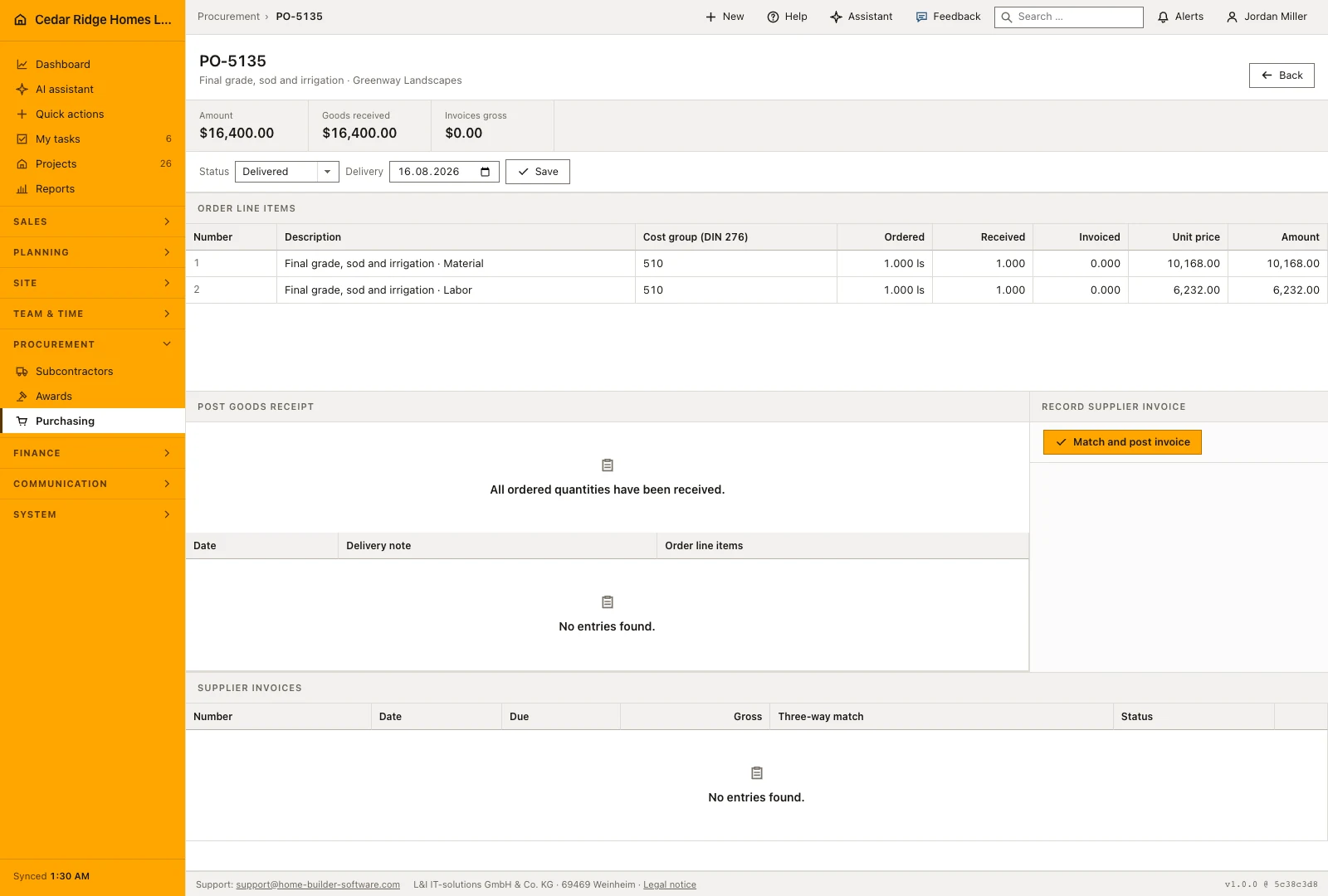
Purchasing writes entries as well. A supplier invoice captured against a purchase order creates a purchase receipt carrying that order, its due date and its cost group, on status Submitted. Approving the supplier invoice moves the receipt to Booked, and that is the moment the amount reaches the budget. Reassigning an entry to a different project recalculates the old project and the new one.
 Open full-size screenshot
Construction income and expense records in the daily routine
A foreman photographs the fuel or hardware receipt on the way back from site and creates the entry with project, supplier, net amount and tax while the detail is fresh. Bookkeeping picks it up from the filtered list, checks the attachment, corrects the note and moves the status to booked. That single move is what pushes the amount into the cost group on the budget page, where the site manager sees the forecast shift.
Read the documentationConstruction income and expense records: what it covers
Combine four transaction types in one filterable register
Attach an optional project and supplier to each entry
Store receipt PDFs or images in private company storage
Construction income and expense records: questions and answers
Which transaction types are available?
The register supports income, expense, employee expense and purchase.
Do uploaded receipts receive a public URL?
No. They remain in private tenant storage and are served through a permission-checked endpoint.
Use Construction income and expense records on your own projects
Request a trial period for the workflow around this module. We agree the roles, permissions and useful scope with you before preparing access.