
Construction planning
Planning turns a signed contract into dates, work packages, customer selections, drawings and the resources a site needs.
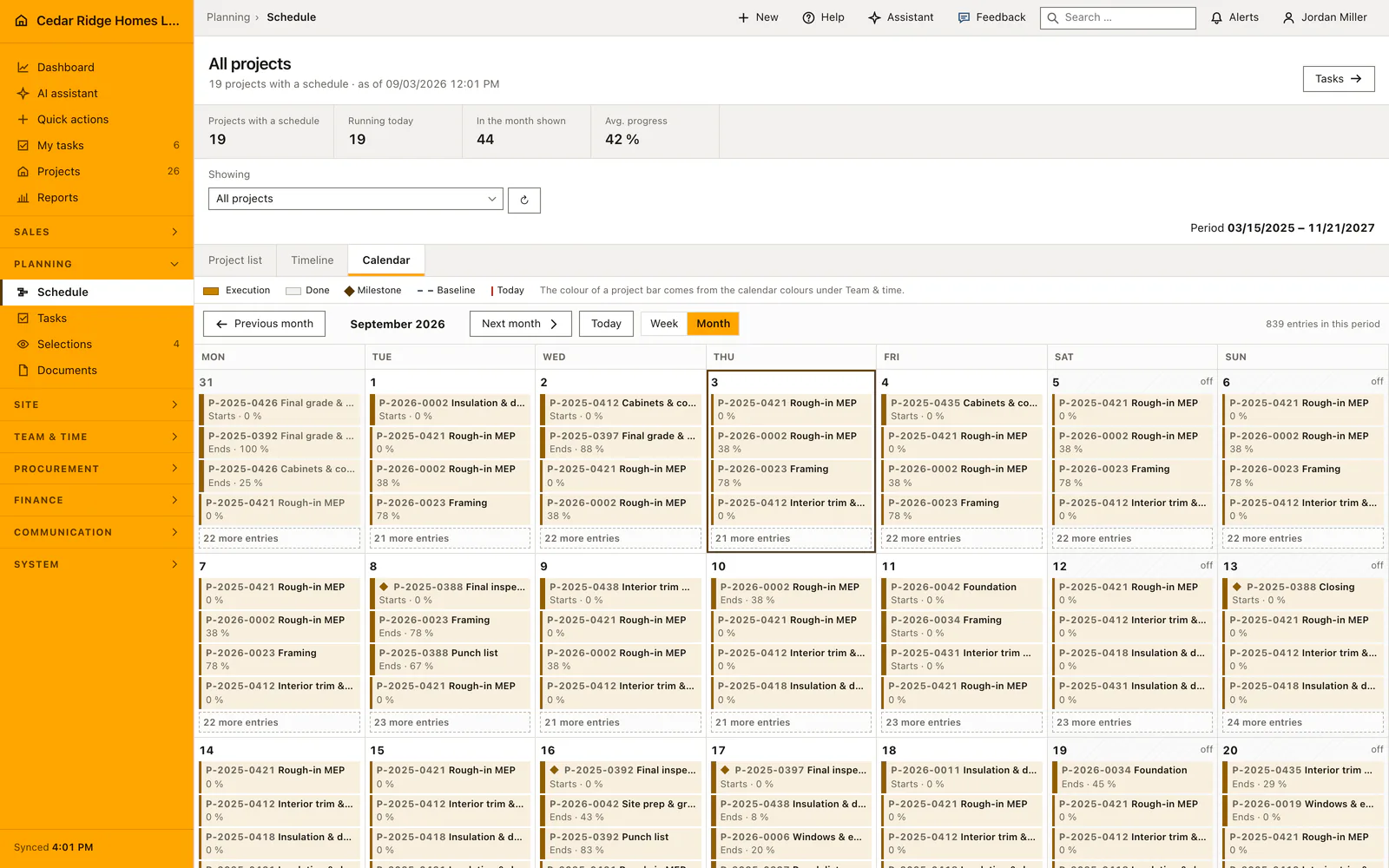
Project managers set the schedule, cut it into tasks that carry a phase, a due date, a responsible person and the checks that must be answered before completion, then publish the documents and selections that belong to them. The field sees the current plan on a phone instead of a printout that was accurate last week.
Planning modules in Home Builder Software
Construction scheduling and Gantt planning
Plan home-building phases, activities and milestones in a calendar and Gantt view with working days, dependencies, baselines and critical-path information.
Construction task management
Coordinate company, project and personal construction tasks by phase in one dispatch list, with multiple assignees, subcontractors, checkpoints, progress and controlled acceptance.
Home buyer selections management
Manage allowances, priced product options with supplier and lead time, customer decisions and their contract or schedule impact in a dedicated selections workflow.
Construction document management
Store plans, photos, contracts and reports in private company storage with project folders, automatic plan revisions, controlled downloads and optional photo inspection.
Project resource and cost planning
Plan labor, subcontractors, equipment, tools and material by quantity, unit, unit rate and deployment period in the project file before those resources are committed.