
Home building project management
Manage every home-building project with contract value, billing, schedule status, progress, customer record, cost groups and current decisions in one project file.
Home building project management: how it works in Home Builder Software
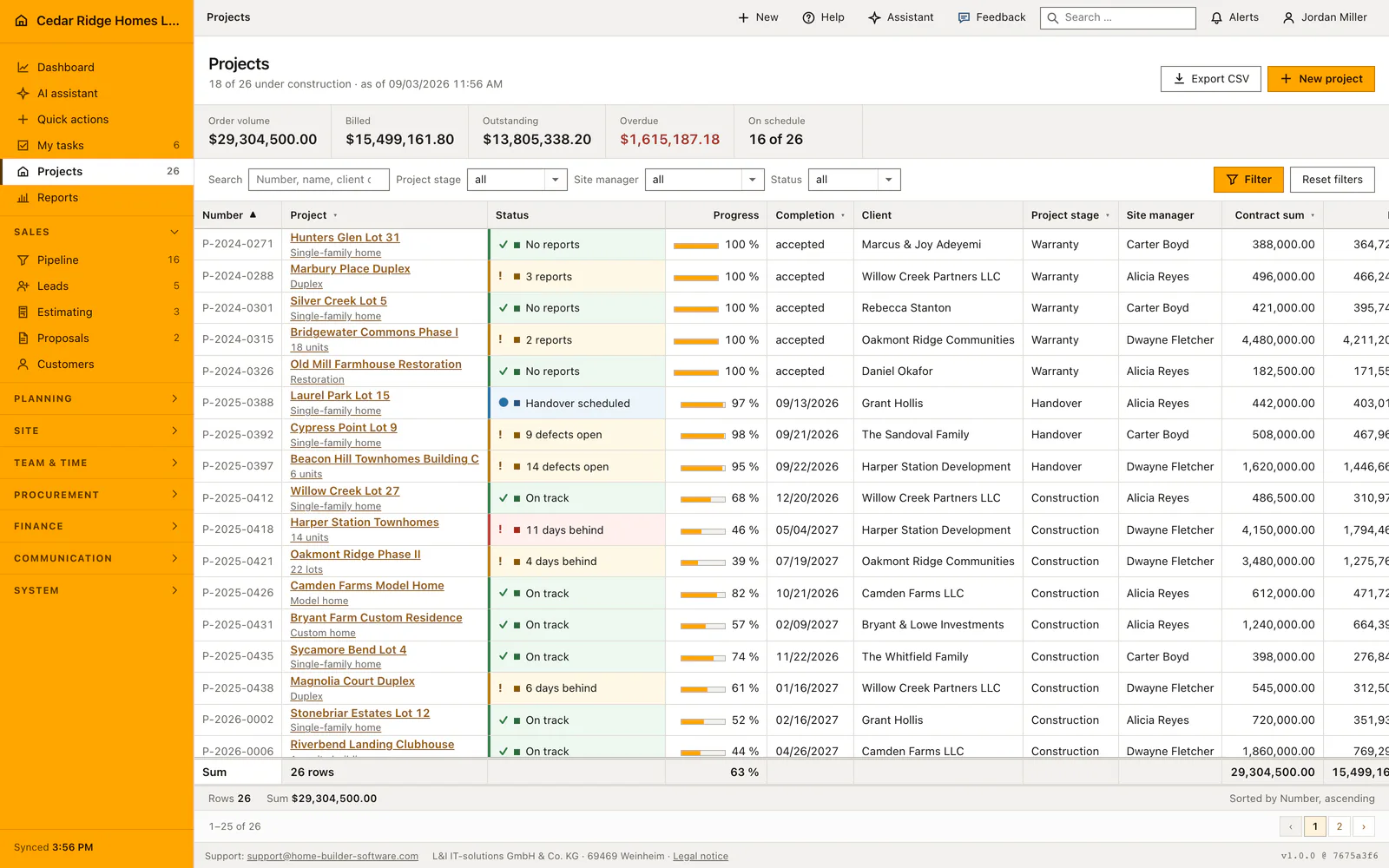
The project list is where the building work is steered from. Every job appears with its contract sum, how much of it has been billed, how far the work has come and whether it is on schedule, and the figure band above the table always describes the rows currently filtered rather than the whole portfolio. Filters for phase, site manager and status apply instantly, a click on a column heading sorts, and the totals line adds up what is visible.
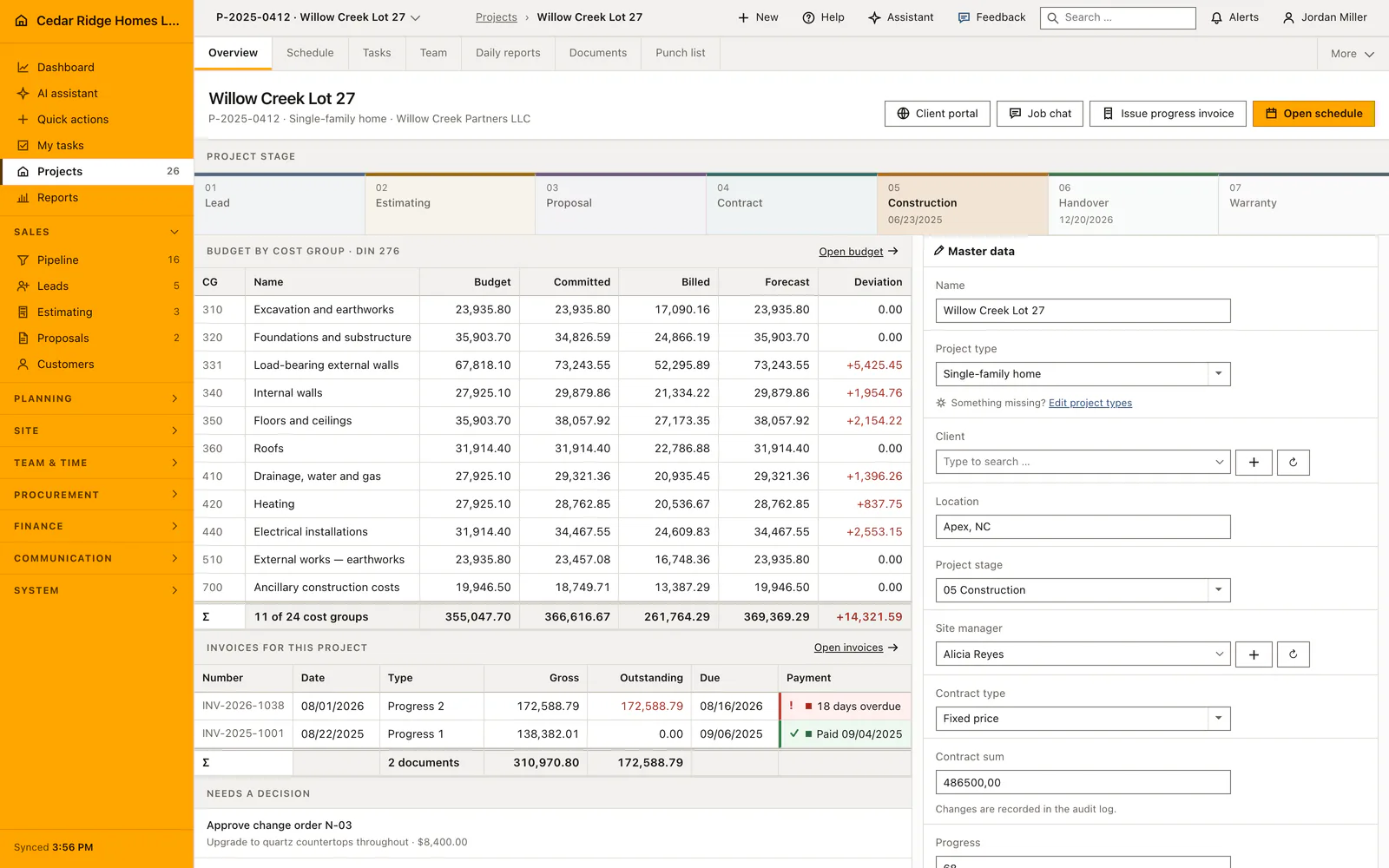
A click on the project name opens the file behind it, headed by the phase bar with the current phase in orange. Underneath sits the budget by DIN 276 cost group, with budget, committed, billed, forecast and variance side by side, a red variance meaning dearer than planned and a green one cheaper. The invoices of the project follow with their payment status. Contract sum stays editable for administrators only, and every save is written to the protocol.
Two panels on the right decide what happens next. “Needs a decision” collects open change orders, due dunning levels and reviewed RFIs as links straight into the record, while “Recently from site” shows the daily reports, defects and drawings that arrived last. The customer is a master record rather than a free-text field, so name and number come from the customer file. The project channel carries messages released to the customer into the portal.
Creating the project file and editing its master data
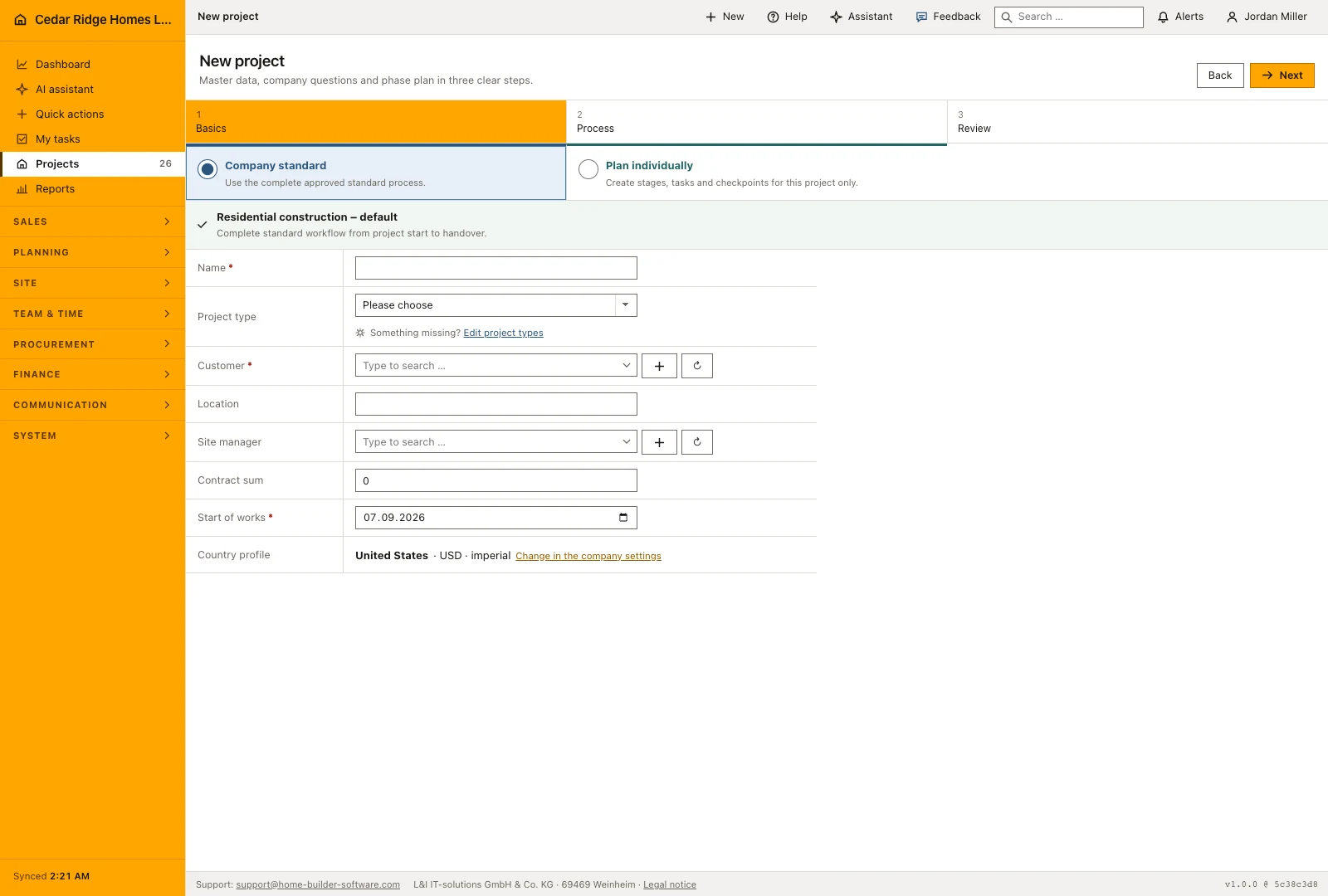
The creation wizard takes the project through basic details, template choices and a review of the resulting plan. Enter the customer, project name and start date, then choose the appropriate starting structure. Before creating the project, review the proposed activities and dates. Duration suggestions can be considered separately, so an estimate of the work does not become an agreed schedule without review.
Inside the file, the master data card holds name, project type, customer, site, project stage, site manager, contract type, progress, start, completion, payment terms, status and acceptance. Contract type is fixed price, cost plus or time and material. Stage accepts only construction, handover or warranty here, because the earlier stages belong to the sales pipeline. Progress is a whole number between zero and one hundred, retention a percentage, and completion may not fall before the start date.
 Open full-size screenshot
Filtering, searching and exporting the project portfolio
The search box matches number, name, customer and site in one search, and it ignores capitalization, so typing part of a street finds the job whichever field it was entered in. Three dropdowns narrow the list further by phase, site manager and status; each one submits on change and a real filter button stands beside them. The figure band recalculates over the filtered set, including the overdue amount, which is read from the invoices of exactly those jobs.
Sort the portfolio by project number, name, stage, contract amount or completion to answer the question in front of you. Filters and sorting stay in place when moving between pages of results. The CSV export uses that same selection, so a list prepared for a particular site manager can be shared or analyzed without manually removing unrelated projects afterwards.
 Open full-size screenshot
Registers that link budget, invoices, schedule and site records
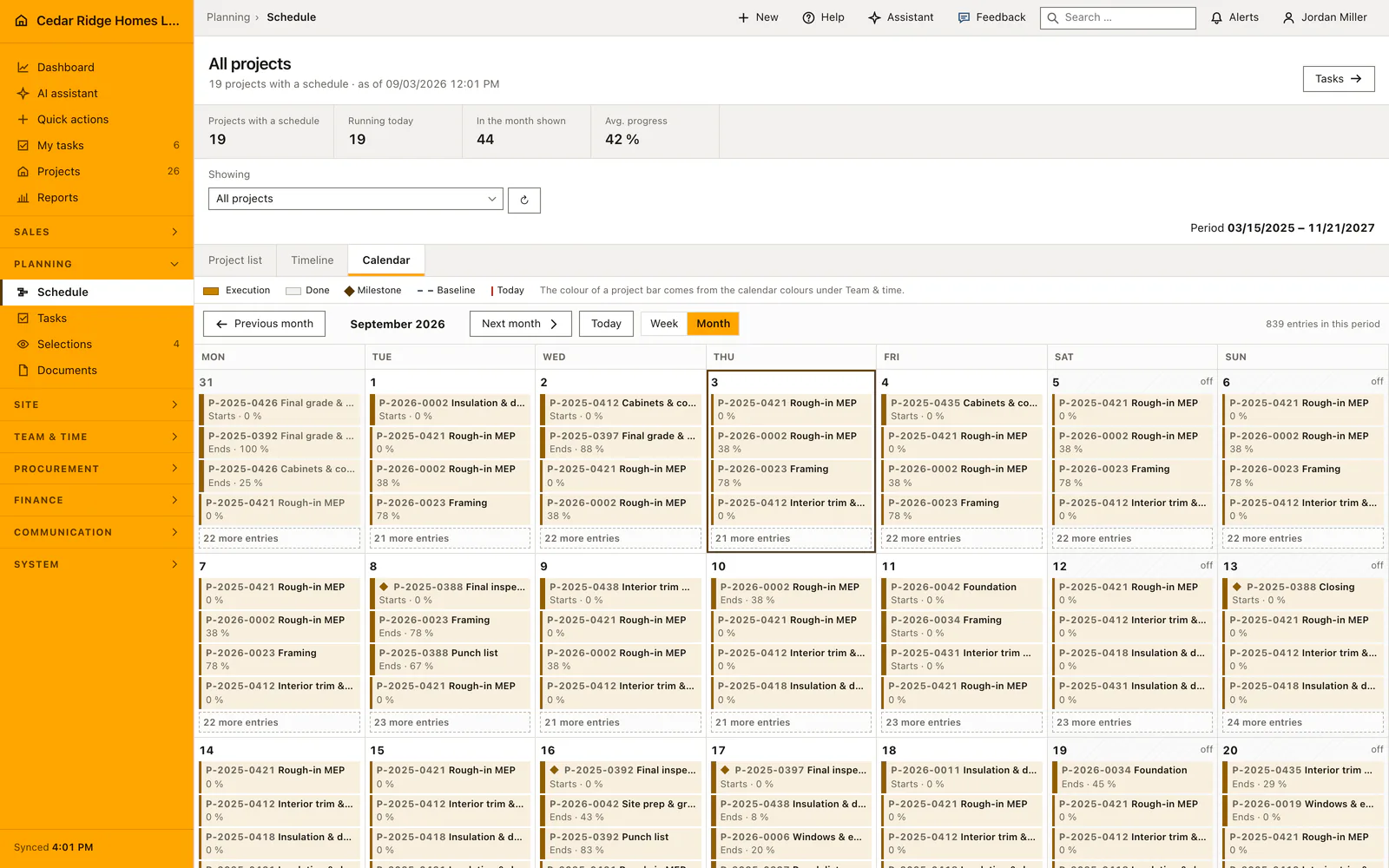
Each job carries its own addresses. Schedule, team, selections, daily reports, documents, defects and RFIs open under the project number, and change orders, budget, awards, invoices and purchasing sit behind the finance permission. The module list stays valid as the company-wide view, so invoices without a project prefix is the whole ledger while the same page under a project number is that job alone. Register bar, breadcrumb and menu marker name the same job.
The project overview highlights work still needing a decision, alongside recent site activity and progress. Open the linked record to review the detail before responding, rather than making a decision from its short summary alone. Use the schedule and field registers from the same project to check whether a pending question, change or defect affects the next planned activity.
 Open full-size screenshot
Home building project management in the daily routine
Site management filters the list down to its own phase each morning, checks the overdue amount in the figure band and opens the project the red number points at. Inside the file the decision panel names the next move, sending dunning level one or answering a reviewed RFI. Progress, dates and phase are edited in the same mask and land in the protocol. When the office needs the portfolio elsewhere, the CSV export takes the current filters and sorting with it.
Read the documentationHome building project management: what it covers
Filter and export the project portfolio by phase, manager and status
Connect budget, invoices, change orders, RFIs and field updates in the project file
Keep customer, dates, progress and responsibility as editable structured data
Home building project management: questions and answers
What does a project file contain?
It combines phase, contract and schedule details with DIN 276 budget figures, invoices, open decisions and recent field records.
Can the project list be exported?
Yes. The CSV export follows the current filters and sorting.
Use Home building project management on your own projects
Request a trial period for the workflow around this module. We agree the roles, permissions and useful scope with you before preparing access.