
Construction equipment tracking
Track each tool, machine or equipment item by inventory number, serial number, status, location, project, assignee and next service date.
Construction equipment tracking: how it works in Home Builder Software
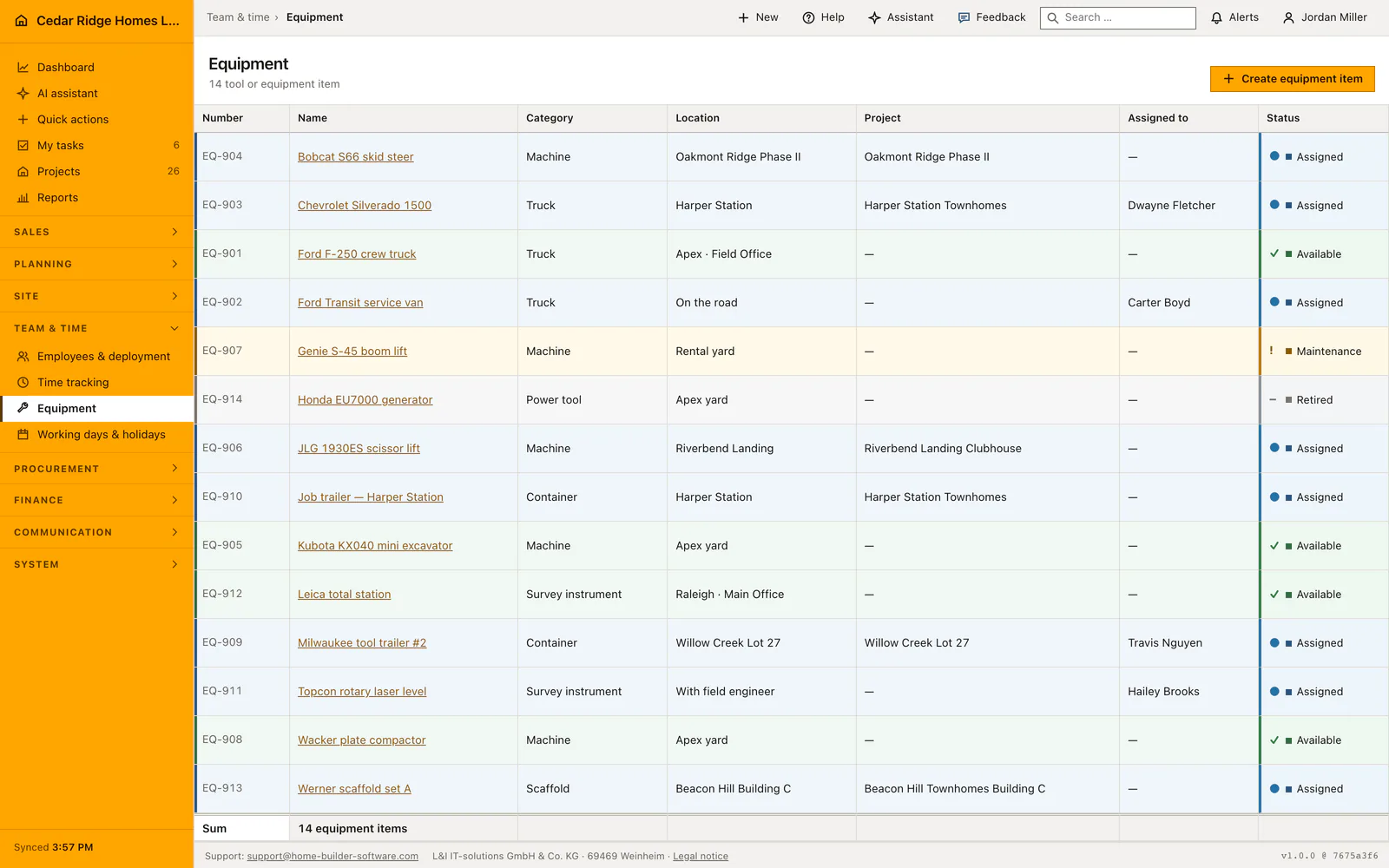
Ask where the compactor is and the answer should not be a round of phone calls. Each tool, machine or plant item becomes an equipment record the moment it is registered, and the system hands it the next inventory number in the BM series automatically. The list then shows number, name, kind, location, project, holder and status together, so the yard reads its whole stock in one screen.
Four statuses carry the item through its life: available, assigned, in maintenance, retired, each with the same row color it has everywhere else in the software. Kind comes from a value list the company edits itself. A record can point at a project and at an active employee at the same time, holds a serial number, a free location, the next service date and notes, and accepts the custom fields defined for the company.
The shared protocol travels with the item, so notes, comments, meetings, minutes, photos and emails about a damaged saw stay on the saw rather than in somebody’s inbox. Assignment to a project links the machine to the file the site already works in. A retired item keeps its number and its whole history instead of disappearing, and every creation and change is written to the audit trail.
Registering a machine with inventory number, serial number and next service
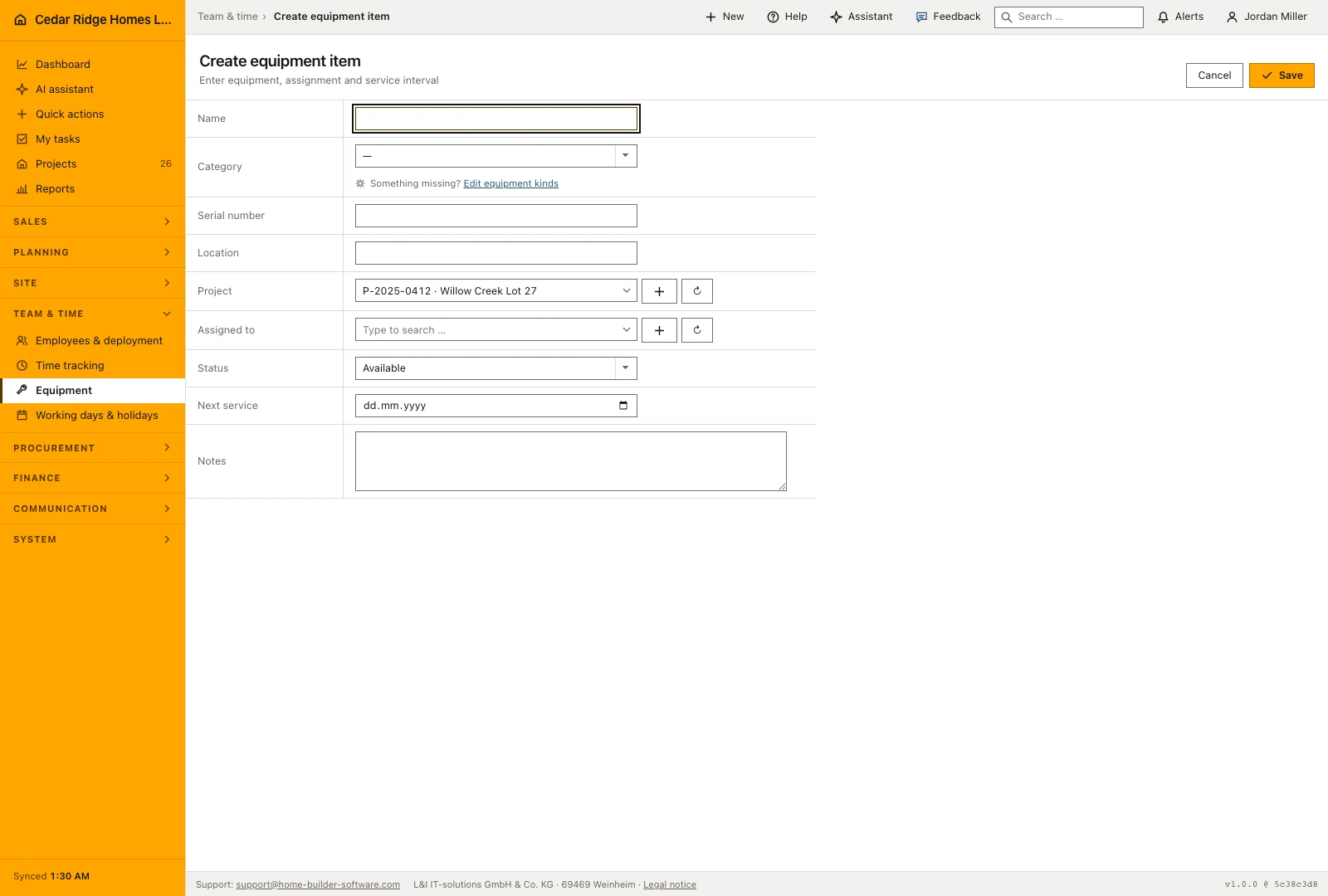
Create an equipment record with a recognizable name, category and serial number. Add its location, assigned project and current holder when known, then record status and the next service date. The inventory number is assigned automatically. Keeping the serial number separate from the internal number helps the yard identify the physical machine while the office follows its company record.
Saving lands you on the item's own page, where the same fields stay editable. Opening the create form from inside a site pre-selects that project, so a machine bought for one job starts attached to it. The project and holder pickers offer a way straight to project creation or to user administration when the entry you need does not exist yet. A project or an account belonging to another company is refused before anything is written.
 Open full-size screenshot
Issuing a tool to a site and stepping it through maintenance
Four values carry the item through its life: available, assigned, maintenance and retired. The row color follows, green for available, blue for assigned, amber for maintenance and gray once it is retired, so a yard reads its whole stock without opening anything. When a crew takes a machine out, set project, holder and the assigned status in the same save; the row then names both the job and the person answering for the item.
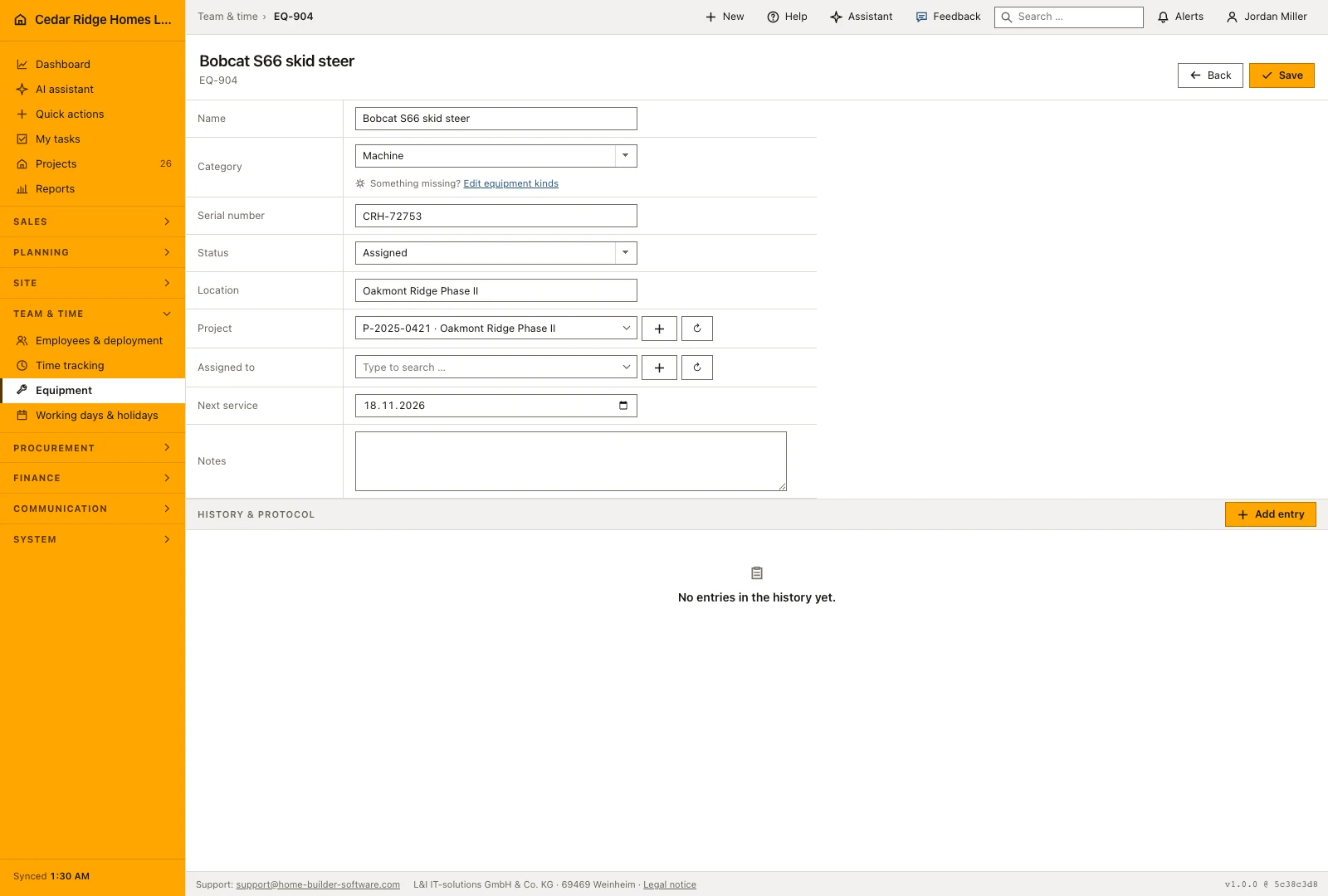
Next service is a plain date, and location is a free text line rather than a picked place, which is what makes an entry such as "container, Neckarblick site" possible at all. Before an inspection falls due, put the item on maintenance so nobody plans with it, and set it back afterwards. Damage reports, inspection findings and photos belong in the history at the foot of the page, because only the history keeps who wrote what and when.
 Open full-size screenshot
Equipment beside projects, accounts, custom fields and the history
The project reference is the link into the rest of the software: from the item you reach the project file, and the list shows the project number together with its name. The holder reference points at a user account instead of a typed name, so a change under Settings, Users takes effect everywhere at once. Both fields may stay empty, the normal state of a machine standing in the yard.
Below the form sit two shared blocks. Company-specific additional fields appear here as soon as an administrator defines them for equipment, and they are stored with the record. History and protocol takes notes, comments, meetings, minutes, photos and emails, the same block that projects, defects and subcontractors carry. A repair thread therefore stays attached to the machine and can still be read years later.
Construction equipment tracking in the daily routine
A new machine is registered once in the yard with kind, serial number and location; the inventory number follows on its own. When a crew takes it to a site, someone sets project, holder and the assigned status, and the row color changes with it. Damage or a service goes into the protocol with a photo. Before the service date the item moves to maintenance and afterwards back to available. At the end of its life it is retired, never deleted.
Read the documentationConstruction equipment tracking: what it covers
Maintain available, assigned, maintenance and retired statuses
Assign equipment to a project or an active employee
Keep location, service date and notes in the equipment record
Construction equipment tracking: questions and answers
Can equipment be assigned to both a project and a person?
Yes. The record supports a project and an assigned employee.
Which equipment statuses are available?
Items can be available, assigned, in maintenance or retired.
Use Construction equipment tracking on your own projects
Request a trial period for the workflow around this module. We agree the roles, permissions and useful scope with you before preparing access.