
Construction task management
Coordinate company, project and personal construction tasks by phase in one dispatch list, with multiple assignees, subcontractors, checkpoints, progress and controlled acceptance.
Construction task management: how it works in Home Builder Software
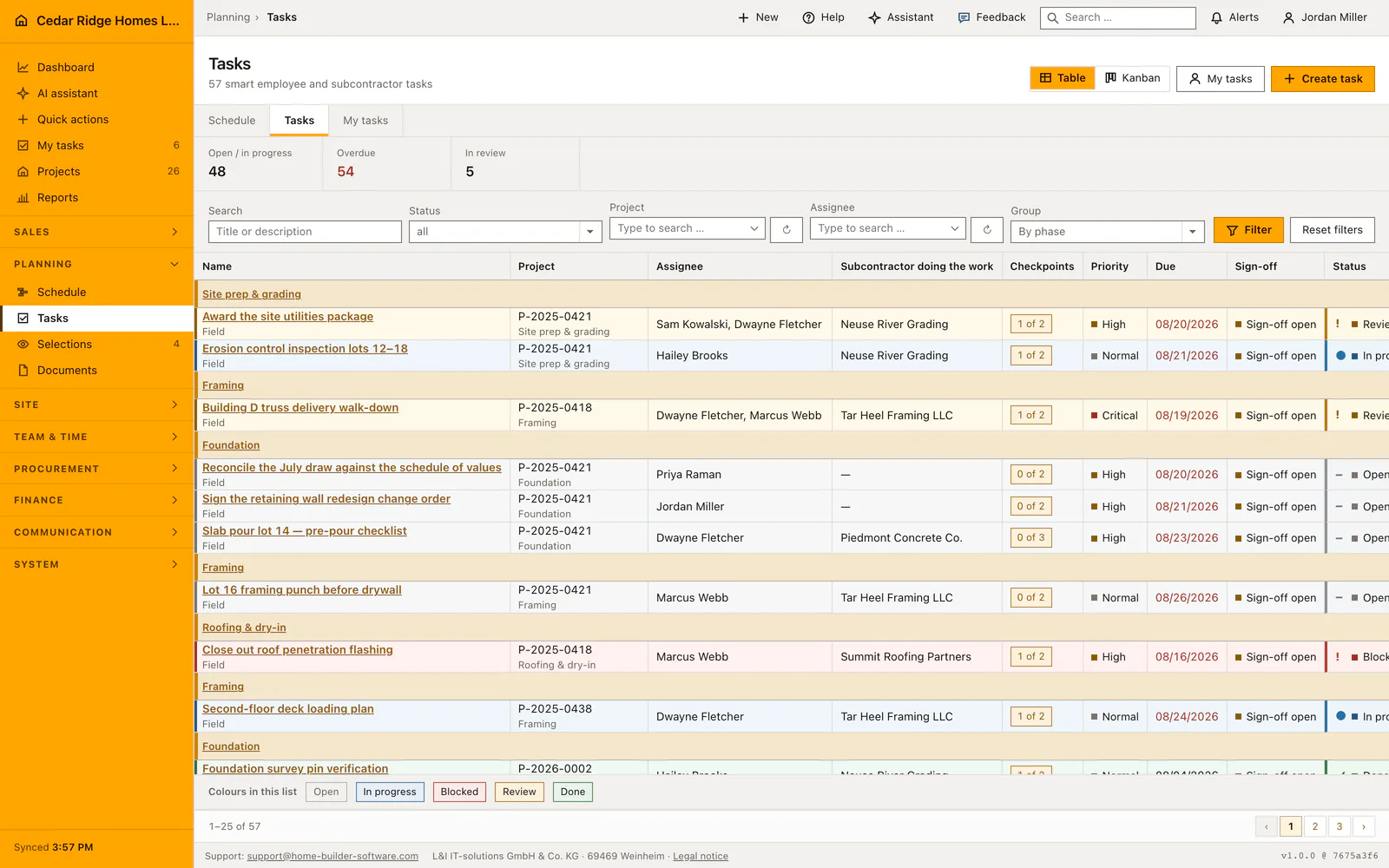
Under Planning and team, company, project and personal work sits in one list that dispatch and management see in full. Status, project and responsible person are filterable, and the Nobody assigned filter surfaces work that has not been picked up yet. Instead of a whiteboard and a phone round, the office can see which trade still lacks an owner while there is still time to fix it.
Tasks hang under a phase, the summary bar of the schedule such as shell, fit-out or handover, and picking a schedule activity fills that phase in so nobody names it twice. One task can belong to several people; whoever is chosen first leads and appears in narrow lists and one-line reminders. The executing subcontractor field is a different thing: it only makes the task visible in that subcontractor’s portal, while responsibility stays in house.
Checkpoints decide what may happen next. While one is unanswered, the task cannot be submitted for review or set to done, and that rule holds for the one-click button in the list, for the status field on the detail page and for the server, so an edited form field cannot skip it. Acceptance either waits for a superintendent decision, which notifies everyone holding workforce management rights, or the answered checkpoints are the review. Every approval and rejection is logged with person and time.
Creating a task with phase, team and approval mode
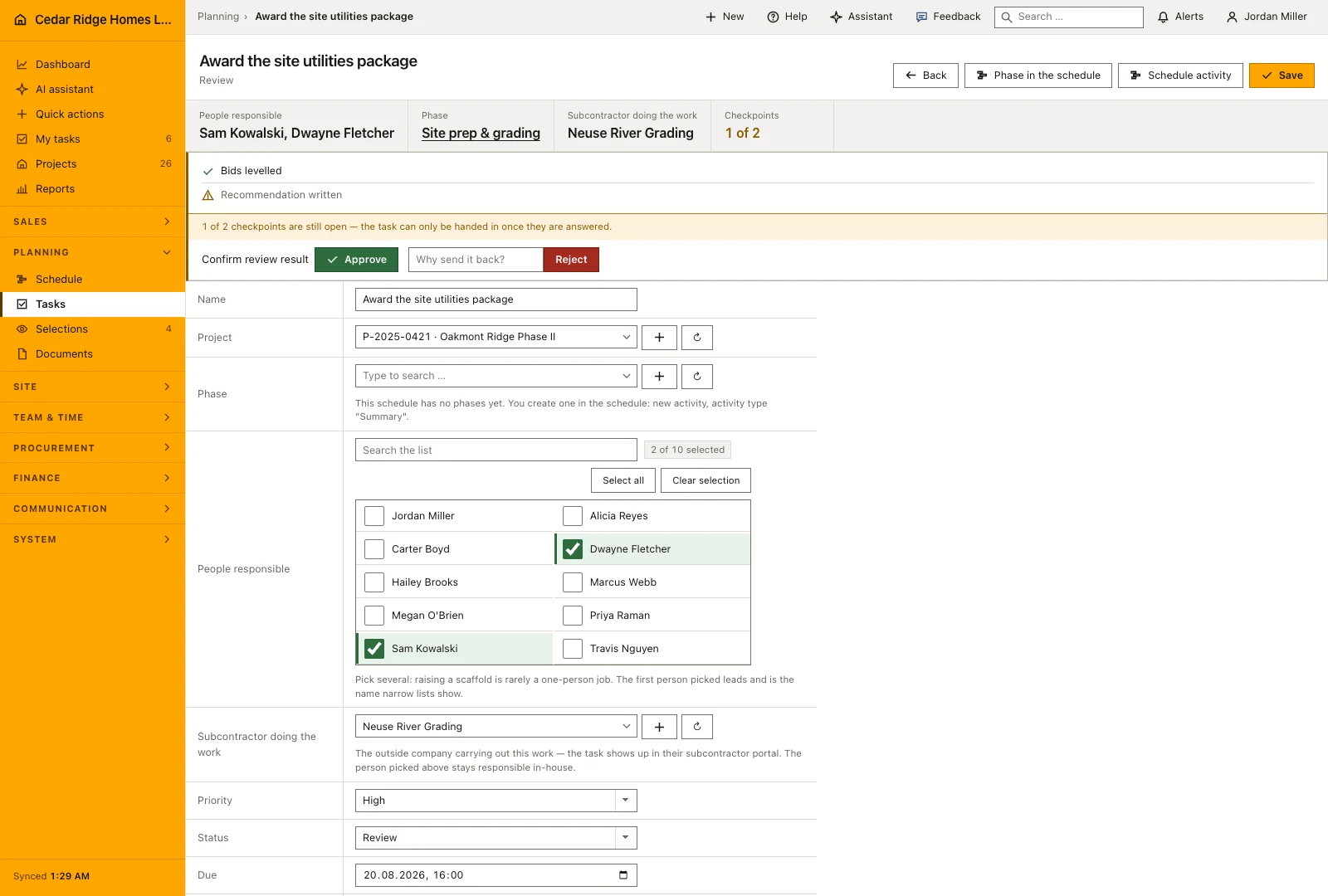
Create task asks for a title and a priority of low, normal, high or critical, plus an optional project, due date, description and comma-separated labels. Naming a schedule activity is the shortcut worth taking: the project comes across with it and so does the phase, so nobody types the same chunk of the plan twice. People responsible is a multiple choice, and the first person picked leads. That name appears in narrow lists and in one-line reminders.
The checklist field takes the wording of the checkpoints, one per line. A checkpoint is a tick box and carries no owner and no date of its own; work that needs those becomes a separate task in the same phase. Approval mode is the last decision on the form: signed off by a manager sends the finished task to a reviewer, while no sign-off means the answered checkpoints are the check.
 Open full-size screenshot
Reporting progress and handing a task in
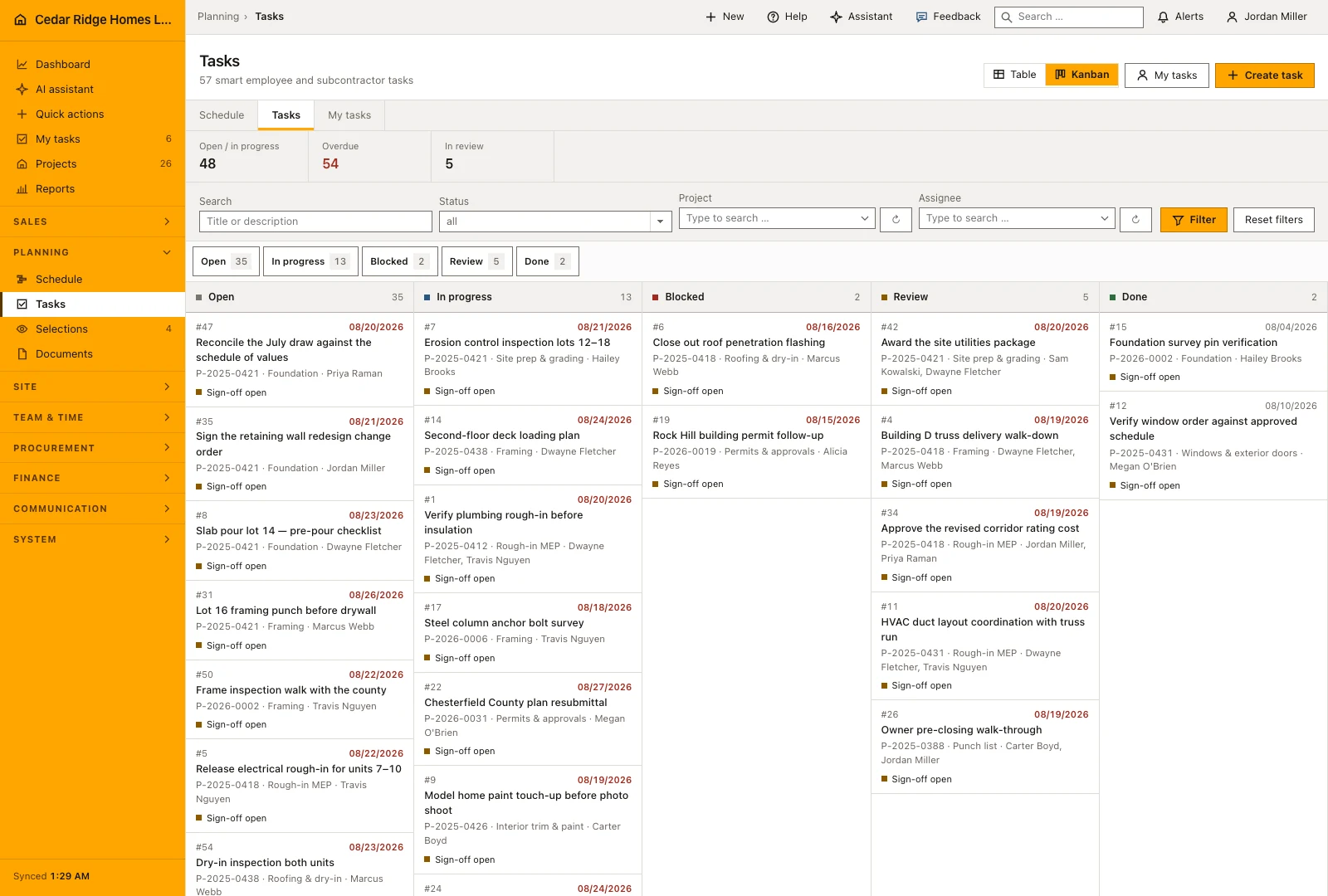
A list row carries a one-click button that follows the stored transition: Started moves an open task to In progress, Hand in moves it towards Review. Assignees may set Open, In progress, Blocked and Review on their own work. Done is deliberately missing, because handing the task in and having it looked at is how work finishes. My tasks strips the board down to what is on one person today, which is the view a phone in a cold stairwell wants.
Pressing Hand in on a task that still has open checkpoints does not produce an error page. It opens the hand-in screen, which asks the points the task declared and posts the ticks together with the transition. Writing the same status a second time changes nothing and notifies nobody. After handing in, a tradesman lands back on My tasks while a planner lands on the task itself, where the decision now waits.
 Open full-size screenshot
How tasks connect the schedule, the assistant and notifications
Open a phase from the schedule to work on the tasks belonging to that part of the build. The company task list can also be narrowed by project, phase, status or assigned person, while search helps find a specific title or description. This lets a planner review the whole workload and then move into the same task that an employee sees in their personal list.
The assistant can propose task changes within the asking person’s permissions, and the company’s chosen review mode governs whether those changes need approval. Handing work in alerts the people who can review it; a rejection returns feedback to the assigned team. Keep the rejection reason specific enough that the employee knows which checkpoint, measurement or piece of evidence needs another look.
Construction task management in the daily routine
Dispatch opens the list filtered to a project, starts a task from the schedule activity that needs doing and lets the phase come across with it. Several people are assigned, the first of them leading, and an executing subcontractor is named when the work goes out of house. Checkpoints are written while the task is still on paper, not after the fact. Rejection sends the task back with a reason and notifies everyone assigned.
Read the documentationConstruction task management: what it covers
Group work by project phase and link tasks to schedule activities
Assign several employees while keeping one clear lead assignee
Require checkpoints and, when configured, superintendent acceptance before completion
Construction task management: questions and answers
Can more than one person own a task?
Yes. A task can have several assignees; the first person is shown as the lead in compact views.
How does task acceptance work?
Tasks can require superintendent review, or complete after all checkpoints are answered when review is disabled.
Use Construction task management on your own projects
Request a trial period for the workflow around this module. We agree the roles, permissions and useful scope with you before preparing access.