
Construction workforce planning
Coordinate employees, teams, shifts, qualifications, absences and deployment in one workforce module with transparent automatic assignment rules.
Construction workforce planning: how it works in Home Builder Software
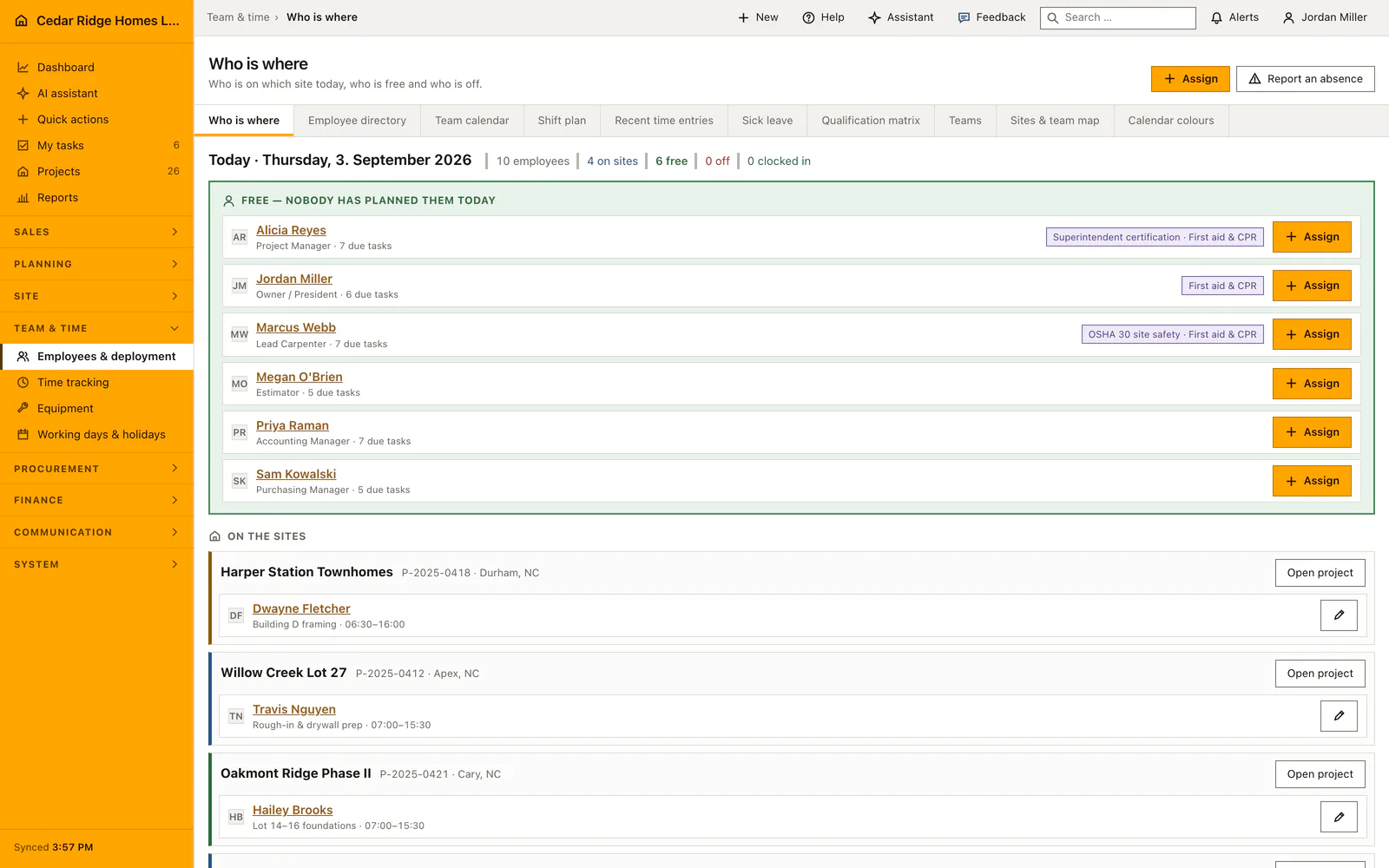
Home Builder Software answers the question a foreman asks first every morning: who is available, and who is already committed. The crew overview opens on the deployment picture rather than an address book, so an unassigned colleague is visible instead of hidden behind twenty phone numbers. Employees, crews, shift plan, qualification matrix and sick notes sit in one module, and a single click puts one person on one site for one day.
A shift carries a title, a project, a crew, start and end, a color and the qualifications it requires; the employee field may stay empty on purpose. The qualification matrix records a level from one to five and a validity date. Automatic staffing then fills only unassigned future shifts: crew membership, valid mandatory qualifications, reported sickness and overlapping bookings are hard conditions, weekly minutes already worked lower the score, and the reason stays on the shift.
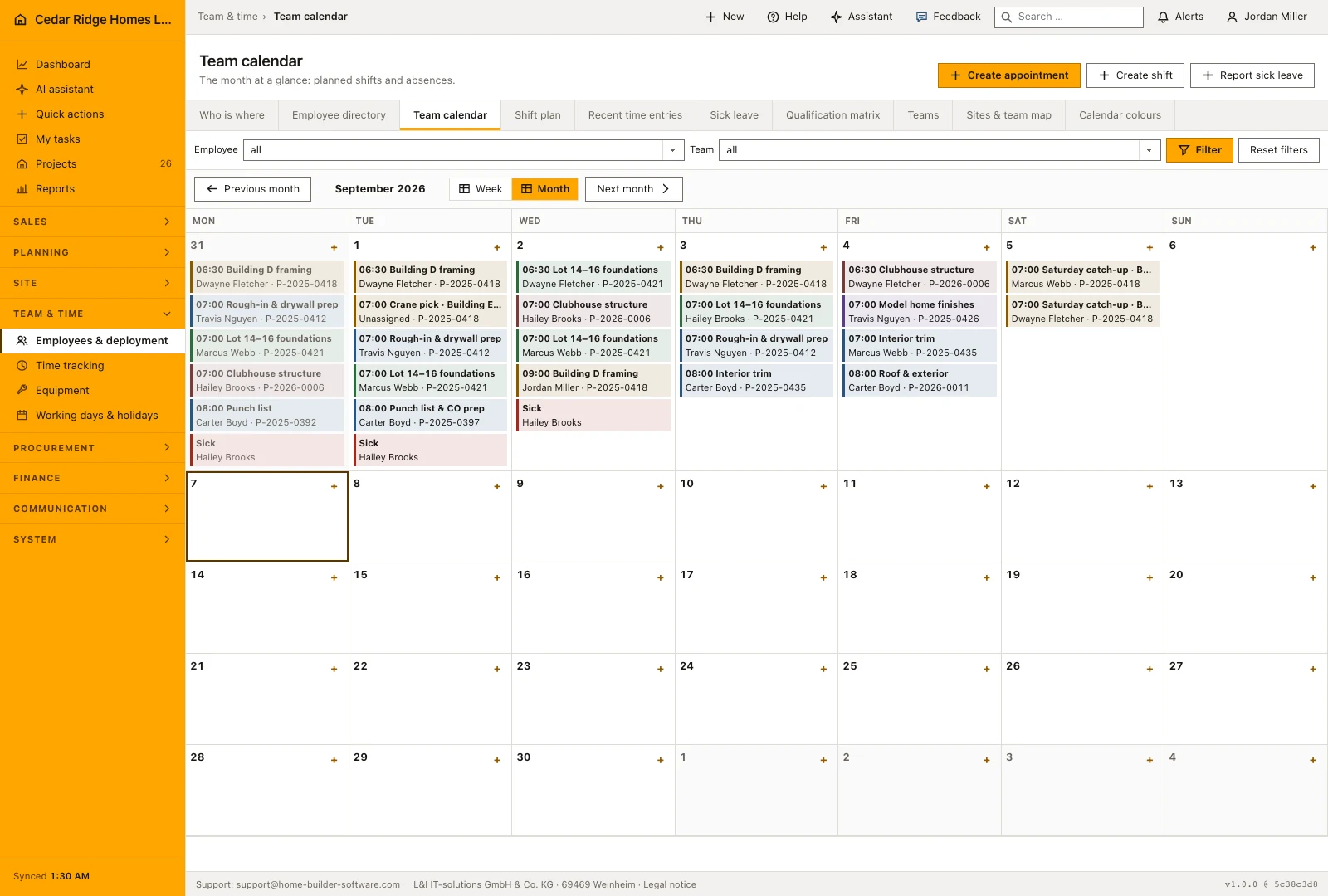
Because contact details live on the employee record itself, maintained under Profile or by an administrator under Users, no module keeps a second copy of a phone number. The month calendar colors every entry by shift, person, crew, project or company, in that order. Dragging a planned shift to another day keeps its duration and its person but drops the AI marker and its explanation, so a manual decision never hides behind an automatic one.
Writing a shift and assigning from the crew overview
The full shift form asks for a title, a project, a crew, a start, an end, a color and the qualifications the work demands. The employee field may deliberately stay empty, which is what makes the shift visible to automatic staffing. The end has to lie after the start, and both moments are read as the company's local time rather than as a raw string value.
For an ordinary Tuesday the overview offers the shorter path. Assign opens a dialog that already carries the person and the day of the cell you clicked and asks only for the site, the start and the end. Leaving the title empty gives the shift the name of the site, or No site for workshop, yard and training. An end before the start is read as a night shift and runs into the following day. Before writing, the dialog shows what that person already has on the day and warns when they are reported absent, without blocking the assignment.
Working the crew overview and the month calendar
The overview counts the day out: how many employees the company has, how many stand on sites, how many are free, how many are off and how many are currently clocked in. Below it follow the free people, the sites with their staffing, a block for anyone who booked hours without being assigned, and the week around today as a grid. A section headed Not staffed names why a day stayed open.
That reason is concrete rather than decorative: nobody is free that day, or nobody among the free people holds the required certificates, in which case the names of those who do hold them stand beside it. The month calendar shows shifts and absences per day, each shift in the color its rule determines. Whoever manages the crews drags a shift onto another day; duration and person are kept.
A dragged or hand-edited shift loses the marker saying it was staffed automatically, and the stored explanation goes with it. A human decision therefore never hides behind a machine one. Automatic staffing itself runs in two requests: the preview writes nothing and lists every open shift either with a candidate or with the sentence saying that no conflict-free person holds all the qualifications.
 Open full-size screenshot
How shifts, absences and hours act on other modules
A project assignment connects the crew plan to the site’s team view. Recorded absences help the planner distinguish an available person from someone who should not receive an automatic assignment. Keep absences and existing shifts current before reviewing staffing suggestions: an incomplete calendar gives the planner an incomplete picture of who is available for the job.
Staffing suggestions consider the selected crew, overlapping shifts, recorded absences and the qualifications needed for the work. Review the proposed person and the explanation before applying a suggestion. A shortage should remain visible when no suitable person is available; assigning someone without the required qualification would only move the problem from the planning desk to the site.
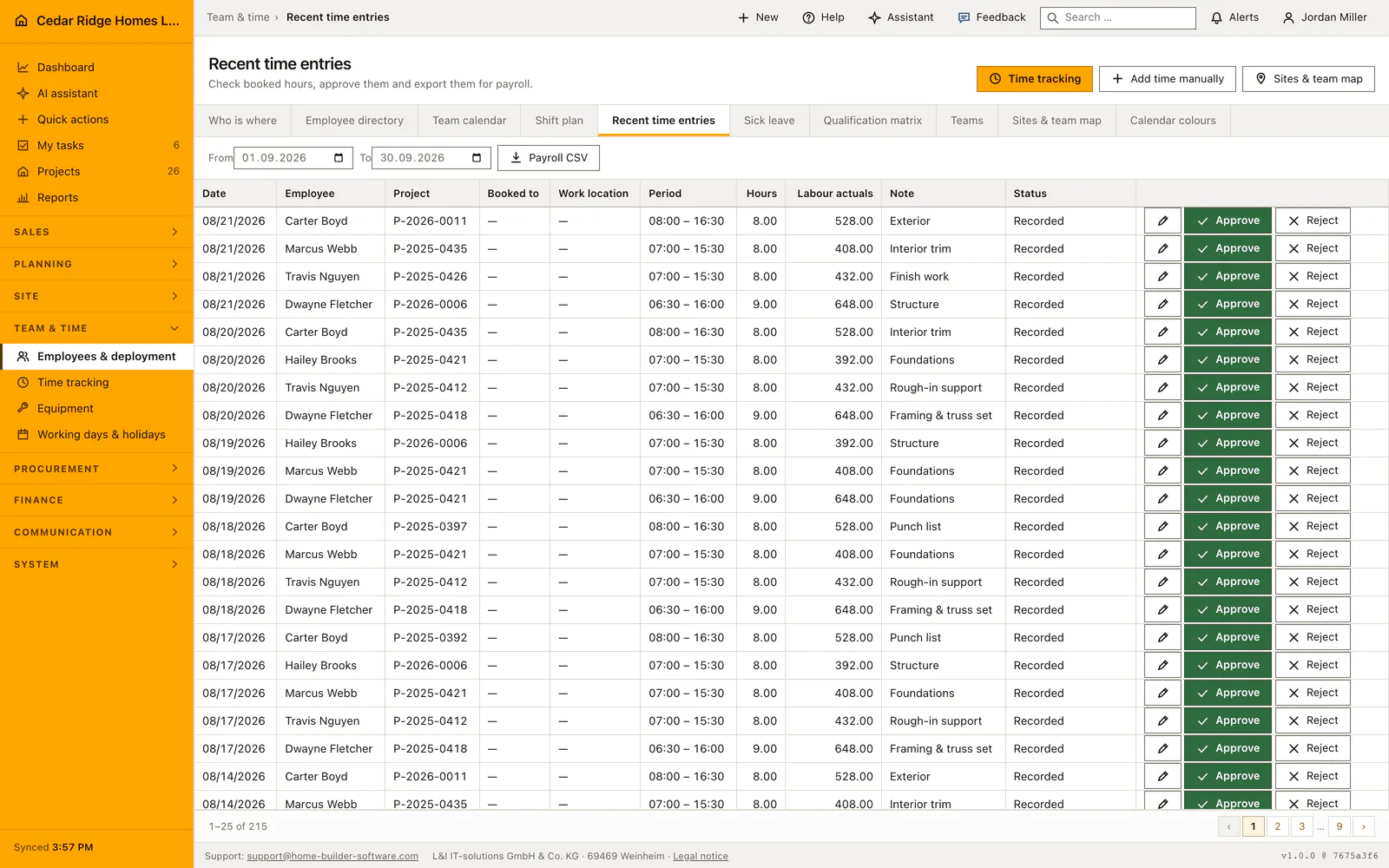
Planned shifts and recorded hours answer different questions. A shift says who is expected on a site; time tracking records the time actually worked and manages its approval. The crew overview brings those views together by showing people who are clocked in and people recording hours without a matching assignment, so the office can investigate a discrepancy instead of assuming the plan was followed.
 Open full-size screenshot
Construction workforce planning in the daily routine
Site management starts at the crew overview, reads who is free that week and assigns the missing person straight from the grid. Shifts for the coming month are drawn in the calendar with the certificates the work demands. A reported sickness immediately removes that person from the eligible pool. Before running automatic staffing, the planner looks at the preview, applies it, then moves single shifts by hand where the site knows better. The booked hours arrive later, from time tracking.
Read the documentationConstruction workforce planning: what it covers
Maintain employee contacts, teams, colors and qualification validity
Plan shifts in a monthly calendar and account for sickness and overlaps
Fill eligible future vacancies by team, qualification and current weekly load
Construction workforce planning: questions and answers
How does automatic shift assignment choose an employee?
It checks team membership, valid required qualifications, sickness and overlaps, then considers current weekly load.
Is the reason for an automatic assignment visible?
Yes. The assignment explanation remains attached to the shift.
Use Construction workforce planning on your own projects
Request a trial period for the workflow around this module. We agree the roles, permissions and useful scope with you before preparing access.