
Construction working calendar
Define the company working week, daily hours, timezone, holidays, shutdown periods and additional working days used by every project schedule.
Construction working calendar: how it works in Home Builder Software
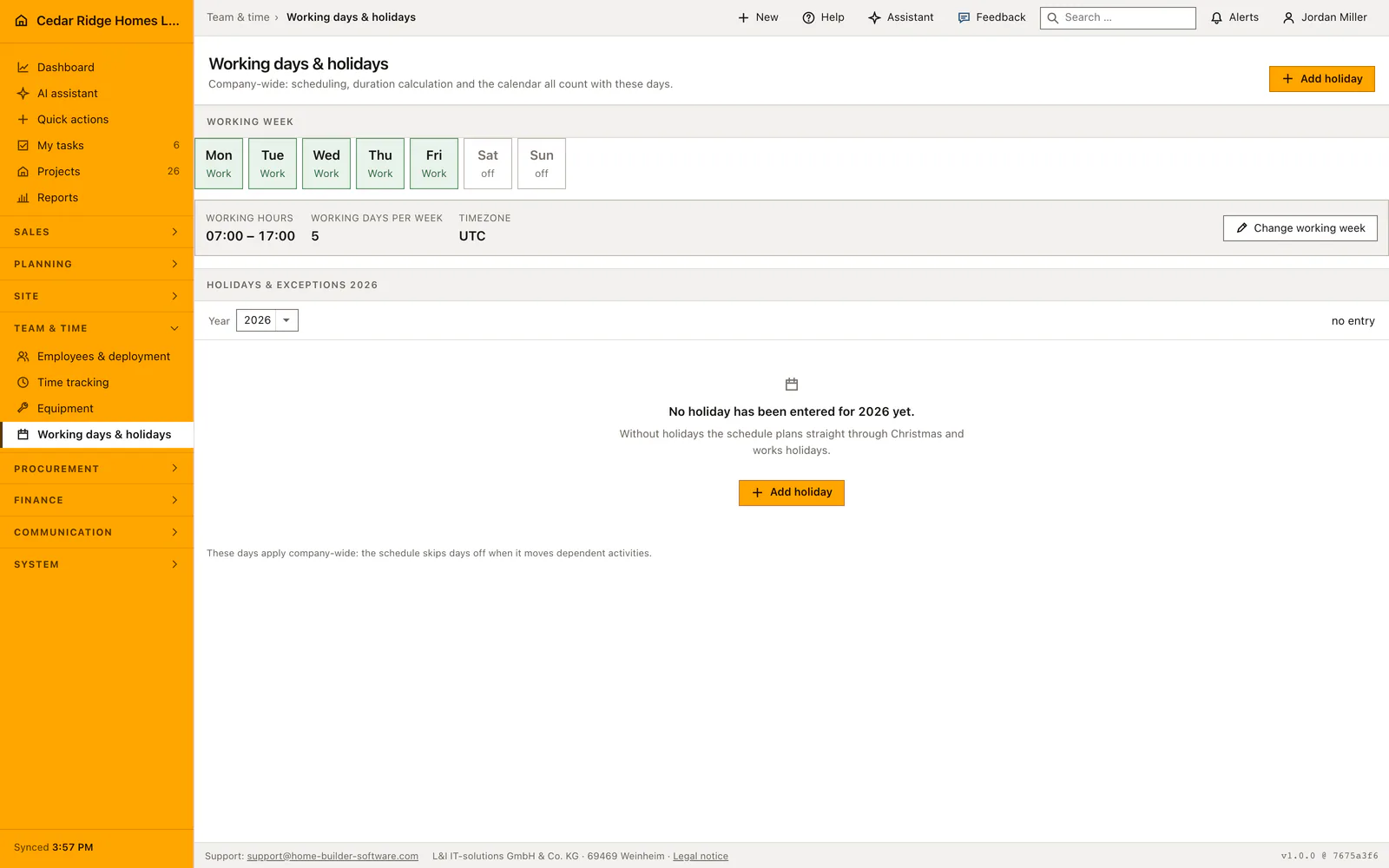
Whether the crew works on a given date is company master data, held in one place instead of at the bottom of the schedule page. The working calendar defines the working week and the days that interrupt it, once, and every project plan counts with that same definition. Adding a public holiday no longer forces you to save the whole working week again, and an exception typed in error can simply be deleted.
The working week lives on its own page: the days that are worked from Monday through Sunday, a start and an end time, and the timezone the company plans in. An exception carries a name and a date, or a date range of up to ninety days for a works shutdown, and says whether that time is free or worked after all. The same date entered twice counts as a correction, never as a second holiday.
Recalculating a plan reads this calendar and steps over non-working days when dependent tasks move; dragging a Gantt bar snaps to working days for the same reason. Taking a schedule from a template counts in working days, so no phase starts on a closed Friday. The month view marks free days and named exceptions visibly. Reading the calendar is open to everyone signed in, while changing it needs the permission that governs the schedule.
Setting the working week, the daily hours and the timezone
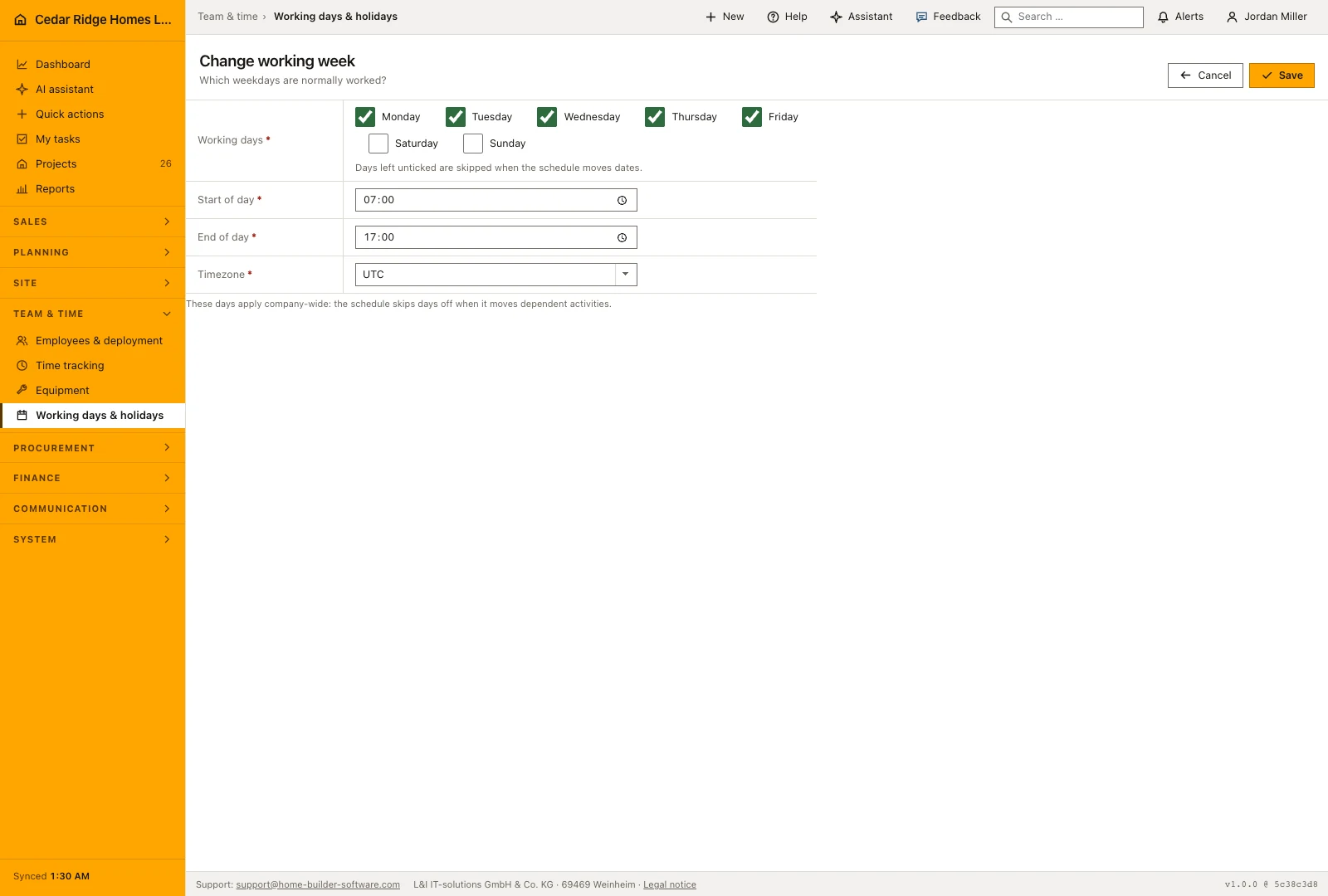
Change working week opens a form with one checkbox per weekday, Monday through Sunday. At least one day has to stay ticked; a week without any working day is rejected. Start of day and end of day are times, and the end must lie after the start. The timezone comes from the list the installation offers, extended by the value already stored, so an existing setting never disappears from the field.
Unchecked weekdays are treated as non-working days by schedule calculations that use this calendar. The daily start and end times define the planning day, while time tracking records the hours people actually work. Review the working week before applying a project template or recalculating dependent activities, because a change in the available days can move the resulting dates.
 Open full-size screenshot
Entering public holidays, works shutdowns and worked Saturdays
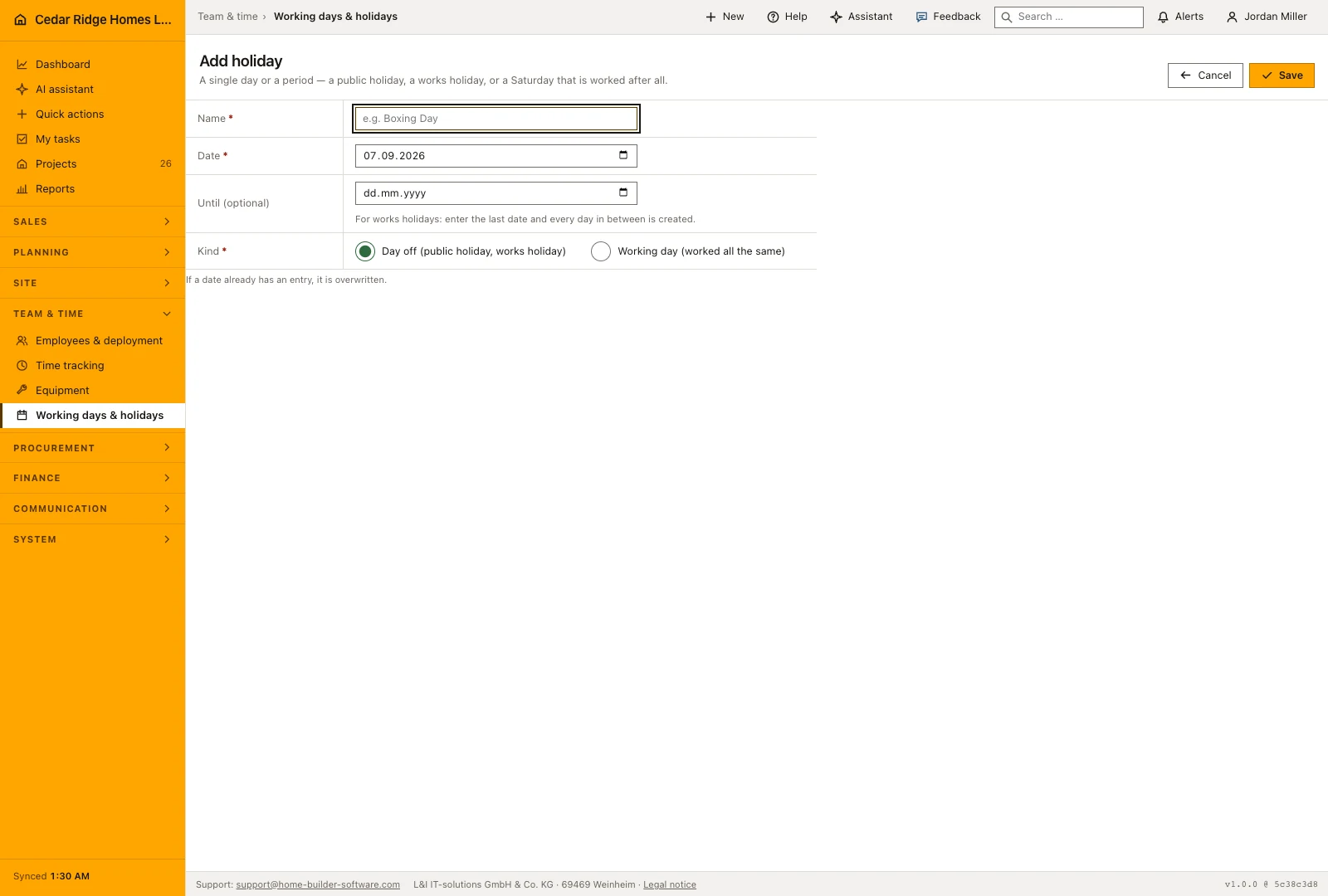
Use a dated exception for a public holiday, a works shutdown or a Saturday that will be worked. Enter a clear name, the first date and an end date when the exception covers a period. Choose whether the days are working or non-working. This makes an exceptional week visible in the schedule instead of hiding the change in a longer activity duration.
The same date entered a second time overwrites the first, because the schedule needs one answer per day, and the form announces that before you save. A row disappears through the delete button beside it, after a confirmation that spells out the consequence: the day counts as an ordinary day again. Creating and deleting are logged separately, with the range and the kind on creation and the name on deletion.
 Open full-size screenshot
How the schedule, the Gantt chart and project templates count these days
Recalculating dependencies reads this calendar and steps over non-working days when the activities that follow are moved. Building a plan from a project template counts in working days as well and lets no phase begin on a closed day: the wizard pulls the start forward to the next working day, even when somebody typed a Sunday. Durations are measured the same way in both places, so wizard and engine never disagree about the handover date.
The month view of the schedule sets non-working days apart and prints the name of a named exception into the cell, so a day off carries a word and not only a shade. What the calendar does not govern is workforce planning: shift and assignment planning does not read it, and an entry made here neither creates nor removes a shift record.
Construction working calendar in the daily routine
The office sets the working week and the daily hours once when the company is set up. As soon as next year’s public holidays are known, someone adds them as named days, and the summer shutdown goes in as a single range rather than fourteen entries. A Saturday the crew does work is added as a working exception. Everyone signed in can read the result. After each change, recalculating the plan pushes dependent tasks past the closed days.
Read the documentationConstruction working calendar: what it covers
Set regular working days and daily start and end times
Add single-day or date-range exceptions as non-working or working time
Apply the same calendar to schedule calculation and templates
Construction working calendar: questions and answers
Can a company shutdown be entered as a date range?
Yes. A named exception can cover a range of up to 90 days.
Does a calendar change affect project scheduling?
Yes. The schedule engine uses the company calendar for recalculation and template planning.
Use Construction working calendar on your own projects
Request a trial period for the workflow around this module. We agree the roles, permissions and useful scope with you before preparing access.