
Construction subcontractor management
Maintain searchable subcontractor records with trade, contacts, status, insurance, tax exemption, lien-waiver status, rate, qualifications and portal access.
Construction subcontractor management: how it works in Home Builder Software
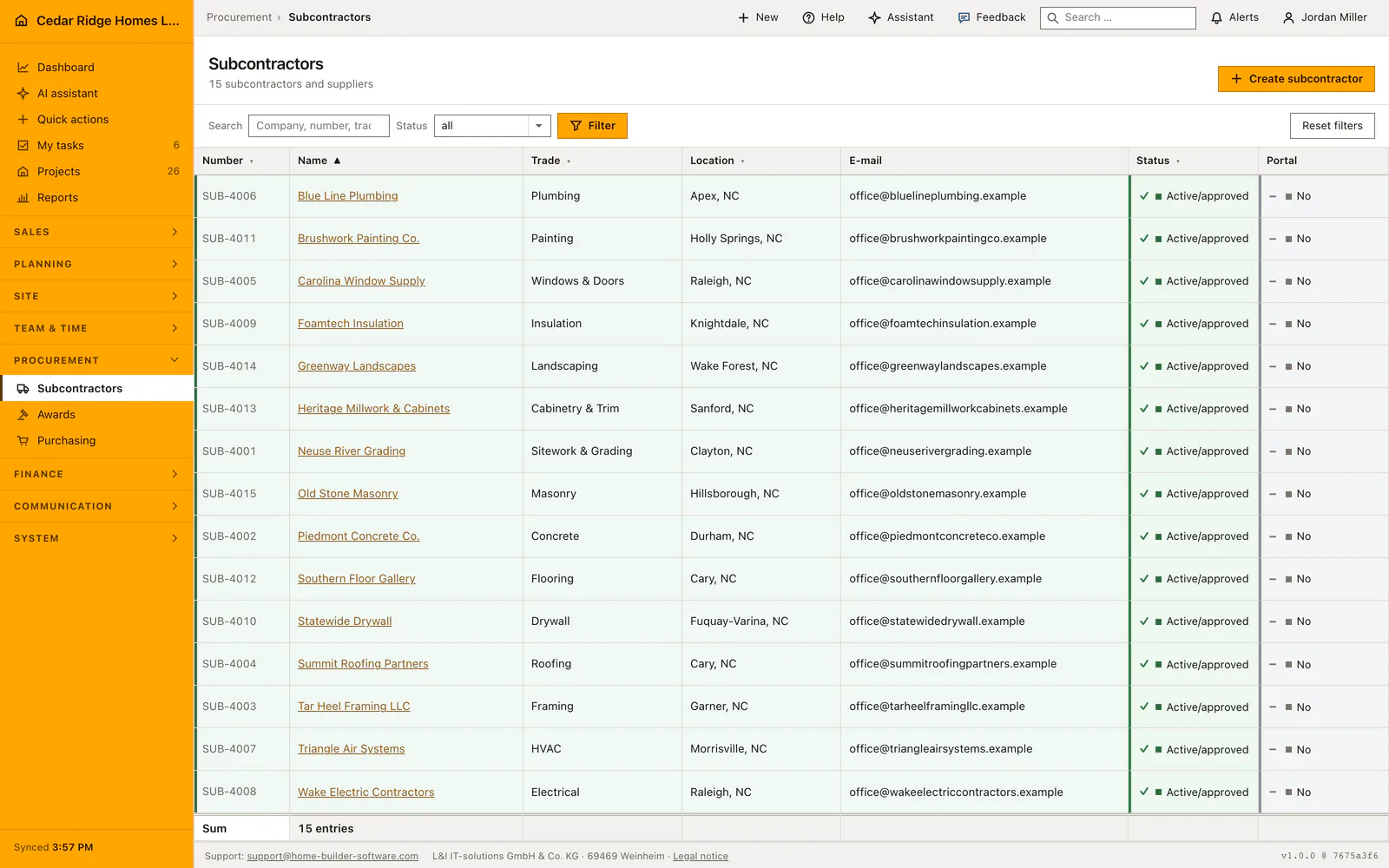
The subcontractor register holds every firm that works for you as one record: company name, automatic number, trade, address, phone and email, hourly rate and internal notes. Instead of a shared spreadsheet and four people keeping four versions of the same electrician, the office keeps one entry that awards, purchase orders and defect assignments all point at. Search covers name, number, trade, city and email across pages of twenty-five.
Three statuses govern the record: active, pending review and blocked. Compliance dates sit next to them, with insurance valid-until and the §48b tax-exemption certificate valid-until, plus a lien-waiver value of missing, valid, expired or not required. Payment approval for a supplier invoice checks those last two and refuses release when the certificate has lapsed. Qualifications come from the company catalog as stable keys, the same list the employee matrix uses, so renaming a skill never orphans a partner.
Everything downstream reads this record rather than a retyped address. A subcontractor appears as bidder inside a bid package, as supplier on a purchase order, and as the recipient of a signed portal link once portal access is switched on. That link runs for thirty days, stays bound to one company and one partner, and exposes only their own bid requests, assigned tasks, assigned defects, orders and subcontractor contracts. Internal budgets and margins never leave the office.
Creating a firm with an NU number, address and compliance dates
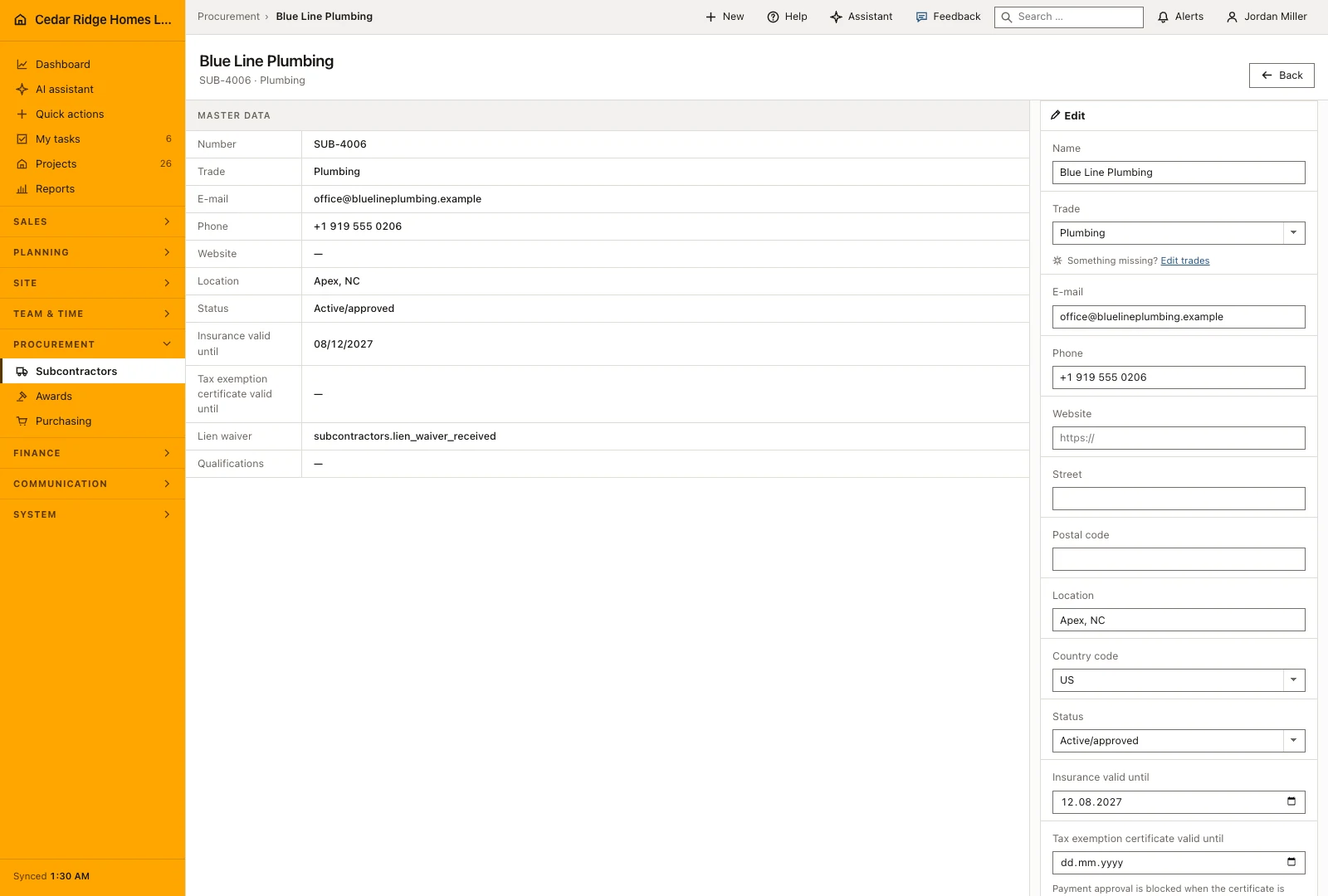
Start the subcontractor record with the company name and country, then add the trade, address, contact details and review status. The application assigns its internal number. A new firm can remain under review while the office checks its details, giving estimators and site managers a clear distinction between an established partner and a company that has not yet been approved.
The detail page holds the information that develops after initial capture, including insurance validity, hourly rate, website and internal notes. Review time-sensitive entries before placing new work with the firm. The same record remains attached to its bids, orders and defects, so keeping contact and trade details current helps the people who later need to arrange a delivery or a correction.
 Open full-size screenshot
Searching by trade and town, sorting and filtering by status
A single search box reaches company name, NU number, trade, town and email address at once, which is exactly what a site manager asks for when looking for a firm. The status selector narrows to active and approved, review pending or blocked, and submits itself when it changes. Reset filters returns to the complete register.
Number, name, trade, town and status are sortable column headings, while the email column is shown but not sorted on. The row color follows the status, green for approved, amber for a pending review, red for a blocked firm, so a register nobody has tidied for a while still reads at a glance. Both the number and the name open the record, the footer restates how many firms the filtered view holds, and the filter survives paging because it travels in the address.
The same firm in bid packages, purchase orders, tasks and defects
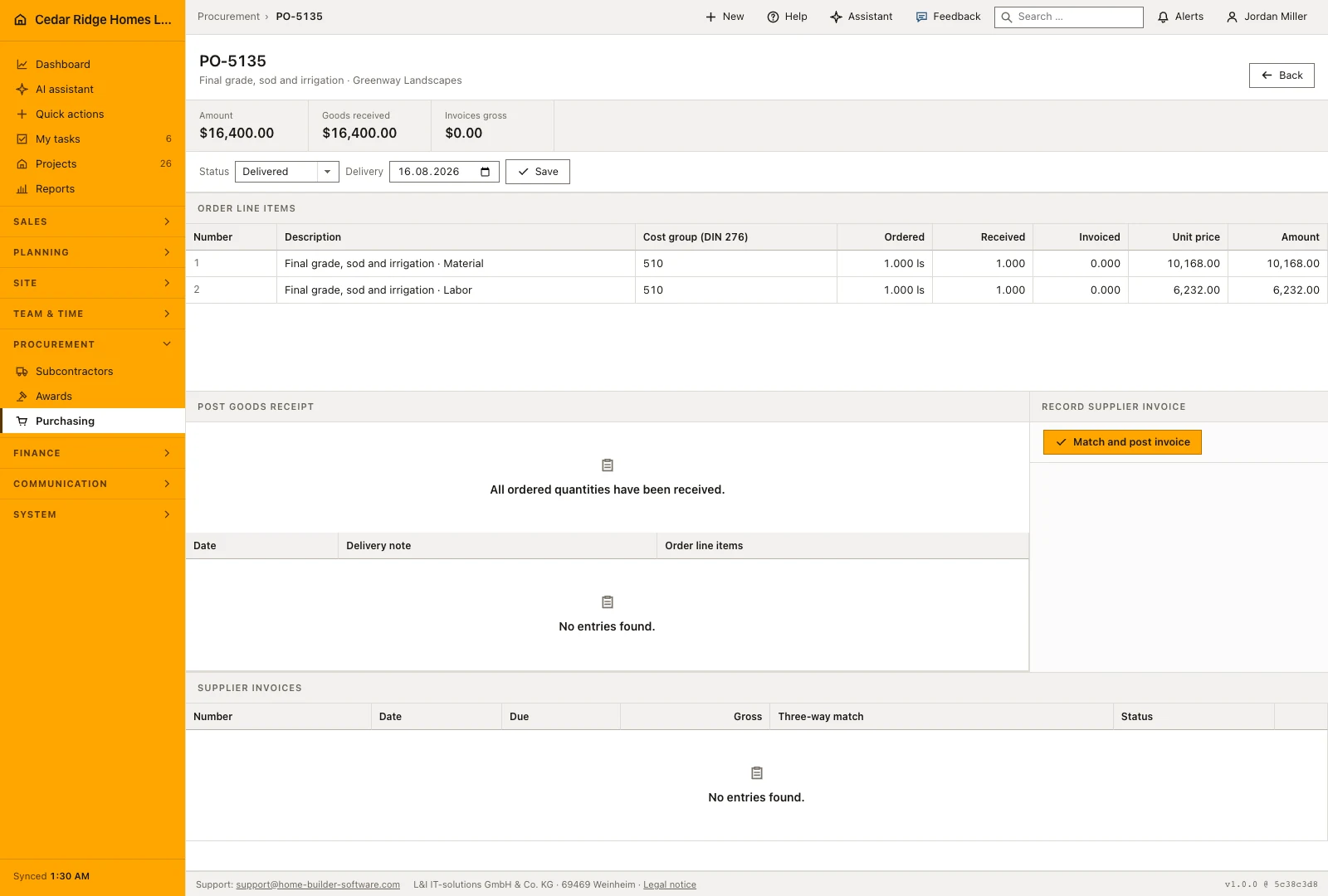
No downstream module retypes an address. The firm appears as a bidder in a bid package, as the supplier on a purchase order, as the party a work task is assigned to and as the party a defect is assigned to; the defect and order lists show the company name with the trade beneath it. Blocking a firm does not detach it from the work it already carries, it prevents it being chosen again.
Under the master data the record carries whatever additional fields the company defined for a partner firm, so a supplier number inherited from an older system or the date of a framework agreement has somewhere of its own to live instead of ending up in the notes. Below that sits the History and protocol block, which keeps correspondence on the firm it belongs to rather than in one person’s mailbox. The website field, 200 characters behind an https placeholder, is what a site manager reaches for when a stored phone number has gone stale.
 Open full-size screenshot
Construction subcontractor management in the daily routine
A new firm is usually entered by the office the moment it is considered for a package: name, trade, address and status pending review, with the number assigned automatically. Accounting adds the tax-exemption date and lien-waiver value later, because those decide whether a supplier invoice can ever be released for payment. Site management picks qualifications from the catalog. Procurement then finds the firm by trade when a bid package needs bidders, and the record carries its contacts and portal flag into that package.
Read the documentationConstruction subcontractor management: what it covers
Search and sort the register by name, number, trade, city and status
Track insurance and tax-exemption validity alongside lien-waiver status
Use the same qualification catalog as the internal workforce
Construction subcontractor management: questions and answers
Can subcontractors be filtered by status?
Yes. The register supports active, pending and blocked statuses.
Are qualifications free-text copies?
No. Subcontractors use stable keys from the company qualification catalog.
Use Construction subcontractor management on your own projects
Request a trial period for the workflow around this module. We agree the roles, permissions and useful scope with you before preparing access.