
Construction subcontractor management: setup and daily use
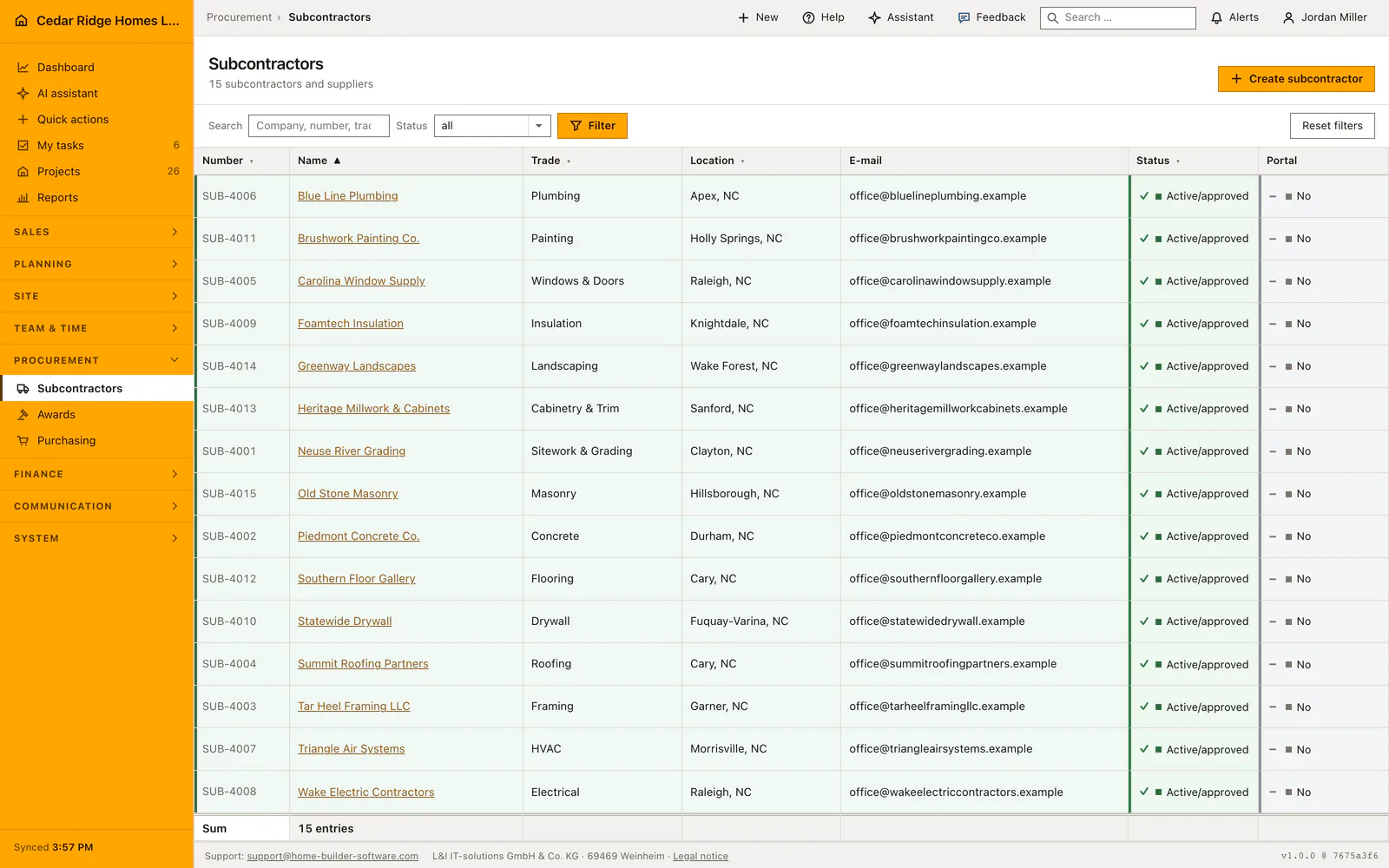
The subcontractor register at /subcontractors holds one entry per partner firm: company name, an automatic NU number, trade, address, contacts, status, compliance dates, hourly rate, website and qualifications. Opening the register requires the right to view projects, while creating and editing require the right to manage projects and workflows. The list runs in pages of twenty-five rows and can be searched by name, number, trade, town or email address.
Setting up the trade list and the qualification catalog first
Trade is a pick list rather than a text field, and the same list serves the bid packages, so a firm and the package it bids for use one word. It is edited under Settings, Master data and lists, Pick lists, by somebody holding the right to manage company settings. A trade already standing on a record remains selectable there even after it is taken out of the list.
Qualifications come from the catalog kept in the workforce module; editing it requires the right to manage workforce planning. The form presents them as a searchable group of checkboxes ordered by category, and stores the catalog keys instead of the labels. Renaming a qualification therefore keeps every firm that carries it, while a key the catalog no longer knows drops out on save rather than lingering as a dead entry.
Creating a firm with an NU number, address and compliance dates
Create subcontractor opens over the list. The company name of up to 160 characters and the country code are required; everything else may wait. The status starts at review pending, which matches the state of a firm nobody has checked yet. The number is not on the form: Home Builder Software takes the highest existing NU number in the company, adds one and writes from NU-00001 upward.
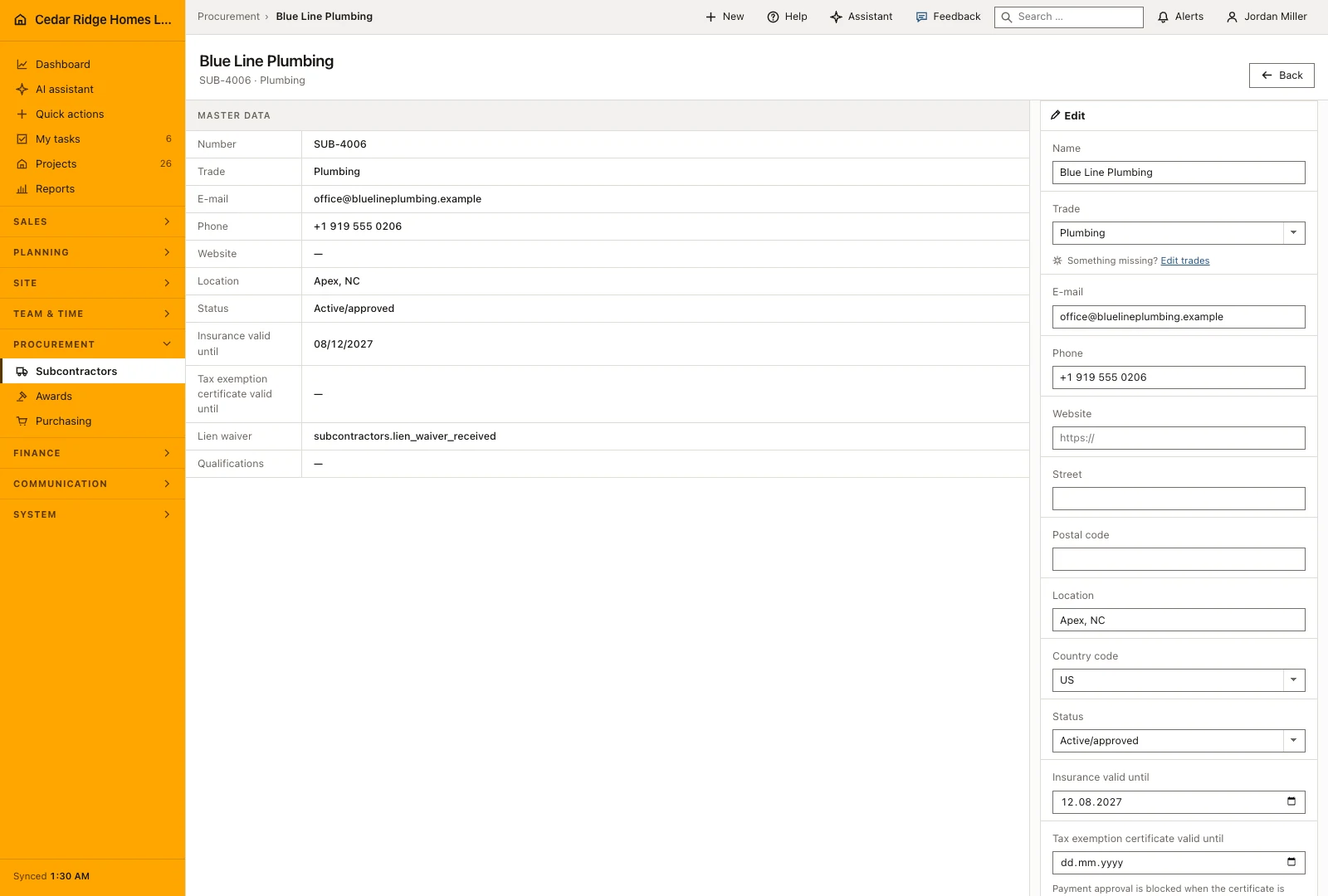
Insurance valid until is the one entry the create form leaves out; it waits on the detail page in the edit block on the right. To its left the same values stand as a plain display, so the stored state and the change you are about to make read side by side. The hourly rate takes two decimals up to 99,999, the website field 200 characters behind an https placeholder, and the internal notes up to 5,000 characters.
Searching by trade and town, sorting and filtering by status
A single search box reaches company name, NU number, trade, town and email address at once, which is exactly what a site manager asks for when looking for a firm. The status selector narrows to active and approved, review pending or blocked, and submits itself when it changes. Reset filters returns to the complete register.
Number, name, trade, town and status are sortable column headings, while the email column is shown but not sorted on. The row color follows the status, green for approved, amber for a pending review, red for a blocked firm, so a register nobody has tidied for a while still reads at a glance. Both the number and the name open the record, the footer restates how many firms the filtered view holds, and the filter survives paging because it travels in the address.
Who may edit a subcontractor, payment release and the audit trail
Editing depends on the right to manage projects and workflows; without it neither the create button nor the edit block appears. A record from another tenant answers 404. Every save writes subcontractor.created or subcontractor.updated to the audit log, with the record id, the account, the time and the IP address, and the same events reach any configured webhook.
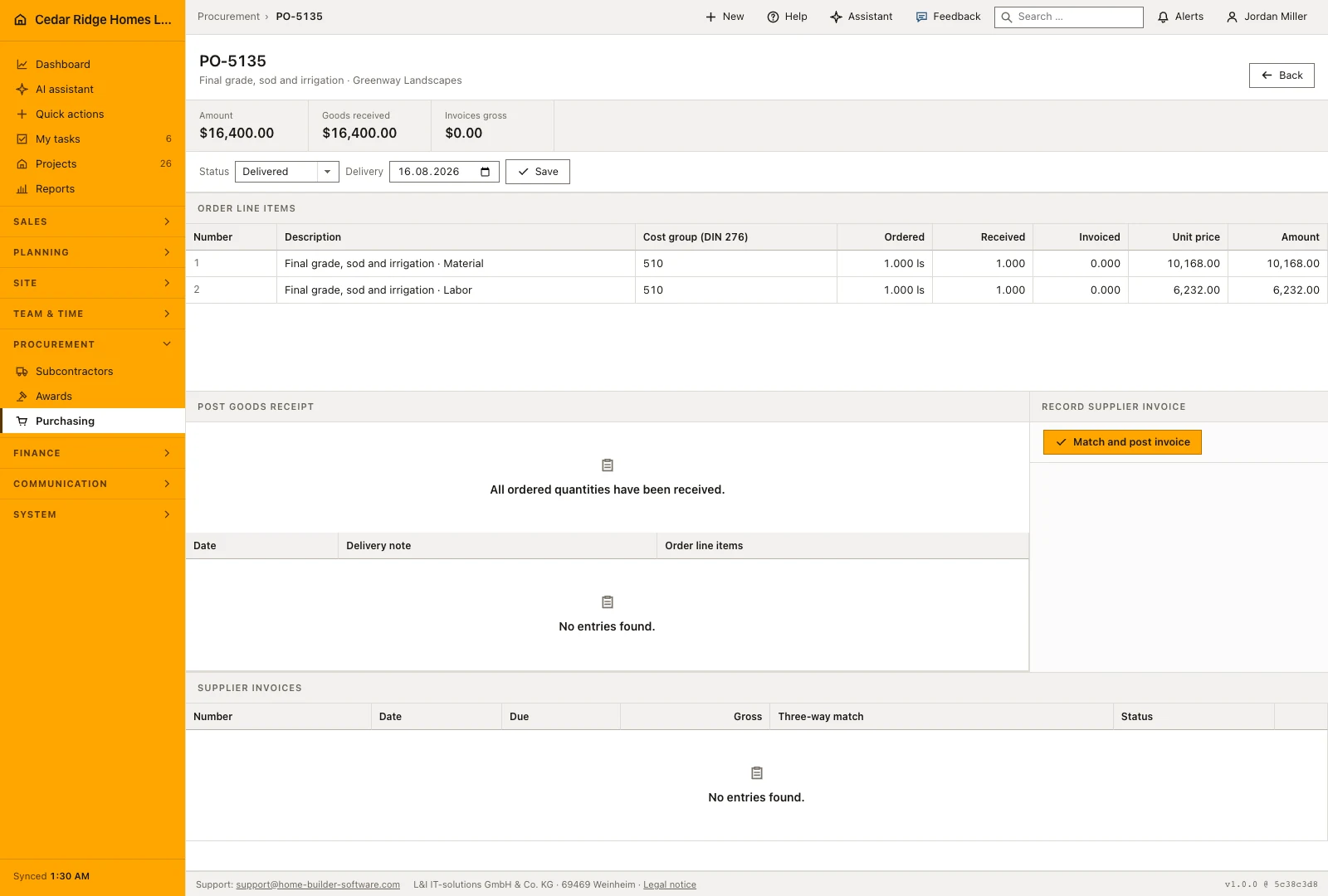
Two fields decide about money. A supplier invoice can only be released for payment when the tax exemption certificate still runs at the end of the day it names and the lien waiver stands at valid or not required. If the date is missing or past, or the waiver reads missing or expired, the release is refused and the payment run carries the invoice in its blocked column instead of the payable one.
The same firm in bid packages, purchase orders, tasks and defects
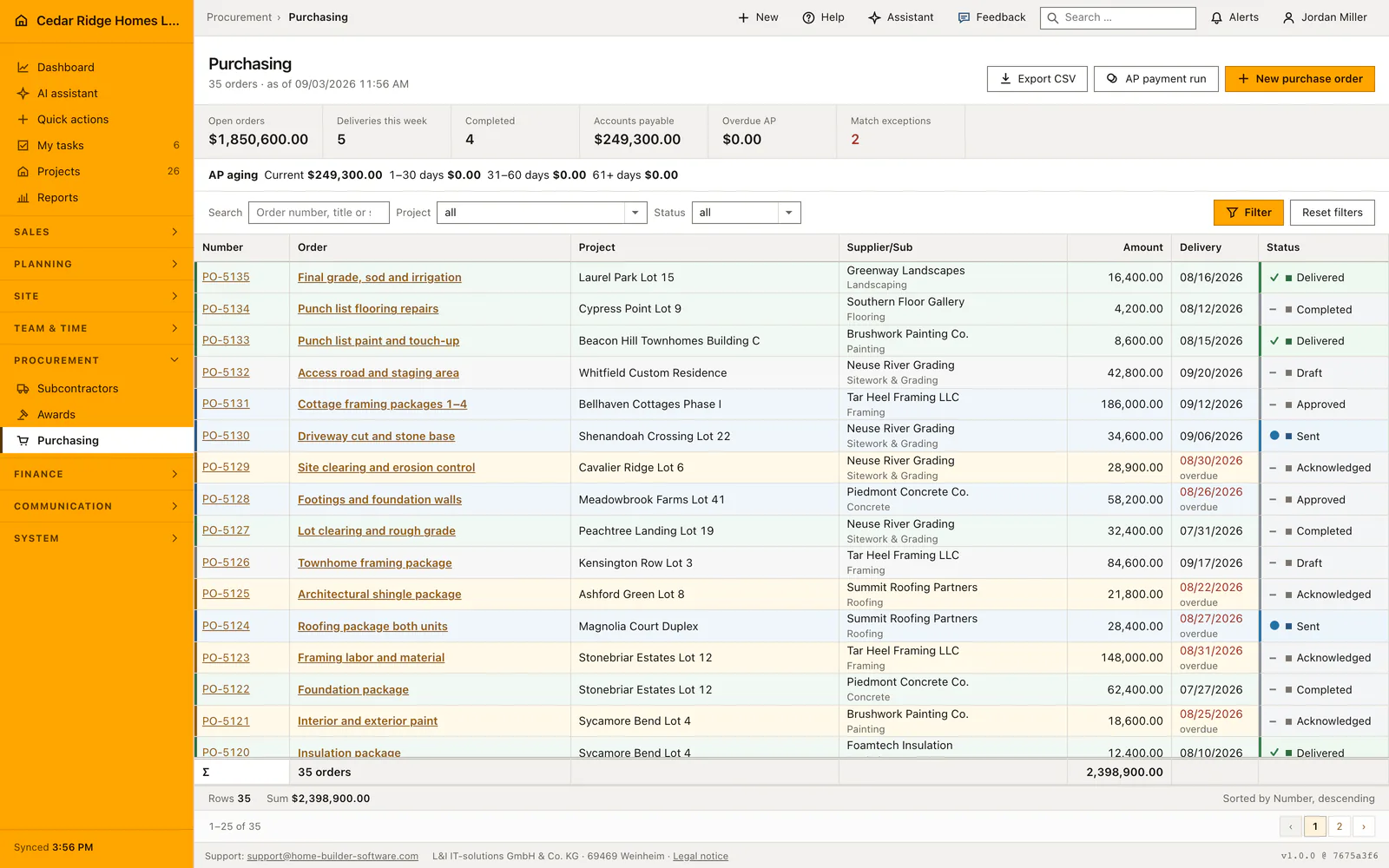
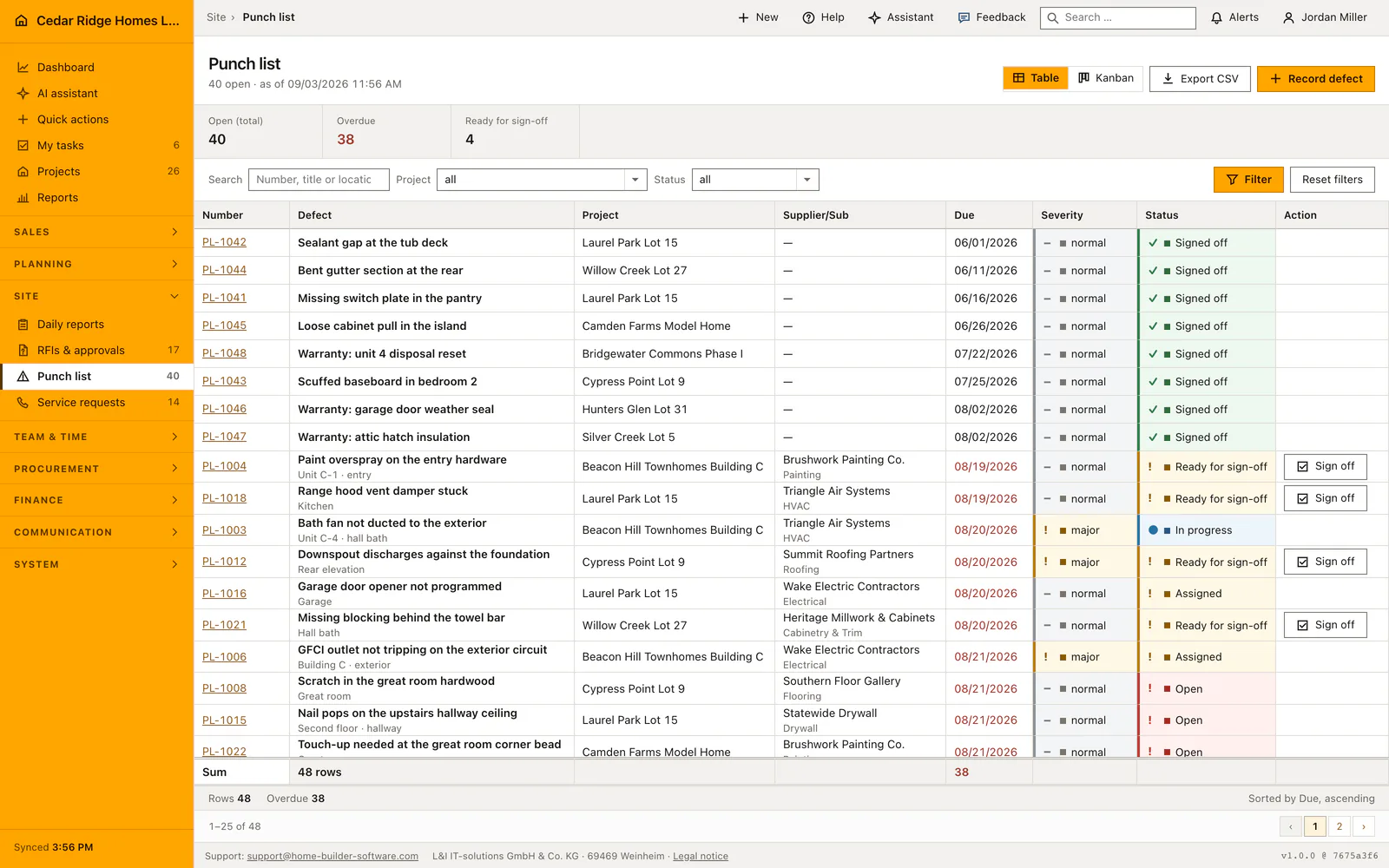
No downstream module retypes an address. The firm appears as a bidder in a bid package, as the supplier on a purchase order, as the party a work task is assigned to and as the party a defect is assigned to; the defect and order lists show the company name with the trade beneath it. Blocking a firm does not detach it from the work it already carries, it prevents it being chosen again.
Under the master data the record carries whatever additional fields the company defined for a partner firm, so a supplier number inherited from an older system or the date of a framework agreement has somewhere of its own to live instead of ending up in the notes. Below that sits the History and protocol block, which keeps correspondence on the firm it belongs to rather than in one person’s mailbox. The website field, 200 characters behind an https placeholder, is what a site manager reaches for when a stored phone number has gone stale.
Subcontractor management in practice: a tile contractor joins the register
Before the Willow Creek Lot 27 master bath goes out to tile, Sam Kowalski brings Bull City Tile & Stone from Durham into the register. Tile is still missing from the trade list, so an administrator adds it under Settings, Pick lists first. The create form takes the name, the country United States, the town Durham and an hourly rate of $68.50; the status stays at review pending, and on save the register writes NU-00001, first of its own series beside the imported SUB rows, an amber row. Priya Raman then completes the detail page: insurance valid until May 31, 2027, tax exemption certificate through September 30, 2026, lien waiver at valid, the OSHA card ticked among the qualifications.
After the reference calls the status moves to active and approved and the row turns green; only then does purchasing send work its way. A purchase order over $9,840 covers the bath tile, invoiced in two equal parts of $4,920. The September invoice passes the payment release, because the certificate still runs at the end of that day and the waiver stands at valid. The October invoice stays in the blocked column of the payment run instead: since the first of the month the certificate is expired, and nothing is paid out until Priya stores the renewal dated September 30, 2027 — at which point the second $4,920 moves over to payable.
Construction subcontractor management: checks before saving
Company name and country code are required; the NU number is derived from the highest existing number in the company and cannot be typed in.
Qualifications are stored as catalog keys, and any key outside the company catalog drops out when the record is saved.
Sorting only accepts number, name, trade, town and status; any other value falls back to name in ascending order.
Payment release checks the tax exemption certificate and the lien waiver and refuses as soon as one of them is missing or expired.
Creating and saving write subcontractor.created and subcontractor.updated to the audit log with account, timestamp and IP address.
Construction subcontractor management: common mistakes
Insurance valid until is missing from the create form. A firm entered once and never reopened therefore carries no insurance date at all; finish the record on its detail page.
Blocked is not a delete. Bids, orders, tasks and defects stay attached to the firm; blocking only prevents a fresh award, and the name keeps appearing on older records.
The tax exemption certificate is checked against the end of the day it names. A paper expiring today still releases a payment today and blocks every payment from tomorrow, so the renewal belongs in the record beforehand.
The product page describes the same module from the business side, with the decisions it supports and the modules it connects to.
See the product pageFrequently asked questions
Can subcontractors be filtered by status?
Yes. The register supports active, pending and blocked statuses.
Are qualifications free-text copies?
No. Subcontractors use stable keys from the company qualification catalog.
Configuring this part for your own company?
Describe the sequence you follow today and the result you need at the end of it. We can walk through the settings that produce it.