
Project-connected construction email: setup and daily use
Home Builder Software files e-mail against the job it belongs to. An administrator connects one company mailbox with sending and receiving credentials, the connection is probed before it goes live, and both passwords are stored encrypted. Anybody holding records.write then writes from the compose page and files a message onto a project, lead, customer, subcontractor, service request or piece of equipment, which turns it into a mail entry in that record's history.
Connecting the company mailbox for sending and receiving
The mailbox form sits at /mail/account and opens only for an account holding settings.manage. It asks for a display name and the company address, then for host, port, encryption, user name and password twice over: once for outgoing mail, once for the inbox. The defaults are port 587 with TLS for sending and port 993 with SSL for receiving. On a first mailbox both passwords are compulsory; when an existing one is edited, an empty password box keeps the stored value instead of clearing it.
Saving means testing. The connection tester opens real sessions against both servers, negotiates transport encryption where the setting says tls, and authenticates with the credentials just entered. Success writes health_status ok. Failure writes health_status error together with the server's own wording, shortened and kept on the account, and the form returns with that text under the fields rather than an error page. The first mailbox created carries is_default and counts as the company account.
Writing a message and addressing its recipients
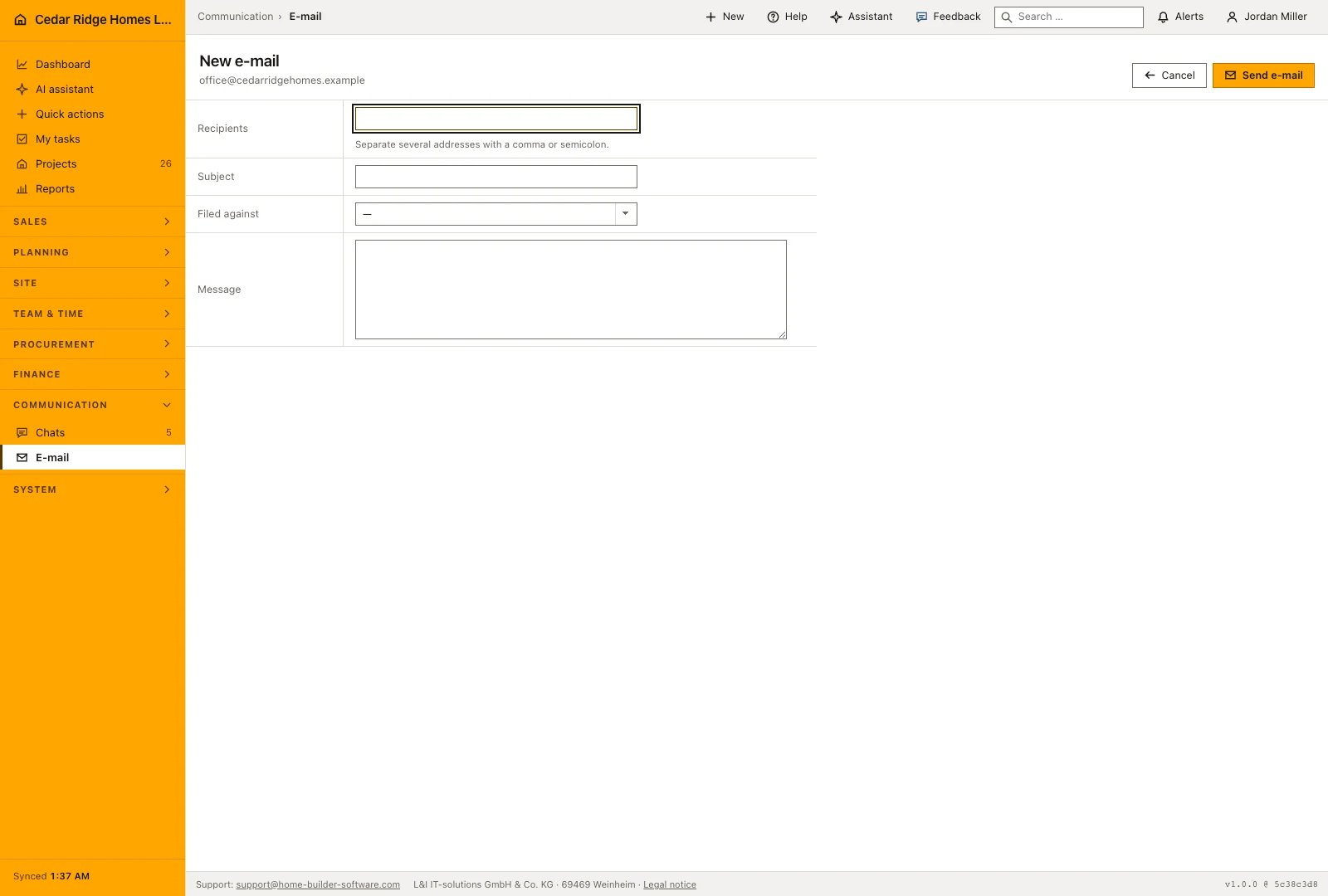
Compose is a page of its own and opens only once a mailbox exists. Choose the account, type the recipients into a single box separated by commas, semicolons or spaces, add a subject of up to 255 characters and a body of up to 50,000. Repeated addresses are collapsed before the message leaves. If one address fails validation the attempt ends with 422, so a typing slip never leaves half a message behind in the list.
The filing box sits on the same form. It offers every project by number and name, every lead, every customer, every subcontractor, every service request and every piece of equipment the company holds, which lets the message reach the right file while it is still being written. Leaving the box empty is allowed: the message goes out and is stored, and it can be filed afterwards from the list. A sent row keeps the outgoing direction, the status sent, its recipients and the sending time.
Synchronizing the inbox and filing what arrived
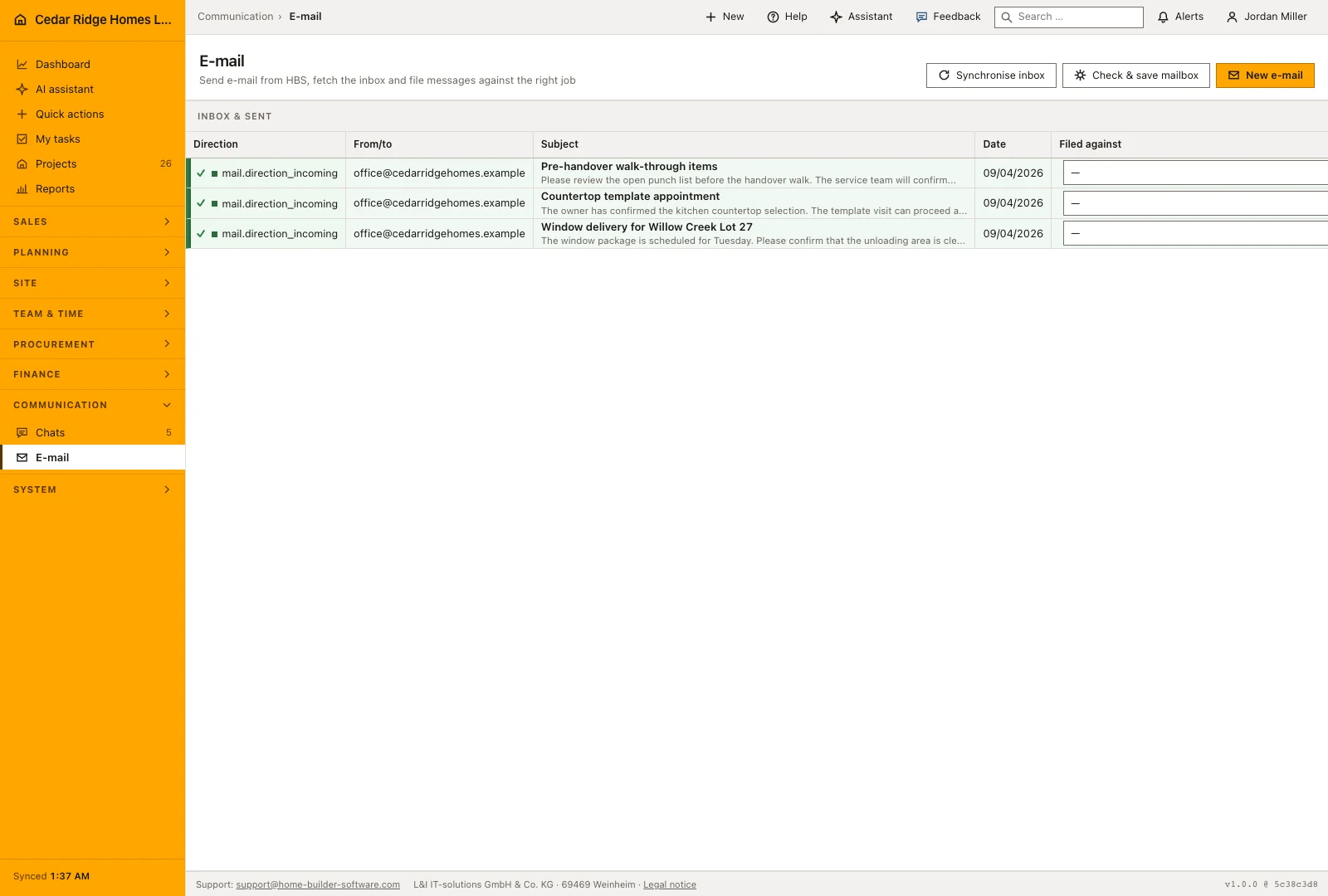
The synchronization button stands beside the compose action and belongs to administrators. One run signs into the mailbox, searches the inbox for unread mail, fetches the most recent twenty-five with sender, recipients, subject, date and text, and then marks what it read as seen. Storage is keyed by Message-ID, so a second run adds nothing that is already there. The response names how many new messages arrived, and the account records the moment it was last fetched.
Underneath stands the list, twenty-five rows to a page, carrying direction, correspondent, subject with the first ninety characters of the text, date and the filing box. Because a select and a button sit on every row, Tuesday's unfiled message is dealt with without opening it. A chosen target writes the assignment and the history entry in one step; changing the target later moves the assignment and adds a further entry rather than replacing the first one.
Mailbox permissions, audit trail and encrypted credentials
The module opens with records.view. Sending and filing call for records.write, which the office, site management, purchasing and estimating roles bring with them. Saving the mailbox and starting a synchronization call for settings.manage, held by administrators in the shipped roles. The split is deliberate, because the people writing to a supplier every day have no need of the mail server credentials.
Both passwords lie encrypted in the mailbox record and are never written back into the form. A verified connection, a sent message and a finished synchronization each add an audit entry with the account or message number, and the synchronization adds its count as well. Health status and the last error message stay on the account, so a mailbox that quietly stopped working explains itself on the page instead of failing in silence.
Mail entries in the project file, the lead and the service request
Filing a message creates a protocol entry of type mail on the target record. The subject becomes the title, the text becomes the body, the sending or receiving moment becomes the date, and the metadata keeps the message number and the direction. That entry stands in the same history as notes, comments, meetings, minutes, photos and portal chat, so correspondence reads in order beside everything else that happened on the job.
The wording a company sends is maintained elsewhere. Templates of the e-mail kind live in the template catalog, one row per language, and are copied into a message by the person writing it. The letters the software itself sends, such as password links, invitations and confirmations, are assembled from shared blocks and do not travel through the company mailbox. The mailbox carries what people write.
Worked example: a window supplier e-mail lands on Willow Creek Lot 27
On August 17, 2026 the Cedar Ridge Homes LLC administrator connects the company mailbox: display name Cedar Ridge Homes, address office@cedarridgehomes.example, outgoing server smtp.cedarridgehomes.example on port 587 with TLS, inbox server imap.cedarridgehomes.example on port 993 with SSL. The tester opens both sessions and the account goes live with health status ok. Next morning a purchasing colleague writes to two addresses at the window supplier about the delivery for week 36, keeps the subject at 54 characters, and picks P-2025-0412 Willow Creek Lot 27 in the filing box before sending. The new row shows direction outgoing, status sent and both recipients.
On August 19 the administrator starts a synchronization. The run finds eleven unread messages, stores all eleven with sender, subject, date and text — comfortably below the ceiling of twenty-five — and marks them seen. Among them sits the supplier's confirmation that the windows arrive on Monday, August 31. Straight from its list row the colleague assigns it to P-2025-0412, and the project gains a protocol entry of type mail dated August 19, 2026. A second run an hour later reports zero new messages because every Message-ID is already stored. The whole exchange now reads in the Willow Creek Lot 27 history beside daily reports and photos.
Project-connected construction email: checks before saving
A mailbox whose health status is not ok refuses to send, so the connection test has to pass before any message leaves.
Message number and mail account form a unique pair, which keeps a second synchronization from storing the same incoming message twice.
Saving the mailbox and running the synchronization require settings.manage, while writing and filing require records.write.
Every filing writes a protocol entry of type mail on the chosen record, dated by the sending or receiving time.
An invalid recipient address ends the attempt with 422 before any message row is written.
Project-connected construction email: common mistakes
Editing a mailbox with the password boxes left empty keeps the stored passwords. Typing a placeholder into them saves that placeholder instead, the test fails, and the account drops to an error state until the real password is entered again.
The synchronization reads unread mail only and marks it as seen. If a colleague opens the same inbox in their own client first, those messages never reach the list, so agree early who fetches the company mailbox.
A message sent without a filing target stays in the mail list and nowhere else. File it from its row the same day, otherwise the project file shows no trace of an exchange that decided something.
The product page describes the same module from the business side, with the decisions it supports and the modules it connects to.
See the product pageFrequently asked questions
Which protocols connect the company mailbox?
Outgoing mail uses SMTP and incoming synchronization uses IMAP.
Where does an assigned email appear?
It becomes an email entry in the shared history of the selected business record.
Configuring this part for your own company?
Describe the sequence you follow today and the result you need at the end of it. We can walk through the settings that produce it.