
My construction tasks: setup and daily use
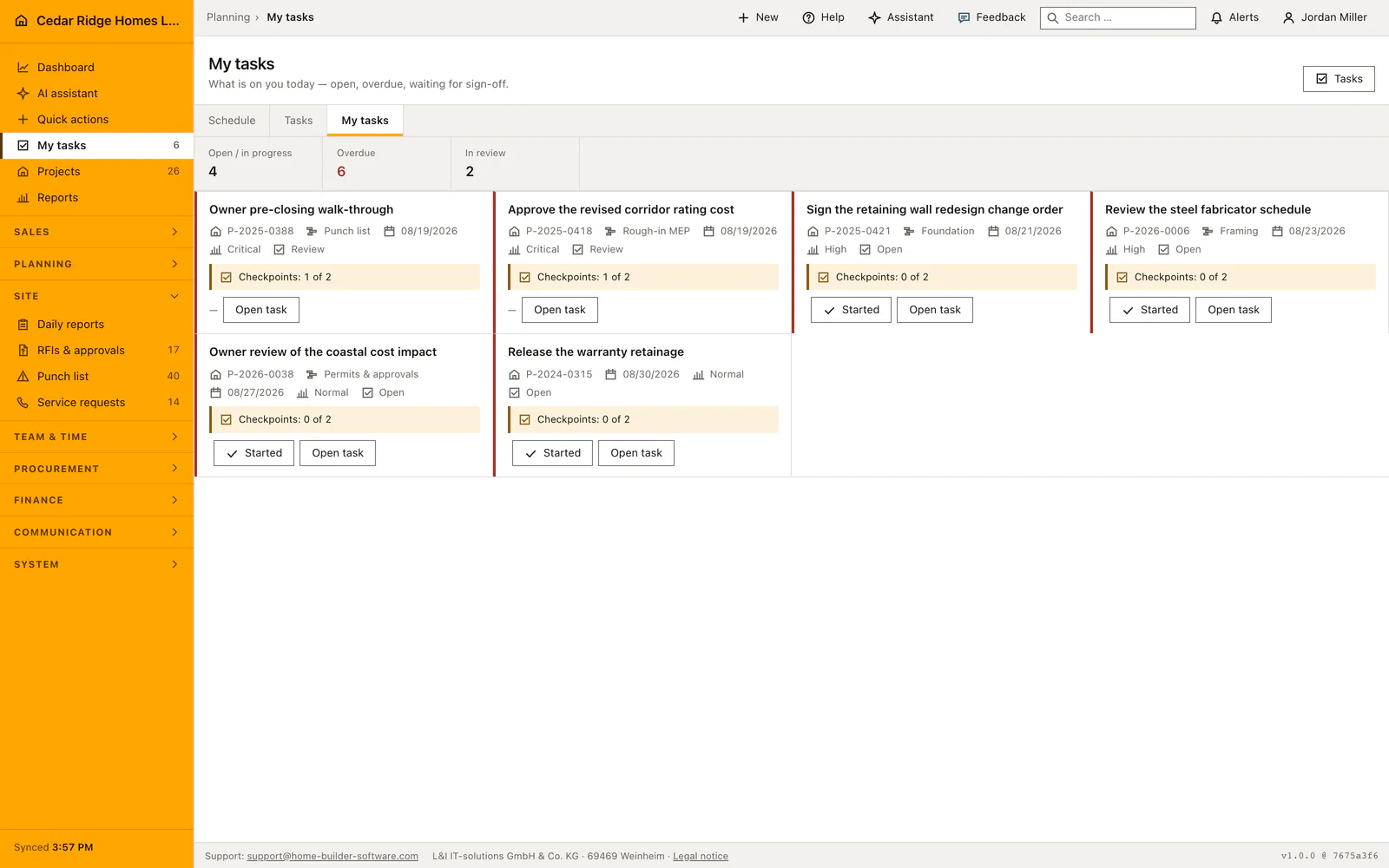
My tasks is the personal page under the task module: the work addressed to the signed-in employee, without the company-wide list around it. Three figures head the page, open, overdue and in review, and the work below appears as cards rather than table rows. Reaching it needs workforce.view, and the badge beside the navigation entry counts exactly what the page then lists.
What My tasks needs: workforce.view and a name on the work
The page is open to anyone who may read the workforce module of Home Builder Software, the field role included. A task counts as yours in two ways: you are the lead person recorded on it, or your name stands in its assignment rows. Both are consulted every time, because a task written before assignment became a list has only the lead column, and a task carried by four people has only the rows for three of them.
Tasks themselves are created under Tasks by a role with workforce.manage, with title, project, schedule activity, phase, the people responsible, an optional subcontractor, priority, due date, labels, a checklist and the sign-off mode. The phase is the summary activity of the schedule the task hangs under. A plan without summary activities therefore has no phases at all, and the lists group by the kind of work instead.
Reading a task card: project number, phase, due date, checkpoints
Each card names the project number or says that the task has none, the phase where the schedule has one, the due date or its absence, the priority and the current status. A task past its due date is marked and sorted to the top, and the word overdue is written out because the marking never rests on color alone. The description is shown shortened, and a rejected task carries the written reason it came back.
Under the facts sits the checkpoint line, which counts how many of the declared points are answered. It is placed next to the button that hands the task in, so nobody submits work without having seen the list they were meant to work through. The statuses are open, in progress, blocked, review and done; the priorities run from low through normal and high to critical.
Reporting progress and taking on work nobody carries
The button in a card offers exactly one next step rather than a menu. An open task becomes in progress, a task in progress goes to review, a blocked task returns to in progress. Done is not a status anybody awards their own work: without workforce.manage the form and the card button both stop at review, and the server applies the same list, so a hidden field cannot skip the decision either.
Work that belongs to nobody can be taken over on the spot with workforce.view alone, but only while it really is unclaimed, which keeps taking work from turning into self-assignment. The action is recorded in the audit log. An assignee may also change the status, tick checkpoints and edit the description; project, people, priority, due date and sign-off mode stay with the role that plans the work.
Checkpoints, hand-in and the decision by site management
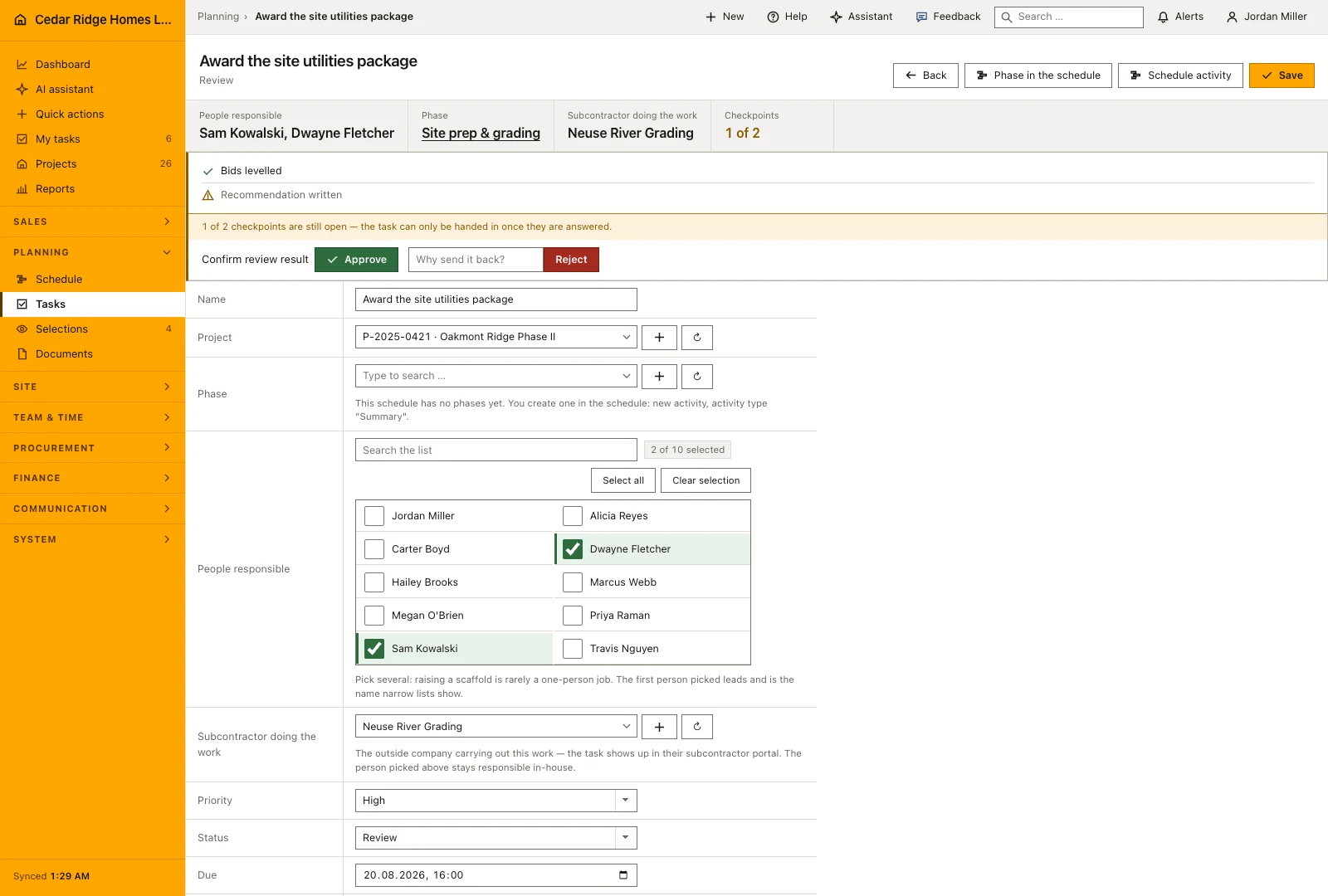
Handing in opens its own screen that asks the declared checkpoints and posts the ticks together with the status change, so answering and submitting are one action. While a point is unanswered, review and done are refused with a message naming how many of how many are still open, and the refusal comes back as the question that was never asked rather than as an error page.
Where the task is signed off by site management, the hand-in sets it to review and notifies everyone holding workforce.manage. Approval writes done with the reviewer and the time. A rejection demands a written reason, puts the task back to in progress and notifies the people on it, which is why the reason later appears on their card. Where no sign-off was agreed, handing in completes the task at once.
From a schedule phase into the task and back to the start page
The company-wide task list is the same data with the filters around it: by project, by phase or explicitly without one, by status, by person, by nobody at all, and by a word in the title or description. Grouping by phase orders the chapters the way the work happens, following the start of each summary activity, which is the order the schedule already draws.
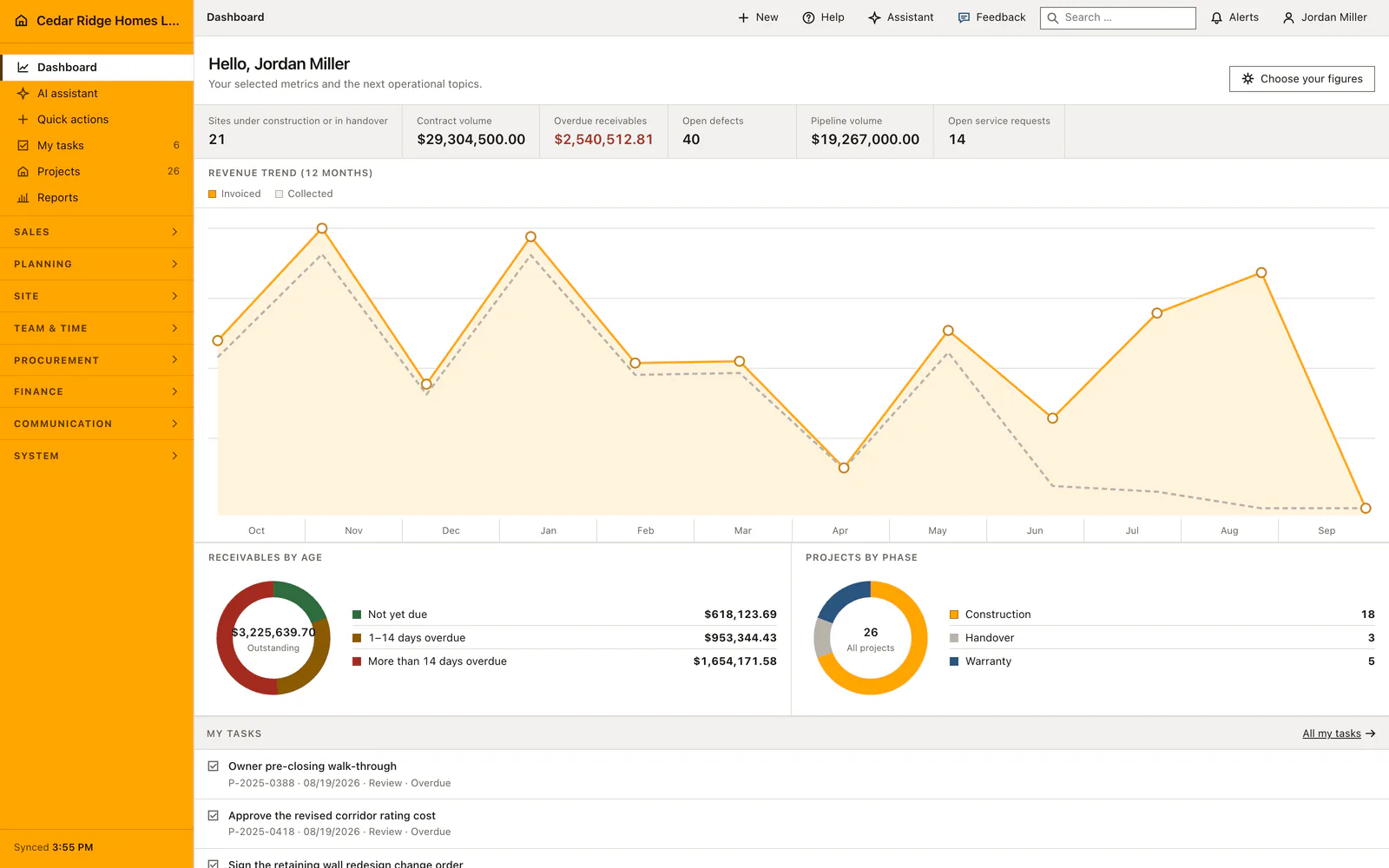
The start page repeats a short version of the personal list, overdue first, with a link to the full page, and the navigation badge counts the same open work and narrows to the active project when one is selected. The assistant can create, assign, update and complete tasks as well, under the same planning permission and, in the default setting, with a person deciding before anything is written.
My tasks from assignment to approval: a Cedar Ridge example
Dwayne Fletcher, superintendent on Oakmont Ridge Phase II, creates a task under Tasks: set the anchor bolts for the retaining wall on project P-2025-0421, hung under the summary activity Lot 14-16 foundations, assigned to Marcus Webb, priority high, due on 08/21/2026, sign-off by site management, and a checklist with four checkpoints from the torque wrench readings to the photo filed in the daily report. On Marcus’s personal page the card appears at once, showing the project number, the phase from that summary activity, the due date and the checkpoint line at none of four answered, and the badge beside My tasks counts one card more than the evening before.
Marcus presses the single button on the card, which moves the task from open to in progress. At hand-in he answers three checkpoints and tries to submit; the page refuses review and names the one point of four still unanswered. After the last reading is recorded he hands the work in again, the status changes to review, and everyone holding workforce.manage is notified. Dwayne approves on 08/21/2026, so done is written with reviewer and time, the card leaves the page, and the in-review figure at the head of Marcus’s page returns to zero while his open count drops by one.
My construction tasks: checks before saving
Review and done are refused while a checkpoint is unanswered, and the rule holds for the card button, the status field and the server alike.
Done is not self-service: without workforce.manage the available statuses stop at open, in progress, blocked and review.
Work can be claimed only while nobody carries it, which keeps taking on a task separate from assigning one.
A rejection requires a written reason, returns the task to in progress and notifies the people responsible for it.
Progress, claiming, the review decision and deletion each write an audit entry naming the task and what was decided.
My construction tasks: common mistakes
A task without a phase is not a mistake. A schedule that has no summary activities has no phases, and both the task list and the plan then group by the kind of work instead.
Handing the same task in twice writes nothing: posting a status the task already holds is not a move, so no notification goes out. Read the status on the card before pressing again.
A due date is stored as the end of that day in the company timezone. Read as a bare date it would fall at midnight, which would make every task look overdue to the people working on it that day.
The product page describes the same module from the business side, with the decisions it supports and the modules it connects to.
See the product pageFrequently asked questions
Which tasks appear in My tasks?
Employees see their assigned tasks and work that is not yet assigned, subject to their access.
Can a task be completed with unanswered checklist items?
No. Required checkpoints must be answered before submission or completion.
Configuring this part for your own company?
Describe the sequence you follow today and the result you need at the end of it. We can walk through the settings that produce it.