
Construction software user management: setup and daily use
Users are maintained under Settings, in the People and permissions group, on the Users tab. A name and a role are required; the e-mail address is optional and only matters for somebody who is meant to sign in. Saving a record that carries an address sends the invitation and its password link at once. The same tab holds job title, office, phone, mobile and the hourly rate that hour approval later proposes.
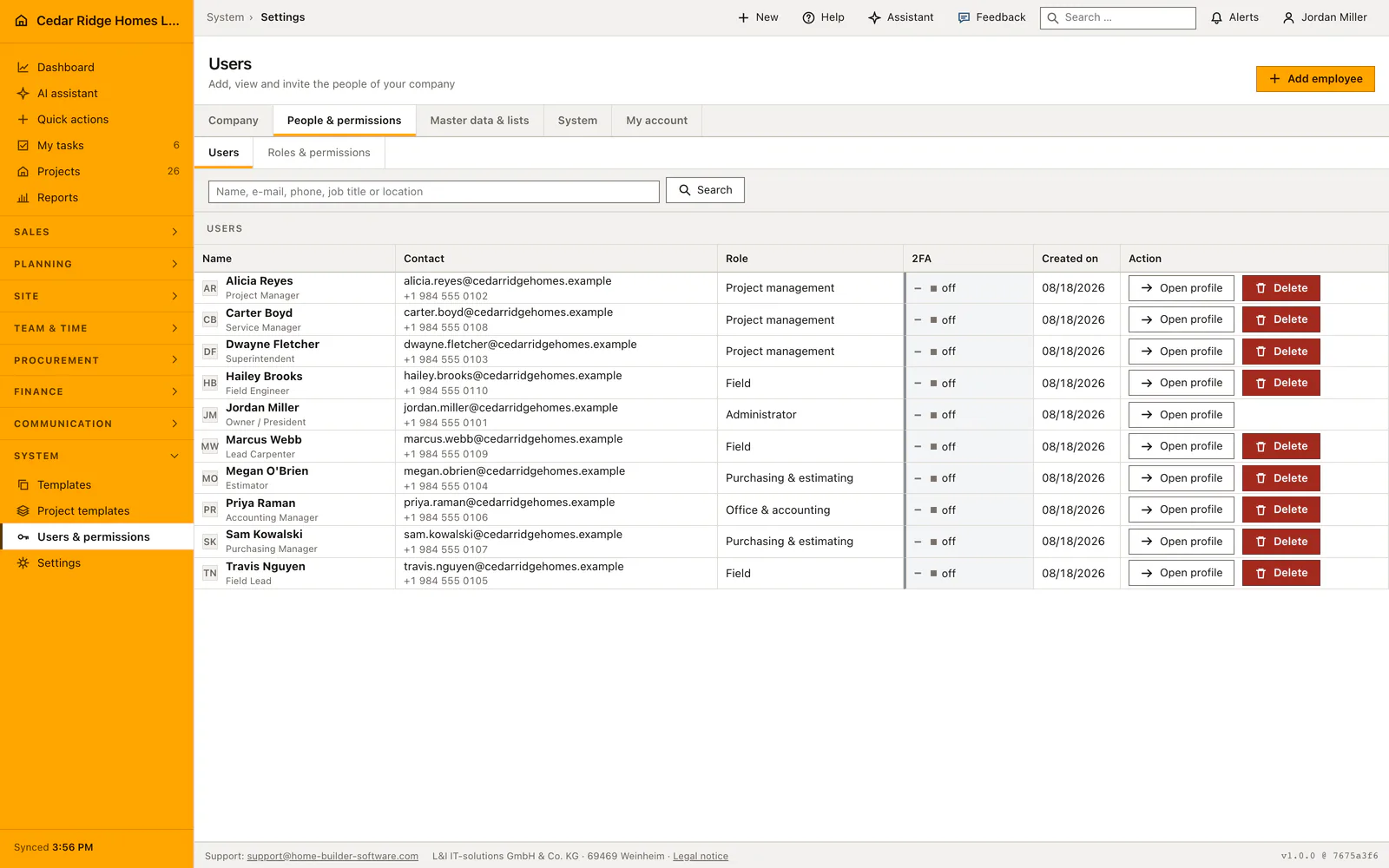
Where user administration sits and who may open it
The Users tab lives beside Roles and permissions in the People group of the settings navigation. Opening it needs the users.manage permission; without that key the entry is not rendered at all and the address answers with 403. The administrator created at registration holds it, and any company role can be given it. The table carries one row per colleague with name, e-mail, role, the two-factor state and the creation date, followed by the actions that the viewing account is allowed to trigger.
Two things are worth settling before the first invitation goes out. The roles the company wants should already exist, because a role is picked while the record is being written and cannot be left blank. And the company pick lists behind job title and office fill themselves from what people type, so agreeing on one spelling early keeps the workforce directory from carrying two versions of the same branch.
Adding an employee with role, contact details and hourly rate
Name and role are required, the address is not, because a person on the crew list and a login are separate things. The same form takes job title, phone, mobile, office and the hourly rate, and it can switch on the project restriction and tick the approved jobs in one pass. Job title and office are select fields that adopt an unknown value, so the next person finds it as a ready option.
Afterwards every contact card carries two buttons. Edit contact details reopens address, job title, phone, mobile, office and rate; edit project access reopens the restriction together with its project list. Clearing that field on a later edit changes nothing, because an empty input is read as not entered rather than as an instruction to take somebody who signs in every morning off the system.
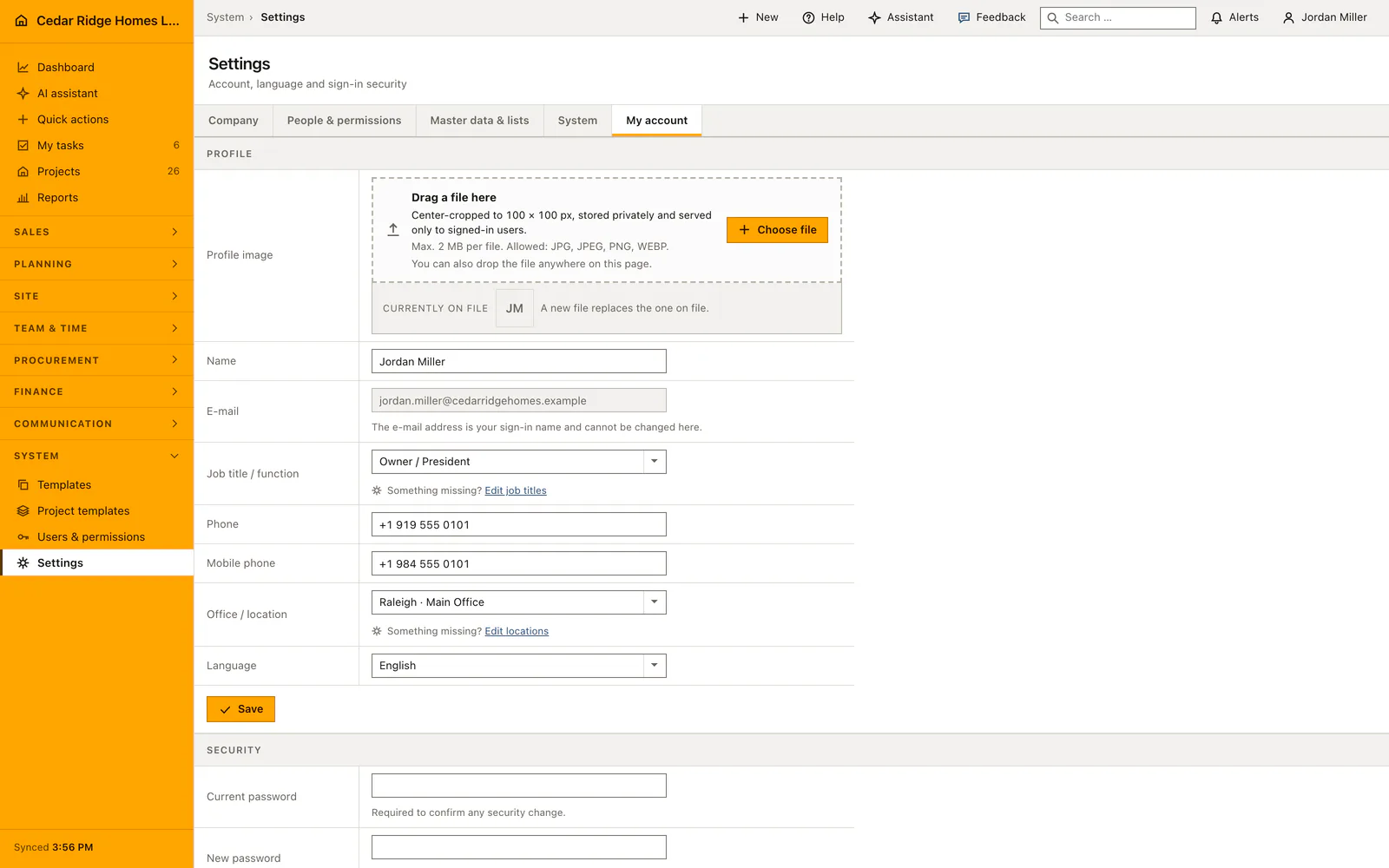
Invitations, password links and two-factor sign-in
Saving a record with an address sends the invitation immediately and the confirmation names the mailbox it went to. The letter carries a link with which the person sets a password of at least ten characters. If the mail server refuses, the account still exists and the message says the letter did not get out, so nobody is left guessing. Send password link repeats the attempt from the list once the mailbox works.
From then on the account belongs to its owner, who maintains it under My account. Display name, interface language and password sit there, and so does the switch that adds a six-digit code, valid for ten minutes, to every sign-in. Changing the password signs the other devices out at the same moment. The language chosen there is stored on the account, so signing in from a different machine keeps English, German or French without anybody switching it again.
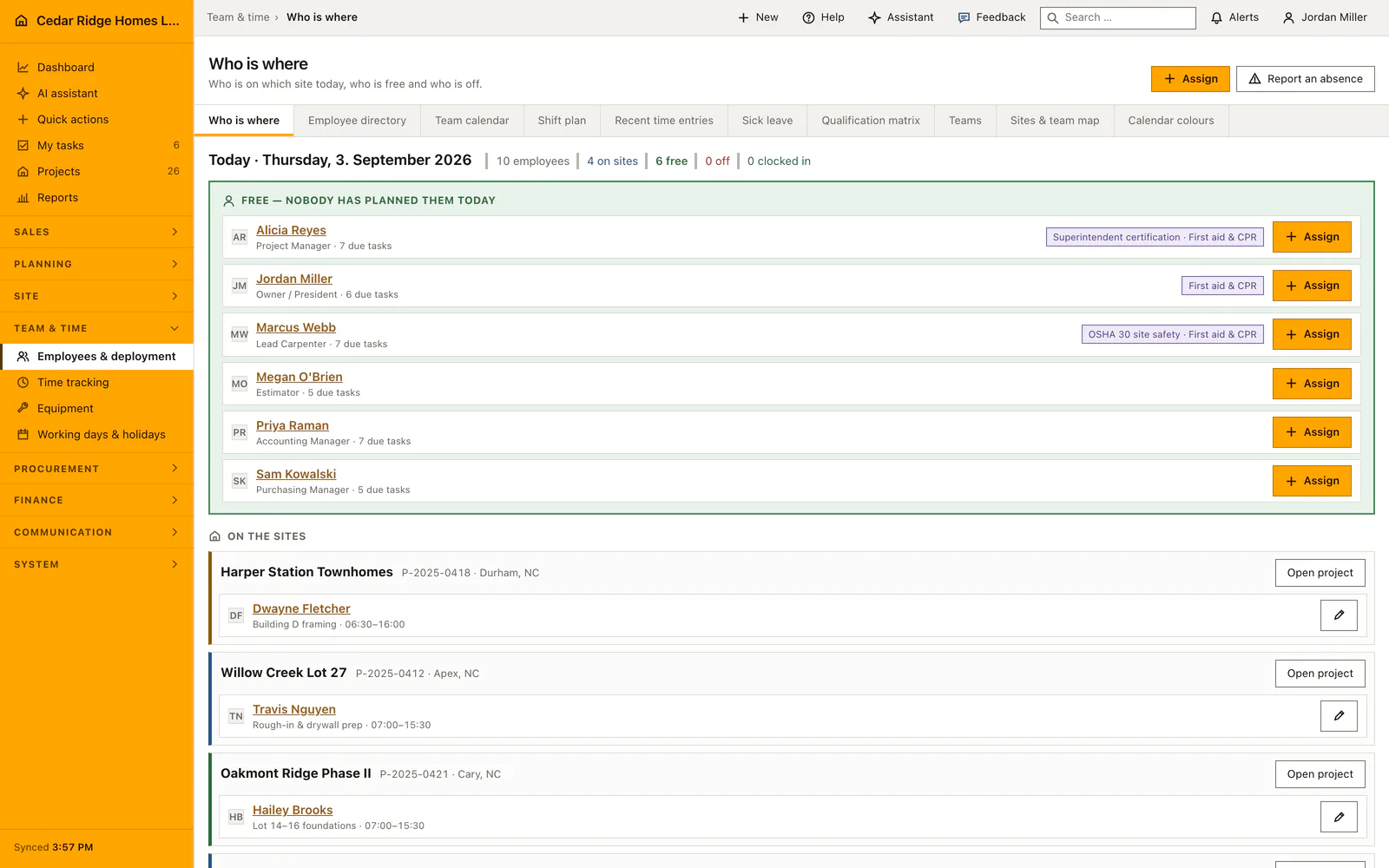
Protected account actions and what the audit log records
Every write below the settings.users routes is mapped to users.manage by the central mutation gate, so a button that was never rendered is not what protects the action. Handing out the administrator role is stricter still and stays with administrators, which stops a user administrator from mailing full rights to an inbox they control. Nobody removes their own account, and the last active administrator can neither be deleted nor moved to another role while no second one is active.
Each step leaves a dated entry with the acting person and the request address. Creation writes user.created or user.invited together with whether the link actually went out; the later steps write user.password_link_sent, user.contact.updated, user.project_access.updated with the approved projects, user.role.updated and user.deleted. Webhook endpoints configured under Integrations can subscribe to the user events and receive the same payload.
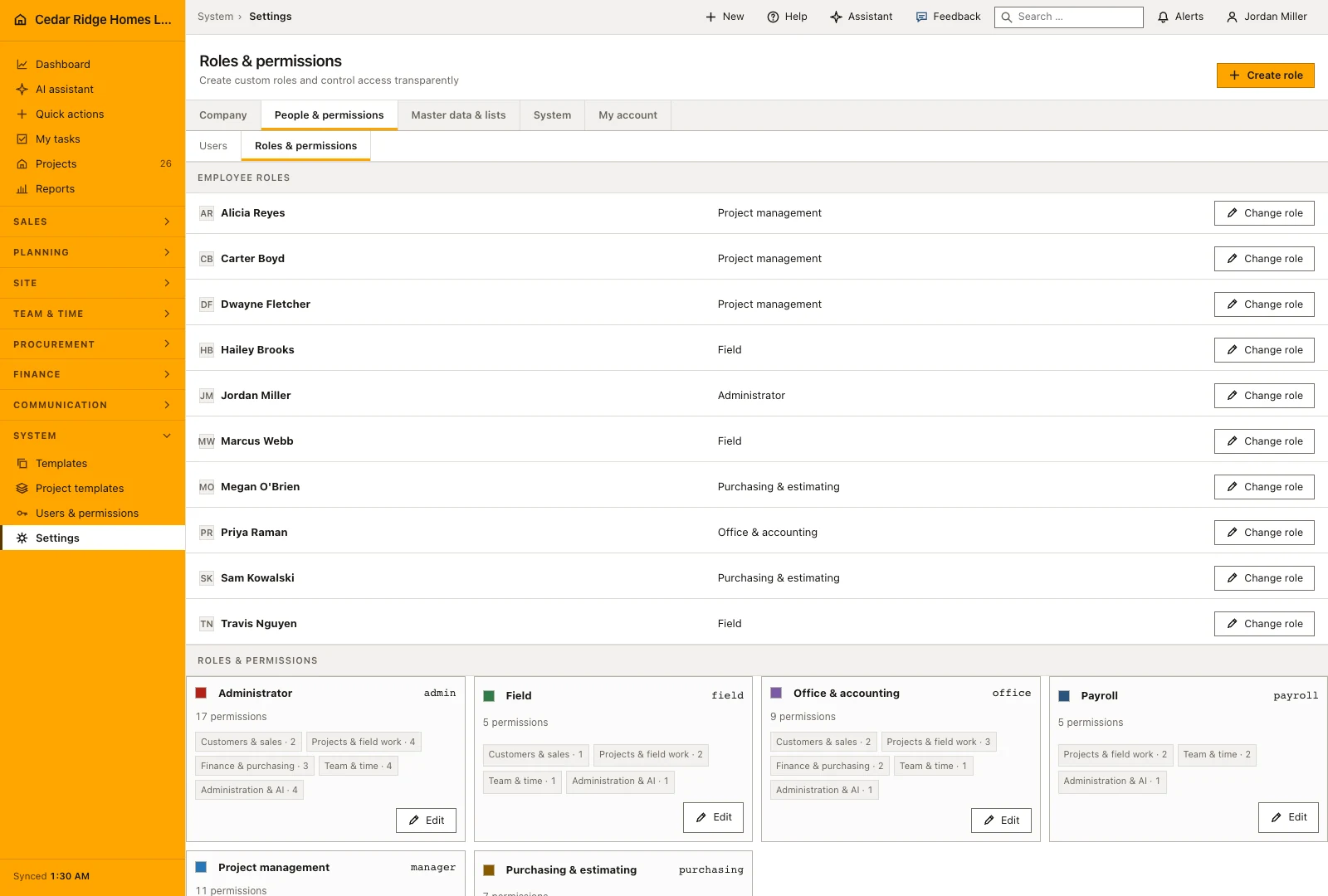
How the user record feeds workforce planning, tasks and chat
The record is read elsewhere rather than typed twice. Phone, mobile and office appear in the workforce directory and in the quick contacts of the chat, the hourly rate is proposed when hours are approved so that actual labor cost does not stay at zero, and the name is what shift planning, tasks and site management assign work to.
Deleting is therefore never only about the login. The confirmation counts what still hangs on the person, and the deletion hands that work back: future shifts return to unassigned where the gap analysis picks them up again, open tasks lose the leaver and become claimable, and everything already past stays untouched as the record of who worked. Sessions stored on the control connection are dropped in the same step, so a browser left open loses access straight away.
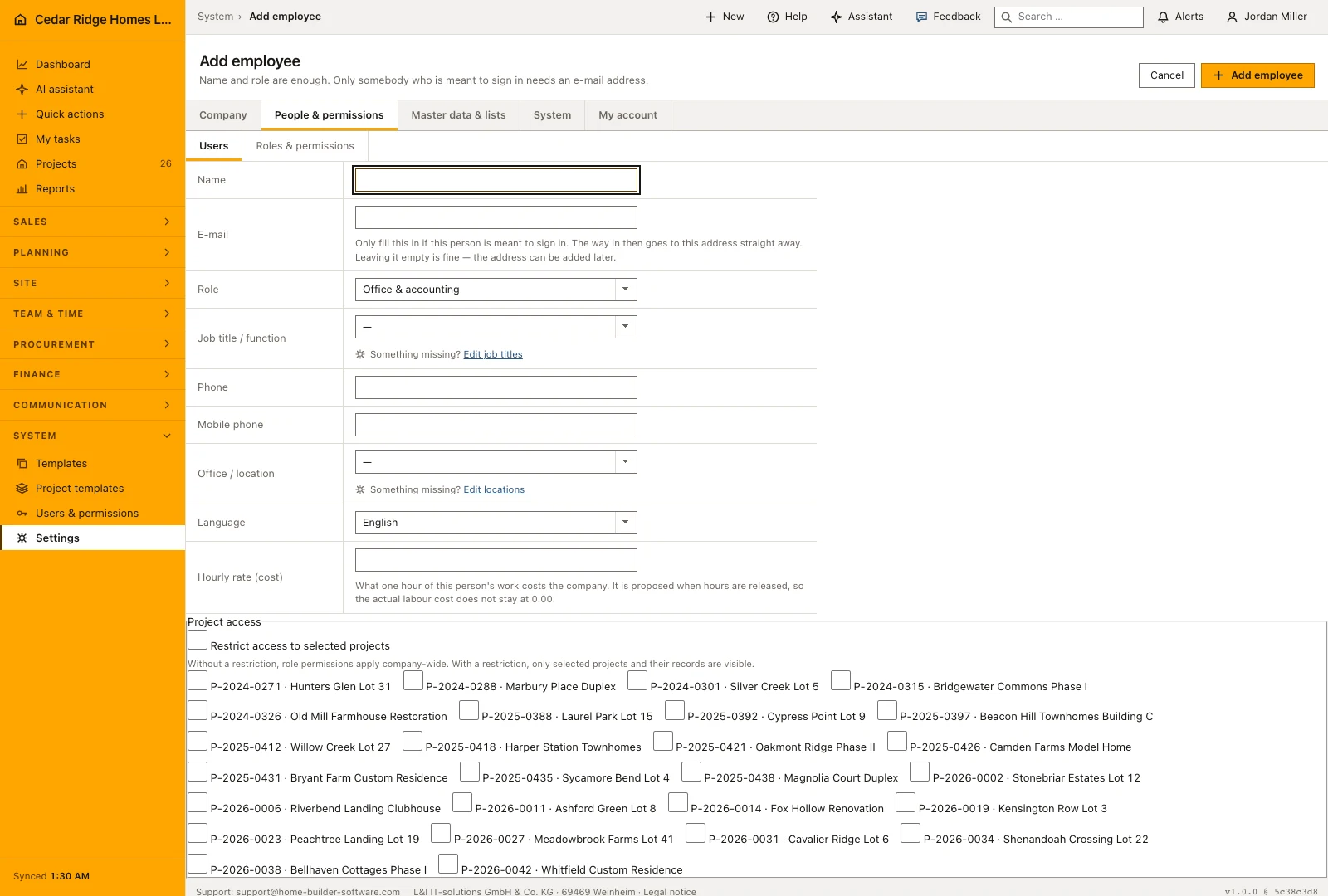
Example: a new employee from invitation to the first approved hours
Cedar Ridge Homes hires Evan Porter as a lead framer for the Apex field office. The office writes his record on the Users tab with the site role, the job title Lead Framer, the office Apex · Field Office, the phone number +1 919 555 0114, the mobile number +1 984 555 0114 and an hourly rate of $34.50. Because the e-mail address evan.porter@cedarridgehomes.example is entered as well, saving sends the invitation in the same second, and Evan sets his own ten-character password that evening. The form also switches on the project restriction and ticks Willow Creek Lot 27 and Harper Station Townhomes, the jobs he will actually frame.
The record starts paying off during his first week. Colleagues find both numbers in the workforce directory and in the chat quick contacts without asking him, and his project list shows exactly the released pair while the remaining twenty-four jobs of Cedar Ridge stay out of his sight. On Friday the site manager approves the recorded 38.5 hours, the approval proposes the stored $34.50, and Willow Creek Lot 27 carries $1,328.25 of actual labor cost instead of a blank figure. The audit log holds user.invited and user.project_access.updated with both jobs, so months later anybody can still see who set the account up and when.
Construction software user management: checks before saving
Every write route below settings.users requires users.manage, and the server refuses the request even when the button was never rendered on screen.
Only an administrator may grant the admin role; a users.manage holder who tries it is stopped with 403 before the record is written.
The last active administrator can neither be deleted nor moved to another role while nobody else holds that role.
An e-mail address must be unique across the platform, and an emptied address field never removes a login that already exists.
Deleting the account you are signed in with is refused with 422, whatever role that account holds in the company.
Construction software user management: common mistakes
Adding a colleague without an address and then waiting for the invitation: none was ever sent. The row shows No login yet, so enter the address on the contact card and use Send password link.
Leaving the hourly rate empty means released hours are costed at zero. Fill it while the person is being added, or hour approval has nothing usable to propose later.
Deleting an account to park somebody for a few weeks also hands their future shifts and open tasks back to the company. Record an absence under Employees and deployment instead: the kind field there separates sick from holiday, and the account stays exactly as it is.
The product page describes the same module from the business side, with the decisions it supports and the modules it connects to.
See the product pageFrequently asked questions
Can a manager perform administrator user actions?
No. Invitation, deactivation and protected account actions remain limited to administrators.
Are employee contact details duplicated?
No. Profile, workforce directory and chat contacts use the same user record.
Configuring this part for your own company?
Describe the sequence you follow today and the result you need at the end of it. We can walk through the settings that produce it.