
Construction bid comparison and awards: setup and daily use
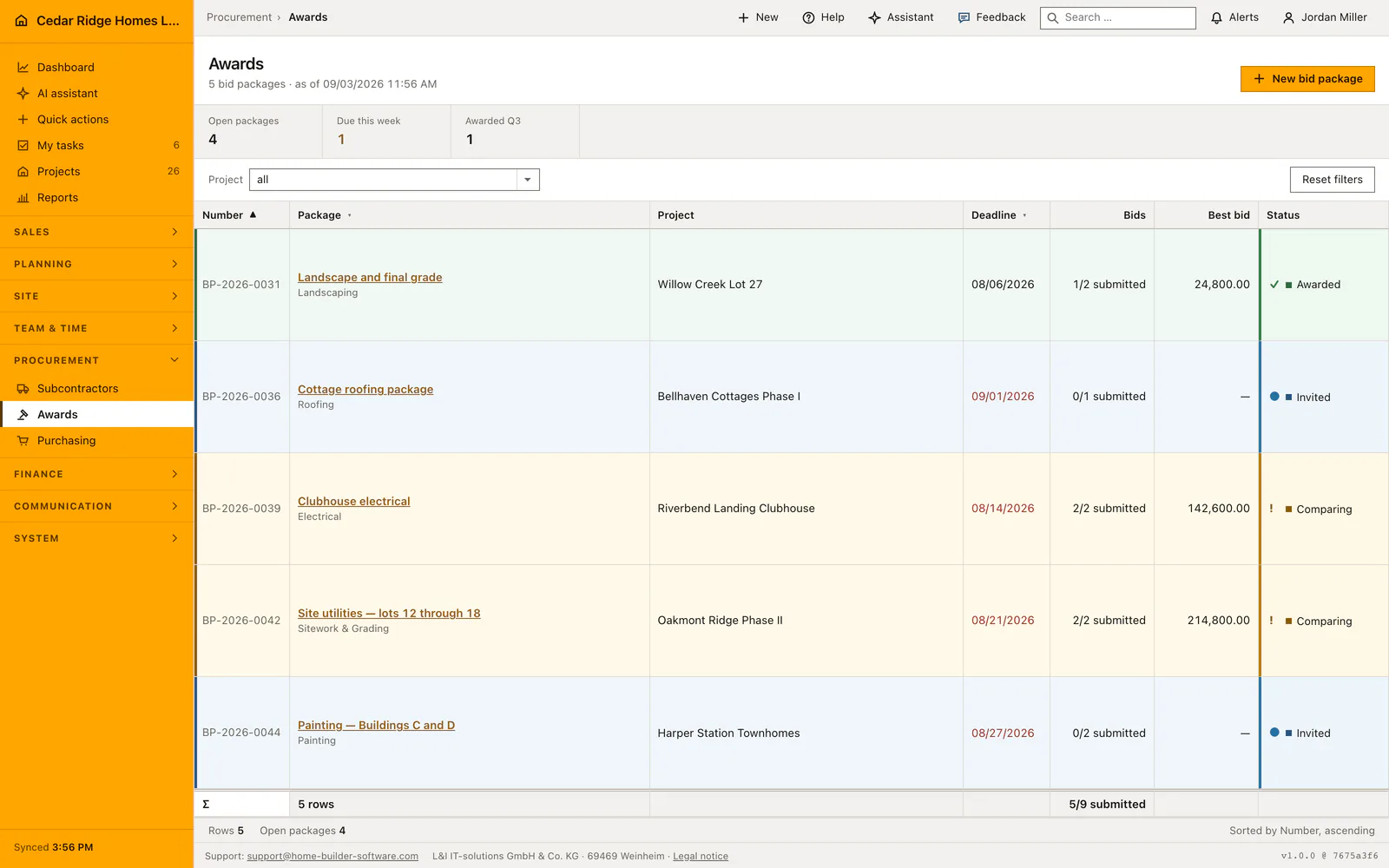
Awards at /awards is where a trade is put out to tender and handed over: one bid package per trade, its invited firms, their amounts and the decision. Reading the list needs finance access, while creating packages, entering bids and awarding all need the purchasing right. The overview shows bid progress as submitted over invited, the best amount received, and a deadline that turns red once it has passed without an award.
Cost groups, trades and the register a bid package draws on
Three things have to stand before a package is worth creating. The invited firms come from the subcontractor register, so a bidder never entered there cannot be added. The trade comes from the same company pick list that serves the register. And a package hanging on a project needs a cost group from the DIN 276 catalog, because that is what carries the awarded sum into the project budget.
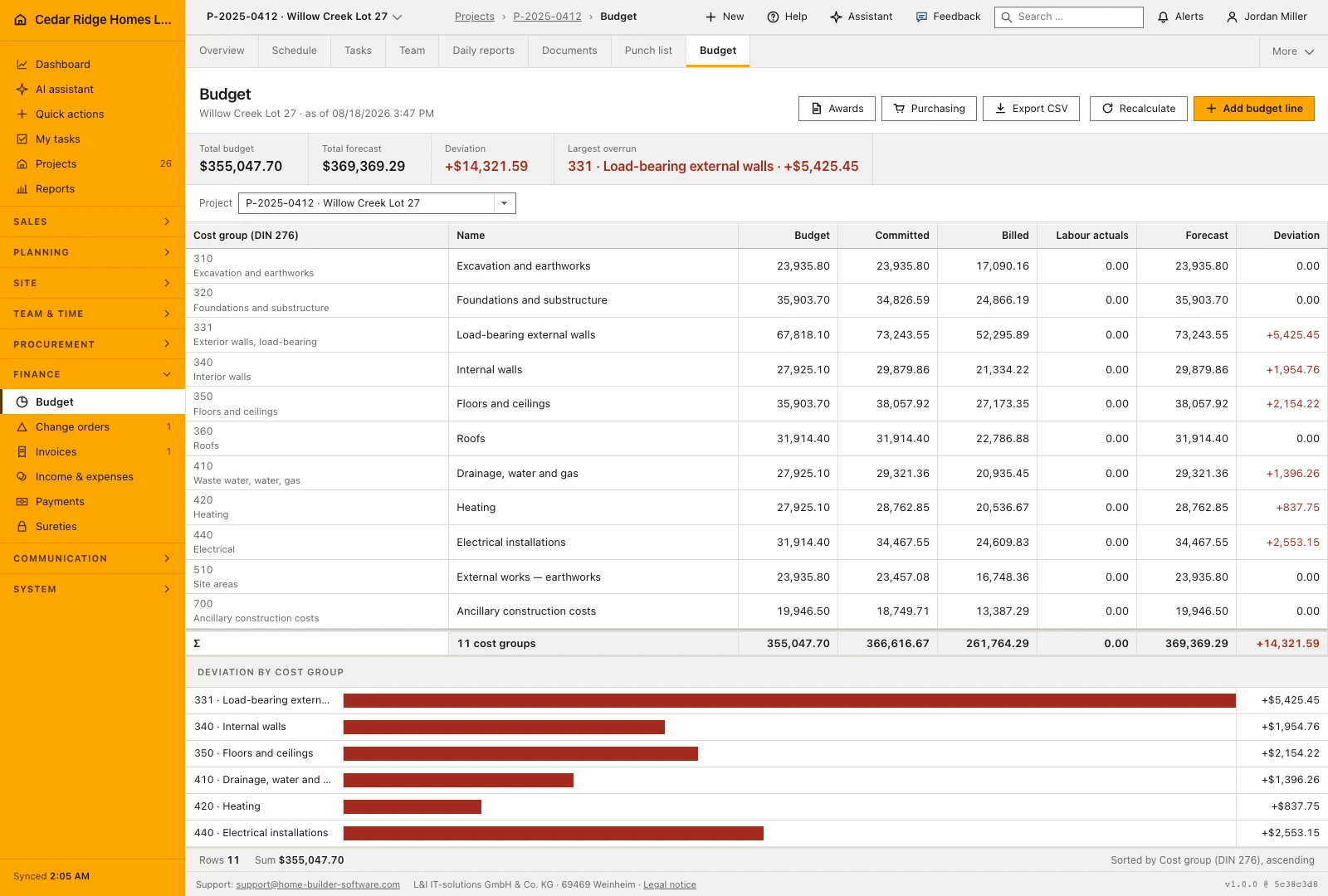
As soon as a project is chosen, creation itself demands the cost group, and the field on the detail page names the reason. A package without a project may leave it empty; if a project is attached later, the application refuses the award without one. The budget roll-up finds an awarded package through its cost group, and without it the committed column would stay at zero.
Creating a bid package and taking bidders onto it
New bid package asks for a title of up to 180 characters, an optional project, the trade, the deadline and the cost group. The number follows the year, counted per company from VP-2026-0001 upward. A new package starts as a draft. The master-data block on the detail page keeps all of it editable afterwards, including the status, which runs from draft through invited and comparing to awarded.
Bidders join one at a time through a select that already leaves out the firms on the package; a second attempt with the same company returns a message rather than a duplicate row. A new bid starts at invited, with an amount only where one is already on paper. Amount, status and note stay editable in a block of their own per bidder, and a bid can be removed as long as neither it nor the package has been awarded.
Reading the bid comparison, the deviation column and the bidder notes
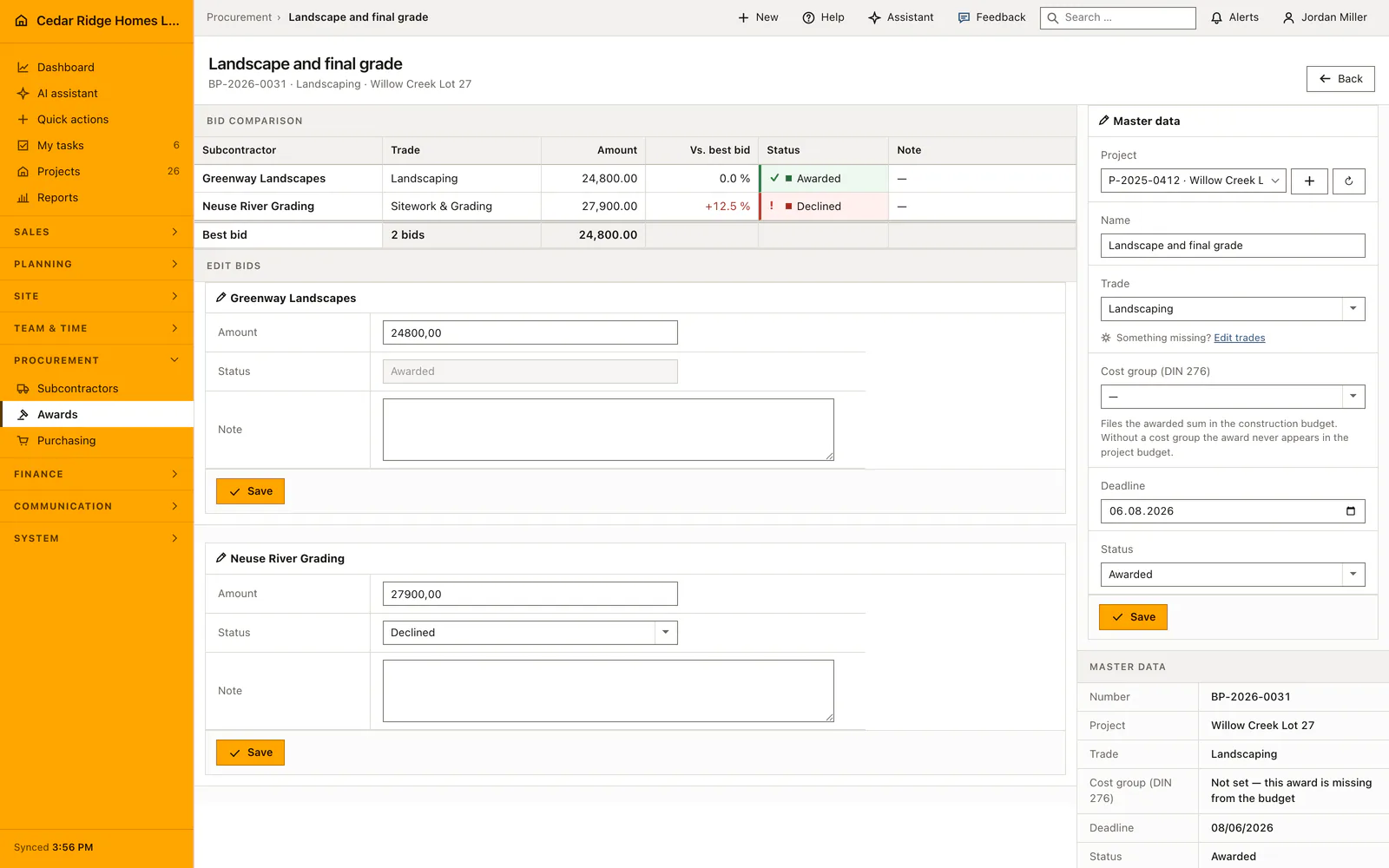
The comparison lists every bidder with trade, amount, the percentage distance from the best offer, status and note. The baseline is the cheapest amount that actually arrived, counting submitted and awarded bids, which is why an awarded package still shows the price it went out at. Dearer offers carry a plus sign in red, and a dash means nothing has been entered yet, which says something different from zero.
The note is where the exclusions live, and they settle a comparison at least as often as the price does. On the list page the bid count reads as submitted over invited, and the deadline column turns red once the date has passed while the package is still open. The figures above the table count open packages, deadlines falling in the current week and packages awarded in the running quarter, that last count taken from the bid deadline rather than from a date of award, which the package does not carry.
The award button, what it fixes and what goes into the log
The award button appears only on a bid that carries an amount, stands at submitted and belongs to a package whose cost group is settled; otherwise the page names the reason instead of offering a button that would be refused on click. Confirming sets every other bid to declined, the chosen one to awarded and the package to awarded, in one transaction, and the budget roll-up runs immediately afterwards.
Everything that writes here is bound to the purchasing right, including adding a bid and correcting an amount, not only creating a package. The events bid_package.created, bid.created, bid.updated, bid.deleted and bid.awarded go to the audit log with the acting account. The assistant can award as well, under the same right, but the action counts as irreversible: a person confirms it, and the same refusals apply as on screen.
From an awarded package to the purchase order and the project budget
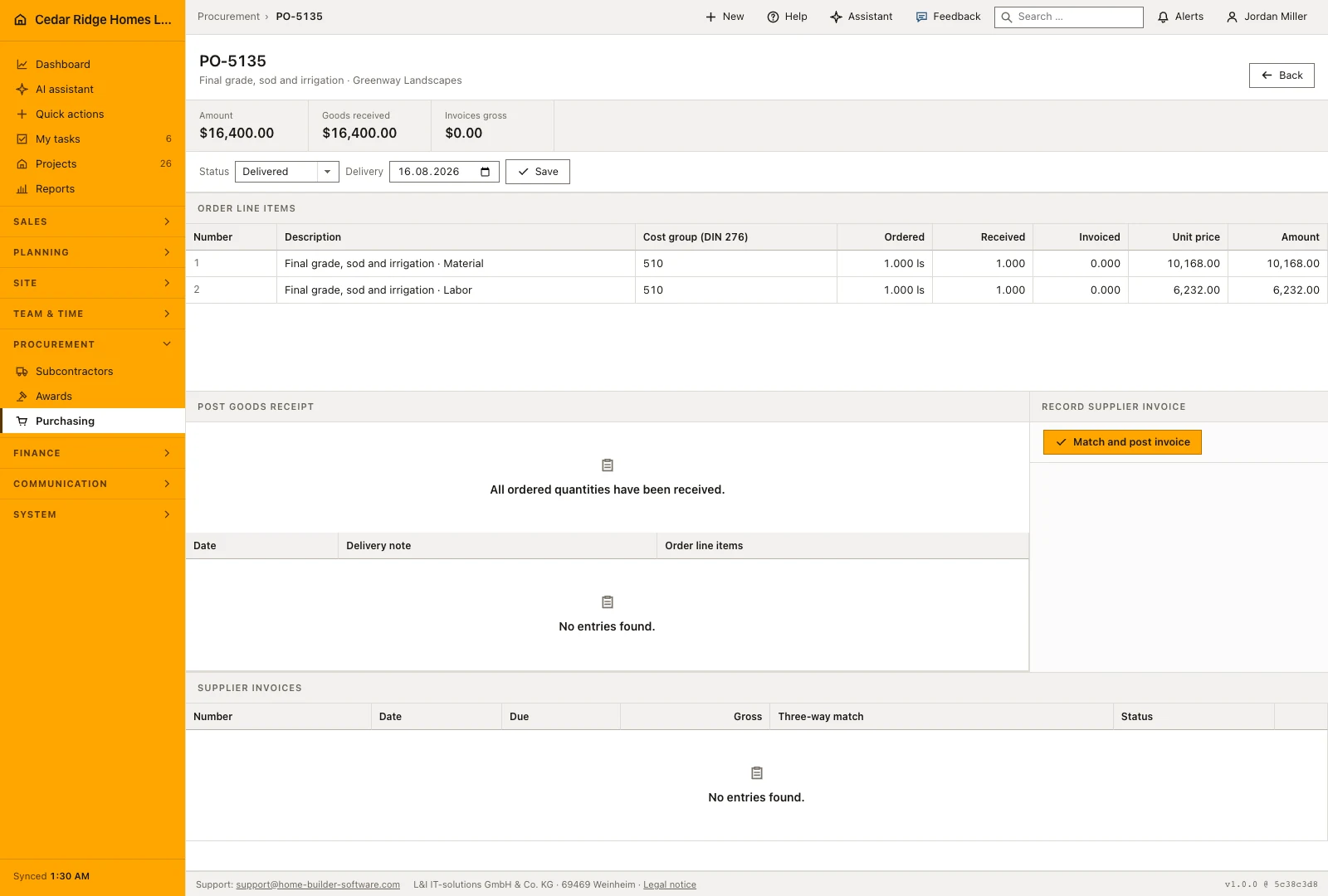
After the award the column on the right offers the step that follows: create a purchase order from the award, with project, supplier, cost group and awarded sum already filled in. Beside it stands the way into the project budget, where the amount now appears as committed cost against its cost group. The project filter above the list narrows awarding to one site, and the reset returns to all packages.
Where nothing has been awarded yet and no project hangs on the package, that same column says so plainly instead of offering steps that lead nowhere. A missing cost group is called out beside the master data with the line saying the award is missing from the budget, so the hole is visible while the decision is still open rather than after it. The protocol block at the foot of the detail page keeps the history of the package itself, and on the list the column headers sort by number, package and deadline. Trade and firm both come from master data, so nothing on this page is retyped.
Bid comparison worked through: awarding the clubhouse electrical package
Package BP-2026-0039, the clubhouse electrical at Riverbend Landing Clubhouse, shows the module with real money on the table. Sam Kowalski created it with the electrical trade, the deadline of August 14, 2026 and, since a project hangs on it, the cost group for the electrical installations. Both firms answer: Wake Electric Contractors submits $142,600, Triangle Air Systems from Morrisville, a register firm despite its HVAC trade, submits $158,200. The comparison takes the lower amount as its baseline and prints plus 10.9 percent in red beside the dearer row, $15,600 between the sums, while the note on the Triangle bid records that the low-voltage wiring is excluded. On the list the package stands at comparing, its deadline already red.
The decision itself is one confirmation. The award button shows on the Wake Electric bid because it carries an amount and stands at submitted; confirming writes the Triangle bid to declined, the chosen one to awarded and the package to awarded within a single transaction. Right after, the budget roll-up posts $142,600 as committed cost against the package's cost group in the Riverbend Landing budget, and the column on the right offers a purchase order with supplier, project, cost group and sum already filled in. In the figure band the package now counts toward the quarter's awards, read from its August deadline, and bid.awarded lands in the audit log with Sam's account.
Construction bid comparison and awards: checks before saving
A package hanging on a project cannot be awarded without a cost group; the page names the reason and hides the award button rather than refusing the click.
Only a bid carrying an amount and standing at submitted can be awarded, and awarding sets every other bid on the package to declined in the same transaction.
A firm that already holds a bid on the package cannot be added a second time; the form answers with a message instead of writing a duplicate row.
An awarded bid can no longer be removed from the package, and its status field is fixed to awarded.
Adding, editing and removing a bid and awarding it all require the purchasing right, not only creating the package.
Construction bid comparison and awards: common mistakes
The figure for packages awarded in the running quarter is derived from the bid deadline, because no award date is stored. Read it as an indication of activity, not as an audited number.
Setting a bid to declined by hand is not an award. Only the award button hands over the trade, closes the package and carries the sum into the budget; edited statuses on their own leave the budget untouched.
Setting the package status to awarded in the master-data block awards nothing either. It relabels the package and stops further bids, while the budget still shows no committed amount at all.
The product page describes the same module from the business side, with the decisions it supports and the modules it connects to.
See the product pageFrequently asked questions
Does the comparison show more than the lowest amount?
Yes. It shows bid status, notes and each amount’s percentage difference from the best submitted bid.
What changes when a bid is awarded?
The chosen bid becomes awarded, other bids become declined and the package becomes awarded.
Configuring this part for your own company?
Describe the sequence you follow today and the result you need at the end of it. We can walk through the settings that produce it.