
Change order software for builders and remodelers: setup and daily use
The change order register holds every agreed change to a building contract: its origin, its amount, the extra construction days and the point it has reached between draft and posted. On /change-orders the project and status filters apply, and the action column offers exactly the step the current state allows. Reading asks for projects.view, advancing a record for projects.manage. Only posting touches the contract sum.
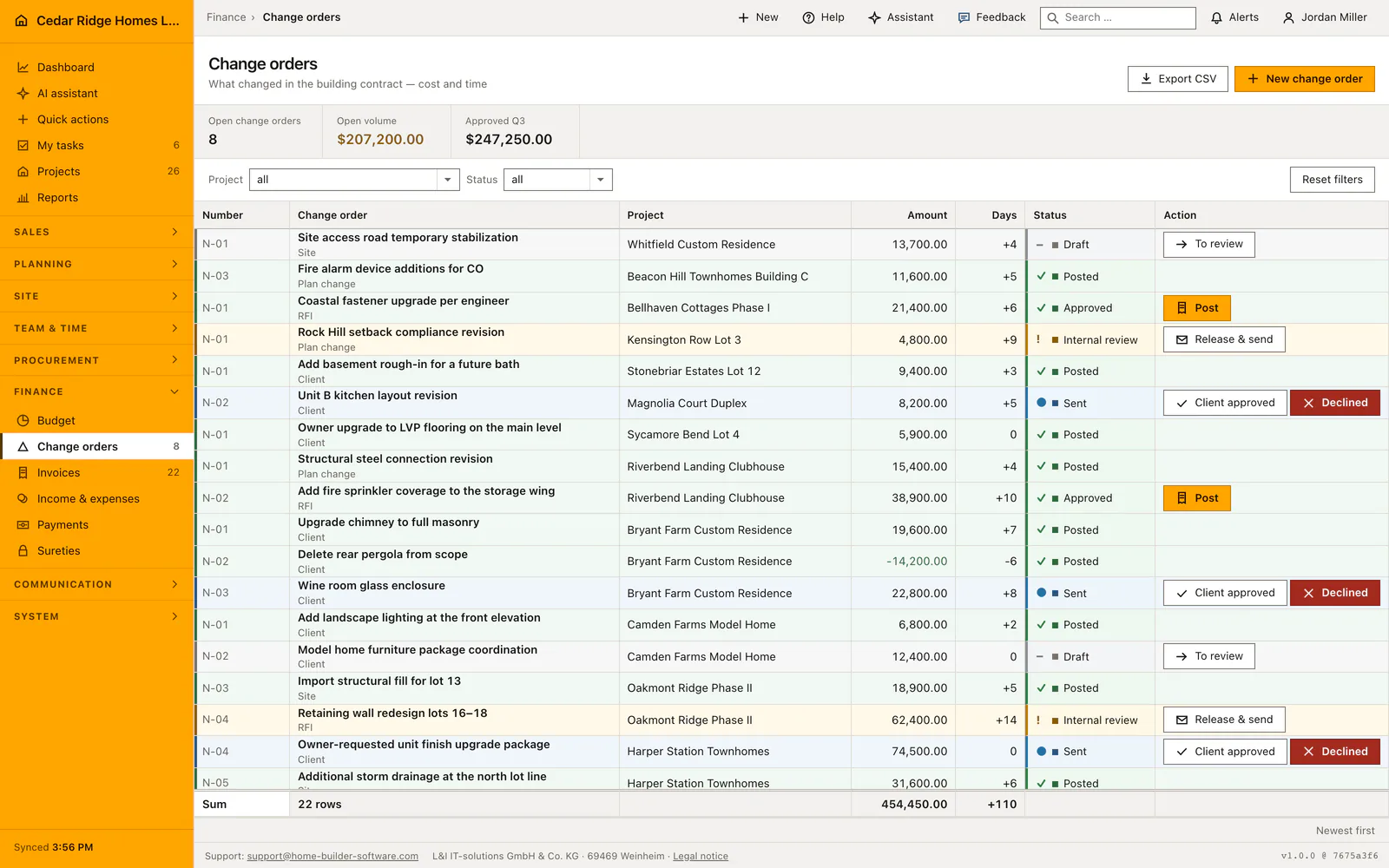
Contract sum of the job and the projects.manage right
A change order hangs on a job, and the figure it will eventually move is that job's contract sum. Nothing else has to be prepared, which is why the register is often the second screen a site manager opens in the morning. Reading gets by with projects.view; creating, editing and advancing all ask for projects.manage, the right the write gate applies across every route of this module.
That mapping is deliberate. A change is negotiated on site, so the shipped site management role carries the right, while the office role that writes invoices does not decide on extras. An account without it sees the register together with a sentence naming who advances a record, rather than a row of controls that would answer with a refusal.
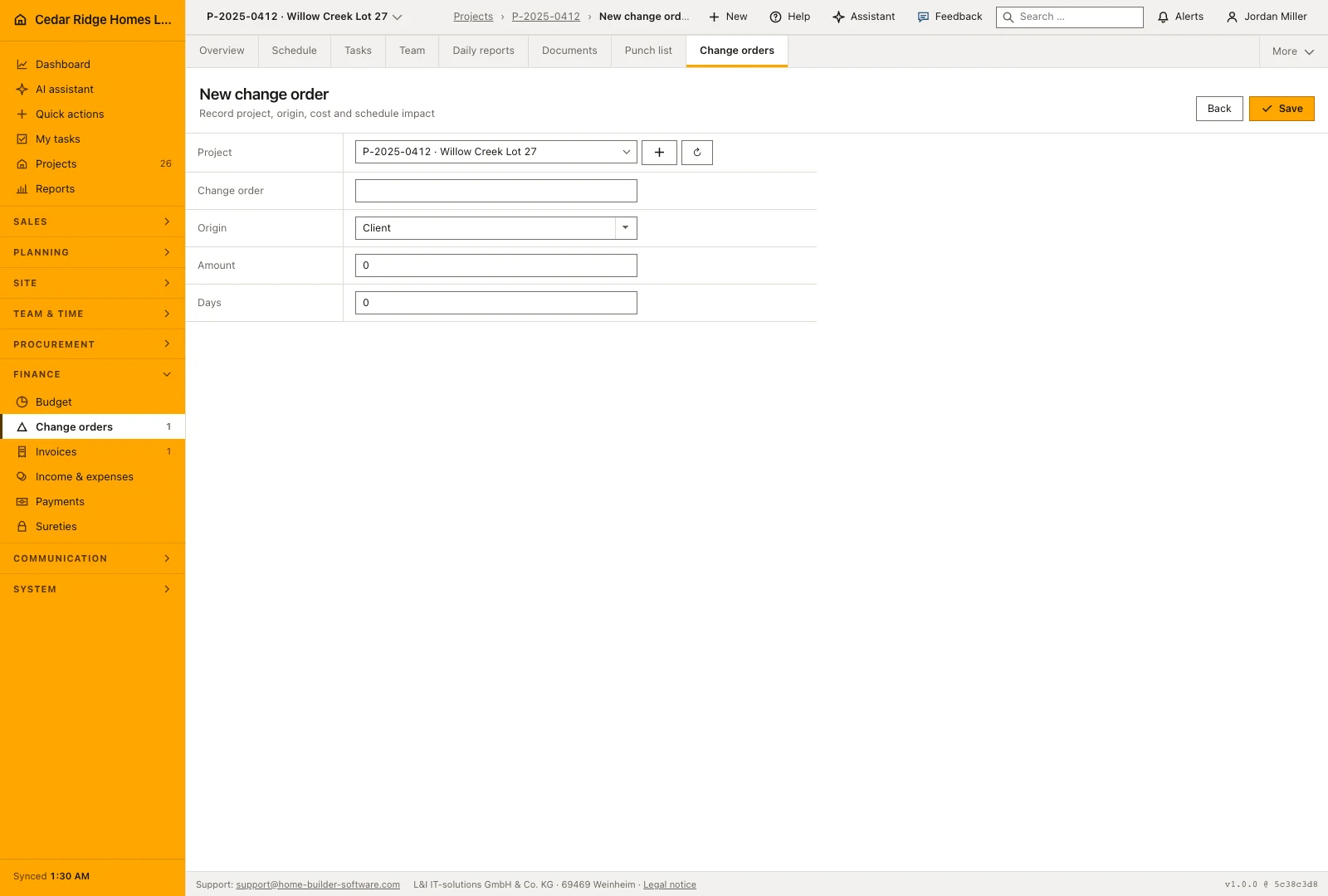
Recording origin, amount and additional construction days
The form asks for the job, a title, the origin, the amount and the days added. Origin is chosen from customer, site, RFI and plan change, and appears as a sub line under the title in the register. The amount accepts a negative value: work that fell away is entered as a credit and reads green. Days added take a negative number too, for a change that shortens the program.
Numbering runs per job as N-01, N-02 and upward, so each site keeps its own series while the register interleaves several of them by creation date with the newest on top. A record starts as a draft. Title, origin, amount and days stay editable in draft and internal review; once it has gone to the customer those commercial fields are closed.
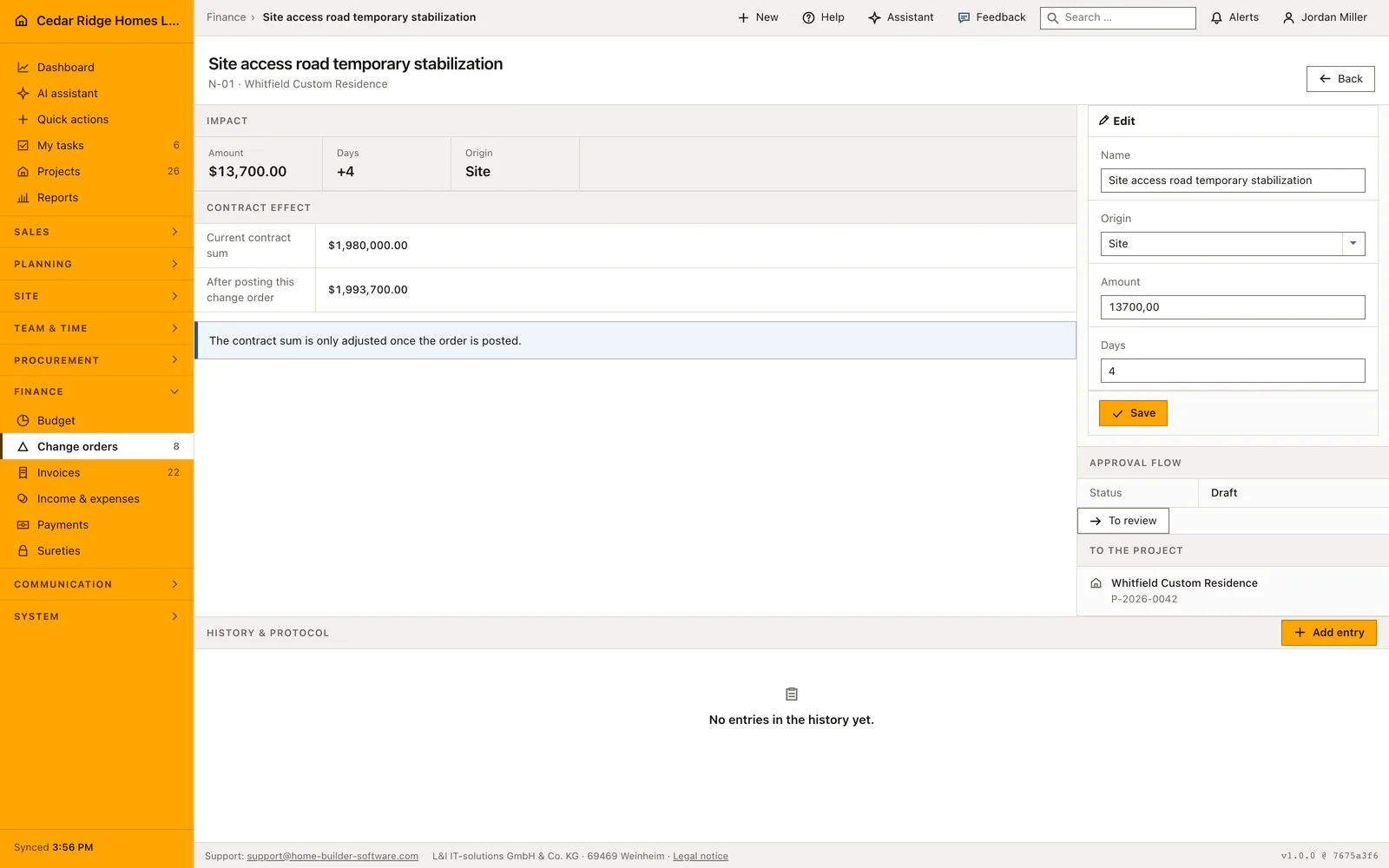
From draft through customer approval to posting
The action column carries one step at a time. A draft offers the move into review, a record under internal review offers release and dispatch, and a sent record offers the two answers a customer can give from a single form. An approved record offers posting. Anything outside that sequence, including a status written by hand into the request, comes back as a message saying the change is not allowed.
Posting is the step with money in it. The contract sum rises by the amount and the status flips inside one transaction, with the record locked and its state read again in there, so a double submit cannot raise the sum twice. The confirmation names the amount that was booked. A credit lowers the sum along the same path. Declined and posted are both final.
Open volume, traceability and tenant separation
The metric band counts over the filtered set: how many records still stand in draft, internal review or sent, what they are worth together, and the sum approved or posted in the running quarter. Because there is no separate decision date, that quarterly figure reads the creation date, which is worth knowing before it is quoted in a meeting.
Creating and editing each write an audit entry, and every advance drops the cached navigation counter so the number beside the register matches it instead of trailing by a minute. A record belonging to another company answers not found rather than refused, which keeps one tenant's register invisible to the next even when an address is guessed.
How posted change orders reach billing and the project file
Once posted, the amount sits inside the contract sum, and that is the figure the invoice screen shows as contract sum including change orders. Together with what has already been billed it produces the remaining amount the office needs before writing the next progress invoice. Posting late is therefore no formality: until it happens the billing basis stays too small.
The project file lists a record that is still waiting among the decisions it needs and links straight into this register. The days added document the extension of construction time agreed with the customer, which later scheduling discussions refer back to. A correction after posting takes the shape of a new credit, never a reopening of the record that is already in the contract.
Example of a change order from draft to posted contract sum
At Harper Station Townhomes the customer asks for a finish upgrade in unit 5. The site manager creates a change order with the title unit 5 tile and appliance upgrade, origin customer, an amount of $18,400 and four added days; the register numbers it N-06 because five records already exist on this job. The record starts as a draft, moves into internal review, is released and sent, and comes back customer approved. Posting then raises the contract sum from $4,120,000 to $4,138,400 in one transaction, and the confirmation names the booked $18,400.
The invoice screen reads the new figure at once: the billing basis shows $4,138,400 of contract sum including change orders, and with $2,780,000 billed to date the remaining amount stands at $1,358,400, so the next progress invoice draws on the raised basis. When the owner later drops a screen wall at building B, the same path runs with a credit: an amount of minus $5,200 and two days removed post cleanly and lower the sum to $4,133,200. Both records were created in August, so the quarterly tile counts them in the third quarter regardless of when the customer answered.
Change order software for builders and remodelers: checks before saving
Only the transitions defined by the state machine are accepted; a target status the current state does not offer is refused with a message and nothing is written.
Posting raises the contract sum and flips the status inside one locked transaction, so a double submit cannot count the amount twice.
Title, origin, amount and days are locked as soon as the record has been sent, approved, declined or posted.
A record belonging to another company answers not found, so a guessed address reveals nothing about it.
Change order software for builders and remodelers: common mistakes
An approved record that nobody posts leaves the contract sum unchanged. The next progress invoice then shows a remaining amount short by exactly that extra, and the company bills less than was agreed.
The quarterly figure reads the creation date rather than the day the customer answered. A record drafted in March and approved in April counts in the first quarter.
A posted record cannot be corrected. Checking the amount before posting is cheaper than a credit that has to be explained to the customer afterwards.
The product page describes the same module from the business side, with the decisions it supports and the modules it connects to.
See the product pageFrequently asked questions
Can a posted change order be edited?
No. Posted records are immutable; corrections are handled with a new credit.
Can change orders reduce the contract value?
Yes. Credits use a negative amount and reduce the value when posted.
Configuring this part for your own company?
Describe the sequence you follow today and the result you need at the end of it. We can walk through the settings that produce it.