
Construction punch list and defect management: setup and daily use
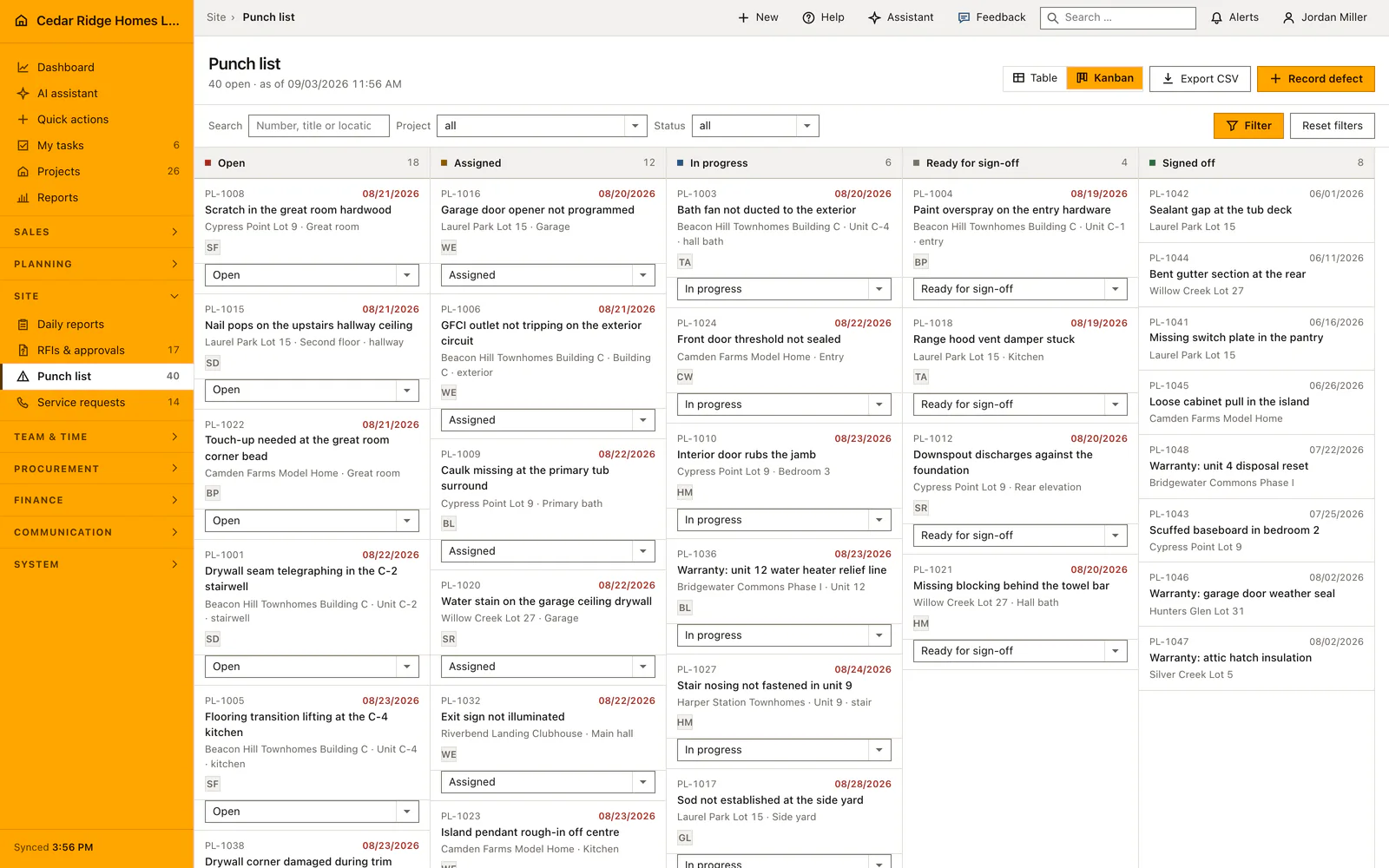
The punch list at /defects holds every recorded defect across all projects in two shapes of one question: a sortable table and a Kanban board that share the same filters, the same search and the same figures. A new entry receives the next M number, starts on open and travels through assigned, in progress and ready for sign-off. Only an explicit sign-off action reaches the final status.
Subcontractors, sites and the rights the punch list checks
Before the first defect is written down, the trades that will fix them belong under Subcontractors, where the trade field draws on the company value list instead of free text. Only subcontractors of your own company can be picked, the same holds for projects, and both are verified again when the record is saved. Opening the list needs projects.view, while capturing, editing and signing off need site.write.
Every defect carries its own company id, and the tenant scope filters the register before a controller reads the first row, so a defect on another company's job answers with the message that it cannot be reached. The list query ties each defect to a project of your own company as well, and both checks have to agree before a row is shown. An account restricted to a project list sees only the defects of those jobs. The badge beside the punch list in the navigation counts open defects for the whole company and is rebuilt whenever one is created, edited, moved or signed off.
Recording a defect: title, location, trade, due date and severity
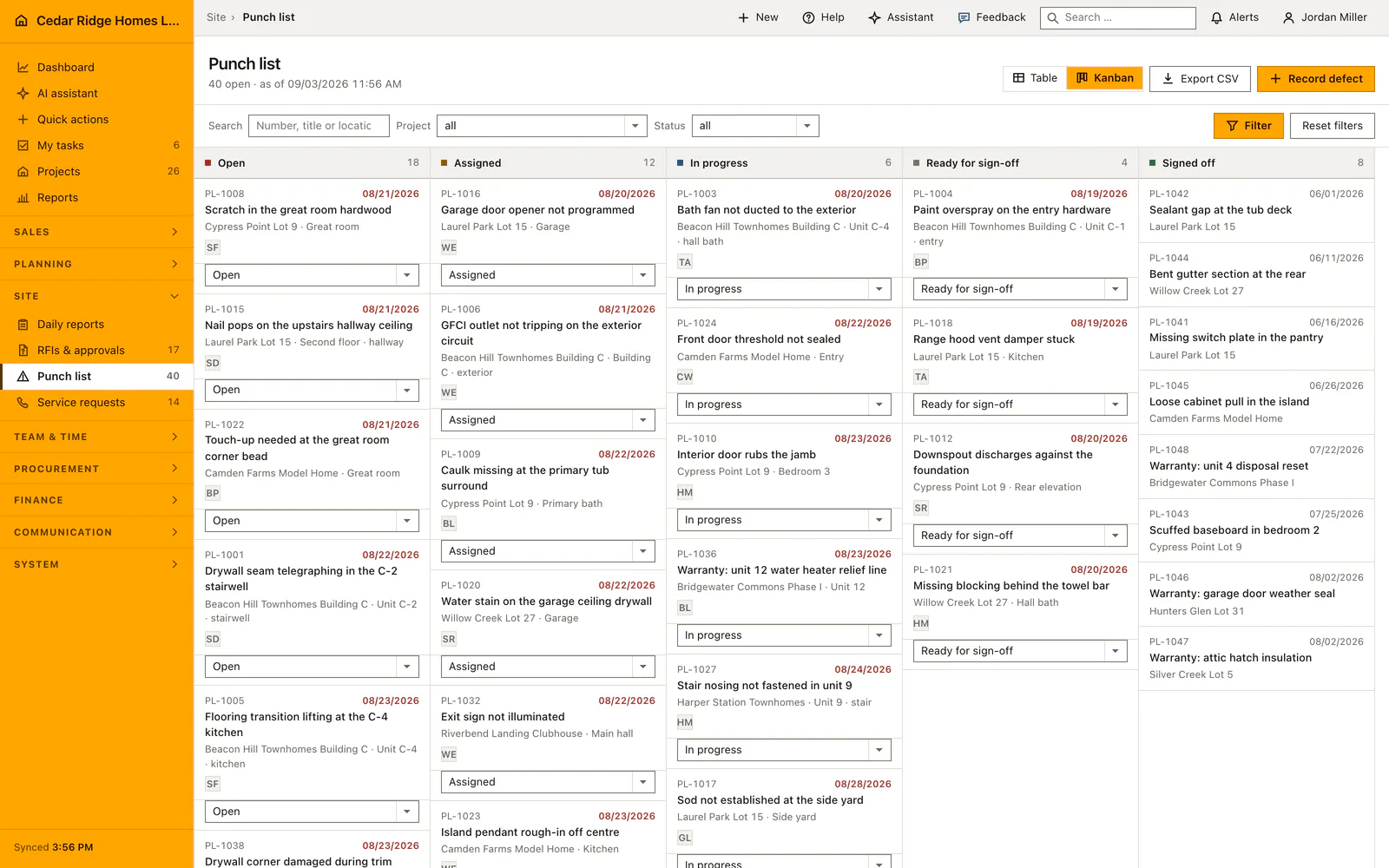
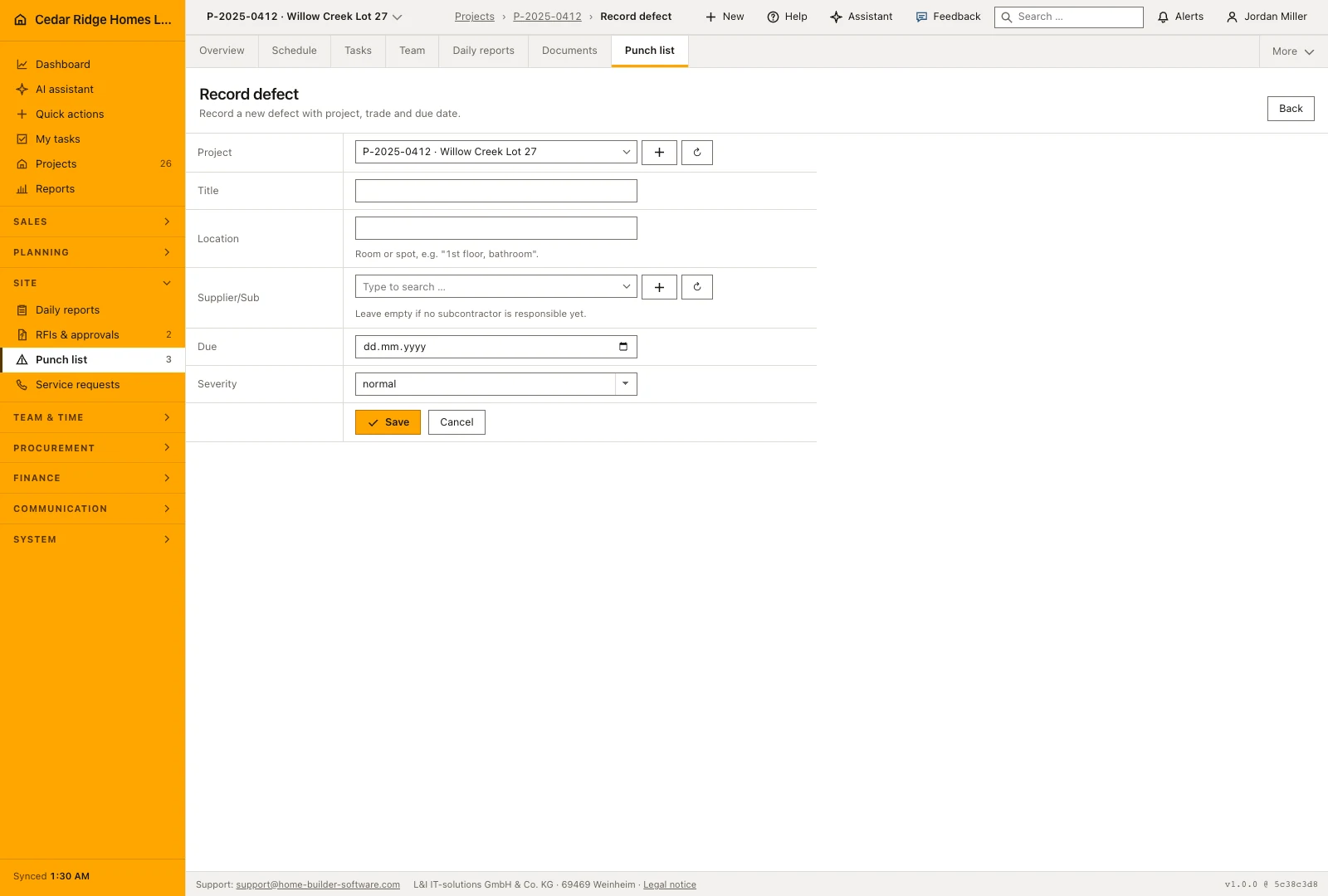
Record defect asks for a project and a title of up to 150 characters, then an optional location of up to 100 characters, an optional subcontractor, an optional due date and a severity of normal or major. Location stays free text on purpose, because a spot in a building reads like first floor, bathroom and never repeats itself often enough to earn a value list.
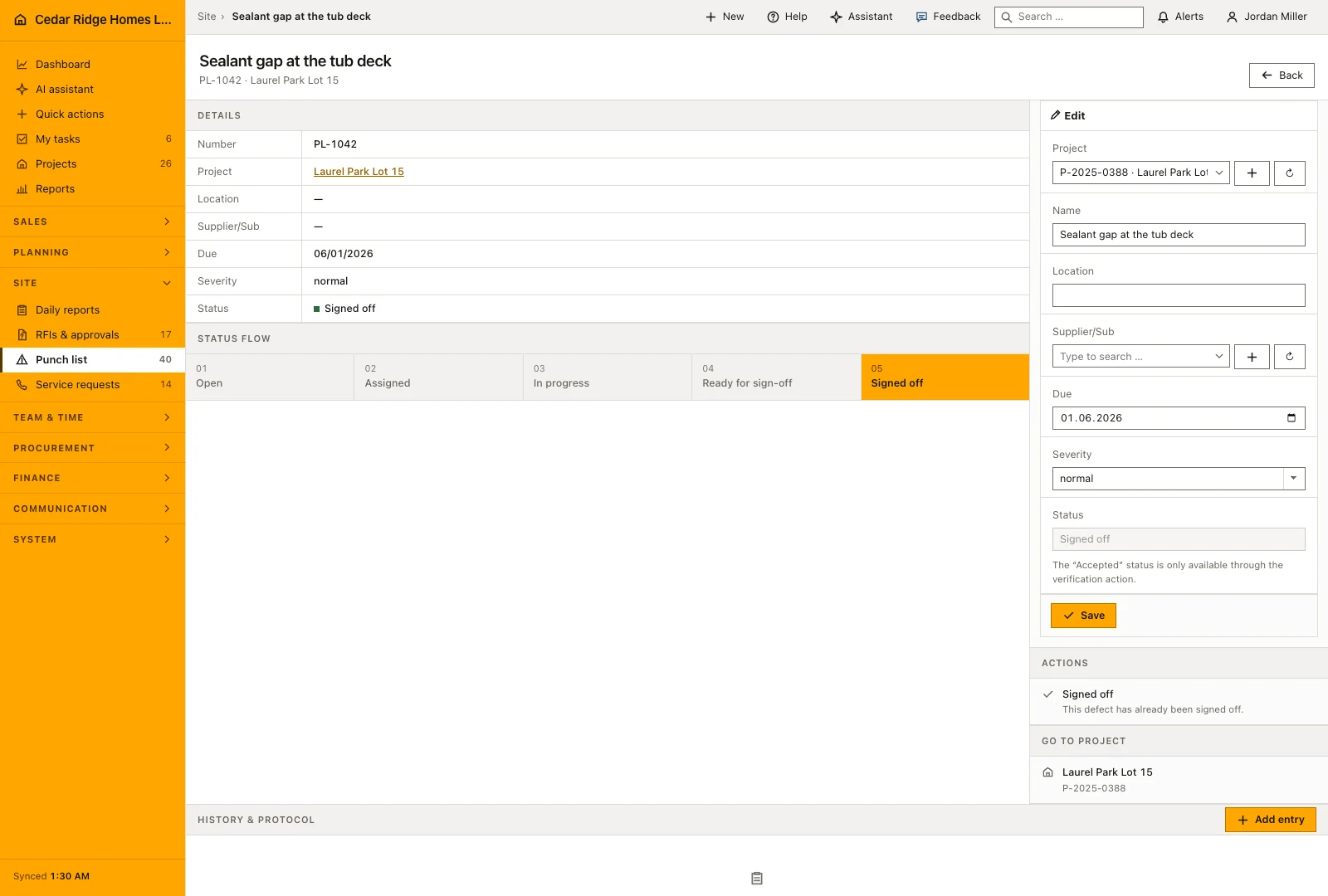
The number is issued company wide as M followed by the next sequence, not per project, so a number quoted on a handover sheet identifies exactly one entry. The new defect starts on open and appears at once in the table, on the board and in the navigation count. Its file shows the same fields for correction and, above them, the status flow with the current step marked.
Table, Kanban board and searching by number, title or location
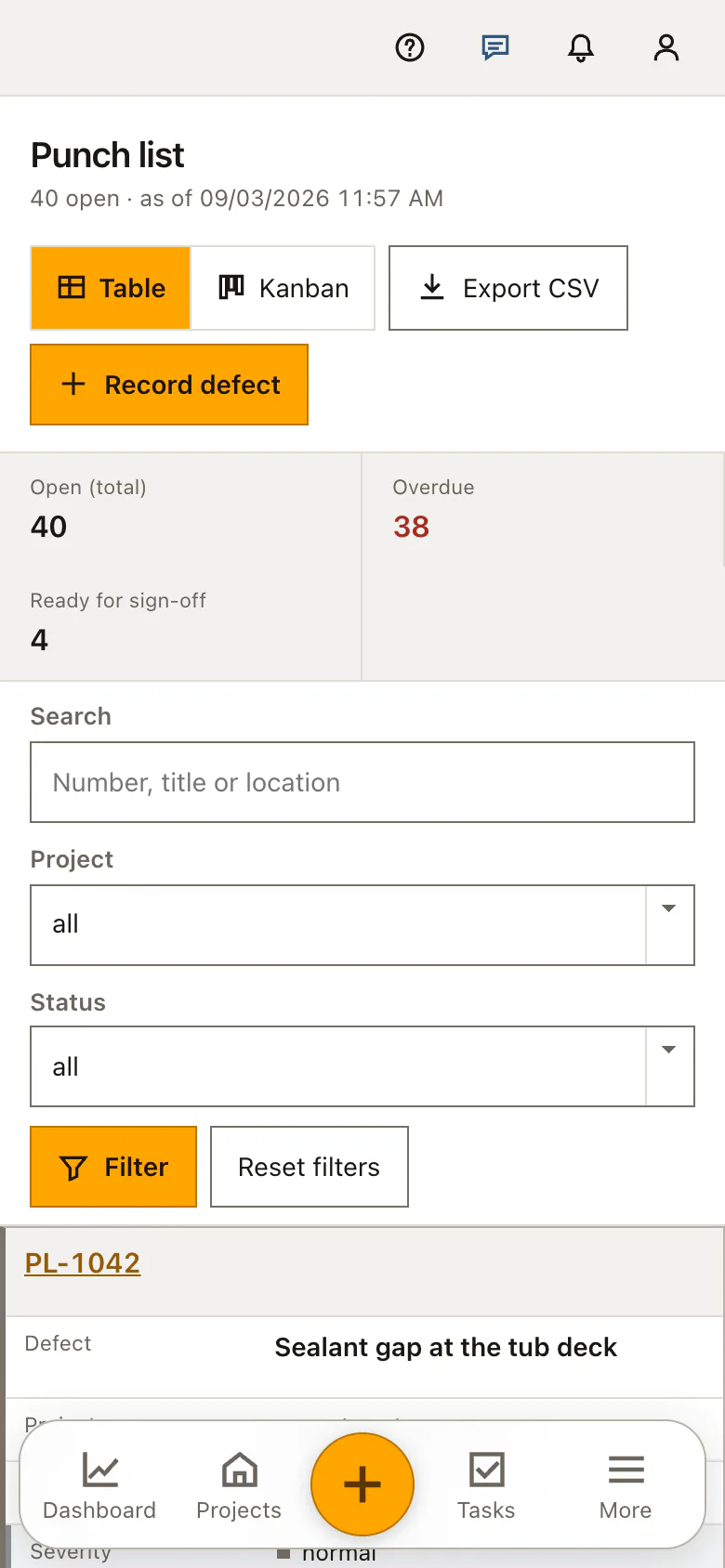
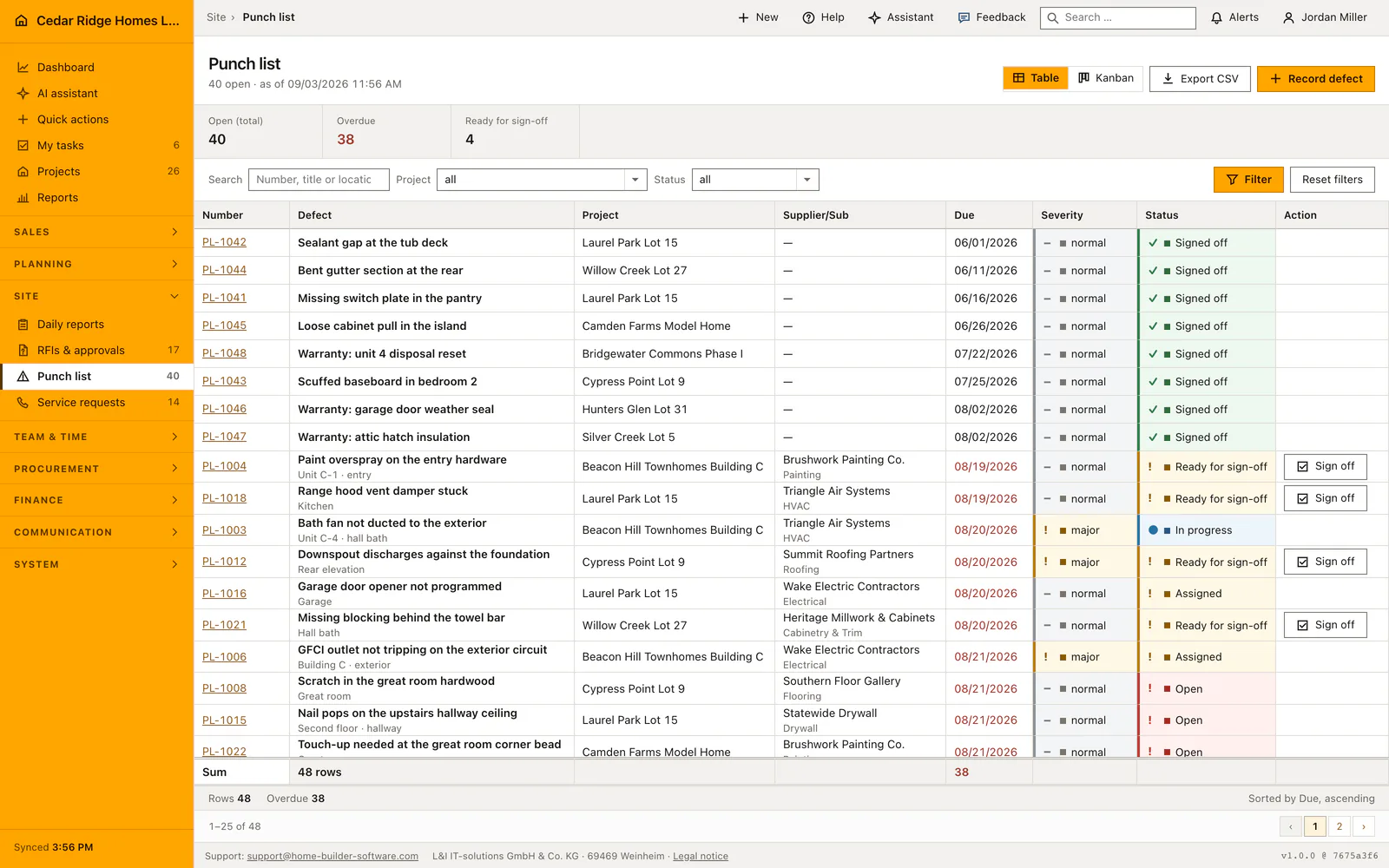
Both views build their set from one method, so the project filter, the status filter and the search term apply identically, and the toggle changes the shape of the answer rather than the question. The search matches number, title and location, because a defect is remembered by M-115, by what is broken or by where it is. Rows sort by due date and then by number, 25 to a page.
The figures above both views count open, overdue and ready for sign-off inside the current filter, and overdue means the due date has passed while the defect is not yet accepted. On the board a card carries the number, the title, the project and location, the due date and the subcontractor initials. Dragging saves immediately and returns the card to its column if the save fails; on a phone the card opens and the status is set in the file.
Sign-off, the audit trail and what an accepted defect still allows
Sign-off is a separate action, offered only on a defect that stands on ready for sign-off, and only that transition reaches the accepted status. The final column of the board is not a drop target, and the interface behind it refuses such a move with its own error code instead of accepting it quietly. Reported as done and signed off therefore remain two different things.
Once a defect is accepted, its own form offers no other status, so it cannot be reopened from there. Board moves and sign-offs go into the audit log together with the defect, the status it came from and the one it went to. The CSV export carries number, project, title, location, subcontractor, due date, severity and status for the filtered set.
Defects in the daily report, the project file and the subcontractor's work
A defect has no photo field of its own. The picture that proves the repair belongs to the daily report of the day it was made, and that report can link the defect, which dates the evidence and names its author. The link also shows on the report row as a written mark, so an evening that produced defects is visible without opening it.
Inside a project the punch list appears as its own tab and answers for that job alone, while the register in the main navigation answers for the company. The supplier column names the trade that owes the correction, and the initials on the board card carry the same name in short form. Comments, meeting notes, pictures and emails collect on a defect in the history every other record uses.
A punch list example: one defect from capture to sign-off
During the 08/13/2026 walk at Cypress Point Lot 9, the site manager records PL-1012, downspout discharges against the foundation, location rear elevation, severity major, due 08/20/2026, and hands it to Summit Roofing Partners. The card starts in the Open column, moves to Assigned the same afternoon and to In progress once the roofers are on the lot. On 08/18/2026 their foreman reports the run rebuilt, so the card is dragged to Ready for sign-off, where the register of 08/19/2026 counts it among four defects waiting for a check.
Nobody signs the entry off from a desk: on the afternoon of 08/19/2026 the superintendent stands at the rear elevation, watches the extension carry water clear of the footing, and presses Sign off on the row. Of 48 recorded defects, 39 now remain open instead of 40, Ready for sign-off drops from four to three, and the audit log keeps the move with its old and new status. The photo proving the repair goes into that day's Cypress Point daily report, which links PL-1012 and thereby dates the evidence.
Construction punch list and defect management: checks before saving
The accepted status is reached only through the sign-off action on a defect that stands on ready for sign-off, and every other route to it is refused.
A card whose save fails returns to the column it came from, so the board never displays a move that was not stored.
Project and subcontractor are both checked against your own company when a defect is saved, and a defect on another company's job cannot be opened.
Table and board apply the same project filter, status filter and search term, so the two views can never report different counts for one site.
Construction punch list and defect management: common mistakes
A defect without a due date never appears in the overdue figure, and where it lands in the list depends on the database: the sort names due_date without a rule for empty values, so PostgreSQL puts the undated rows at the bottom while MySQL and SQLite carry them to the top. Give even a rough date, because this register is read from the top down.
Signing off from the desk is precisely the habit the workflow exists to prevent. Ready for sign-off says that somebody reported the repair, not that anybody has been back to look at it.
The board does not respond to dragging on a phone. Open the card and set the status in the defect file rather than concluding that the save failed.
The product page describes the same module from the business side, with the decisions it supports and the modules it connects to.
See the product pageFrequently asked questions
Can a card be dragged directly to Accepted?
No. The final status is reached only through the acceptance action after onsite verification.
What happens if a Kanban status update fails?
The card returns to its previous column so the screen does not imply an unsaved change.
Configuring this part for your own company?
Describe the sequence you follow today and the result you need at the end of it. We can walk through the settings that produce it.