
Home building project management: setup and daily use
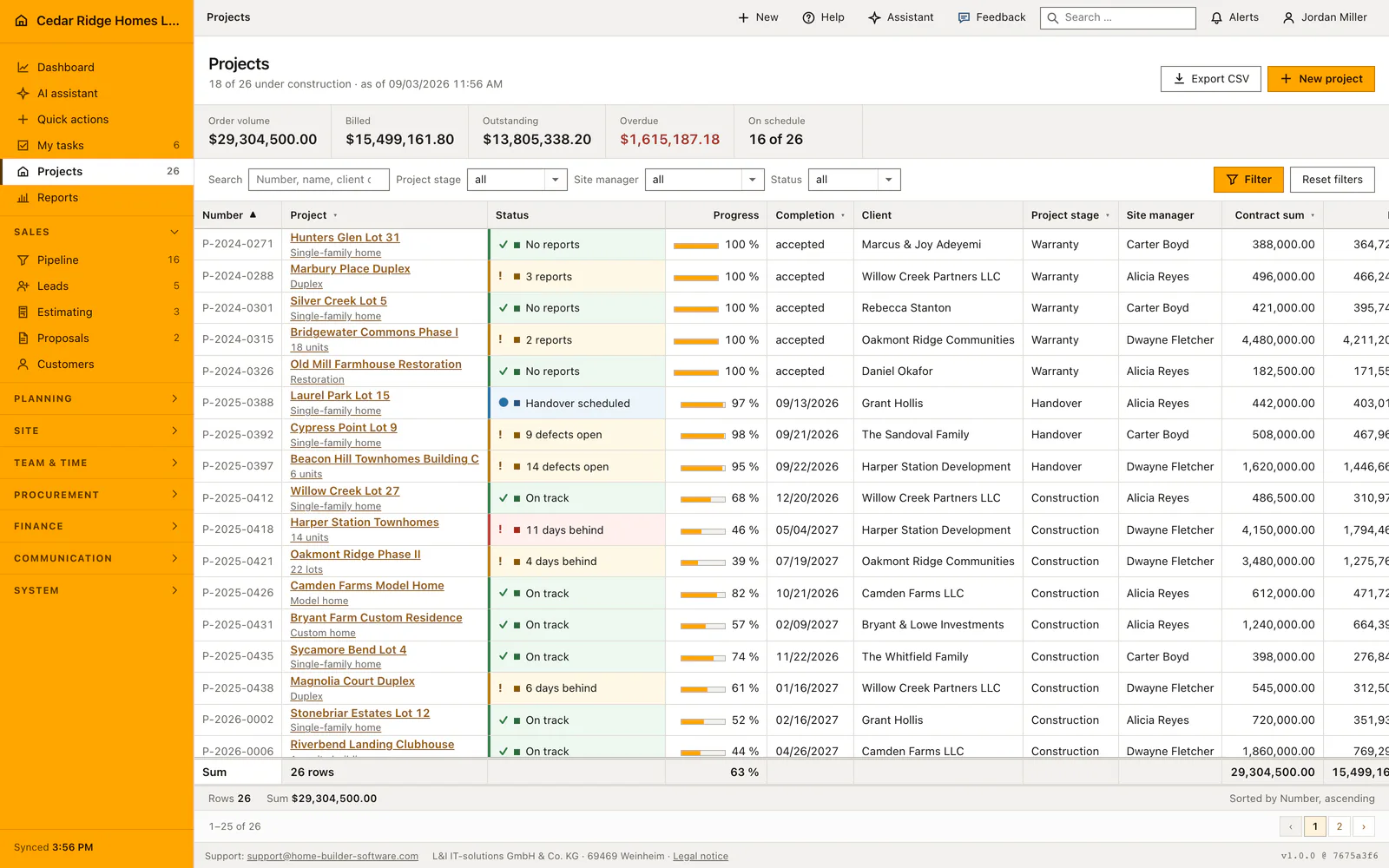
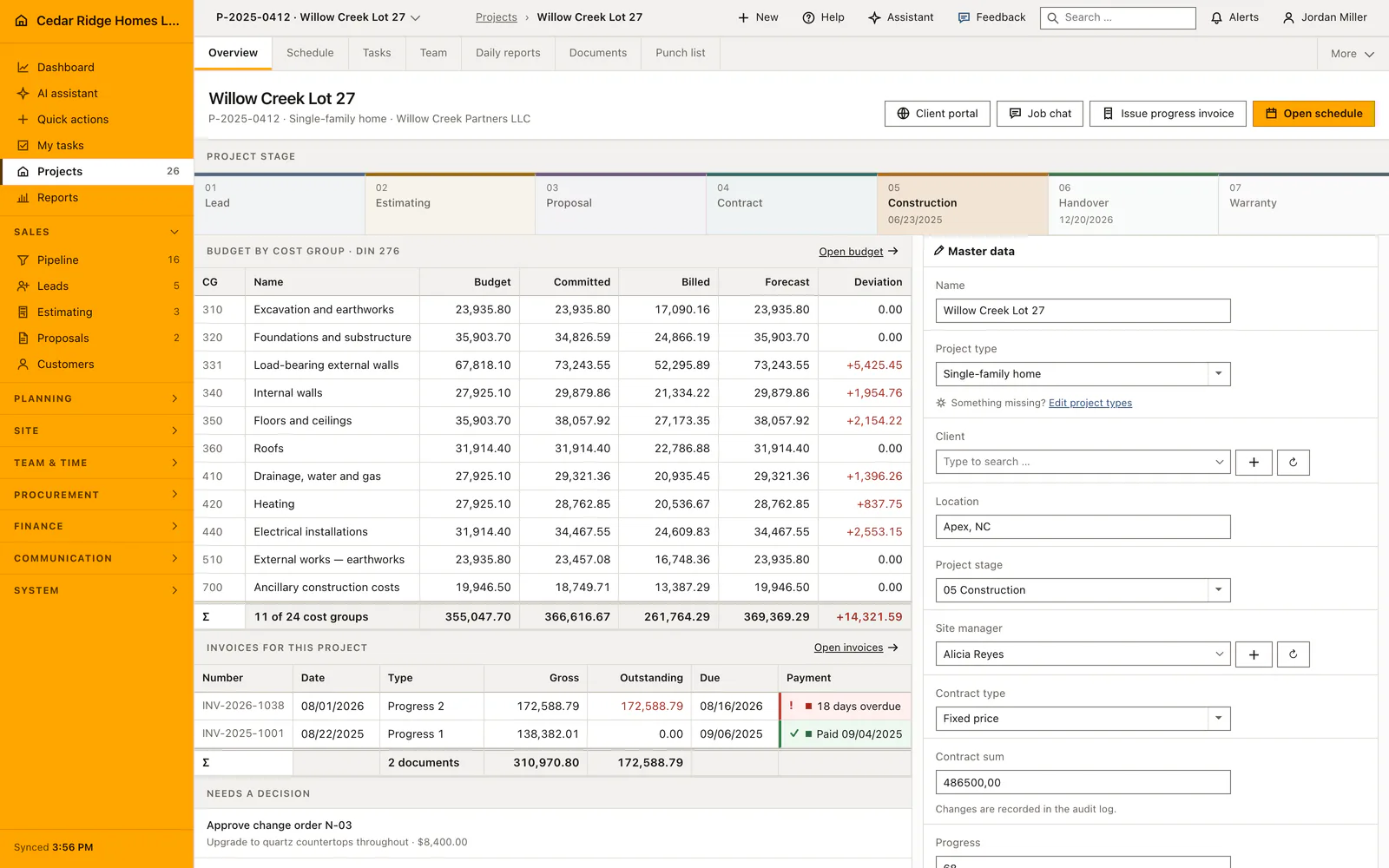
Projects is the register of every job in construction, handover or warranty. The list filters by phase, site manager and status, searches number, name, customer and site, and exports what it shows as CSV. Opening a row gives the project file: stage strip, budget by DIN 276 cost group, invoices and master data. Creating and editing a job requires projects.manage, and money is only visible with finance.view.
Permissions and templates a project file needs
Before the first job is entered, two things have to exist. Someone needs the projects.manage permission, because the create route itself is gated and a role without it never reaches the second step of the wizard. And the customer has to be a customer record in status active, since the project stores a customer ID rather than a typed name. The searchable picker in the wizard offers a create link, so a missing customer can be added without leaving the form.
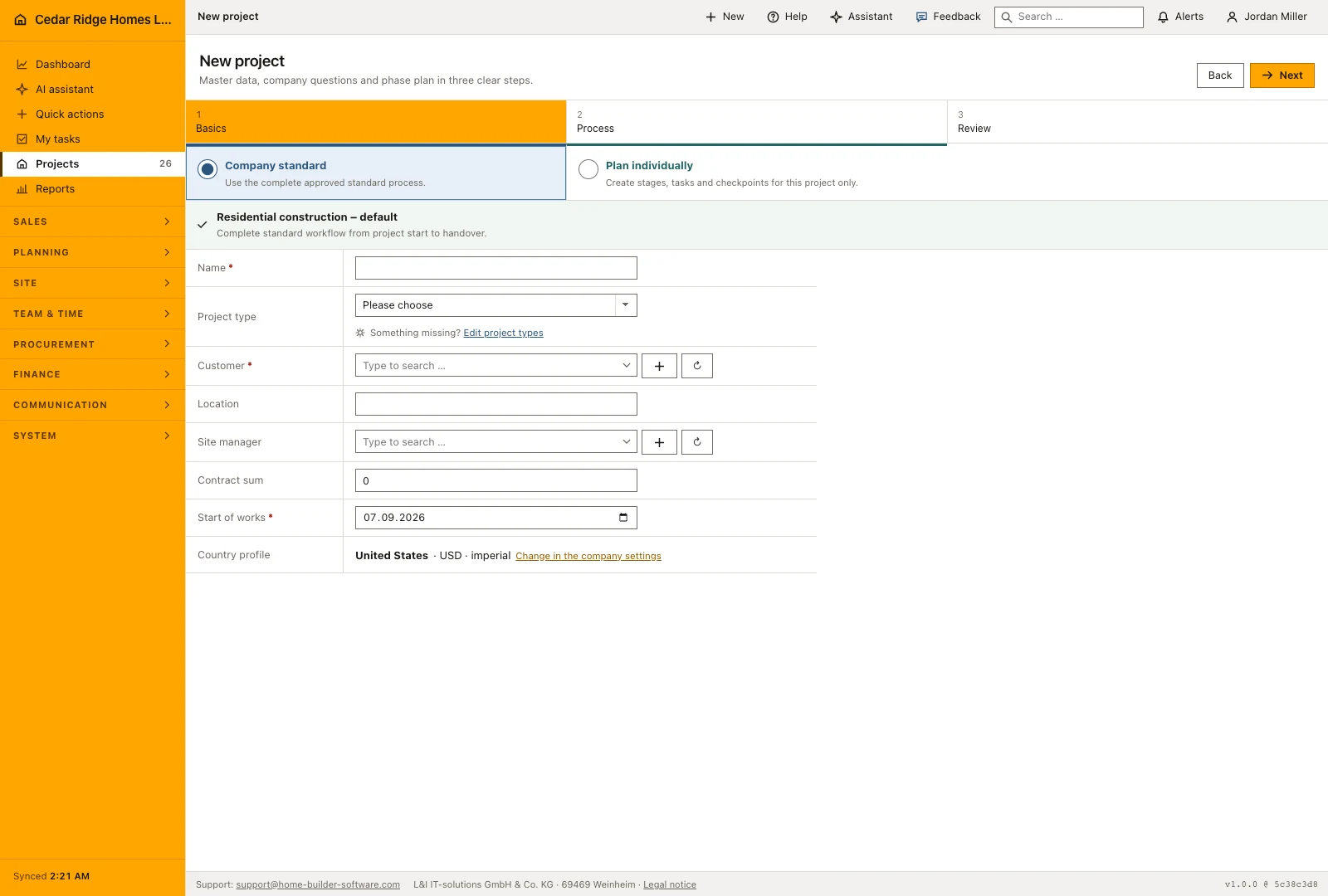
The second prerequisite is a process. Home Builder Software ships a default project template, and the wizard offers three ways to start: the company standard, a chosen template, or steps written only for this job. Country profile, currency and units are not asked for again; they come from the company settings answered during first-time setup. Site managers must be active user accounts before they can be picked, and the site manager filter later lists exactly the people who carry at least one job.
Creating the project file and editing its master data
The wizard keeps its answers in the session and moves through basics, template questions and a review page. Name, customer, start date and creation mode are mandatory; project type, site, site manager and contract sum are optional at this point. On the review step the planner shows every task with its computed dates, and duration proposals can be requested from finished site work or from the assistant. Accepting is a separate action, and declining leaves all durations untouched.
Inside the file, the master data card holds name, project type, customer, site, project stage, site manager, contract type, progress, start, completion, payment terms, status and acceptance. Contract type is fixed price, cost plus or time and material. Stage accepts only construction, handover or warranty here, because the earlier stages belong to the sales pipeline. Progress is a whole number between zero and one hundred, retention a percentage, and completion may not fall before the start date.
Filtering, searching and exporting the project portfolio
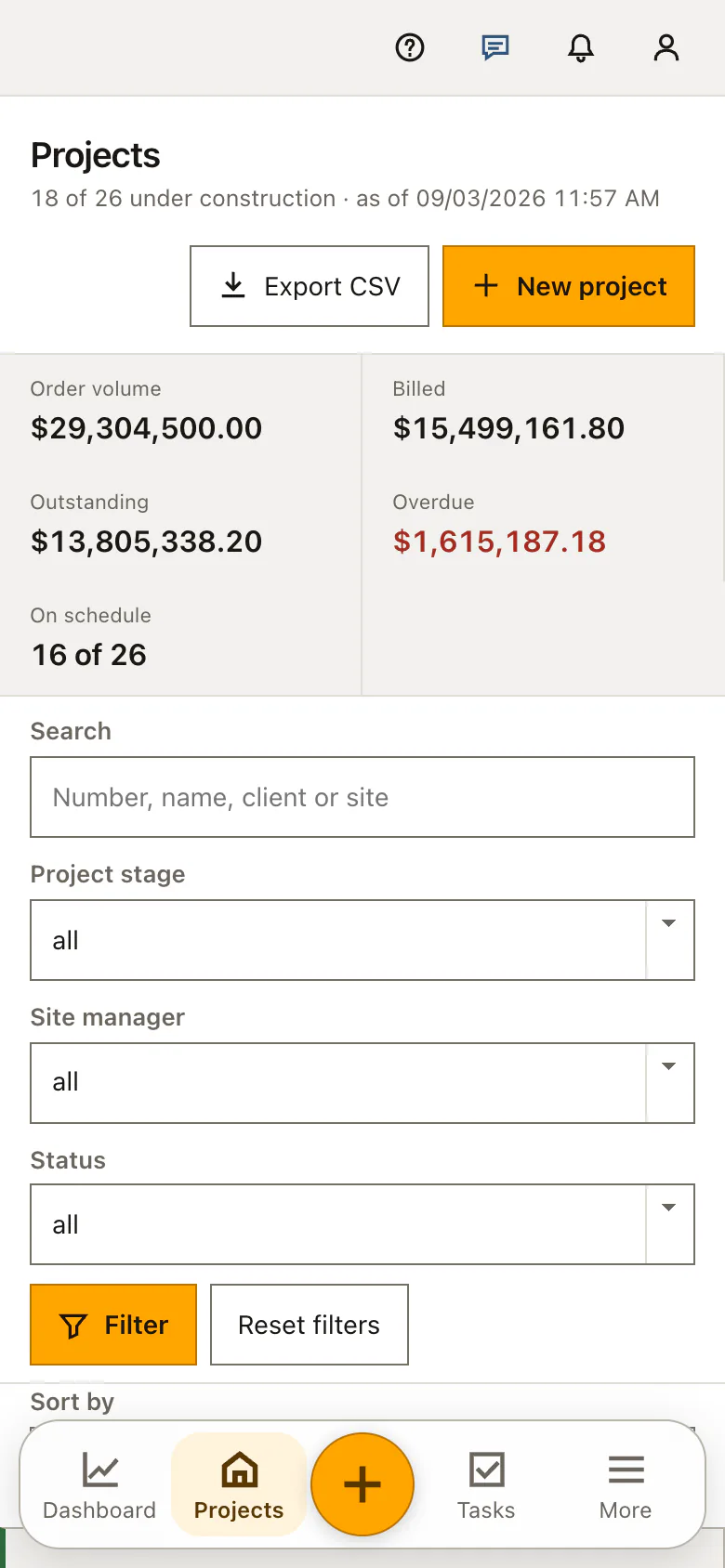
The search box matches number, name, customer and site in one query, and it ignores capitalization, so typing part of a street finds the job whichever field it was entered in. Three dropdowns narrow the list further by phase, site manager and status; each one submits on change and a real filter button stands beside them. The figure band recalculates over the filtered set, including the overdue amount, which is read from the invoices of exactly those jobs.
Column headings sort, and only five columns are sortable: number, name, project stage, contract sum and completion. The status bar names the column that is actually in use, and the list pages in blocks of twenty-five while keeping filter, sorting and project context across page changes. Export CSV streams the same filtered and sorted set, semicolon separated with a byte order mark so Excel reads it as UTF-8, using the column order of the table and no totals row.
Who may change the contract sum and what the audit records
Reading a job needs projects.view; writing to it needs projects.manage, enforced twice, once on the route and once in the controller. Whoever lacks it sees the master data as a plain list of values instead of a form, which prevents a page of typing being lost to a refusal on save. The contract sum has a second gate: without finance.manage the submitted value is discarded and the stored amount stays as it was.
Every save writes an audit entry that flags whether the contract sum changed. Money visibility is a separate question again: without finance.view the register bar drops budget, invoices, change orders, awards and purchasing, the money columns and the totals row disappear from the list, and the figure tiles are replaced by a count of jobs that stand critical or delayed. User administration can also restrict an account to named jobs, and an unassigned project address answers 404 rather than a refusal.
Registers that link budget, invoices, schedule and site records
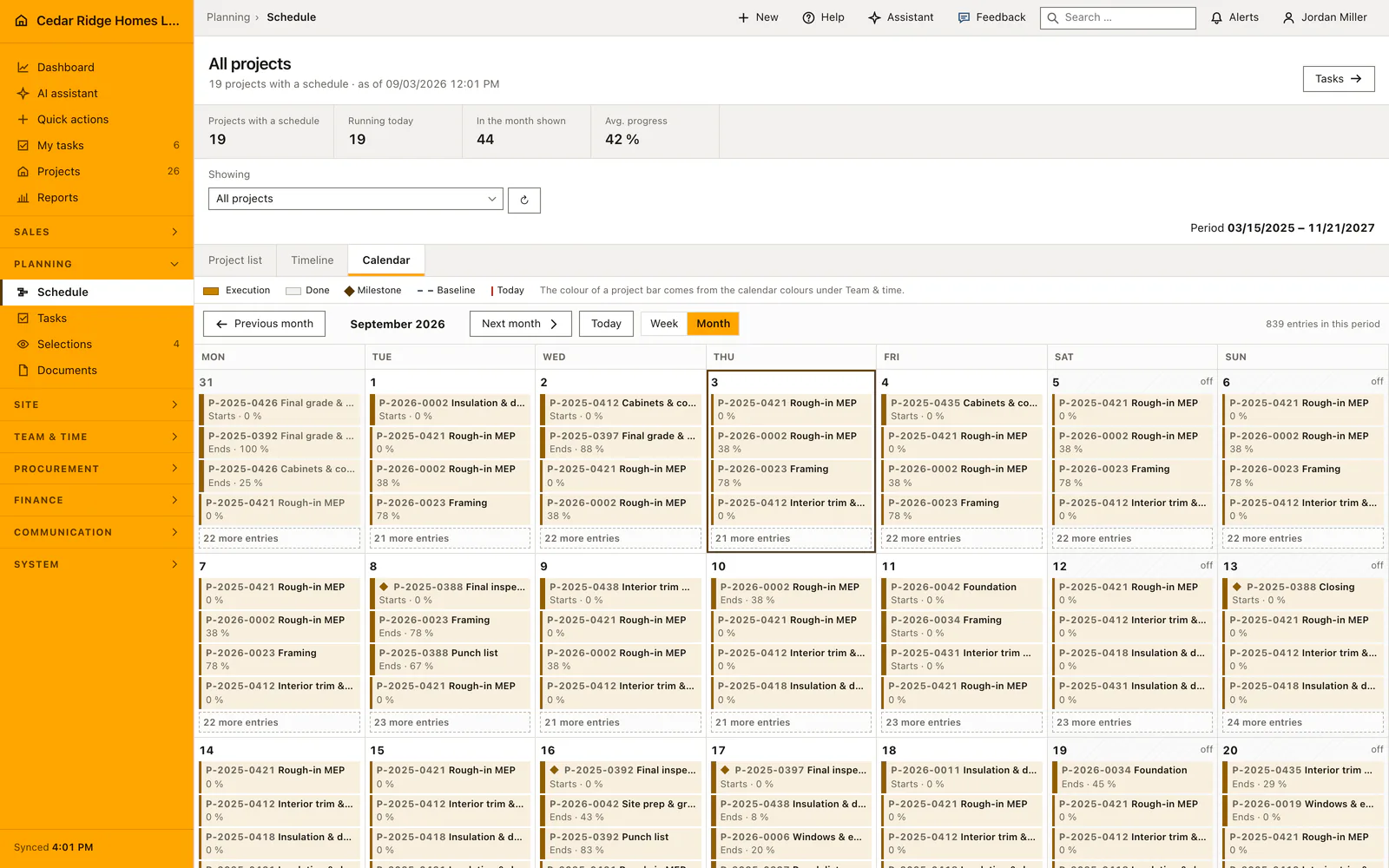
Each job carries its own addresses. Schedule, team, selections, daily reports, documents, defects and RFIs open under the project number, and change orders, budget, awards, invoices and purchasing sit behind the finance permission. The module list stays valid as the company-wide view, so invoices without a project prefix is the whole ledger while the same page under a project number is that job alone. Register bar, breadcrumb and menu marker name the same job.
The sidebar of the file is derived at request time rather than stored. Change orders in internal review or sent, invoices in status overdue and RFIs already answered become entries under Needs a decision, each linking into the record that has to move. Latest from site shows the two most recent daily reports, the current plan and the count of open defects. Construction phases are read from the schedule summary items and link into the plan itself.
Worked example: the project file of Willow Creek Lot 27
In October 2025, Cedar Ridge Homes LLC signs Willow Creek Partners LLC for a single-family home on Willow Creek Lot 27 in Apex. An office colleague holding projects.manage starts the wizard, keeps the company standard process for residential construction, and enters the name, the customer record, October 6, 2025 as start of works and Alicia Reyes as site manager. The contract sum of 486,500 dollars goes in on the same step, the review page lists the generated tasks with their computed dates, and saving issues P-2025-0412 as the next free number of the 2025 sequence.
Ten months later the file answers the daily questions. The stage strip stands on construction, progress reads 68 percent, completion is promised for December 20, 2026, and the retention of five percent corresponds to 24,325 dollars of the 486,500 dollar contract. Under Needs a decision the sidebar names invoice INV-2026-1038 over 172,588.79 dollars, due on August 16, 2026 and three days late by August 19, so the colleague jumps from the file straight into the document and its dunning run instead of searching the whole ledger for it.
Home building project management: checks before saving
The create route is gated by projects.manage, so a role without it cannot reach the wizard at all rather than failing on save.
A submitted contract sum is discarded without finance.manage, and the previously stored amount is written back unchanged.
Project stage in the file accepts only construction, handover or warranty; the four sales stages are set in the pipeline.
Completion is validated against the start date, and progress must be a whole number between zero and one hundred.
Restricted accounts get 404 on a project they were not assigned, so no foreign job number is ever confirmed.
Home building project management: common mistakes
The overdue tile counts only the jobs currently filtered. Reading it as a company figure after setting a phase filter understates the amount; clear the filters before quoting the number to anyone.
Only customers in status active appear in the project picker. A prospect created for a lead stays invisible here until the pipeline conversion activates the record or someone changes the status in the customer file.
The CSV export follows the current filters and sorting and omits the totals row. Anyone expecting a full portfolio file has to reset the filters first, otherwise the spreadsheet quietly holds a subset.
The product page describes the same module from the business side, with the decisions it supports and the modules it connects to.
See the product pageFrequently asked questions
What does a project file contain?
It combines phase, contract and schedule details with DIN 276 budget figures, invoices, open decisions and recent field records.
Can the project list be exported?
Yes. The CSV export follows the current filters and sorting.
Configuring this part for your own company?
Describe the sequence you follow today and the result you need at the end of it. We can walk through the settings that produce it.