
Construction RFIs and approvals: setup and daily use
Every question that blocks work sits in one register at /rfis with a number, a due date, the party that owes the answer and a recorded impact on cost or schedule. The list sorts by due date and counts open, overdue and answered rows for the filter on screen. Recording the answer is what moves a question forward, and closing it is a separate reviewed step that only an answered question allows.
Projects, responder options and the site.write right for RFIs
The register needs projects and nothing else in the way of setup: the parties that can owe an answer are fixed as us, the architect, the customer and the authority, and impact is fixed as none, cost, schedule or both. Opening /rfis requires projects.view. Creating a question, editing it, recording the answer and advancing its status all require site.write, the field right that separates site capture from acquisition and master data.
An RFI carries no company id of its own, so every query reaches it through its project, and a question on another company's job answers 404 without confirming that it exists. Where an account has been limited to a project list under Settings, the same rule hides every question outside that list. Roles are assembled under Settings from freely combined permissions, and a management right always contains the matching read right.
Creating an RFI: question, ball with, due date and impact
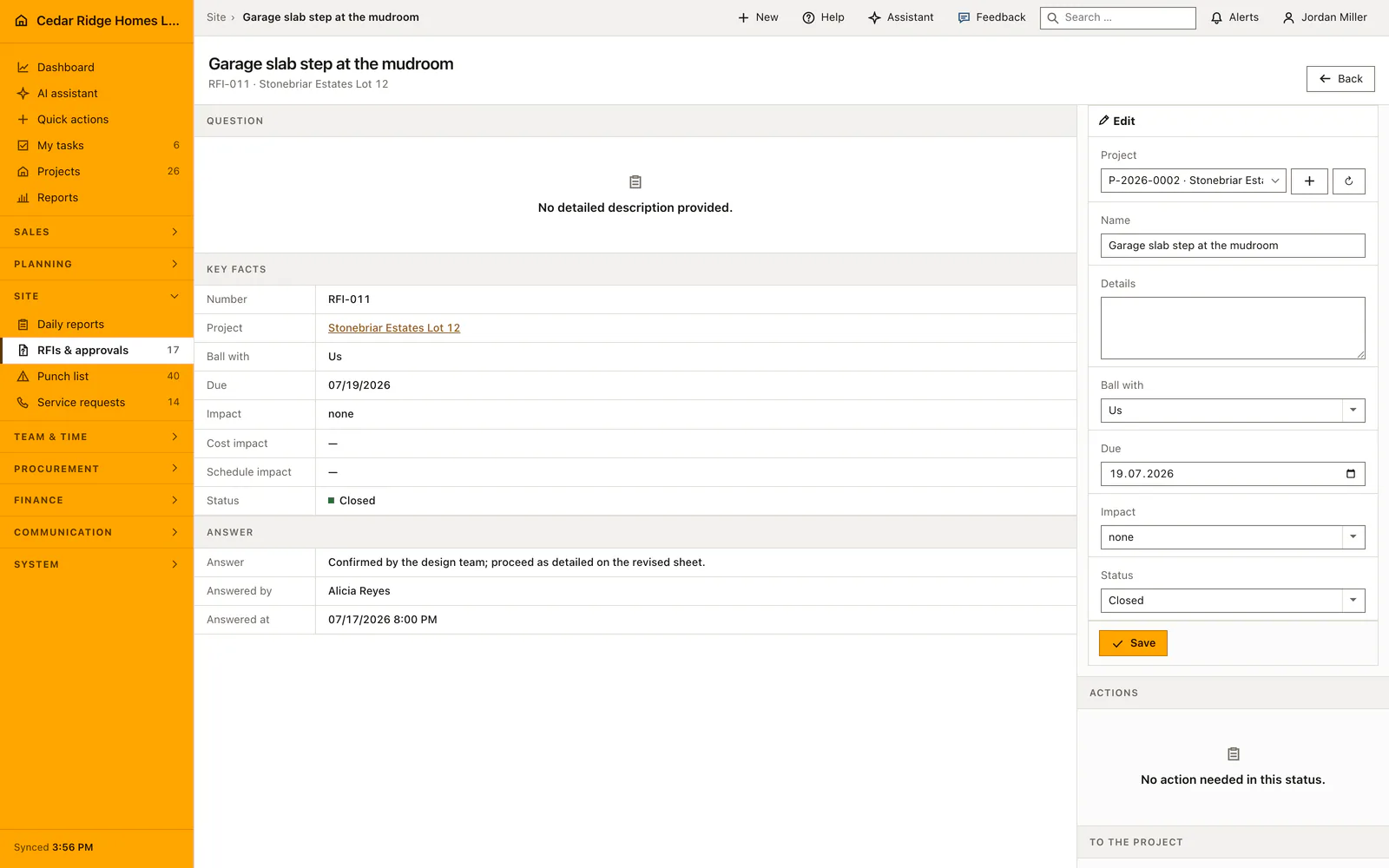
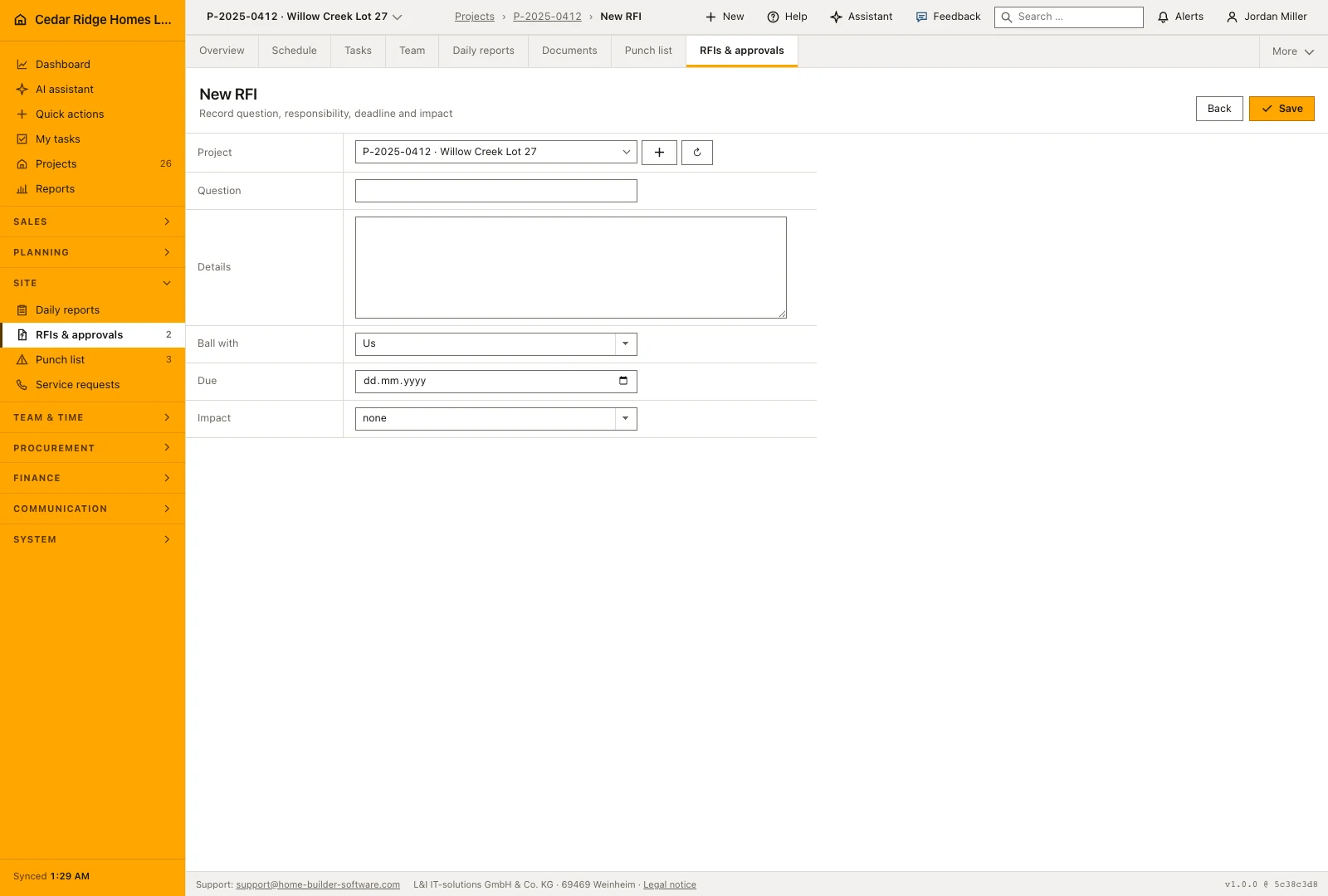
New RFI takes the project, a title of up to 180 characters, an optional detailed description, the party that owes the answer, an optional due date and the impact. Home Builder Software numbers the question per project as RFI-001 upward and starts it on open. Clicking the number opens the file, where the question, the description, the responder, the due date, the impact and the status can be corrected and saved.
The file also carries the two figures this register exists for: a cost impact between minus and plus 99,999,999 and a schedule impact of up to 365 days in either direction. Both can be recorded with the answer or corrected later. Everything the file states in words also stands on the row, so a status never depends on a color alone.
Chasing overdue questions and recording the official answer
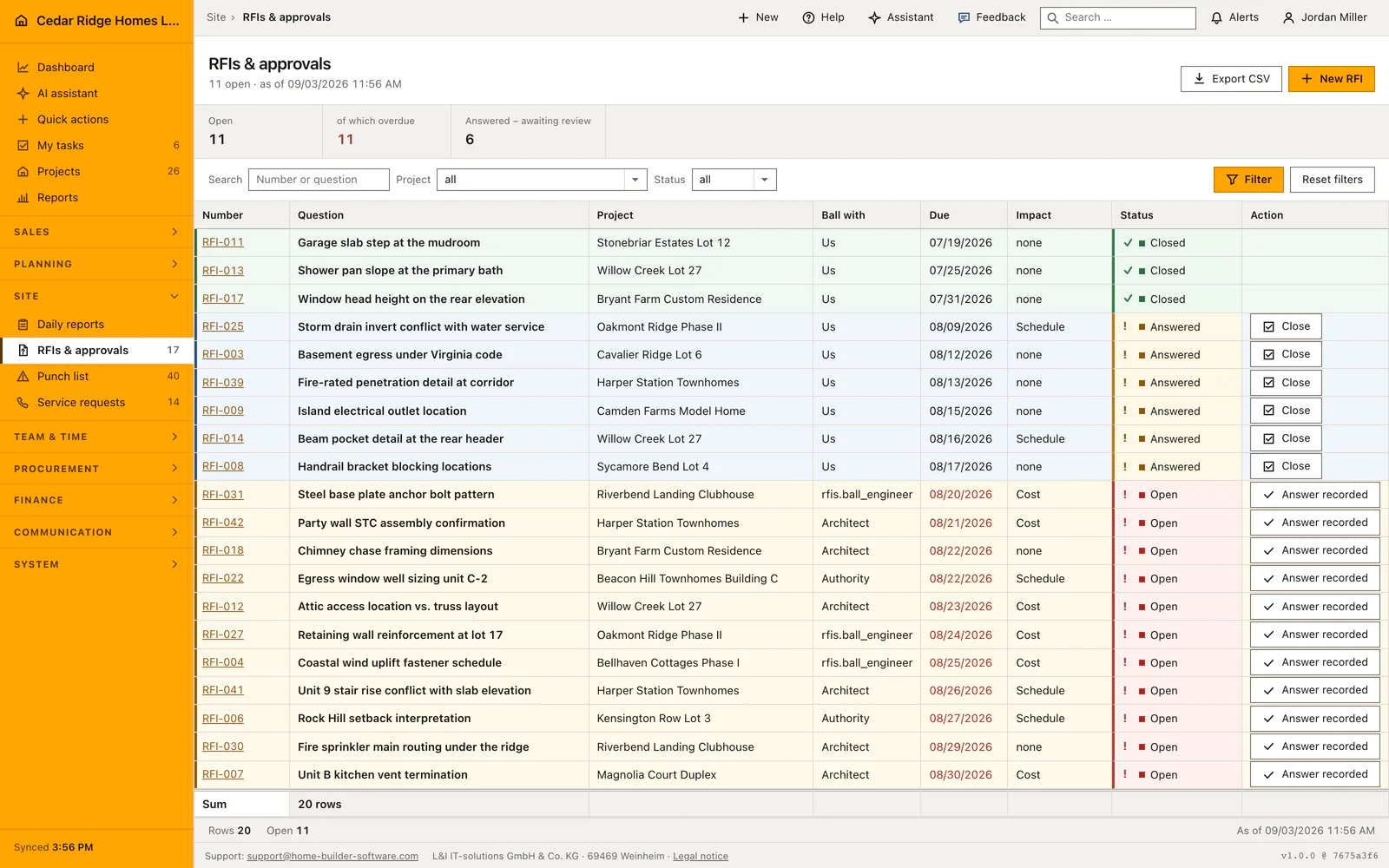
Filters narrow the register by project and by draft, open, answered or closed, and the search box matches the number and the title, because the office quotes RFI-014 while the site quotes what it was about. Rows sort by due date and then by number, so the sharpest question stands first, and the page carries 25 rows at a time. A due date turns red only while the question is open and the date is genuinely past.
The three figures above the table count open, overdue and answered rows inside the current filter, never inside the page. Answered questions wait for review, so the action column offers Close on those and nothing on open ones: an open question needs its response on file first. The CSV export carries the filters that are on screen, which keeps the file and the table describing the same set.
Who may close, what the audit log keeps and who gets notified
Recording an answer stores the text, the person who recorded it and the moment, then sets the status to answered. From there the only forward step is closed, and any other jump is refused with a message rather than performed. Home Builder Software writes rfi.created, rfi.updated and rfi.answered into the audit log, so the chain from the question to the released answer stays readable months later.
As soon as an answer is recorded, every active account holding projects.manage receives a notification, each in its own language rather than in the language of whoever answered. The answer field holds up to 10,000 characters and stays on the file for good; an answer already on record is overwritten only when the correction is asked for explicitly.
RFIs in the project file, in change orders and in the schedule
An answered question also appears in the project file among the points that need a decision, with a link that opens the register filtered to that project and that status. A site manager therefore sees it without opening this module at all. Inside the project workspace the register has its own tab beside documents and the punch list.
Impact is the field that ties a question to money and time: what is marked cost belongs beside the change order it will produce, and what is marked schedule belongs beside the activity it delays. The recorded figures make that concrete in euros and in days. Notes, meeting minutes, photos and emails attach to the RFI through the same history used everywhere else in Home Builder Software.
A worked RFI example from Harper Station Townhomes
On 08/05/2026 superintendent Dwayne Fletcher opens RFI-042 on Harper Station Townhomes: does the party wall assembly need a second gypsum layer to reach the sound rating the plans promise? He sets Ball with to Architect, the due date to 08/21/2026 and the impact to cost. Home Builder Software numbers the question within the project and starts it on open, and on the morning of 08/19/2026 it is one of the eleven open questions the figures above the table count, none of them yet overdue.
The answer arrives on 08/20/2026: one added layer of 5/8-inch gypsum on each side of the fourteen party walls. Fletcher records it together with a cost impact of $9,800, fourteen walls at $700 apiece, and no schedule days. The status moves to answered, every active account carrying projects.manage is told in its own language, and the row now offers Close and nothing further. Once the owner has read the answer against the drawings, he closes RFI-042, and the $9,800 stands ready beside the change order it will become.
Construction RFIs and approvals: checks before saving
An open RFI advances only to answered and an answered one only to closed; every other jump is refused with a message and changes nothing.
Recording the answer is what sets the status to answered, so an open question offers no forward button until its response is on file.
Overdue counts questions that are still open and whose due date lies strictly before today; a question due today is not yet late.
A question on another company's project, or outside the project list of a restricted account, answers 404 instead of confirming that it exists.
Construction RFIs and approvals: common mistakes
A question saved without a due date can never become overdue, so the figure above the table stays quiet while the answer is missing. Set a date even when it is only an internal target.
Ball with us means your own site management owes the answer. Leaving that field on its default sends people chasing the architect for something that is sitting in their own office.
The project choice is remembered across the whole application, so a register that looks empty may still be narrowed to yesterday's site. Reset the filter before concluding that no question is open.
The product page describes the same module from the business side, with the decisions it supports and the modules it connects to.
See the product pageFrequently asked questions
Can an open RFI be closed immediately?
No. It must first be marked answered and then reviewed before closure.
Can an RFI record cost and schedule impact?
Yes. The impact can be cost, schedule or both.
Configuring this part for your own company?
Describe the sequence you follow today and the result you need at the end of it. We can walk through the settings that produce it.