
Construction time tracking: setup and daily use
Time tracking has a navigation entry of its own and opens at /workforce/time-tracking with one clock button, the running time and this week's own bookings. Clocking in and out never demands a location. Every booking travels from running through recorded to approved or rejected; approval freezes the cost rate and the cost group and locks the row. Reading and booking ask for workforce.view.
Preparing time tracking: cost rate, projects and location policy
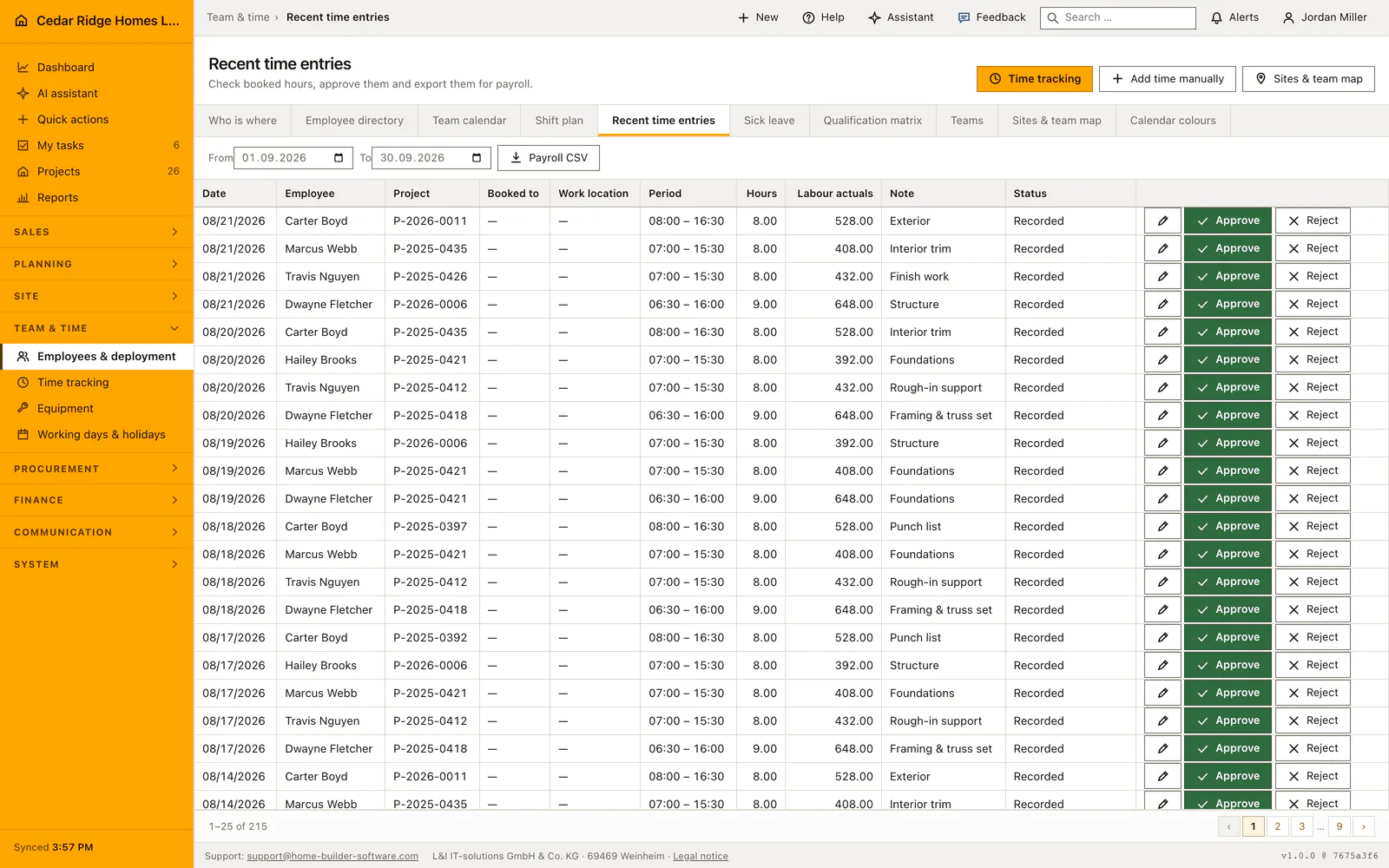
Two pieces of master data decide whether the hours are worth anything afterwards. The cost rate per hour belongs on the user record and is entered under System, Users and permissions, Edit contact; without it the approval dialog proposes nothing and says exactly where it belongs. The projects booked against are the ordinary project files sorted by number, and a booking may also stand with no project at all, for workshop or yard.
Location stays off until somebody switches it on deliberately. An account holding location.policy activates the company policy, confirms that the required works council and data protection approval exists, stores the legal basis as a note, chooses a deletion window between one and 720 hours and decides between approximate storage, rounded to about 100 meters, and exact storage. Switching the policy off again deletes every stored position of the company. Site coordinates are separate: a latitude, a longitude and a radius between 10 and 5000 meters per project, and none of it is a precondition for booking hours.
Clocking in, clocking out and adding a forgotten day
Clock in creates a booking dated today, enters the current time as the start, leaves the minutes at zero, sets the status to running and the source to the clock. The project select stands on the job of the running booking, otherwise on the project in context, otherwise on the one last booked. A second clock-in is refused: the answer says that you are already clocked in.
Clock out closes the booking, writes the end time, works out the minutes and moves the status to recorded. The running time on the page counts from the server timestamp and the page only adds its own waiting time, so a phone with a wrong clock still shows the right duration. Under the button stand the minutes booked today and the week grouped by weekday, with rejected rows left out of both sums.
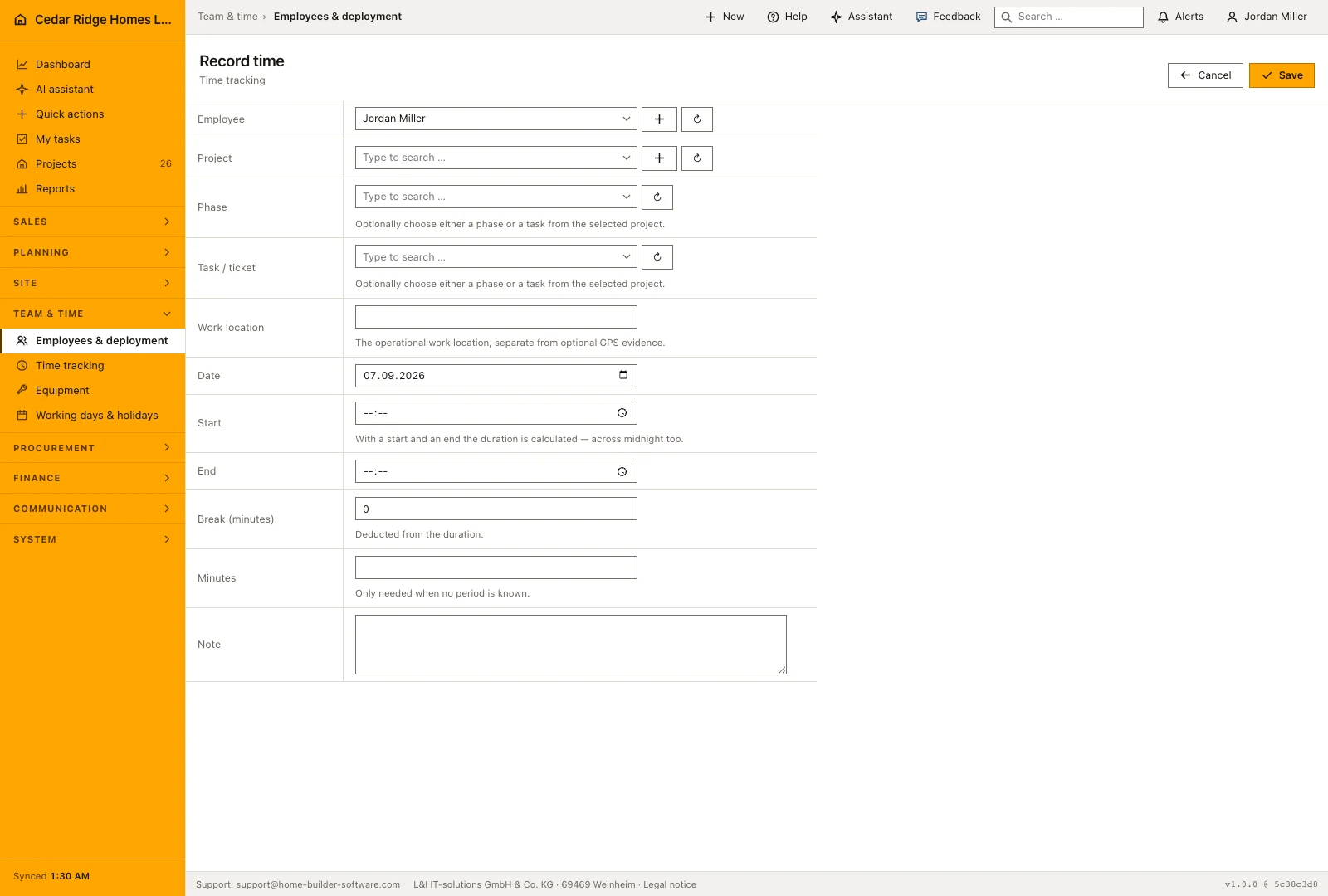
A forgotten day becomes a manual booking with a date, a period or a plain number of minutes, break minutes and a note. When a start and an end are given the duration is calculated and the break deducted; an end before the start counts as work past midnight, and a break longer than the period is refused with a message of its own. Correcting a booking that is still running closes it in the same step.
Approving, rejecting and reopening a time booking
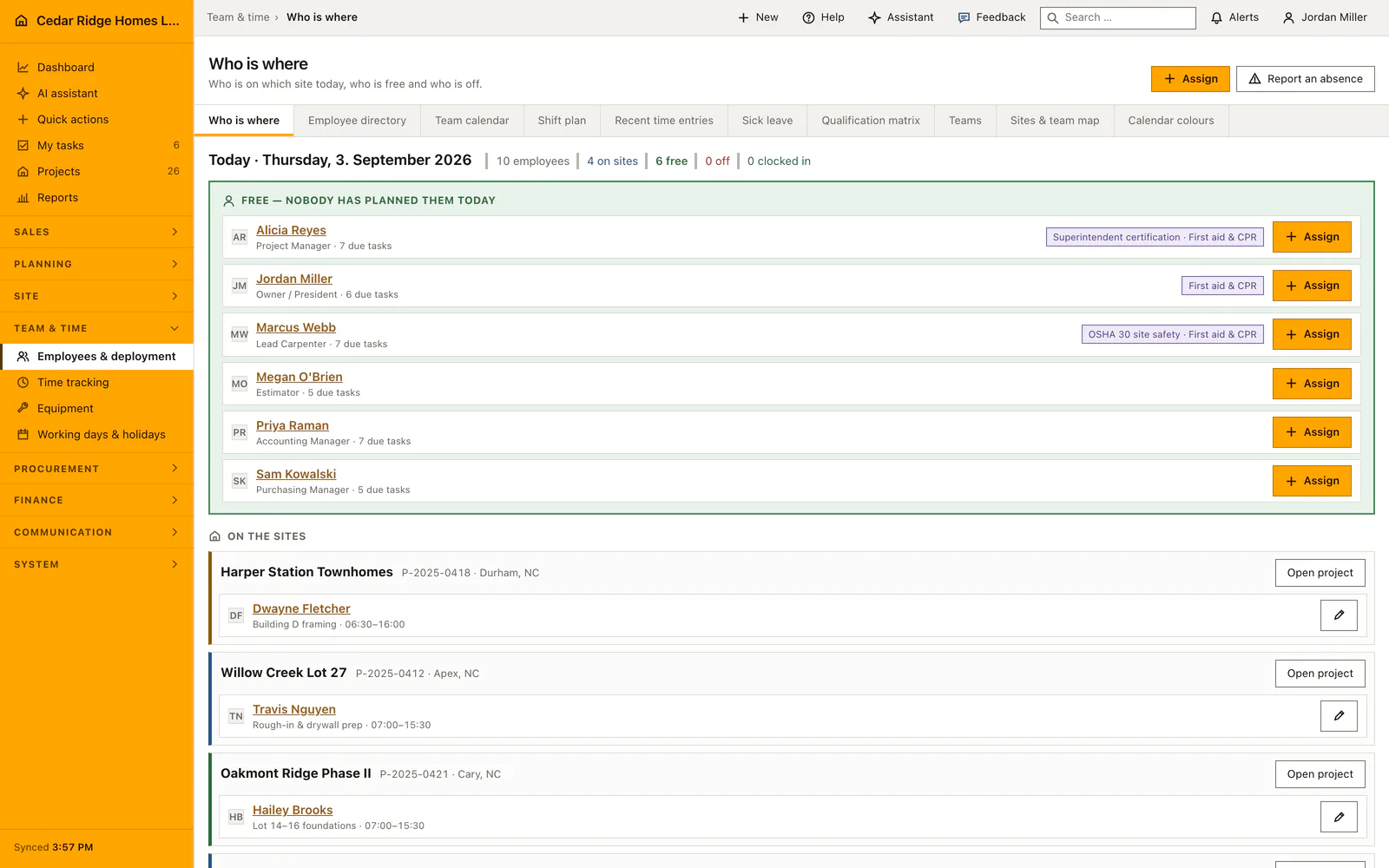
The office list under /workforce/time shows 25 rows per page, all bookings for the planning and payroll permissions and only your own otherwise. Approve opens a screen of its own instead of a cell in the table, because the decision costs money: it proposes the person's stored rate, demands the DIN 276 cost group and states that the amount enters the labor cost of the project.
Approval writes the rate, the cost group, the reference to the matching budget row, the calculated labor cost, the approving account and the moment, and it locks the row. A locked row refuses editing and deleting with the note that a manager has to reopen it first. A rejection demands a reason of up to 500 characters, sets the labor cost to zero and locks the row as well.
Reopening clears the approval, the rejection reason and the lock and puts the booking back to recorded. Approving asks for workforce.payroll, while rejecting and reopening ask for workforce.manage, so planning can send an implausible booking back without deciding what an hour costs. All three operations stand in the audit trail with the identifier of the booking.
Location consent and the deletion window
Three conditions have to hold at the same time before a single coordinate is stored. The company policy has to be active with the works council and data protection approval confirmed, the person has to have granted their own consent, and the coordinates have to hang on a deliberate action: the box that sends the position with the stamp, or the button that updates it during a running booking.
What is kept is the point at clock-in and at clock-out plus every deliberate update, each with its purpose, its accuracy and a mandatory expiry. An hourly task deletes expired records company by company. Revoking consent erases that person's stored positions immediately and inside the same transaction, and deactivating the policy clears the whole stock.
All of it can be refused without consequence. A stamp sent without coordinates books exactly the same hours, and the page says so. If the browser supplies no position the booking still goes through and reports that it was recorded without one. A person without a leading role sees only their own running entry; management sees the shared positions of the team.
Approved hours in the project budget and the payroll export
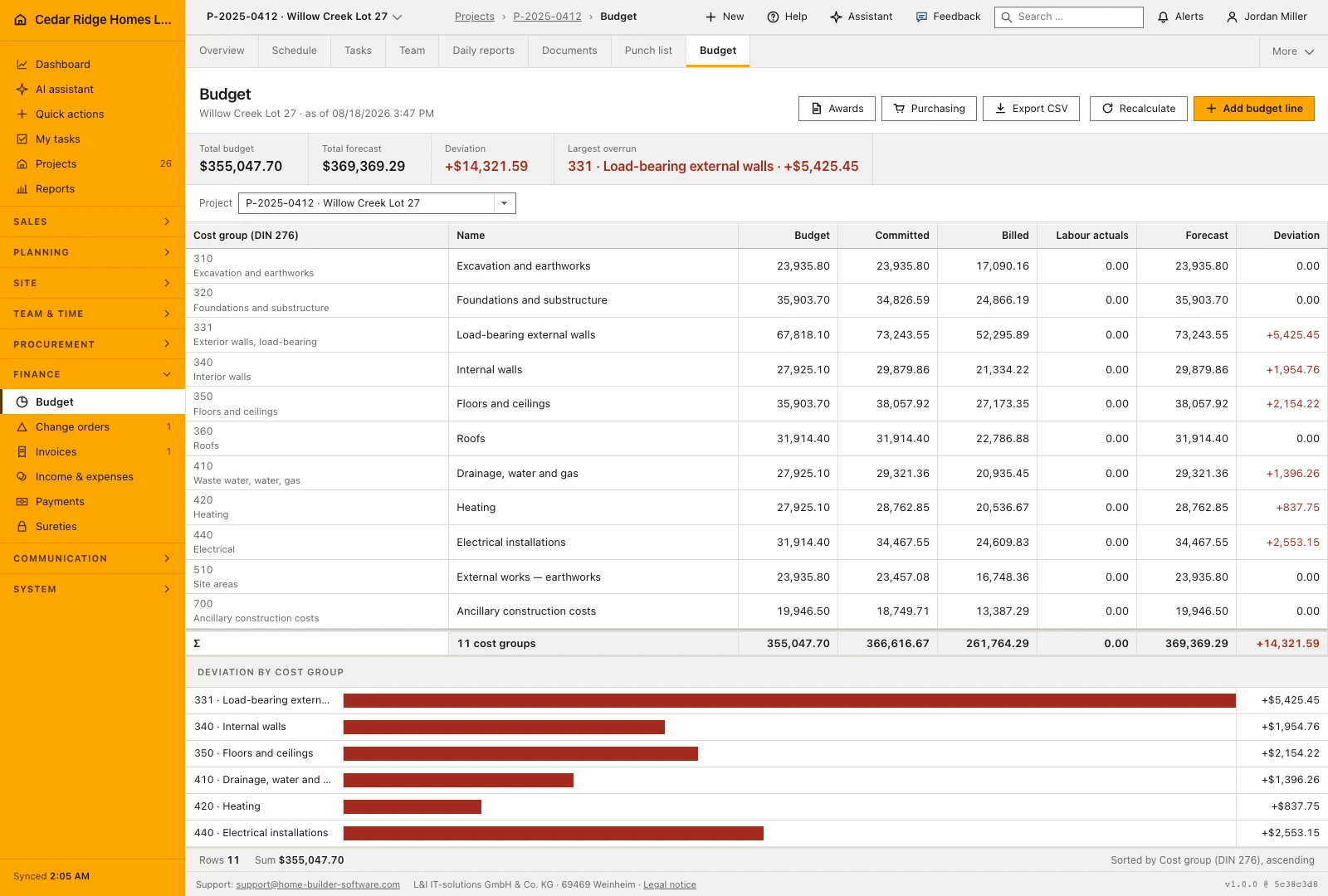
Approval is what makes an hour count towards a job. It triggers the recalculation of the project budget, so the labor cost of the booking lands in the actuals of the cost group chosen in the dialog, and the reference to the budget row is stored on the booking whenever the project keeps a row for that group. Rejection and reopening trigger the same recalculation with a labor cost of zero.
The payroll export is a period rather than a click on a list: a from and a to date, where the end may not lie before the start, and inside it approved bookings only. The file is a semicolon-separated CSV with a byte order mark, one row per booking with the date, the employee, the project number, the hours, the cost group, the rate and the cost, named after the period. The crew overview reads the other direction, counting who is clocked in and listing anybody booking hours without being assigned to a site that day.
A time tracking example from clock-in to payroll export
Marcus Webb starts his Monday on Oakmont Ridge Phase II, project P-2025-0421, by clocking in at 06:58; the project select already stands on the job, and the status of the booking is running. At 15:28 he clocks out, the server works out 510 minutes and moves the row to recorded. The Saturday he forgot becomes a manual booking with the period 07:00 to 14:00 and 30 break minutes, which the form turns into 390 minutes of work. Under the clock button the page counts the minutes of the day and lists his week grouped by weekday, with both bookings in it.
In the office list Priya Raman opens the approval screen for the Monday booking, because approving costs money: it proposes the 38.00 dollars per hour stored on Webb's user record, demands a cost group and states that the amount enters the labor cost of the project. She approves 8.5 hours at 38.00 dollars into cost group 300, which books 323.00 dollars, then the Saturday booking with 6.5 hours for 247.00 dollars; both rows lock, and the budget of P-2025-0421 recalculates with 570.00 dollars of labor in that row. The payroll export for August 17 to 23 writes one CSV row per approved booking, 15.0 hours in total.
Construction time tracking: checks before saving
Only one running booking per person is possible; a second clock-in answers with a conflict saying that the person is already clocked in.
A manual booking demands either a period or a number of minutes, and a break longer than the period is refused with a message of its own.
Approved and rejected bookings are locked; editing or deleting them presupposes a logged reopening by a manager.
The payroll export contains approved bookings only and asks for workforce.payroll, while rejecting and reopening ask for workforce.manage.
Without a company policy, a confirmed works council approval, personal consent and an explicit action no coordinate is stored.
Construction time tracking: common mistakes
Approving hours for somebody with no stored rate books a labor cost of zero and locks the row. Enter the rate on the user record beforehand, or reopen the booking afterwards.
Bookings without a project cannot land in any budget, because there is no cost group row for them to fall into. Choose the site at clock-in and not at approval.
Revoking location consent deletes the stored positions immediately. If a position was the only evidence of where a stamp was made, note it or print it beforehand.
The product page describes the same module from the business side, with the decisions it supports and the modules it connects to.
See the product pageFrequently asked questions
Is GPS required to track time?
No. Clocking in and out always works without a location.
Does Home Builder Software track employees continuously?
No. Location is requested only after policy and consent and when the employee explicitly chooses to send it.
Configuring this part for your own company?
Describe the sequence you follow today and the result you need at the end of it. We can walk through the settings that produce it.