
Permission-aware quick actions
Start the construction records you are allowed to create from one grouped page while keeping the currently selected project in context.
Permission-aware quick actions: how it works in Home Builder Software
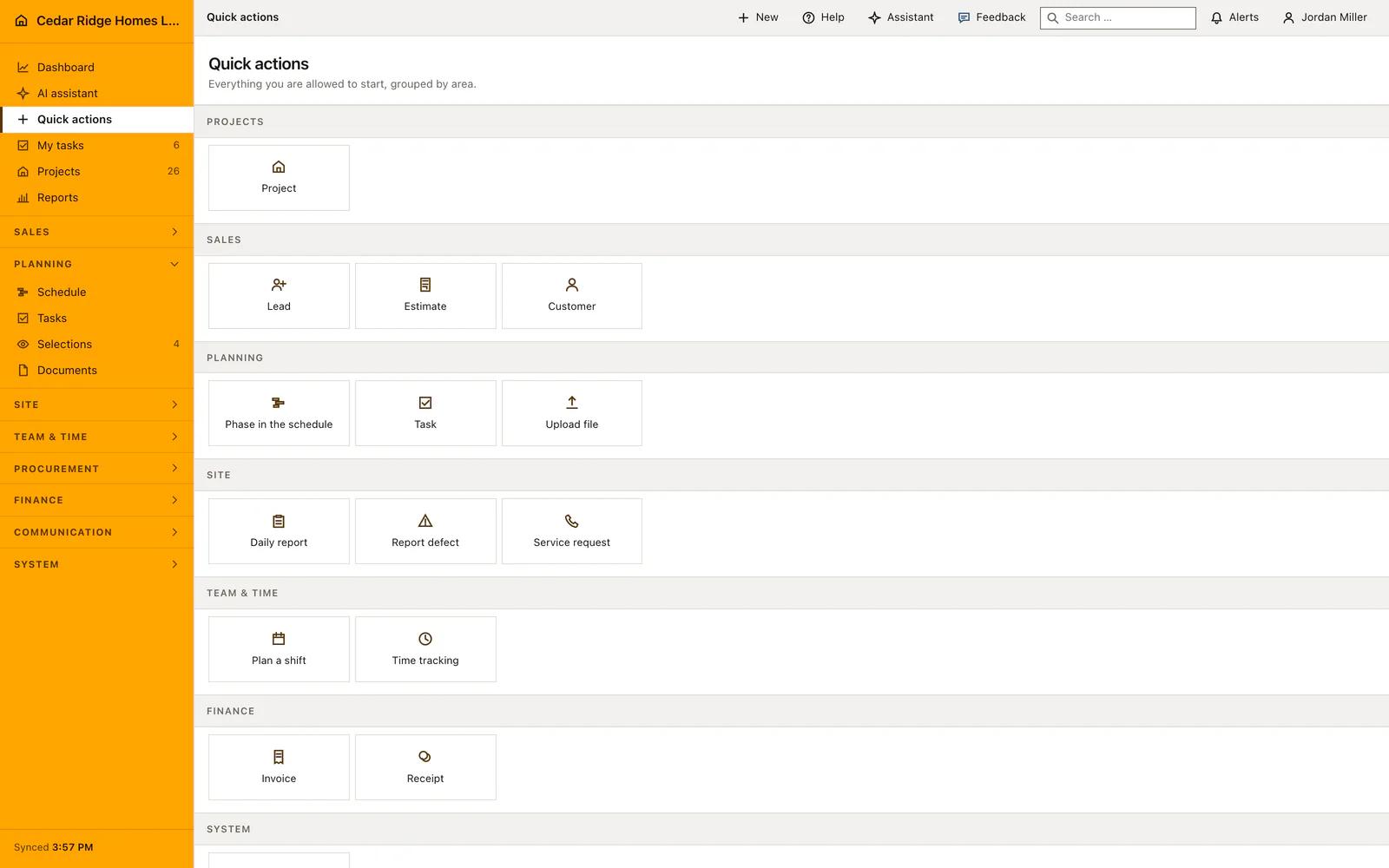
Quick actions is a page of its own, reachable from the navigation, that lays out everything the signed-in person is allowed to start. A new colleague no longer has to find the right module first and hunt for a plus button hidden in its corner. A project, a schedule activity, a work task, a shift, a daily report, a defect, a document upload, a service request, a lead, an estimate, a customer, an invoice or a finance entry all begin here.
This page, the phone bottom bar and the New button on the desktop read from one list, so the three can never offer different things. Every entry carries the read permission of its module and the write permission its save route needs, which means nothing on offer can answer with a refusal after the tap. The groups follow the order of the sidebar, and a running time entry appears as a banner with its project and a clock-out button.
When a project is active, its number and name stay in the page header and travel into the create form: daily reports, defects, document uploads, service requests, estimates, invoices and work tasks open with the job already filled in. A clear button drops that context when the next record belongs somewhere else. Nobody corrects the assignment afterwards, and no defect lands on the neighboring site because the previous project was still selected.
Starting a record from the quick actions page
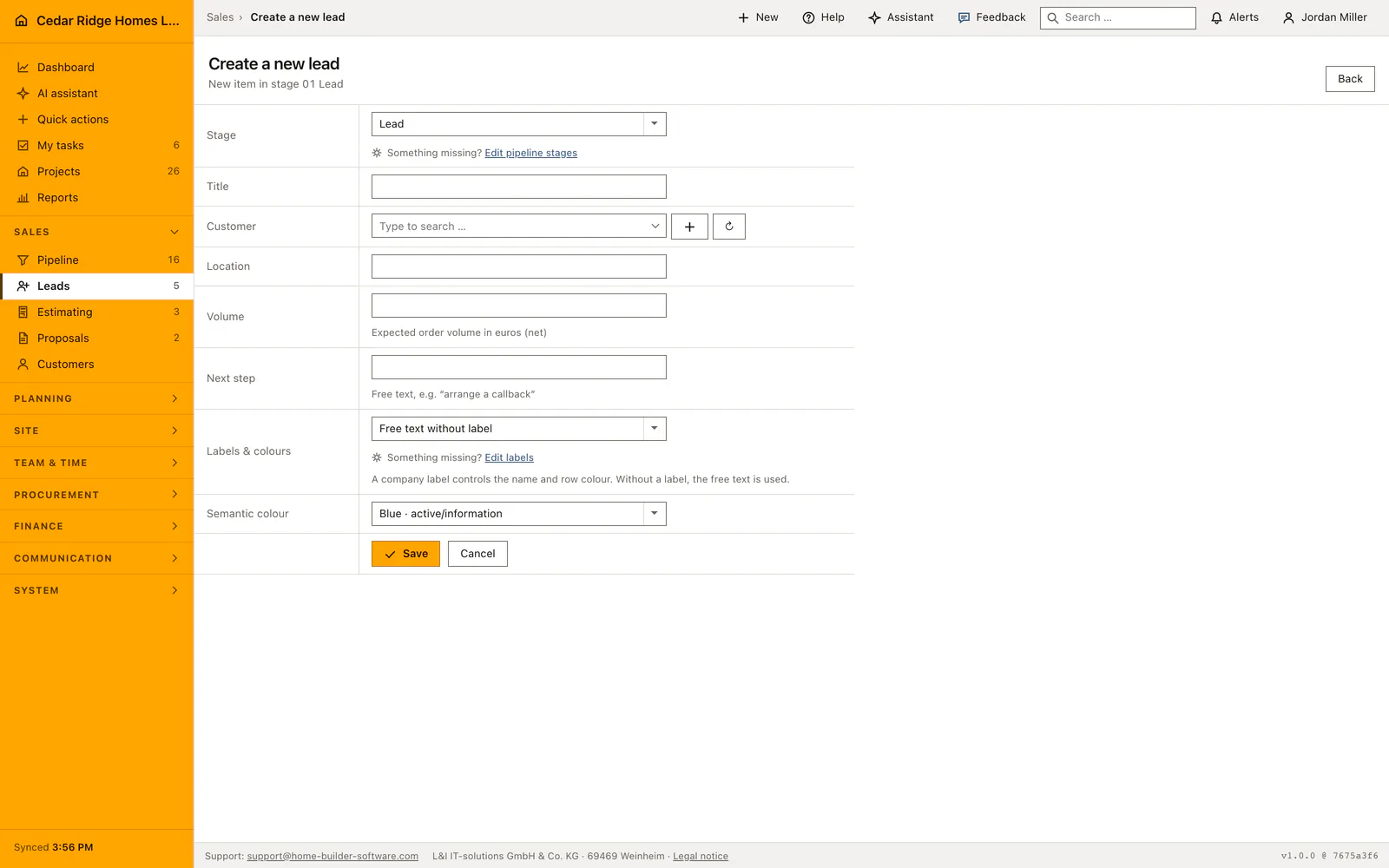
Open the page from the navigation and the tiles appear in the order of the sidebar, with project creation pinned first and sales, planning, site, team and finance following. A tile leads straight into the module's own create screen with its own fields and its own validation, so a lead opens with title, customer, location, expected volume and the next step rather than with a reduced copy of that form.
A running time entry is shown above the groups as a notice naming the project and offering the way out of it, and the clock tile then reads clock out instead of clock in. Where a role may create nothing at all, the page says so in one sentence rather than presenting an empty grid, which is a clearer answer for a new account than a screen of tiles that all refuse.
 Open full-size screenshot
Carrying the active project into the form and clearing it again
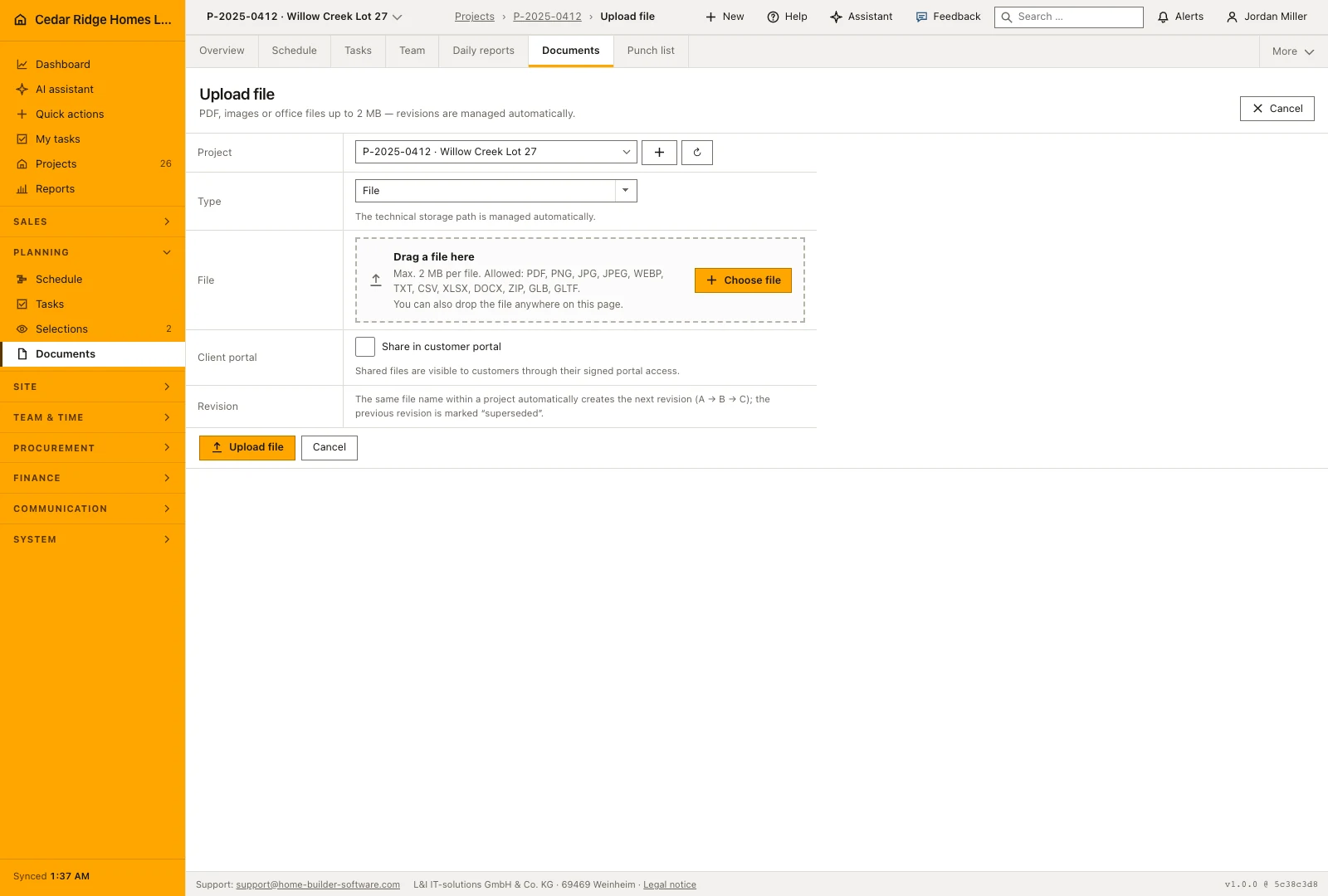
The selected project is shown by name and number above the actions. Supported forms, including daily reports, defects, documents, service requests, estimates and invoices, open with that project selected. This is useful when several records belong to the same site visit: return to quick actions between entries and keep working against the same project without choosing it repeatedly.
Clear the active project before starting work for another site, or choose the new project first. Company-wide records such as a new customer or employee shift have their own context and do not automatically become part of the current project. The destination form still shows the fields you are saving, so check its project selection before submitting a record.
 Open full-size screenshot
The same list behind this page, the phone bar and the New button
The page, the action button of the phone bottom bar and the New button on a wide screen all read one catalog, so the three cannot offer different things to the same person. The phone bar additionally carries a short set of destinations, chosen by permission as well: the dashboard first, then a reading destination and a working destination, kept short enough that no label has to be truncated.
Because every tile is the module's own create route in Home Builder Software, whatever that module requires still applies. A defect opened from here lands in the defect list with its status and its project, a document upload lands in the folder structure of that site, an invoice enters the number range configured under finance settings. This page shortens the way to the form and changes nothing about the record that follows.
Permission-aware quick actions in the daily routine
A foreman finishing a walk on site taps the orange button, sees the four or five things his role may create, and starts the defect for the project he is already standing in. In the office the same page answers a different question, because a new user opens it to learn what the account can actually do. Nothing is maintained here by hand: the list changes as soon as a role gains or loses a permission, and the page follows on the next visit.
Read the documentationPermission-aware quick actions: what it covers
See available create actions grouped like the main navigation
Carry the active project into the next workflow
Show only actions permitted for the signed-in role
Permission-aware quick actions: questions and answers
What appears under Quick actions?
The page lists the create actions the signed-in user may start, grouped by the same areas as the navigation.
Does opening an action lose the selected project?
No. When a project is active, supported actions carry that project into the new record.
Use Permission-aware quick actions on your own projects
Request a trial period for the workflow around this module. We agree the roles, permissions and useful scope with you before preparing access.