
Construction payment tracking and bank matching
Maintain a payment log linked to outgoing invoices and review imported bank transactions before confirming or ignoring each match.
Construction payment tracking and bank matching: how it works in Home Builder Software
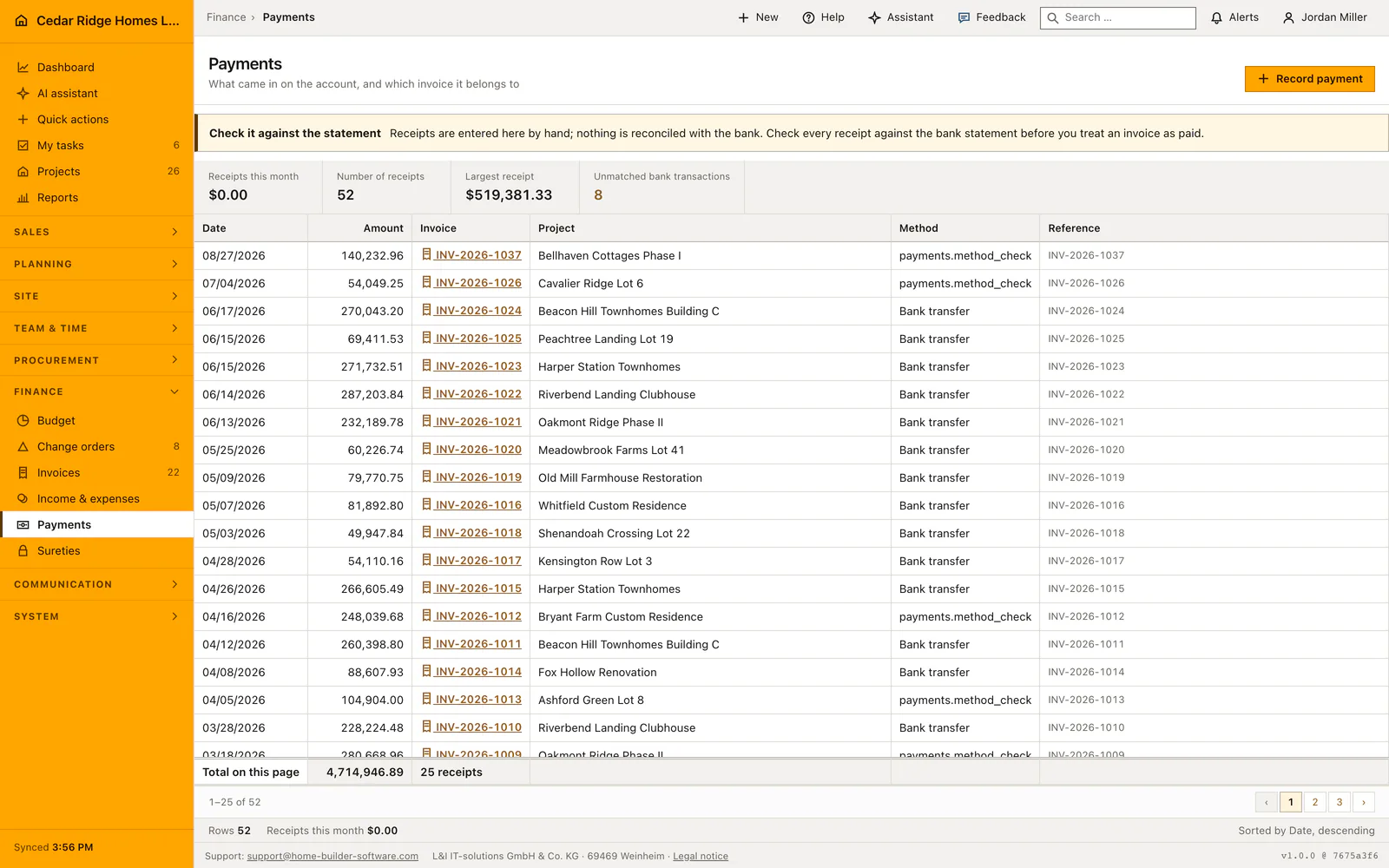
Payments record the money that actually arrived, which is a different question from what was billed. Each receipt shows its date, amount, the invoice number it settles, the project behind that invoice, the method used — transfer, SEPA direct debit or card — and the bank reference the statement carried. Newest receipts sit at the top, the footer sums the visible rows, and the metric band counts anything still unassigned.
Bank import reads pasted statement lines or a CSV file with date, amount, payer and reference, skipping and counting rows it cannot parse. Nothing posts by itself: the software proposes an invoice when its number appears in the reference or when the amount matches an open balance exactly, and a person confirms or ignores every line. Checks and cash are entered directly, with the invoice locked for the duration of the write.
A confirmed match reduces the open amount of the invoice in one transaction: a full settlement flips it to paid with the value date, a partial payment leaves the rest open and still exposed to the next dunning run. Ignored rows change no invoice at all, which is what direct debits need. The invoice detail then lists every receipt against it including the discount note, and the whole log exports as CSV.
Recording a check, cash or single transfer against an invoice
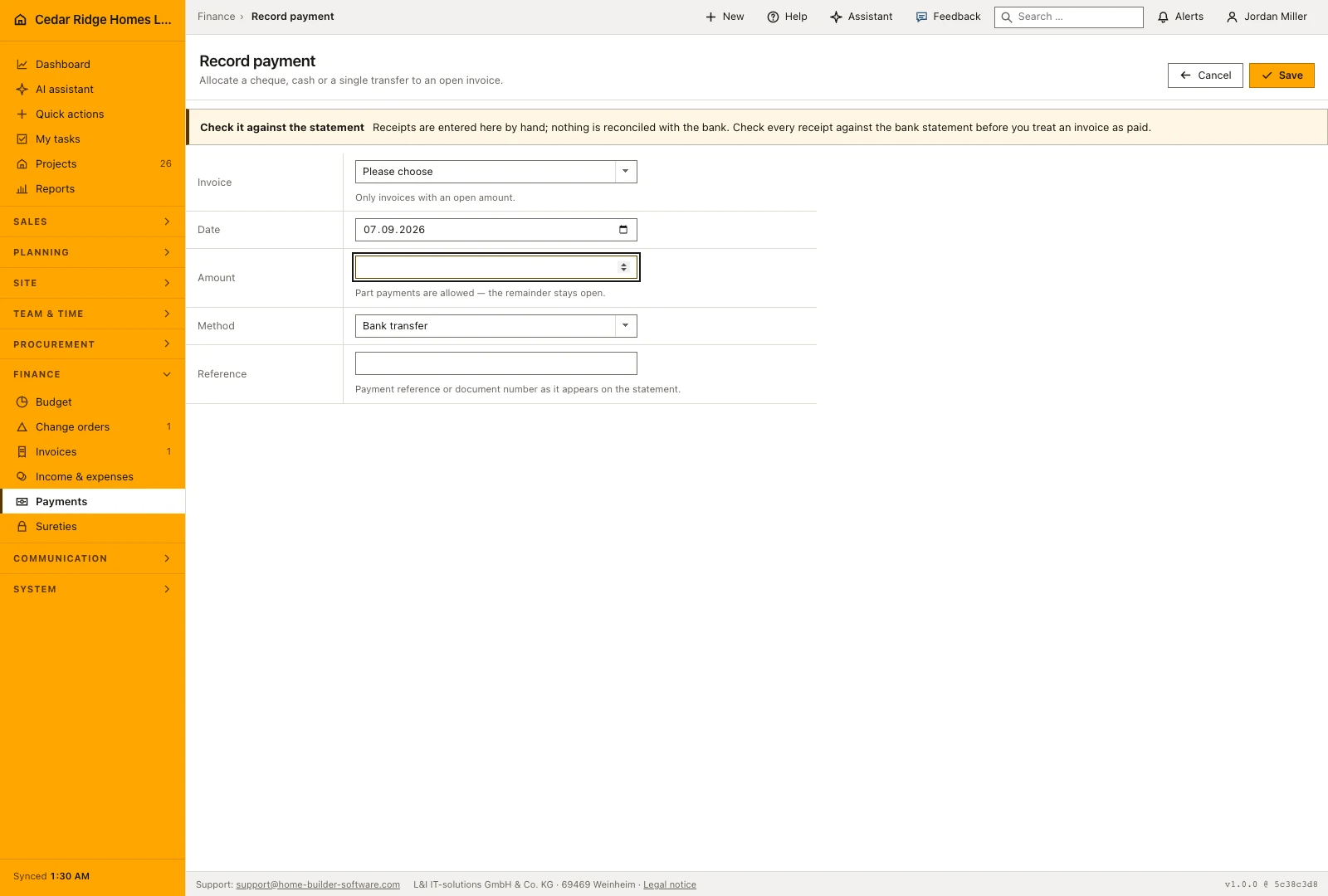
The form asks for the invoice, the value date, the amount, the method and a reference. Date defaults to today and method to bank transfer, so a straightforward transfer needs the amount and one click. A part payment is allowed and expected: enter what the statement shows, not what the invoice says. The reference field takes up to 180 characters and should repeat the payment reference or document number exactly as the bank printed it.
Leaving the reference empty is not an error. The stored row is then marked as recorded by hand together with the name of the person who booked it, and a booking made through the assistant says so in the same column, because that column is the only provenance visible in the ledger and in the export an accountant reads.
 Open full-size screenshot
Reading the payment ledger and its monthly figures
Four figures sit above the table: receipts in the current month, the number of receipts, the largest single receipt, and the count of imported bank transactions still without a decision, which turns amber as soon as one is waiting. The rows below carry date, amount, invoice number, project, method and the bank reference in smaller type. Sorting is fixed on date descending and there is no user sort, which the status bar states in words.
The invoice number is the only link in a row, and it opens the invoice rather than the receipt, because a receipt has no page of its own. The foot line adds up the rows on the current page and says so; the month figure repeated in the status bar is a different number by design. The list pages at 25 rows.
Bank statements, invoice status and the receivables report
Import bank statement lines from the supported CSV or text format, or paste the lines into the import form. Review the proposed matches against invoice number, payer, reference and amount before accepting them. Imported transactions are suggestions until a person makes the booking decision. Keep unmatched items visible for investigation instead of forcing a payment onto an invoice merely because the amounts are similar.
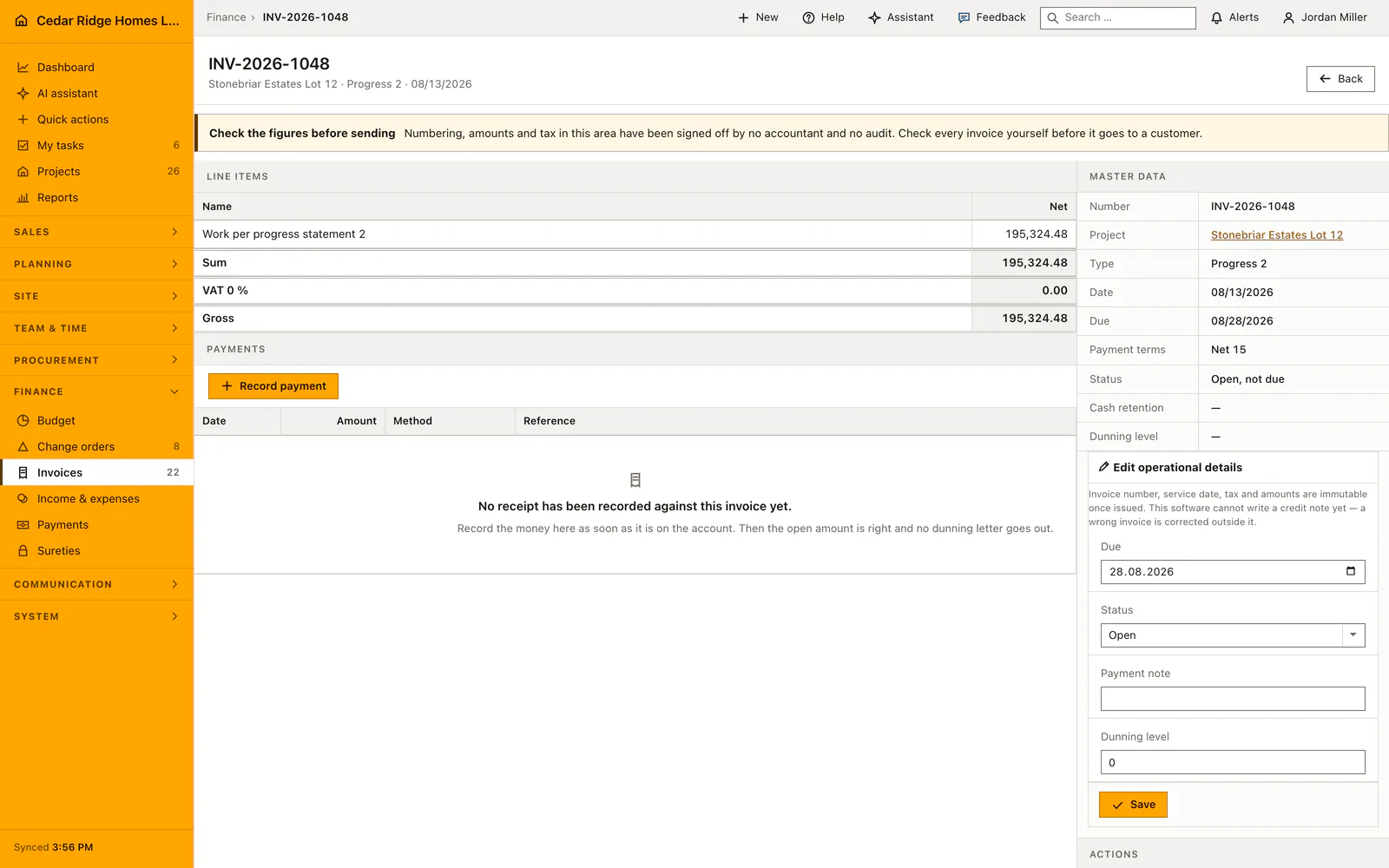
A booked receipt reduces the open amount of its invoice. A partial payment leaves the remainder outstanding, while a complete settlement changes the payment state. Open the invoice to see the receipts applied to it and any discount information. The receivables reports then show the balances still owed, so collection work can focus on the remaining amount rather than the original invoice total.
 Open full-size screenshot
Construction payment tracking and bank matching in the daily routine
Bookkeeping opens Payments in the morning because the metric band shows how many bank lines are waiting. The statement goes in as pasted text or a CSV file, then each open transaction is judged: accept the proposed invoice, pick one from the list of open documents, or mark the line as ignored when it has no invoice behind it. The last ten processed rows stay visible for a second look, and a check handed over on site is recorded by hand.
Read the documentationConstruction payment tracking and bank matching: what it covers
Trace date, amount, invoice, project, method and bank reference
Import bank transactions from pasted rows or CSV in the demo workflow
Confirm suggested or manually selected invoice matches
Construction payment tracking and bank matching: questions and answers
Are bank transactions matched automatically?
No. The software proposes a match when possible, but a user confirms or ignores each transaction.
What happens after a full payment is matched?
The invoice becomes paid; after a partial payment its remaining balance stays open.
Use Construction payment tracking and bank matching on your own projects
Request a trial period for the workflow around this module. We agree the roles, permissions and useful scope with you before preparing access.