
Construction income and expense records: setup and daily use
Income & expenses is the register under Finance where four record types share one list: income, expenses, travel costs and purchases. Every entry carries a date, a name, an optional project and supplier, a DIN 276 cost group, net, tax, a status and a receipt file. Reading it needs the View finance right, creating or editing needs Edit and approve finance. What follows covers the fields, the filters and what a status change moves elsewhere.
Number ranges for income, expense and purchase receipts
The register works from the first day, but the numbers it hands out are configured under Settings on the Finance tab. One row per document type holds a prefix, the next number, the padding and whether the year belongs in it, with a live preview beside the fields. The delivered defaults are EIN for income, AUS for expenses, SPE for travel costs and EK for purchase receipts, padded to four digits with the year, so the first expense of 2026 reads AUS-2026-0001.
Saving that tab needs the same right as the register itself, Edit and approve finance. A number is drawn at the moment an entry is stored, inside a database transaction that locks the numbering setting, which is why two people saving in the same second receive consecutive numbers instead of the same one. Raising the next counter is harmless; lowering it into a range already issued is what produces a duplicate, so the counter is left alone once a year is running.
Creating an income, expense, travel or purchase entry
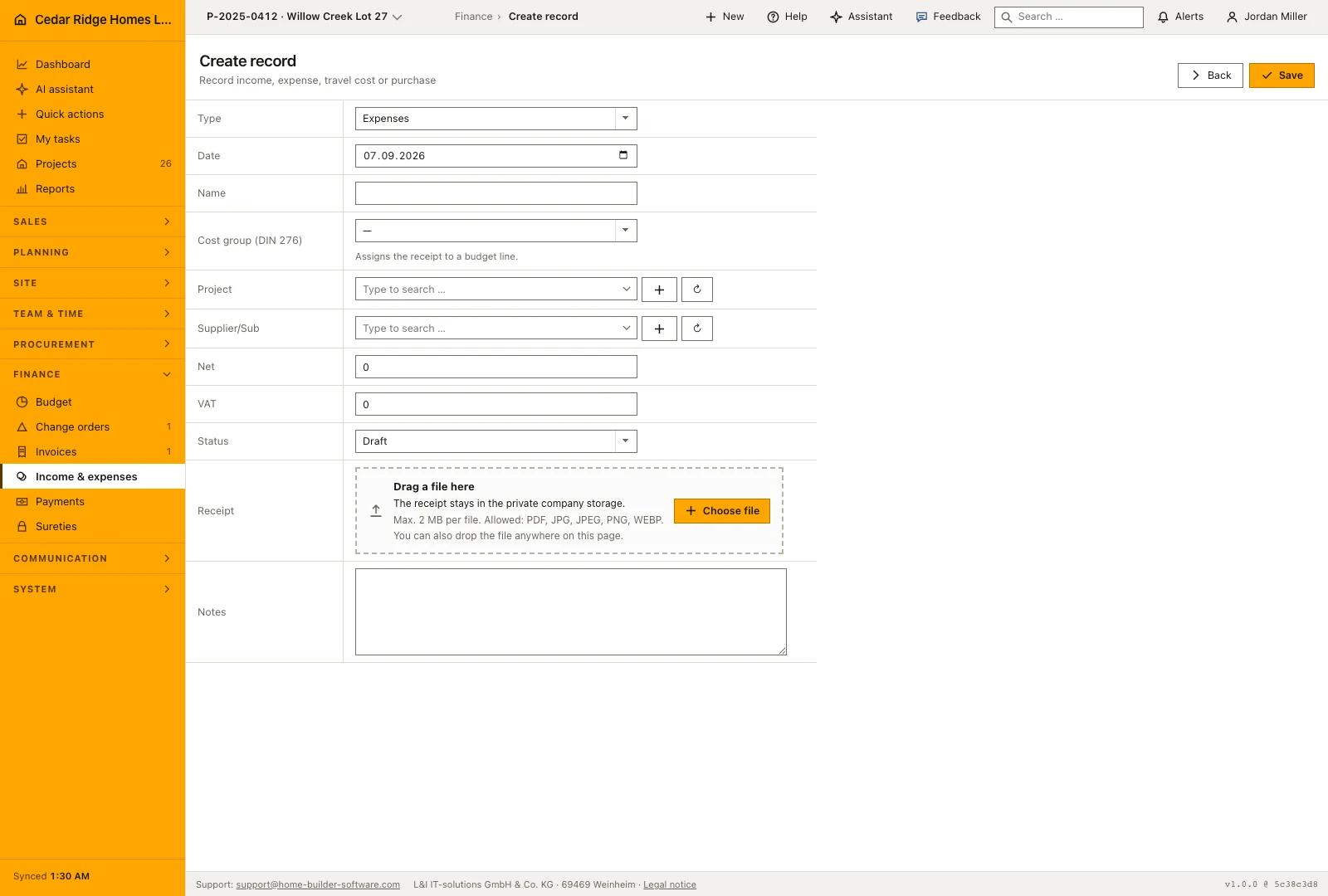
The action button above the list opens the form as a dialog. Choose the type first, because it is the one field that freezes the moment the entry is stored. The date defaults to today, the name takes up to 180 characters, and cost group, project and supplier are optional pickers that can create the record they are missing without leaving the form. Net and tax are typed separately, and the gross figure shown in the list is calculated from both on save.
Status starts on Draft and moves on to Submitted, Booked, Reimbursed or Rejected. The receipt field accepts a PDF, JPEG, PNG or WebP file up to 10 MB and names the document already attached, so replacing one is a decision rather than an accident. The note field holds up to 5000 characters. Saving lands on the detail page, where everything except the type and the assigned number can still be corrected and stored again.
Filtering the expense register by type, status and period
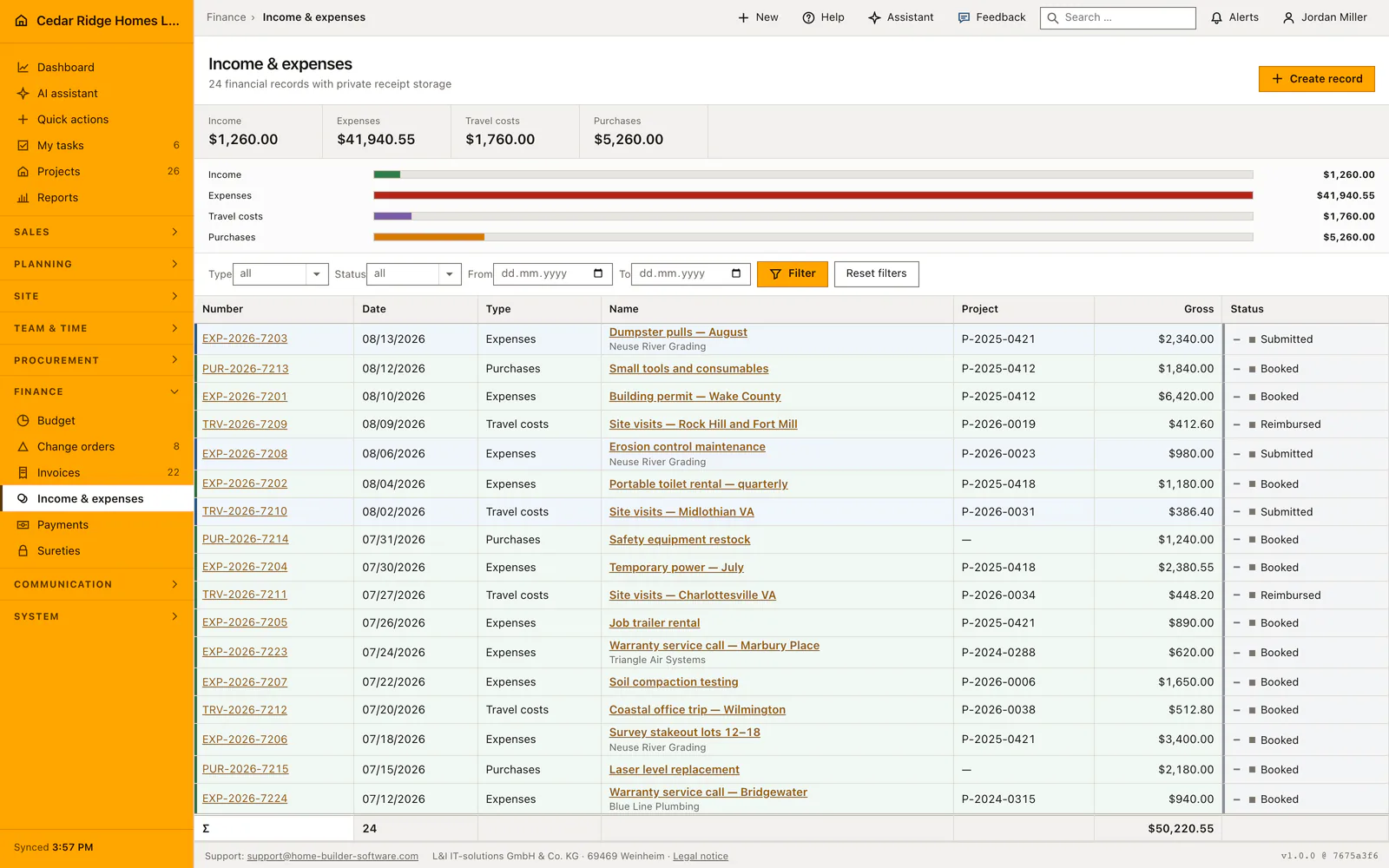
The filter bar above the table combines type, status, date from and date to. The figures over it are the totals per type and they cover the whole filtered set rather than the page on screen, which is what makes a period filter usable for a quarterly figure. The bars underneath compare the four types against the largest of them, so a month dominated by purchases is readable before a single row has been opened.
The table itself lists number, date, type, name with the supplier underneath, project number, gross and status, and each row is tinted by its status so booked and rejected records separate at a glance. Sorting is fixed on date descending and the list pages at 25 rows. The foot line repeats how many entries the filter found and their total, and the number in the first column opens the entry.
Rights, receipt access and the audit trail on finance entries
Opening the register needs View finance. The create button and the save button appear only for Edit and approve finance, and the write gate in front of every finance-entries route refuses a stored or updated record without that right, so a hidden button is never the security boundary. An entry belonging to another company answers with 404 rather than a permission message, which keeps one tenant from learning that the other exists.
Receipts are written into the company storage under a generated file name and served through a route of their own after the same permission check, with private, no-store caching and a nosniff header. They never receive a public address. Creating an entry and updating it each write an audit record naming the entry and its type, which is the trail somebody follows months later when a receipt is questioned.
How a booked expense reaches the budget and purchasing
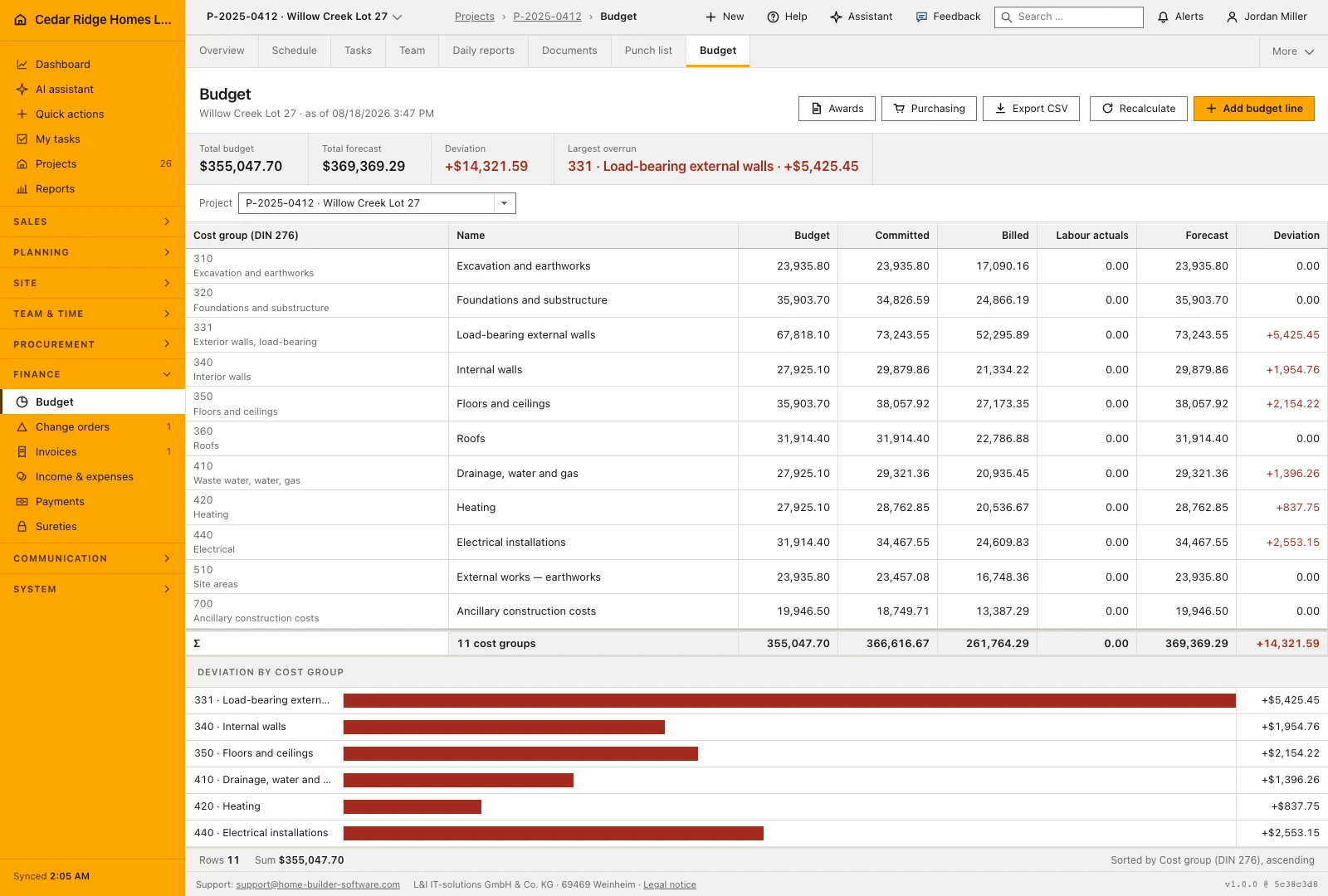
An expense or purchase entry that carries a cost group and stands on Booked or Reimbursed counts its net amount into the Billed column of that cost group on the budget page. The recalculation runs after every save, so the figure is never a nightly snapshot, and cost booked on a group the budget does not know yet becomes a line of its own labeled Not budgeted instead of vanishing quietly.
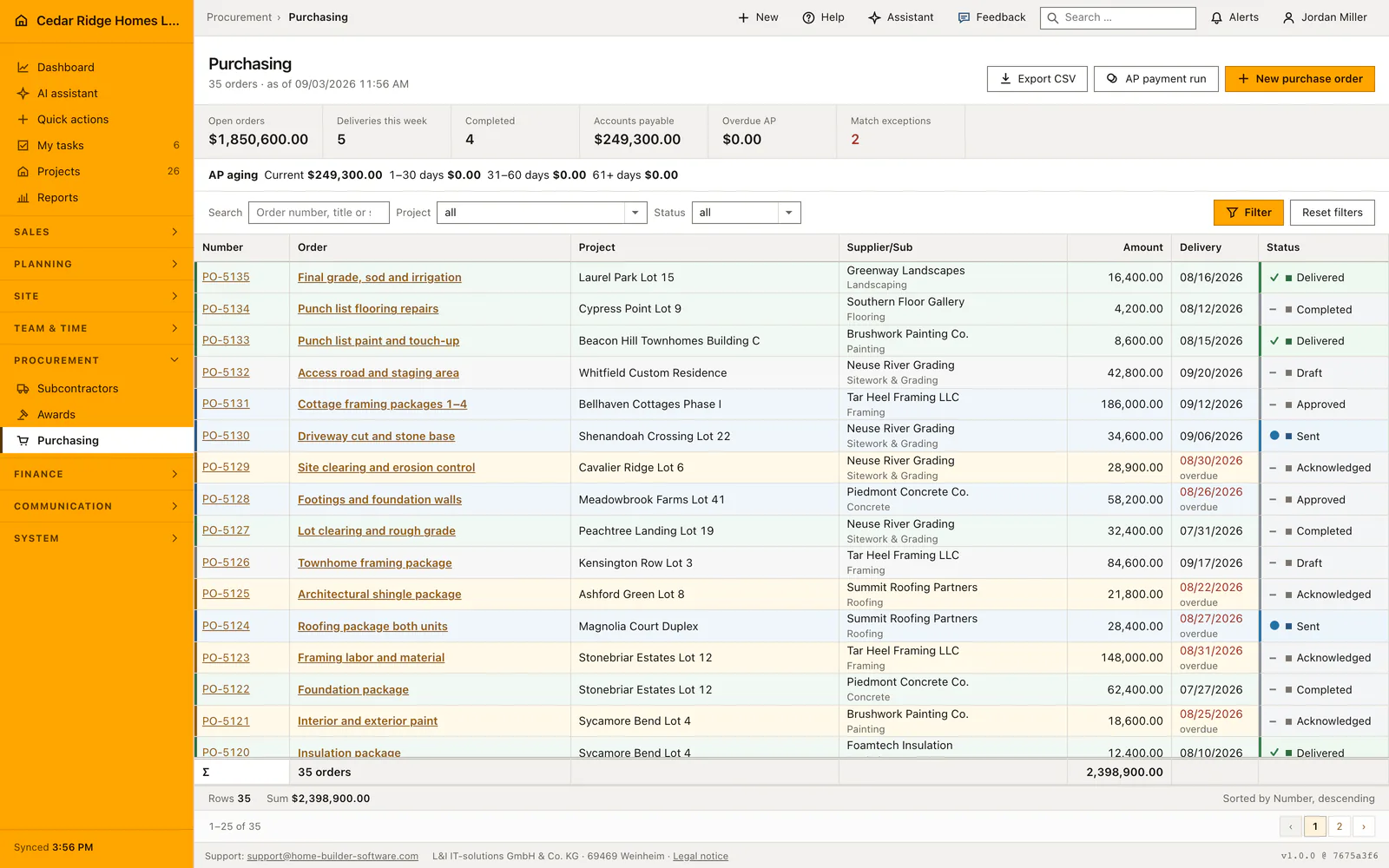
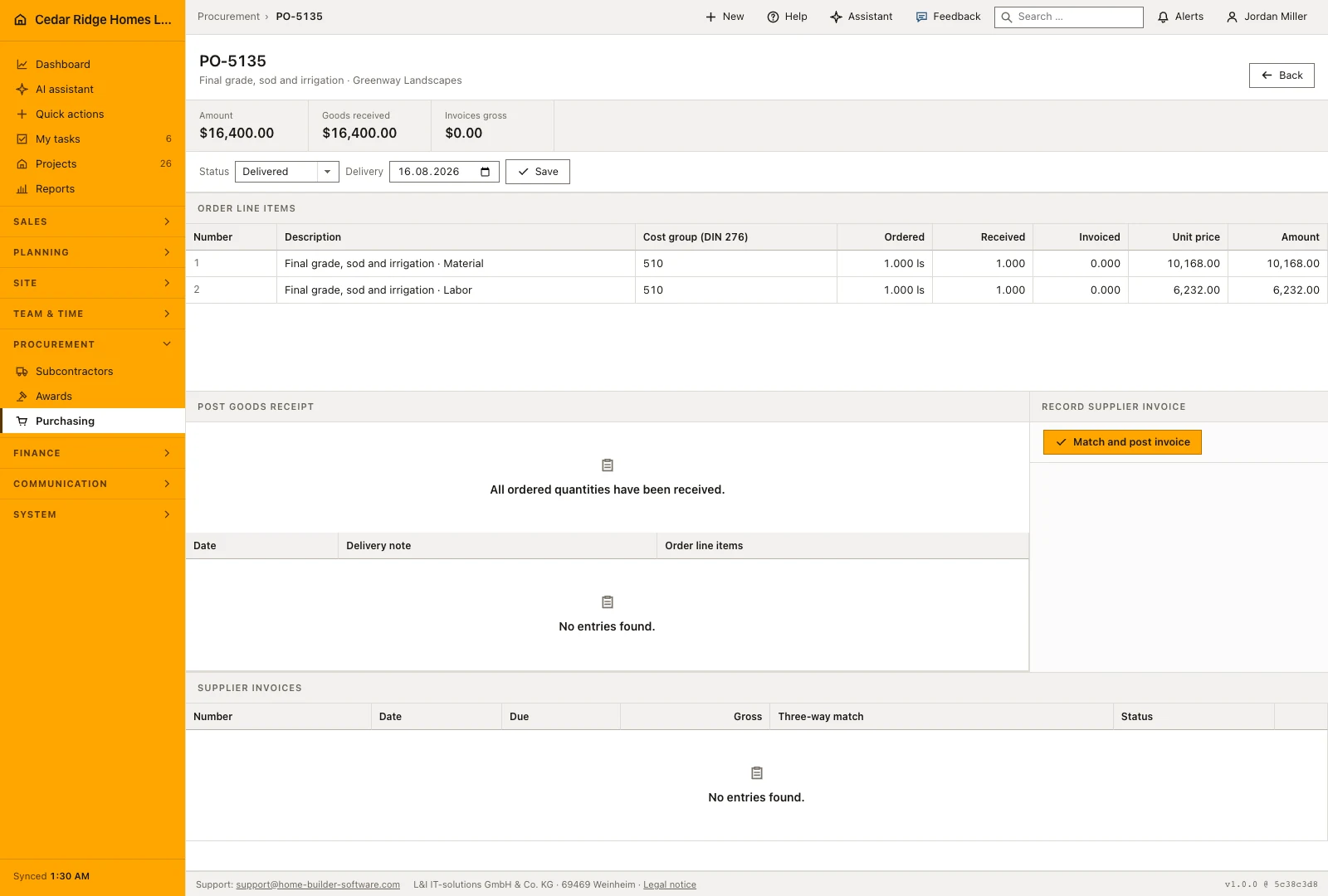
Purchasing writes entries as well. A supplier invoice captured against a purchase order creates a purchase receipt carrying that order, its due date and its cost group, on status Submitted. Approving the supplier invoice moves the receipt to Booked, and that is the moment the amount reaches the budget. Reassigning an entry to a different project recalculates the old project and the new one.
An expense entry followed from receipt to budget at Cedar Ridge
On the fourth of August Priya Raman, who keeps the books at Cedar Ridge Homes in Raleigh, records the bill for temporary site power on Willow Creek Lot 27. She chooses the type expense, leaves the date on today, names the entry, picks the project and the supplier Wake Electric Contractors, and sets cost group 200 for preparing the site. Net is typed as $1,840.00, tax at the local rate of 7.25 percent as $133.40, and the signed two-page PDF goes into the receipt field. Saving stores the entry as AUS-2026-0143 and shows $1,973.40 gross in the list.
The entry starts on Draft, moves to Submitted once the receipt is checked, and lands on Booked two days later; that change writes the net of $1,840.00 into the Billed column of cost group 200 on the Willow Creek budget. The same week a supplier invoice from Foamtech Insulation, captured against purchase order PO-5120, produces the purchase receipt EK-2026-0058 over $12,400.00 net, standing on Submitted. Until that invoice is approved in Purchasing the budget shows only the power bill, which is exactly the difference between a captured paper and a booked one.
Construction income and expense records: checks before saving
The record type and the assigned number freeze on save; the update route drops both fields before it writes.
Every number is reserved inside a database transaction that locks the numbering setting, so two entries stored at once never share one.
A receipt is accepted only as PDF, JPEG, PNG or WebP up to 10 MB and is streamed after the View finance check.
The cost group is validated against the configured DIN 276 catalog; a value outside that list is refused.
Construction income and expense records: common mistakes
An expense saved without a cost group stays in the register and never shows up in the Billed column, so the project reads cheaper than it is. Set the group while creating the entry.
A purchase receipt written by a supplier invoice arrives on Submitted. Until that supplier invoice is approved in Purchasing, its net amount is missing from the budget although the paper is on the desk.
Choosing the wrong type cannot be repaired later. A travel cost stored as an expense has to be recorded again under the right type, and the first record set to Rejected.
The product page describes the same module from the business side, with the decisions it supports and the modules it connects to.
See the product pageFrequently asked questions
Which transaction types are available?
The register supports income, expense, employee expense and purchase.
Do uploaded receipts receive a public URL?
No. They remain in private tenant storage and are served through a permission-checked endpoint.
Configuring this part for your own company?
Describe the sequence you follow today and the result you need at the end of it. We can walk through the settings that produce it.